Jenni AI vs QuillBot vs Paperpal (2026): Which AI Academic Writing Assistant Is Best?
Jenni AI helps you draft from your sources with citations, QuillBot rewrites and polishes text for almost any writer, and Paperpal checks manuscripts the way a journal editor would. Here is how they compare on pricing, citations, integrity tools and workflow.
Short verdict: pick Jenni AI if your main problem is getting a first draft written from the papers you have already collected, with citations attached as you go. Pick QuillBot if you already have text and want to paraphrase, summarize, grammar-check or tighten it cheaply, for coursework, emails or general writing. Pick Paperpal if you are a graduate student or researcher preparing a thesis or journal manuscript and want academic language editing, plagiarism checks and submission readiness checks in one place.
All three get described as an "AI writing editor", but they sit at different stages of the writing process. Jenni works at the drafting stage, QuillBot at the rewriting stage, and Paperpal at the editing and submission stage. Many students end up using two of them together. This comparison is based on each vendor's official site and pricing page as of October 2026, plus public user feedback. We have not run our own lab tests.



Quick verdict by use case
Writing a literature review or essay from your own PDFs: Jenni AI, for source-grounded autocomplete and inline citations.
Paraphrasing and summarizing on a budget: QuillBot, with the lowest annual price of the three.
Polishing a thesis or journal manuscript: Paperpal, for academic language editing and 30+ submission checks.
Checking for plagiarism before you submit: Paperpal or QuillBot Premium, both of which include a similarity checker.
Working inside Microsoft Word, Google Docs or Overleaf: Paperpal, with a Word add-in and browser extensions for Docs and Overleaf.
Managing references and citation styles: Jenni AI, with 10,000+ styles and Zotero and Mendeley import. Paperpal is close behind.
Non-academic writing (emails, blog posts, reports): QuillBot, the most general-purpose of the three.
Pricing compared (as of October 2026)
Prices below come from each vendor's pricing page and public listings in October 2026. Annual billing is much cheaper than monthly for all three, and Paperpal adjusts prices by region, so treat these as reference points and confirm on the official pages: Jenni AI pricing, QuillBot Premium and Paperpal pricing.
| Tool | Plans | Paid price | Free plan includes |
|---|---|---|---|
| Jenni AI | Free, Plus, Pro | Plus $12/mo and Pro $29/mo, both billed annually. Monthly billing costs considerably more. | 10 AI autocompletes a day, 5 AI chat messages, 3 AI edits, 3 reviews, 10 PDF uploads, unlimited citations, body-only export |
| QuillBot | Free, Premium, Team | Premium about $19.95 billed monthly, or about $8.33/mo billed annually ($99.95/yr). Team plans priced per seat. | Paraphraser up to 125 words per run in 2 modes, Summarizer up to 1,200 words, grammar checker, no plagiarism checker |
| Paperpal | Free, Prime, Institution | Prime widely listed at about $25 billed monthly, or about $139/yr billed annually. Regional pricing applies. | 200 language suggestions a month and limited use of the generative AI writing features |
On paper, QuillBot is the cheapest paid option if you commit for a year. Jenni Plus is in a similar range on annual billing, but the price jumps if you pay month to month, which matters if you only need help during one semester. Paperpal's annual Prime plan is competitive for researchers who write year-round, and many universities buy institutional licenses, so check with your library before paying yourself.
What each tool actually is
Jenni AI
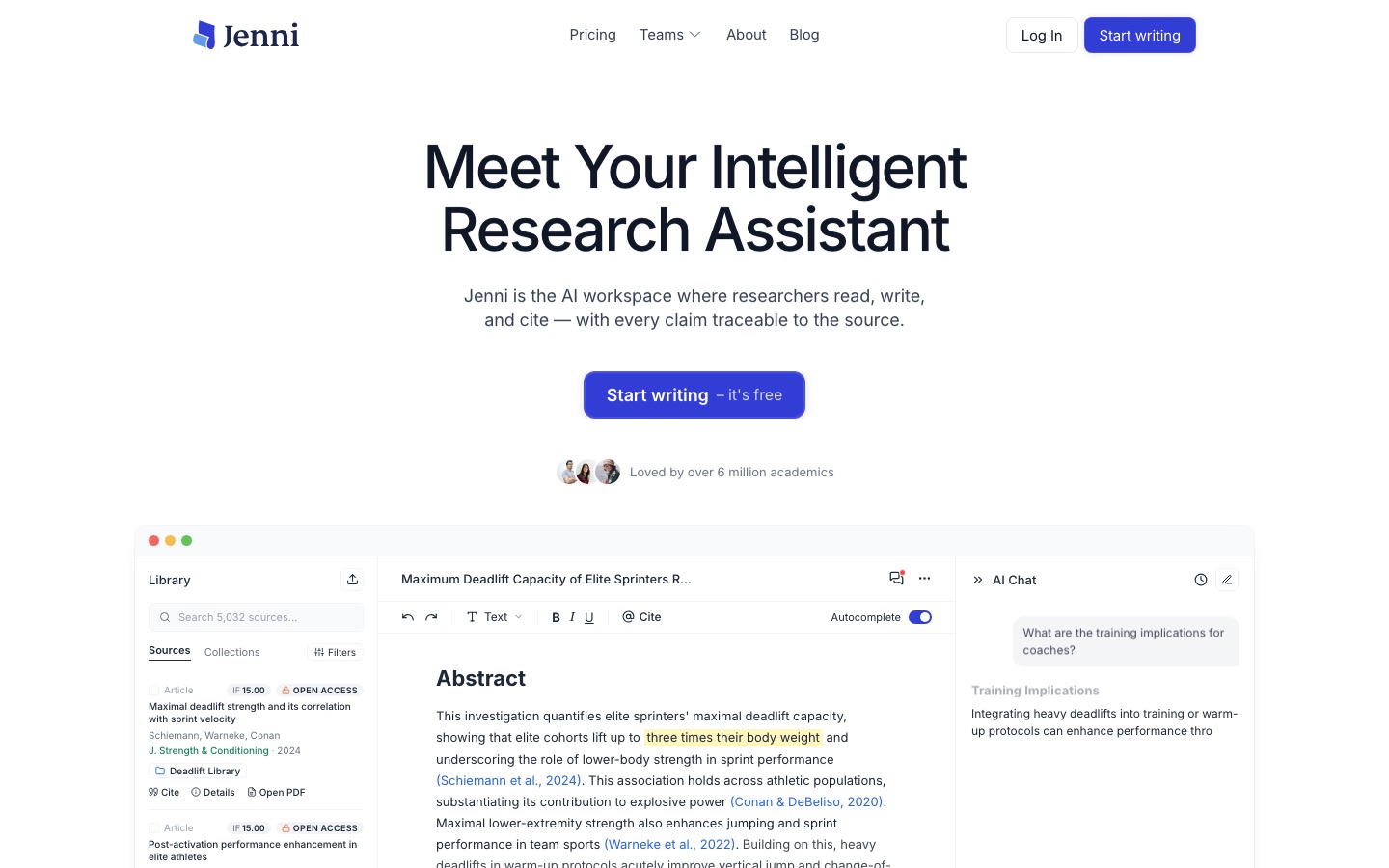
Jenni AI (often searched as "jenni.ai" or "jennieai") is an AI writing workspace built for academic drafting. You upload PDFs or import a library from Zotero or Mendeley, then write in Jenni's editor while its autocomplete suggests the next sentence. The key difference from a generic chatbot is that suggestions can be grounded in your own sources, and each cited claim links back to the page and paragraph it came from. Jenni also offers AI chat across your library, a Reviews feature that checks your claims against your sources, real-time co-authoring, and export to Word, LaTeX or HTML. The company says more than 6 million academics use it.
QuillBot
QuillBot started as a paraphrasing tool and has grown into a broad writing toolkit. Its Paraphraser rewrites sentences in several modes (Standard and Fluency on the free plan, plus options such as Formal, Academic, Simple, Creative, Expand, Shorten and Custom on Premium). Around it sit a Grammar Checker, Summarizer, Translator, Citation Generator, AI Detector, AI Humanizer and a Plagiarism Checker on Premium. A Chrome extension and add-ins bring the tools into the pages and documents you already use. It is not specific to academia, which is both its strength and its limit.
Paperpal
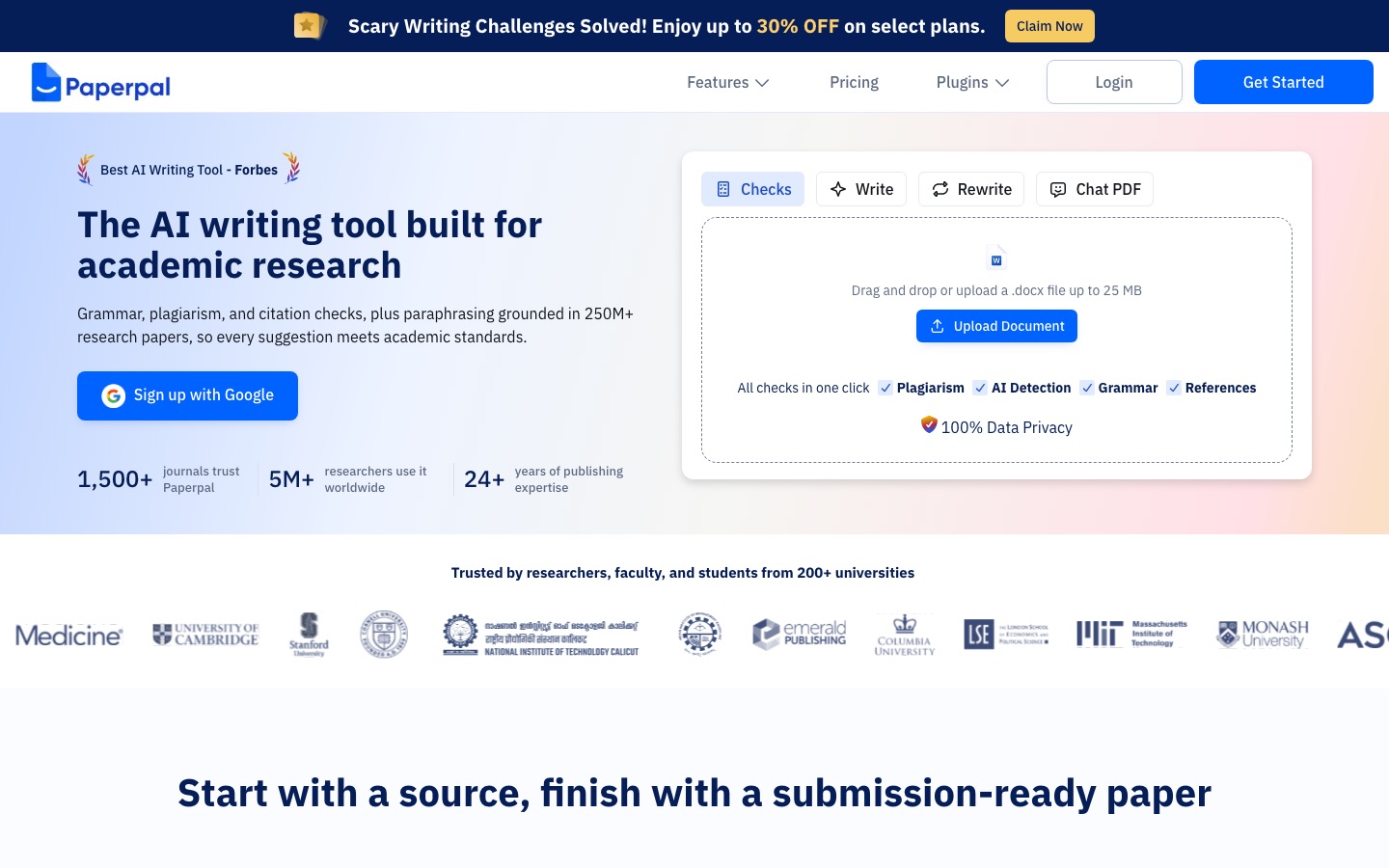
Paperpal comes from Cactus Communications, a company with more than two decades in academic editing and publishing services, and it shows. The core of the product is language editing tuned for research writing: grammar, tone and phrasing suggestions that understand academic conventions. On top of that, Paperpal adds a plagiarism check against a large index of sources, research and citation tools that search 250M+ articles, chat with PDFs, translation, templates for outlines and abstracts, and 30+ submission readiness checks against journal standards. It works in a web app, a Microsoft Word add-in, and Chrome and Edge extensions that cover Google Docs and Overleaf.
Head to head
Drafting from scratch
This is Jenni's home ground. Its autocomplete keeps a draft moving one sentence at a time, and you stay in control because you accept, edit or reject each suggestion. When autocomplete is restricted to your uploaded library, the draft stays tied to sources you have actually read, which is a better habit than asking a chatbot to "write an essay about" a topic. Paperpal also offers source-based writing and templates for outlines, titles and abstracts, but drafting is not its center of gravity. QuillBot can expand a sentence or two, but most people use it to reshape text they already wrote.
Winner: Jenni AI.
Paraphrasing, rewriting and summarizing
QuillBot is the specialist here. Its range of modes, synonym controls and mode comparison make it quick to find a clearer or shorter version of a sentence, and the Summarizer handles long passages. Paperpal includes a paraphraser and trimming tools aimed at academic tone, which is useful when a journal has a strict word limit. Jenni's AI edits can rewrite selected text too, but the free plan only allows a handful.
One caution that applies to all three: paraphrasing someone else's text without citing it is still plagiarism. Use these tools to improve your own wording, and cite the source whenever the idea came from someone else.
Winner: QuillBot.
Grammar and academic language editing
Paperpal is built for this. Its suggestions are trained on academic writing, so it is more likely to catch issues such as inconsistent terminology, informal phrasing in a methods section, or awkward constructions common among non-native English writers. QuillBot's Grammar Checker is solid for general writing and free to use, but it is not tuned to journal style. Jenni focuses on drafting and does not position itself as a grammar checker.
Winner: Paperpal.
Citations and reference management
Jenni treats citations as a first-class feature. You can insert inline citations in more than 10,000 styles, trace each claim to its source passage, and export your library as .ris, .bib or .csv. Paperpal also supports 10,000+ citation styles, a citation generator, a reference manager and a reference checker that flags problems in your bibliography, which is very useful right before submission. QuillBot's Citation Generator builds APA, MLA and other formats from a URL or details you enter, but it does not connect citations to your draft.
Winner: Jenni AI while drafting, Paperpal for checking references before submission.
Plagiarism checks and academic integrity
Paperpal includes a plagiarism check that compares your text against a very large index of web and academic sources, with a similarity score and matched sources, plus 30+ submission checks. QuillBot Premium includes a plagiarism checker with a monthly word allowance, and QuillBot also offers a free AI Detector. Jenni's approach to integrity is different: it keeps writing tied to your sources and links each citation to the original passage, but its pricing page does not list a built-in similarity report.
Two practical points. First, a clean result in any of these tools does not guarantee a clean result in your institution's checker, which may use a different database or an AI-writing detector. Second, AI detectors produce false positives, especially on formulaic or heavily edited text. Read your university's AI policy, disclose AI use where it is required, and keep your notes and draft history in case you are asked how you wrote something. Our roundup of the best AI detectors explains the limits in more detail.
Winner: Paperpal for pre-submission checks. QuillBot is a good budget option.
Integrations and where you write
Paperpal fits most into existing workflows, with a Microsoft Word add-in and browser extensions that work in Google Docs and Overleaf, which matters for LaTeX users. QuillBot covers the widest range of everyday surfaces through its Chrome extension and document add-ins, so it follows you into email and web forms as well as essays. Jenni asks you to write in its own editor, with a browser extension for capturing sources, then export to Word or LaTeX. That is fine for a new paper, less convenient if your supervisor comments in a shared Word file.
Winner: Paperpal for academic tools, QuillBot for general use.
Free plans
QuillBot's free plan is the most useful for light, everyday work: paraphrasing in short chunks, summarizing, and grammar checks without a time limit. Jenni's free plan is a trial in practice, since 10 autocompletes a day is enough to feel the product but not to finish a paper. Paperpal's free plan gives 200 language suggestions a month and limited AI features, which is enough to test it on a chapter.
Winner: QuillBot.
Feature comparison
| Feature | Jenni AI | QuillBot | Paperpal |
|---|---|---|---|
| Main job | Drafting from sources | Paraphrasing and rewriting | Academic editing and submission prep |
| AI autocomplete | Yes, can be grounded in your library | Not a focus | Source-based suggestions |
| Paraphraser | Via AI edits | Yes, multiple modes | Yes, academic tone |
| Grammar checker | Not a focus | Yes, free | Yes, tuned for research writing |
| Citation styles | 10,000+ | Citation Generator (common styles) | 10,000+ |
| Chat with PDFs | Yes, across your library | No | Yes |
| Plagiarism check | Not listed on pricing page | Premium, monthly word allowance | Yes, with similarity report |
| AI detector | No | Yes, free | Listed among its tools |
| Submission checks | Reviews of claims vs sources | No | 30+ journal readiness checks |
| Where it works | Jenni editor, browser extension | Web, Chrome extension, document add-ins | Web, Word add-in, Chrome and Edge (Docs, Overleaf) |
| Reference import | Zotero, Mendeley, .bib, .ris | No | Reference manager |
Who should pick which
Choose Jenni AI if...
You struggle most with the blank page and want help drafting.
You already have a folder of PDFs and want every claim tied to one of them.
You use Zotero or Mendeley and want your library inside the writing tool.
You can commit to an annual plan, which keeps the price reasonable.
Choose QuillBot if...
You mostly need to rephrase, shorten or summarize text you have.
You write across many contexts, not only academic papers.
You want a capable free plan, or the cheapest annual upgrade.
You want an AI detector and plagiarism checker bundled with a paraphraser.
Choose Paperpal if...
You are writing a thesis, dissertation or journal manuscript.
English is not your first language and you want academic-grade editing.
You write in Word, Google Docs or Overleaf and do not want to switch editors.
You want plagiarism and submission readiness checks before you hit submit.
A common, sensible combination is Jenni AI for the first draft and Paperpal for the final edit. Students on a tight budget often pair a free QuillBot account with a free grammar tool.
Alternatives worth a look




[Grammarly](/tools/grammarly): the best-known writing assistant, with strong grammar and tone checks across apps. See our Grammarly alternatives guide.
[Trinka](/tools/trinka): a grammar checker focused on academic and technical writing, similar in spirit to Paperpal.
[Scite](/tools/scite): shows whether papers support or contradict a claim, useful for checking citations.
[Elicit](/tools/elicit): an AI research assistant for finding and summarizing papers before you write.
[SciSpace](/tools/scispace): chat with papers, literature search and a writing assistant in one research workspace.
[Wordtune](/tools/wordtune): a rewriting tool that competes directly with QuillBot's Paraphraser.
For the research side of the workflow, see our list of the best AI research tools, and for a broader student toolkit, the best AI tools for students.
FAQ
What is Jenni AI used for?
Jenni AI is an academic writing assistant that helps you draft essays, literature reviews and papers. Its autocomplete suggests sentences, it can ground suggestions in PDFs you upload, and it inserts citations in thousands of styles.
Is Jenni AI free?
Jenni has a free plan with 10 AI autocompletes a day, a few AI chat messages and edits, and unlimited citations. For regular use you will need Plus or Pro, listed at $12/mo and $29/mo on annual billing.
Is Jenni AI better than QuillBot?
For writing a new paper from your sources, yes. For paraphrasing, summarizing and grammar checks on text you already have, QuillBot is better and cheaper. They solve different problems, so many students use both.
Is Paperpal better than QuillBot for research papers?
Generally yes. Paperpal's editing is tuned to academic writing, and it adds plagiarism checks, reference checks and journal submission checks. QuillBot is the better general-purpose rewriter.
Does Jenni AI have a plagiarism checker?
Jenni's pricing page does not list a plagiarism checker as a plan feature. Its integrity approach centers on source-grounded writing and citations linked to the original passages. If you need a similarity report, Paperpal and QuillBot Premium both include one.
Can teachers detect Jenni AI, QuillBot or Paperpal?
AI-writing detectors can flag text produced or heavily rewritten by any AI tool, though they also make mistakes. The safer approach is to follow your institution's AI policy, disclose use where required, and use these tools to support your own writing rather than replace it.
What is the best AI writing editor for students?
For most undergraduates, QuillBot's free plan plus a grammar checker covers daily needs. Students writing research-heavy papers get more from Jenni AI, and graduate students preparing publications benefit most from Paperpal.
Final verdict
These three tools are less direct rivals than they first appear. Jenni AI is the best choice for turning a pile of sources into a cited first draft. QuillBot is the most flexible and affordable rewriting toolkit, and its free plan is genuinely useful. Paperpal is the most complete option for researchers who need academic editing, integrity checks and submission readiness in the editors they already use. Start with the free plan of whichever matches your current stage of writing, and upgrade only once it has proved itself on a real assignment.
Browse every writing assistant, paraphraser and grammar checker we track in the AI writing tools category, or explore the AI research tools category. If you build a writing tool we have missed, you can submit it for a listing.