Vizard vs Opus Clip vs Munch (2026): Pricing, Free Plans and Which AI Clipper to Pick
Vizard, OpusClip and Munch all turn long videos into short clips, but they are built for different people. Here is how their pricing, free plans, team features and clipping quality compare in 2026.
Short verdict: pick Vizard if you want the most usable free plan and an affordable way to give a small team a shared workspace, brand kit and scheduling. Pick OpusClip if clip selection quality matters most: its Pro plan adds clipping based on visuals, sound and emotion rather than spoken words alone, plus exports to Premiere Pro and DaVinci Resolve. Pick Munch only if you want more than a clipper. It has repositioned as Munch Studio, an AI social media manager that repurposes video alongside posts, carousels and a content plan.
All three take a podcast, webinar, interview or stream and return short vertical clips with captions, ready for TikTok, Instagram Reels and YouTube Shorts. The differences are in how they pick moments, how much editing you can do, how many people can work in one account, and what each costs per minute of video. This comparison is based on each vendor's official pricing pages and product documentation as of October 2026, plus public user feedback. We did not run our own benchmark.



Quick verdict by use case
Best free plan: Vizard. It includes the full editor, while OpusClip's free tier has no editing.
Best clip selection for non-talking content: OpusClip Pro, which clips on visual objects, sound and emotion as well as speech.
Cheapest paid entry point: OpusClip Starter at $15/mo, though it has fewer credits than Vizard's paid plans.
Most minutes per dollar on annual billing: Vizard Creator, with 600 credits a month for $14.50/mo billed yearly.
Small teams and agencies on a budget: Vizard Business, with a shared workspace, brand kit and 20 social accounts.
Editors who finish clips in a desktop editor: OpusClip Pro, for export to Premiere Pro and DaVinci Resolve.
Business owners who want social media handled end to end: Munch Studio, which plans, writes and publishes posts as well as clips.
Pricing compared (as of October 2026)
Vizard and OpusClip both use credits, where one credit roughly equals one minute of source video you upload. Processing a 60-minute podcast uses about 60 credits, no matter how many clips you keep. Munch Studio measures "video repurposing" in minutes per month. Prices below are in USD, before tax, and come from each official pricing page. Vendors change plans often, so confirm on the Vizard pricing page, the OpusClip pricing page and the Munch Studio pricing page before you buy.
| Tool and plan | Billed monthly | Billed yearly | Credits or minutes | Key limits and inclusions |
|---|---|---|---|---|
| Vizard Free | $0 | $0 | 60 credits/mo | 720p export, watermark, exports up to 10 minutes, 3-day storage, 1 social account, full editor |
| Vizard Creator | $29/mo | $14.50/mo ($174/yr) | From 600 credits/mo | 4K export, no watermark, post scheduling, 6 social accounts, 100 GB storage |
| Vizard Business | $39/mo | $19.50/mo ($234/yr) | From 600 credits/mo | Shared workspace, brand kit, 20 social accounts, extra seats at $5/mo each |
| OpusClip Free | $0 | Not offered | 60 credits/mo | Up to 1080p, watermark, no editing, clips exportable for 3 days |
| OpusClip Starter | $15/mo | Monthly only | 150 credits/mo | No watermark, virality score, auto post to Shorts, TikTok and Reels |
| OpusClip Pro | $29/mo | $14.50/mo ($174/yr) | 300 credits/mo | 2-seat team workspace, scheduler, 9:16, 1:1 and 16:9, Premiere and DaVinci export, limited API |
| OpusClip Business | Custom | Custom | Custom | API and custom integrations, SSO, priority processing, dedicated support |
| Munch Essential | Higher than yearly | $38/mo ($456/yr) | 500 min/mo | 7-day free trial, 1 brand, 10 generated videos, 5 scripts/week, 100 GB |
| Munch Premium | Higher than yearly | $60/mo ($720/yr) | 1,000 min/mo | Unlimited team members, 30 generated videos, unlimited scripts, 1 TB |
Two details are easy to miss. First, OpusClip Pro and Vizard Creator cost the same on annual billing ($14.50/mo), but Vizard includes twice the credits (600 versus 300). Second, Munch has no free plan, only a 7-day trial, and the yearly prices shown on its page are its lowest. Its page shows annual billing saving $240 a year on Essential and $300 on Premium compared with paying monthly.
What each tool actually is
Vizard in one paragraph

Vizard is an AI clipping tool and browser-based video editor aimed at creators, marketers and agencies. Upload a long video and it finds highlights, cuts them into short clips, reframes them to vertical, and adds captions, emojis and highlighted keywords. You can edit by deleting words from the transcript or on a timeline, translate captions into more than 100 languages, add AI B-roll, apply brand templates, and publish or schedule straight to social accounts. Vizard says it is used by more than 10 million creators and businesses.
OpusClip in one paragraph
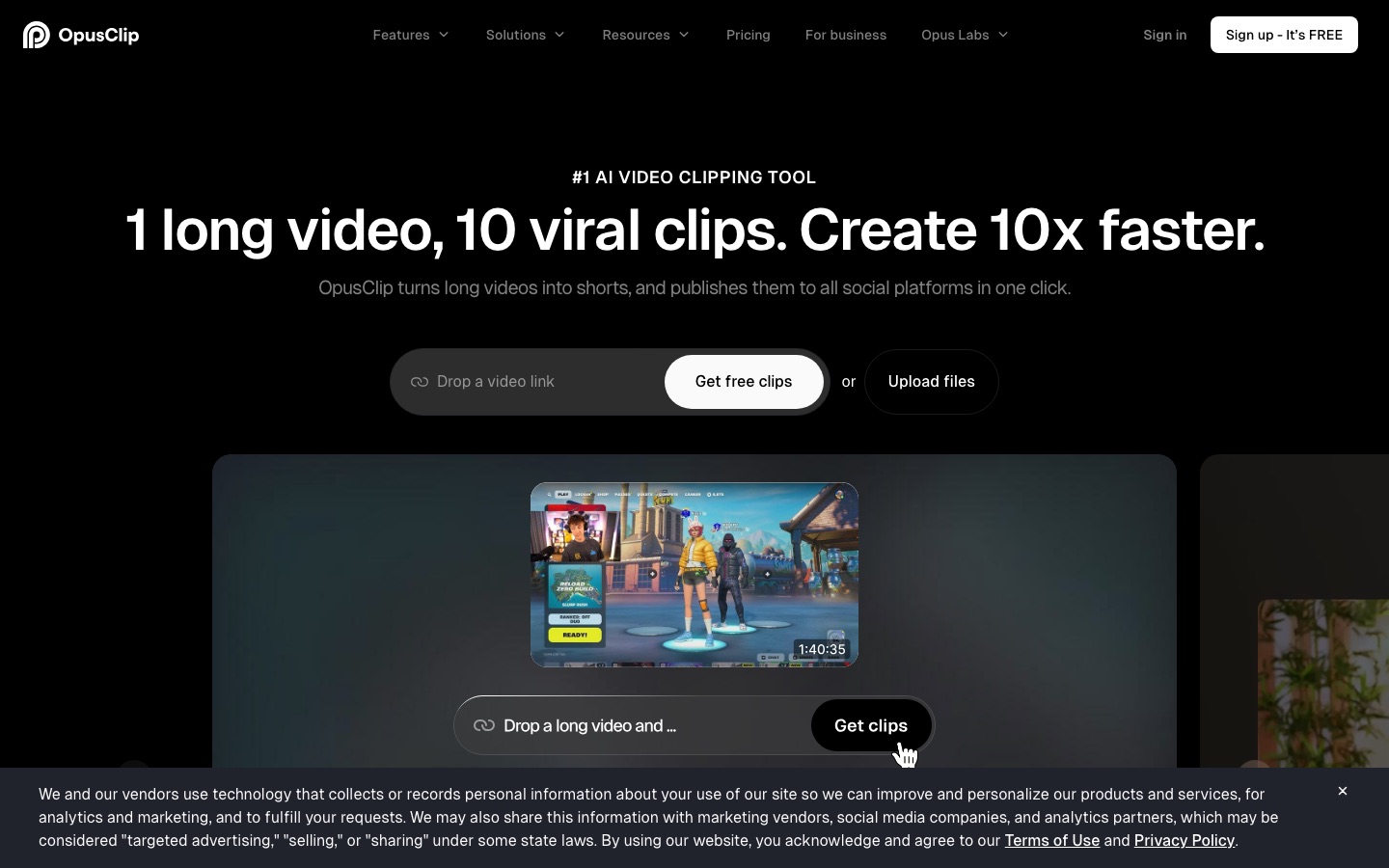
OpusClip is the best-known AI clipper, and it claims more than 20 million users. Its ClipAnything model is designed to find clips across genres (vlogs, gaming, sports, interviews and explainers), and ReframeAnything tracks moving subjects so they stay centered when you change aspect ratio. Every paid clip gets a virality score, a prediction of how likely it is to perform. Pro accounts can import from YouTube, Google Drive, Vimeo, Zoom, Twitch, Riverside, StreamYard and more, and finish clips in Premiere Pro or DaVinci Resolve.
Munch in one paragraph

Munch started at getmunch.com as an AI clipper with a marketing angle: public reviews describe it ranking moments against current social trends and generating captions and post copy for each clip. In 2026 it operates as Munch Studio, which learns your business from your website, videos and brand materials, then builds a content strategy, generates posts, posters and carousels, repurposes long videos into clips, and publishes to Instagram, Facebook, LinkedIn, YouTube and TikTok with a performance dashboard. Clipping is now one part of a bigger package.
Head-to-head: how they compare
Clip selection quality
This is the job that matters most, and it depends heavily on your content. For talking-head material such as podcasts, interviews and webinars, all three pick moments mostly from what people say, and public feedback suggests Vizard and OpusClip both produce a usable share of clips that need light trimming. Expect to discard some clips with any tool.
OpusClip pulls ahead for anything that is not pure speech. On its Pro plan, clipping can use visual objects, sound, emotion and genre-specific curation, and you can reprompt the AI or set a custom clip length range up to 15 minutes. That is useful for gaming, sports, vlogs and product demos where the best moment may have no dialogue. Free and Starter plans clip on spoken words only. Munch's trend-aware selection is aimed at marketers, but its clipping controls are less detailed on its current pricing page.
Winner: OpusClip, especially on Pro. Vizard is close for talking-head content.
Editing and captions
Vizard's editor is a strong point. Even the free plan gets full editor access, with text-based editing, a timeline, one-click aspect ratio changes, AI emojis and highlighted keywords. Caption translation into 100+ languages helps if you post for international audiences. OpusClip offers animated caption templates in 20+ languages, filler and silence removal, and auto censoring of curse words on paid plans, but its free tier has no editing at all. OpusClip Pro also adds speech enhancement and dubbing, which Vizard does not list on its pricing page.
Winner: Vizard for everyday editing and free users. OpusClip Pro for extras like dubbing and NLE export.
Free plans
Vizard and OpusClip both give 60 credits a month for free, roughly an hour of source video. Vizard's free plan exports at 720p with a watermark and a 10-minute export limit, but you can fully edit clips and keep files for 3 days. OpusClip's free plan renders up to 1080p with captions, auto reframe and a watermark, but no editing, and clips stop being exportable after 3 days. Munch has no free plan, only a 7-day trial.
Winner: Vizard, because you can actually fix clips before you download them.
Team plans and collaboration
If you are searching for Vizard pricing and plans for small teams, the Business plan is the one to look at: $39/mo, or $19.50/mo billed yearly, for a shared workspace, project sharing, a brand kit, custom fonts and up to 20 connected social accounts, with extra team members at $5/mo per seat. That is one of the cheapest team setups in this category. OpusClip Pro includes a team workspace with 2 seats, and you add capacity by buying more packs. OpusClip Business adds unlimited seats, sub-teams and SSO at custom pricing. Munch Premium includes unlimited team members, and Munch also sells multi-brand plans for agencies.
Winner: Vizard for small teams on a budget. OpusClip Business for larger organizations that need SSO.
Publishing and scheduling
Vizard can publish directly and schedule posts on Creator and Business, with 6 or 20 connected social accounts. OpusClip Starter can auto post to YouTube Shorts, TikTok and Instagram Reels, and Pro adds a full social media scheduler and title, description and hashtag generation. Munch is strongest here, because publishing, a content calendar and cross-platform analytics are the core of Munch Studio rather than an add-on.
Winner: Munch for a full social workflow, OpusClip and Vizard tied for clip scheduling.
API and integrations
Vizard lists API access on all plans with rate limits that rise by tier (1 request a minute on Free up to 10 a minute on Business), which is handy for developers testing automation. OpusClip Pro includes limited API access, a scheduler API, an MCP connector and a Zapier integration, while Business adds full API and CMS integrations. Munch does not list a public clipping API on its pricing page.
Winner: OpusClip for depth of integrations, Vizard for easy API access on cheaper plans.
Value for money
Value comes down to how many minutes of video you process. On yearly billing, Vizard Creator gives 600 credits for $14.50/mo, while OpusClip Pro gives 300 credits for the same price. OpusClip Starter at $15/mo is the cheapest monthly plan, but 150 credits is about two and a half hours of source video. Munch costs more, but its price includes post writing, graphics, scheduling and analytics, so compare it to a social media manager or agency retainer rather than a clipper.
Winner: Vizard on minutes per dollar. Munch only if you will use the whole social package.
Feature comparison
| Feature | Vizard | OpusClip | Munch |
|---|---|---|---|
| AI clipping from long videos | Yes, all plans | Yes, all plans | Yes, as video repurposing |
| Clipping beyond speech (visuals, sound) | Not listed | Pro and Business | Not listed |
| Virality or trend scoring | Not listed | Virality score on paid plans | Trend-based selection (per public reviews) |
| Auto reframe | Yes | Yes, more ratios and object tracking on Pro | Yes (per public reviews) |
| Caption languages | Translation into 100+ languages | 20+ languages | Not listed |
| Editing on the free plan | Full editor | No editing | No free plan |
| AI B-roll | Yes | Pro and Business | Generated videos and graphics |
| Social scheduling | Creator and Business | Pro and Business | All plans |
| Team workspace | Business, $5/mo per extra seat | Pro (2 seats per pack), Business unlimited | Premium, unlimited members |
| Export to Premiere or DaVinci | Not listed | Pro and Business | Not listed |
| API | All plans, rate limited | Limited on Pro, full on Business | Not listed |
| Beyond clips | AI video generator and editing agent | Dubbing, voice-over, speech enhancement | Posts, carousels, scripts, content strategy, analytics |
Who should pick which
Choose Vizard if...
You want a free plan that lets you edit clips, not just preview them.
You process several hours of video a month and want the most credits for the price.
You run a small team or agency and need a shared workspace and brand kit cheaply.
You post in several languages and want caption translation built in.
Choose OpusClip if...
Your content includes gaming, sports, vlogs or demos where great moments have no dialogue.
You want a virality score to help decide which clips to post first.
An editor finishes your clips in Premiere Pro or DaVinci Resolve.
You need enterprise features like SSO, dedicated support and a CMS integration.
Choose Munch if...
You run a business and want social media handled mostly for you, not just clips.
You want posts, carousels and a content calendar generated from your brand materials.
You manage multiple brands and want separate workspaces for each.
Alternatives to Vizard, OpusClip and Munch
If none of these fit, these tools from our directory cover similar ground. Our roundup of the best AI video editors covers the wider field.




[Submagic](/tools/submagic): best known for animated, high-retention captions on short-form video, with clipping features on top.
[Descript](/tools/descript): a full text-based audio and video editor for people who want more control than a clipper gives.
[Captions](/tools/captions-app): a mobile-first app for talking-head videos with AI captions, eye contact correction and editing.
[VEED](/tools/veed): a browser editor with subtitles, templates and clip tools for teams that also make longer videos.
[Riverside](/tools/riverside): a remote recording studio that also creates short clips from the episodes you record there.
Browse every clipper, editor and generator we track in the AI video tools category.
FAQ
Does Vizard have a free plan?
Yes. Vizard's free plan includes 60 credits a month (about 60 minutes of uploaded video), AI clipping, full editor access and 1 connected social account. Exports are 720p with a watermark, capped at 10 minutes, and files are stored for 3 days.
How much does Vizard cost in 2026?
As of October 2026, Vizard Creator costs $29/mo billed monthly or $14.50/mo billed yearly ($174/yr). Business costs $39/mo monthly or $19.50/mo yearly ($234/yr), with extra team seats at $5/mo each. Both paid plans start at 600 credits a month, and larger credit tiers cost more.
What are Vizard's pricing and plans for small teams?
The Business plan is built for teams. It adds a shared workspace, project sharing, a brand kit, custom fonts and up to 20 social accounts, and you pay $5/mo for each extra team member. Adding a few teammates stays inexpensive, which is why it is a common pick for small agencies and in-house marketing teams.
Is Vizard better than Opus Clip?
It depends on what you value. Vizard gives more credits per dollar, a better free plan and cheaper team seats. OpusClip has more advanced clip selection on Pro, a virality score, NLE export and deeper integrations. For talking-head podcasts on a budget, Vizard is often the better value. For varied content where clip quality matters most, OpusClip has the edge.
Does Vizard have an affiliate program?
Yes. According to Vizard's affiliate page, partners earn 25% of the paid subscription amount from customers they refer, with referrals tracked for 60 days. Sign-up runs through Rewardful, and you get a unique referral link after joining. Check the program terms on Vizard's site for payout details.
Is Munch still an AI clipping tool?
Partly. Munch now operates as Munch Studio, an AI social media manager. Its plans include 500 or 1,000 minutes of video repurposing a month, alongside generated posts, carousels, scripts and scheduling. If you only need clips, Vizard or OpusClip is the more focused and cheaper choice.
Does OpusClip have a free plan?
Yes. OpusClip Free includes 60 credits a month, clips up to 1080p, auto reframe and AI captions with a watermark. It does not include editing, and clips can only be exported for 3 days.
Final verdict: for most creators and small teams, Vizard is the best value in 2026, thanks to its generous credits, editable free plan and cheap team seats. OpusClip is the pick when clip selection quality and pro integrations justify paying more per minute. Munch Studio is no longer a direct clipper rival. It suits businesses that want an AI to run their social channels, with clips as one ingredient. Run the same video through both free plans and keep the tool whose clips you would post as is.