Best AI PDF Tools (2026): 12 Ways to Chat With, Summarize and Translate PDFs
The best AI PDF tools sorted by job: chat with a PDF, summarize long reports, read research papers, review contracts, translate with the layout intact, and edit or convert files. With pricing, free plan limits, accuracy tips and privacy notes for each.
Quick answer: the best AI PDF tool for most people is Adobe Acrobat AI Assistant if you also need to edit, sign and convert PDFs, and ChatPDF if you just want to chat with a PDF for free. For several documents at once, Gemini Notebook (formerly NotebookLM) is the best free choice. For research papers, use SciSpace. For precise citations on long reports, use ChatDOC or Humata.
Chat with PDF AI tools look alike until you hit long documents, tables, scans and privacy questions. This guide sorts 12 tools by the job you need done. It is based on official pricing pages, documentation and public user feedback, not our own benchmark tests. Prices are as of October 2026, and where a vendor's pricing page did not show clear figures, we say so. Each tool links to its listing in our AI tools directory.





Quick picks: the best AI PDF tool for each job
Best all-in-one (edit plus AI): Adobe Acrobat AI Assistant.
Best free chat with PDF: ChatPDF, with 2 free documents a day.
Best for many PDFs at once: Gemini Notebook, free with up to 50 sources per notebook.
Best for precise, source-linked answers: ChatDOC.
Best for teams and long reports: Humata, from $9.99/mo.
Best value for heavy use: AskYourPDF, up to 6,000 pages per document on Pro.
Best for research papers: SciSpace.
Best for developers (API): PDF.ai.
Best for students (PDFs plus video notes): NoteGPT.
Best for translating PDFs: PDFTranslator.org.
Best free PDF utilities: TinyWow for converting, merging and compressing.
Summary table: best AI PDF tools compared
| Tool | Best for | Free plan | Starting price (Oct 2026) |
|---|---|---|---|
| Acrobat AI Assistant | Editing plus AI in one app | Free trial | Included in Acrobat Studio, about $24.99/mo |
| ChatPDF | Fast, simple PDF chat | Yes, 2 docs/day | Plus plan, check official page |
| Gemini Notebook | Many sources, study outputs | Yes, 50 sources/notebook | Google AI Pro $19.99/mo |
| ChatDOC | Tables, long reports, exact citations | Yes | Check official page |
| Humata | Teams, document libraries | Yes, 60 pages/mo | $9.99/mo |
| AskYourPDF | Large files, high volume | Yes, 1 doc/day | $11.99/mo (yearly) |
| SciSpace | Research papers | Limited | Check official page |
| PDF.ai | API, parsing, extraction | Yes | Check official page |
| NoteGPT | Students, PDFs plus videos | Yes | $9.99/mo ($9/mo yearly) |
| Claude / ChatGPT | Analysis, drafting, comparisons | Yes | $20/mo for paid tiers |
| PDFTranslator.org | Layout-preserving translation | Yes, 600 pages/mo with account | Credit packs |
| TinyWow | Convert, merge, compress, edit | Yes | $9/mo Premium |
What to look for in an AI PDF tool
Clickable citations. Without the source passage, you cannot check an answer.
Long-document handling. Many tools read only the parts of a long file that look relevant. Check page limits.
Tables, charts and scans. Text-only extraction misses figures and scans. Look for OCR and visual understanding.
Multi-document chat. Comparing several reports needs a tool built for collections.
Privacy and retention. Is your file used for training, how long is it kept, and can you delete it?
Best AI PDF tools for chatting with and summarizing PDFs
1. Adobe Acrobat AI Assistant: best all-in-one PDF app with AI
Acrobat AI Assistant builds generative AI into the PDF app most offices already use. It summarizes documents with citations that link back to the source text, answers questions, extracts key points, and can generate podcast-style audio overviews and presentations from your files. PDF Spaces let you group several files, analyze them together and share them. You can then edit, redact, sign or compress the same file.
Adobe says on its AI Assistant page that customer content is never used to train its AI models, and enterprise plans add data governance controls. AI Assistant officially supports 13 languages, including English, French, German, Spanish, Japanese and Korean.
Pros: one app for reading, AI and editing; citations; strong privacy statement; works on desktop, web and mobile.
Cons: the most expensive option here; plans and add-on names vary by region.
Pricing: included in Acrobat Studio (about $24.99/mo on an annual plan in the US), also sold as an add-on to Acrobat plans. Free trial available.
Best for: offices, legal and finance teams, and anyone who already pays for Acrobat.
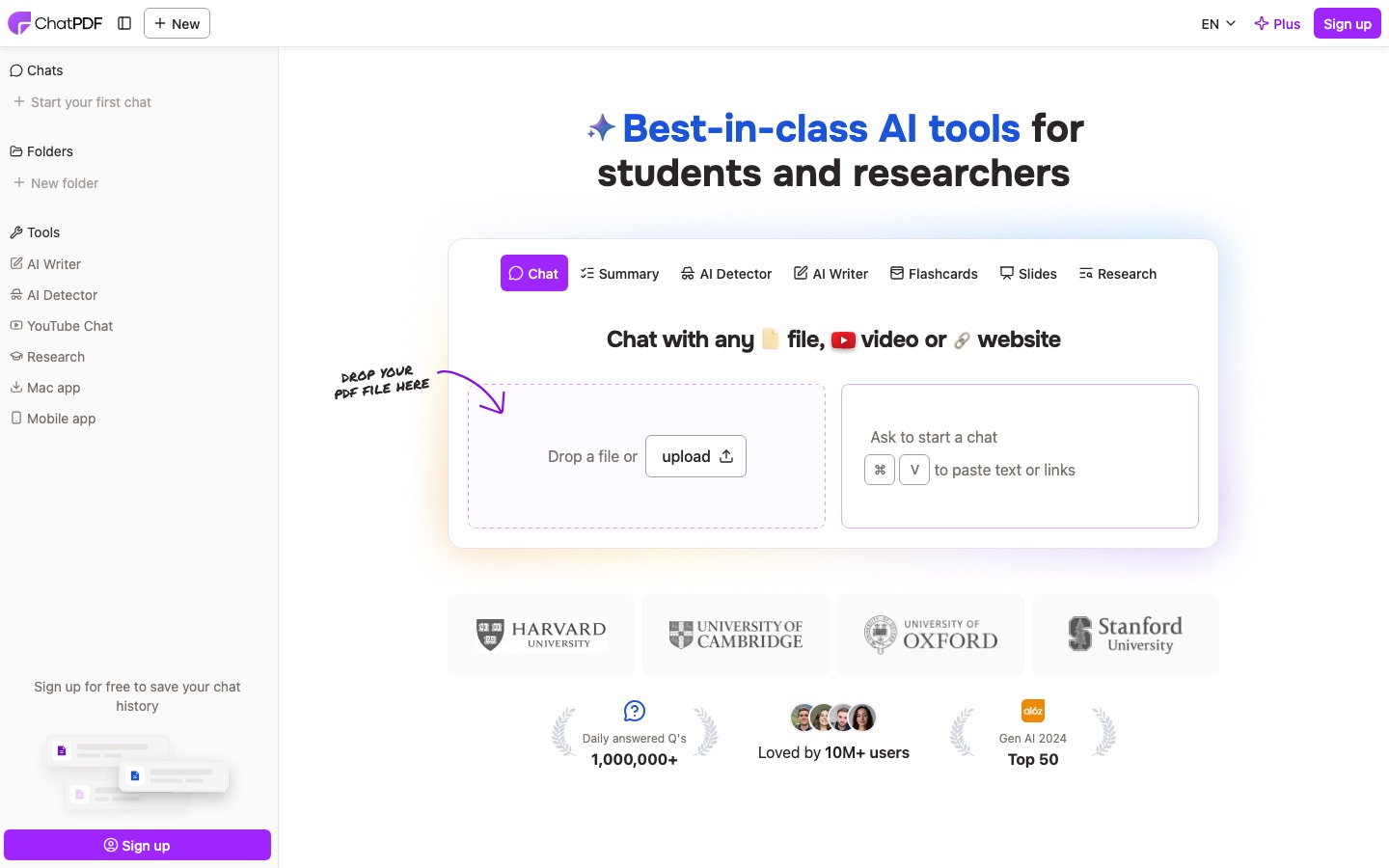
2. ChatPDF: best free way to chat with a PDF
ChatPDF made "chat with PDF" a category. Drop in a file and it gives a summary plus suggested questions, then answers with page references. The free plan analyzes 2 documents a day, and the Plus plan removes that cap and adds more advanced features. ChatPDF says files are encrypted in transit and at rest, private by default and deletable at any time.
Pros: fastest setup; clean interface; free tier is enough for occasional use; shareable chat links.
Cons: less suited to very long or table-heavy documents than ChatDOC or Humata.
Pricing: freemium. Third-party listings disagree on the Plus price, so check the official site.
Best for: students and professionals with a quick question about a single file.
3. Gemini Notebook (formerly NotebookLM): best free tool for many PDFs
Google's Gemini Notebook answers only from the sources you add, with inline citations to the exact passage. That makes it the best free choice for a stack of PDFs, like a reading list or a contract bundle. It also generates study guides, mind maps, flashcards, quizzes and podcast-style Audio Overviews from the same files. The free plan allows 100 notebooks with up to 50 sources each, and each source can be up to 500,000 words or 200 MB.
Pros: free; multi-document by design; strong grounding; many output formats.
Cons: no PDF editing; Studio outputs are hard to customize; scanned PDFs extract poorly.
Pricing: free, with higher limits on Google AI Plus, Pro ($19.99/mo) and Ultra.
Best for: students, researchers and anyone comparing several documents.
New to it? Our step-by-step NotebookLM tutorial covers sources, citations and every Studio output.
4. ChatDOC: best for precise, source-linked answers
ChatDOC focuses on traceability. Each answer links to the exact sentences in the original, highlighted in a side-by-side view, and it handles tables and complex layouts better than most chat-first tools. It also chats across multiple files, which suits financial reports and manuals.
Pros: precise highlighted citations; good with tables; multi-file chat.
Cons: the interface is busier than ChatPDF; free tier limits are tight.
Pricing: freemium. Third-party listings report Pro under $10/mo, but check the official page.
Best for: analysts, engineers and anyone who must cite exactly where an answer came from.
5. Humata: best for teams and long reports
Humata positions itself as ChatGPT for all your files, with team controls. You upload a library of documents, ask questions across them and get answers with highlighted citations. Team plans add department and folder-level permissions, OCR and a SOC 2 certificate, which matters when legal or IT has to approve the tool.
Pros: multi-document chat; team permissions; OCR on Team; clear page-based pricing.
Cons: the free plan's 60 pages a month runs out fast; heavy users pay per extra page.
Pricing: free (60 pages/mo), Expert $9.99/mo for up to 3 users and 500 pages, Team $49 per user per month with 5,000 pages, per Humata's pricing page.
Best for: small teams building a searchable document library.
6. AskYourPDF: best value for large files and high volume
AskYourPDF lets you chat with documents in its web app, browser extension and integrations, so you can use it wherever you already work. Its paid tiers have unusually high limits.
Pros: very high page and upload limits on paid plans; multiple ways to access it.
Cons: the free plan allows only 1 document and 3 conversations a day.
Pricing: per AskYourPDF's pricing page, Free (100 pages per document, 15 MB, 1 document a day), Premium $11.99/mo and Pro $14.99/mo billed yearly. Pro allows 6,000 pages per document and 150 documents a day.
Best for: consultants, researchers and anyone processing dozens of long PDFs a week.
Best AI PDF tools for research papers
7. SciSpace: best for reading academic papers
SciSpace is built for research PDFs. Highlight a passage, equation or table and its copilot explains it in plain language. You can chat with a paper, ask about methods and limitations, and build literature review tables across many papers with columns like sample size and findings.
Pros: highlight-to-explain; literature review tables; made for academic papers.
Cons: the free tier is limited; broad suite rather than deep specialist.
Pricing: freemium. Multiple listings put Premium around $20/mo monthly or $12/mo billed annually, but confirm on the official site.
Best for: students and researchers reading papers outside their expertise.
For finding papers in the first place, pair SciSpace with Elicit or Consensus. Our roundup of the best AI research tools covers the full literature review workflow, and Perplexity is the fastest way to get cited web answers around a topic.
8. NoteGPT: best for students juggling PDFs and video
NoteGPT is an AI study workspace that summarizes PDFs and YouTube videos, lets you chat with documents, translates them, and turns material into notes, mind maps and slides.
Pros: PDFs, videos and audio in one place; note and slide generation.
Cons: credit system takes some reading to understand; refunds only within 24 hours.
Pricing: Pro $9.99/mo or $9/mo billed annually, Unlimited $29/mo, per NoteGPT's pricing page.
Best for: students and self-learners. See our list of the best AI tools for students for more.
Best AI tools for contracts and deep analysis
9. Claude and ChatGPT: best general assistants for PDFs
General AI assistants do more than answer questions: they compare two contracts clause by clause, draft a memo from a report, or turn a 90-page PDF into a one-page brief.
Claude is especially strong with long documents. According to Anthropic's file upload guide, you can attach up to 20 files per chat, up to 500 MB each, and PDFs up to 1,000 pages. For PDFs of 100 pages or fewer, Claude analyzes charts and images as well as text. ChatGPT handles PDFs alongside data analysis and file creation, with a 512 MB per-file cap and up to 2 million tokens of text per document, according to OpenAI's file uploads FAQ. Both have free tiers and paid plans from $20 a month.
Pros: best reasoning and writing; can compare and draft, not just answer.
Cons: citations are less precise than ChatDOC or Gemini Notebook; check plan privacy settings before uploading confidential files.
Best for: contract review drafts, report analysis and turning PDFs into new documents.
Not sure which one to pick? Our Claude vs ChatGPT comparison covers long documents in detail. One firm rule for contracts: AI can flag clauses, summarize obligations and spot differences between versions, but a qualified lawyer should review anything you sign.
10. PDF.ai: best for developers and custom builds
PDF.ai offers a polished chat-with-PDF app plus an API for parsing, extracting and splitting PDFs. The API is the draw if you want document Q&A in your own product or automated extraction from invoices and forms.
Pros: clean app; API for parsing and extraction; good for automation.
Cons: pricing details vary across sources; less specialized than SciSpace for papers.
Pricing: freemium. Check the official site for current plans.
Best for: developers and teams automating document workflows.
Best AI tools for translating and editing PDFs
11. PDFTranslator.org: best for translating PDFs with the layout intact
PDFTranslator.org translates the file itself into 100+ languages and aims to keep the layout, tables, images and fonts in place, with OCR for scanned documents and support for vertical text such as Japanese books.
Pros: layout preservation; 100+ languages including lower-resource ones; OCR.
Cons: OCR costs credits with no free pages; layout claims are the vendor's own.
Pricing: per its site, guests get 50 pages a month, free accounts 600 pages a month plus 1,000 one-time credits, with files up to 20 MB and 200 pages (50 MB and 800 pages for members). Paid credits cover extra pages.
Best for: translating manuals, papers, contracts and brochures for reading or review.
For informal translation, Google Translate also handles documents. For anything official, use a professional translator.
12. TinyWow: best free PDF utilities
Not every PDF job needs a chatbot. TinyWow is a free toolbox for converting PDF to Word, Excel, PowerPoint or images, merging, splitting, compressing, editing, signing, protecting and extracting text, plus a PDF translator. No sign-up is needed, and the site says all files are deleted after one hour.
Pros: free; no account; files auto-deleted.
Cons: ads on the free version; no real chat-with-PDF feature.
Pricing: free, Premium $9/mo for ad-free, unlimited use.
Best for: quick conversions before or after you use an AI tool.
Accuracy: how to get trustworthy answers from any AI PDF tool
AI PDF tools work from your file, so they beat chatbots answering from memory, but they still make mistakes. The most common are reading only part of a long document, misreading tables, missing text in scanned pages and blending two similar passages.
Click the citation for every number or clause you will reuse. If a tool cannot show you the passage, treat the answer as unverified.
Ask narrow questions. "What is the termination notice period in section 12?" is more reliable than "summarize the risks."
Run OCR on scans first. If the tool cannot select text in your PDF, neither can the AI.
Check tables by hand. Ask for the figure and its row and column labels, then confirm.
Ask what is missing. "What does this document not say about X?" catches confident gaps.
Privacy: what to check before uploading a PDF
Training: Adobe states it does not train on your files. Business tiers of Claude, ChatGPT and Google Workspace exclude your data from training by default.
Retention: TinyWow deletes files after an hour, and ChatPDF lets you delete documents any time.
Certifications: SOC 2 (Humata Team and Enterprise, ChatPDF's storage provider) is a good sign for company use.
Policy: never upload client, patient or confidential company documents to a tool your organization has not approved.
FAQ
What is the best free AI PDF tool?
For one document at a time, ChatPDF's free plan (2 documents a day) is the easiest. For several PDFs at once, Gemini Notebook, formerly NotebookLM, is the strongest free option, with 50 sources per notebook and study outputs like flashcards and audio summaries. TinyWow covers free conversion, merging and compression.
Can ChatGPT read PDFs?
Yes. Attach a PDF in ChatGPT and ask questions, request summaries or compare it with other files. OpenAI's file uploads FAQ lists a 512 MB per-file cap and up to 2 million tokens of text per document, with lower usage limits on the free plan. Always check key figures against the original pages.
Is ChatPDF safe to use?
ChatPDF says documents are encrypted in transit and at rest, stored with a SOC 2 Type II certified provider, private by default and deletable at any time. That is reasonable for everyday files. For confidential client, legal or medical documents, follow your organization's policy and prefer an approved enterprise tool.
What is the best AI for summarizing PDFs?
For quick summaries of single files, ChatPDF and Acrobat AI Assistant are the simplest. For long reports where you need to check each point, ChatDOC and Humata give precise citations. For a polished summary in your own format, Claude or ChatGPT are the most flexible. Gemini Notebook is best when you are summarizing many sources together.
Can AI read scanned PDFs?
Only if the tool runs OCR (optical character recognition). Humata includes OCR on its Team plan, PDFTranslator.org offers OCR for credits, and Adobe Acrobat can make scans searchable. If you cannot select text in your PDF, run OCR first, or answers may be incomplete or wrong.
Can I use AI to review a contract PDF?
AI can summarize obligations, list deadlines, flag unusual clauses and compare two versions quickly. Claude, ChatGPT, ChatDOC and Acrobat AI Assistant all do this well. It cannot replace legal advice, though, and it can miss context. Use it to prepare questions for a lawyer, and confirm every clause in the original text.
Final verdict
There is no single best AI PDF tool, but there is a clear best for each job. Start free: ChatPDF for a single file and Gemini Notebook for a set of files will cover most people. Pay for Acrobat AI Assistant if you live in PDFs and need editing too, Humata or ChatDOC if precise citations across long reports matter, SciSpace if your PDFs are research papers, and AskYourPDF if you process huge volumes. Whatever you choose, click the citations.
Explore more document and study tools in our AI productivity category and AI research category, or see the best AI productivity tools for the rest of your workflow. Have an AI PDF tool we missed? Submit it for a listing.