QuillBot vs Grammarly (2026): Paraphraser or Grammar Checker?
QuillBot is built around rewriting text. Grammarly is built around catching mistakes and polishing tone wherever you type. Here is how they compare on paraphrasing, grammar, AI detection, plagiarism checks, humanizers, free plans, pricing and academic integrity.
Short verdict on QuillBot vs Grammarly: pick QuillBot if your main job is rewording, summarizing or shortening text, and you want the cheaper paid plan. Pick Grammarly if your main job is catching errors and fixing clarity and tone in real time across email, docs and the browser. If you write a lot, the honest answer is that many people use both: Grammarly's free plan as a proofreader and QuillBot as a rewriter.
The two get compared constantly because their feature lists now overlap. QuillBot added a grammar checker, AI detector, humanizer and plagiarism checker around its paraphraser. Grammarly added generative AI, a humanizer, an AI detector and a set of AI agents around its grammar engine. But each one is still clearly better at the thing it started with. This comparison is based on official pricing pages, product documentation and public user feedback, not hands-on lab testing. Prices were checked in October 2026.


Quick verdict by use case
Paraphrasing a sentence or paragraph in different styles: QuillBot, with more modes and a synonym slider.
Real-time grammar, spelling and punctuation checks everywhere you type: Grammarly.
Tone, clarity and professional emails: Grammarly.
Summarizing long readings: QuillBot.
Cheapest paid plan: QuillBot Premium, about $8.33 a month on annual billing versus $12 for Grammarly Pro.
Most useful free plan for proofreading: Grammarly Free.
Most useful free plan for rewriting: QuillBot Free.
Proving you wrote your own essay: Grammarly Authorship, which is free.
Plagiarism checks: both require a paid plan.
QuillBot vs Grammarly at a glance
| QuillBot | Grammarly | |
|---|---|---|
| Core strength | Paraphrasing, summarizing, rewording | Grammar, clarity and tone checking in real time |
| Free plan | Paraphraser up to 125 words per run in 2 modes, grammar checker, summarizer, limited AI detector and humanizer | Grammar, spelling and punctuation fixes, 100 AI prompts a month, Authorship |
| Paid plan | Premium: $19.95/mo monthly, or about $8.33/mo billed annually | Pro: $30/mo monthly, or $12/mo billed annually |
| Paraphrasing modes | Standard and Fluency free; Formal, Academic, Simple, Creative, Expand, Shorten and Custom on Premium | Full-sentence rewrites and tone adjustment on Pro; free online paraphraser |
| AI detector | Free with limits, unlimited on Premium | Free basic check on the website; in-document detection on Pro |
| AI humanizer | Yes, limited free use, more on Premium | Yes, basic use free, full version on Pro |
| Plagiarism checker | Premium only, 25,000 words a month | Pro only |
| Where it works | Web app, Chrome extension, Microsoft Word add-in, desktop apps | Browser extensions, desktop apps for Windows and Mac, Word, Google Docs, mobile keyboard |
| Team plans | QuillBot Team, priced per seat | Pro covers teams up to 149 seats; Enterprise via sales |
What each tool actually is in 2026
QuillBot
QuillBot began as a paraphrasing tool and is still best known for it. You paste in text, pick a mode, and it rewrites the passage while keeping the meaning. A synonym slider controls how aggressively words are swapped, and you can freeze words you want left alone. Around the Paraphraser sit a Grammar Checker, Summarizer, Translator, Citation Generator, AI Detector, AI Humanizer and, on Premium, a Plagiarism Checker. It is popular with students and non-native English speakers, and it works through a web app, a Chrome extension and a Word add-in.
Grammarly
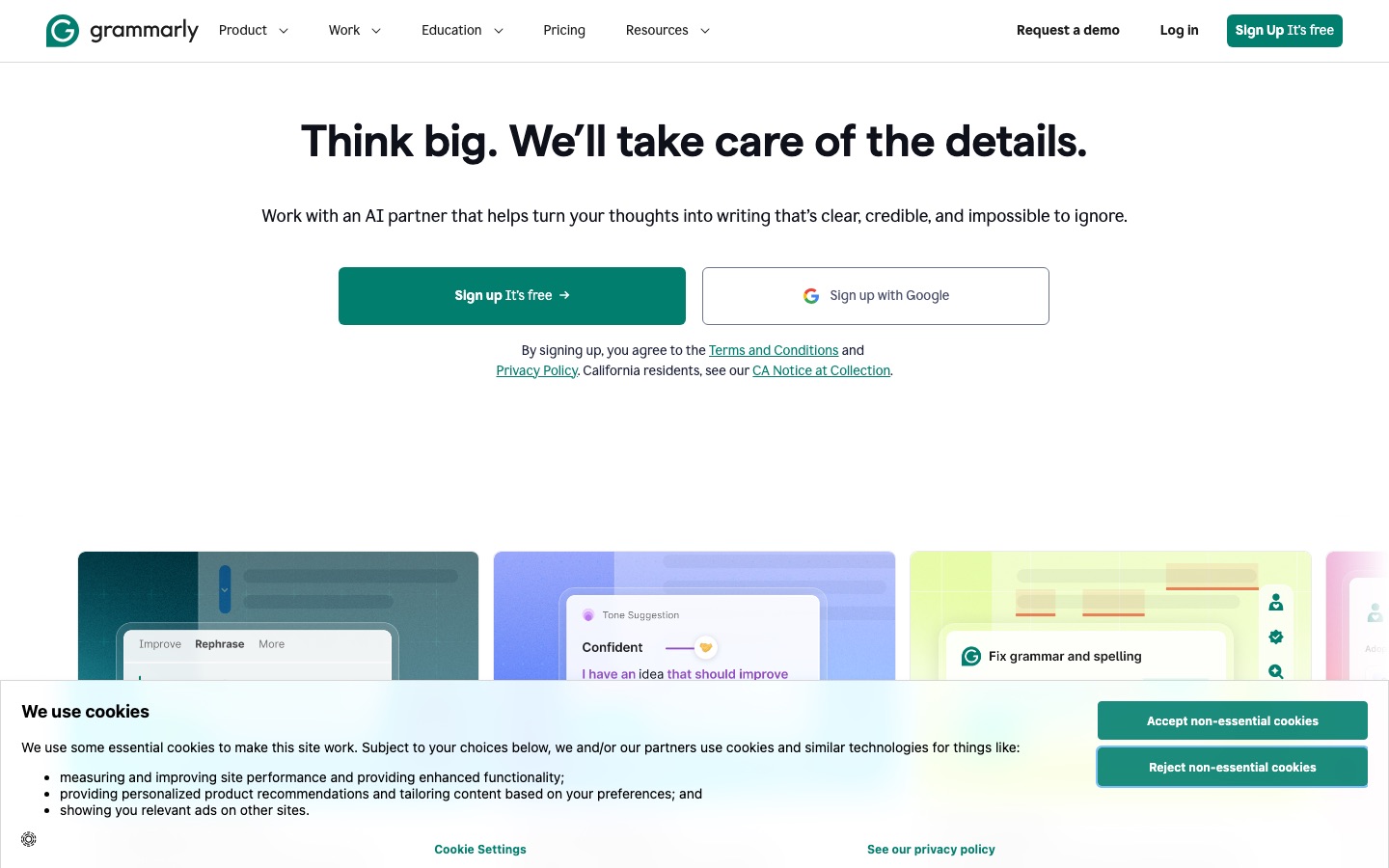
Grammarly is a real-time writing assistant that underlines problems as you type in browsers, email clients, Word, Google Docs and desktop apps. It explains each suggestion, which makes it useful for learning, and it adds generative AI for drafting, rewriting and replying. In 2025 the company behind Grammarly renamed itself Superhuman and now sells Grammarly alongside other products, with Enterprise plans sold through Superhuman Go. Grammarly also ships AI agents such as Citation Finder, AI Grader, Reader Reactions and an AI Detector, plus Authorship, which records how a document was written.
Pricing compared (as of October 2026)
Figures come from the official QuillBot Premium page and Grammarly plans page. Both vendors run frequent discounts and regional pricing, so confirm the live price before you subscribe.
| Plan | Price | Key limits or extras |
|---|---|---|
| QuillBot Free | $0 | Paraphraser up to 125 words per run in Standard and Fluency modes; summarizer, grammar checker, translator and citation generator; AI Detector up to 1,200 words per scan |
| QuillBot Premium | $19.95/mo monthly, about $8.33/mo billed annually ($99.95/yr) | Unlimited paraphrasing, all modes including Custom, plagiarism checks up to 25,000 words a month, unlimited AI detection, fuller humanizer access |
| QuillBot Team | Per seat, check the official page | Premium features with central billing and admin |
| Grammarly Free | $0 | Grammar, spelling and punctuation; 100 AI prompts a month; Authorship; basic humanizer and AI detection on the website |
| Grammarly Pro | $30/mo monthly, or $12 per member/mo billed annually | Full-sentence rewrites, tone adjustment, plagiarism and AI-text detection, 2,000 AI prompts a month, unlimited agent access, team style guides up to 149 seats |
| Grammarly Enterprise | Contact sales | Unlimited prompts, BYOK encryption, data loss prevention, custom roles, sold via Superhuman Go |
On annual billing, QuillBot Premium costs roughly two thirds of Grammarly Pro. On monthly billing the gap is wider: $19.95 versus $30. If you only need help during one semester, QuillBot's monthly plan is the cheaper short-term option. QuillBot also offers a student rate through verified student programs; check the Premium page for current eligibility.
Head-to-head comparison
Paraphrasing and rewriting
This is QuillBot's home ground. Its modes change the result in distinct ways: Formal for professional tone, Academic for scholarly phrasing, Simple for plain language, Expand and Shorten for word count, Creative for bigger changes, and Custom to describe the style you want. You can compare modes side by side and click any word for synonyms. The free plan limits you to 125 words at a time in two modes, which is fine for a tricky sentence but slow for a full essay.
Grammarly's rewrites are more about fixing a sentence than reinventing it. Pro suggests full-sentence rewrites for clarity and lets you adjust tone, and the AI assistant can rewrite a paragraph from a prompt like "make this more concise". It is effective, but you get less control over how the text changes. Grammarly does have a free online paraphrasing tool, but it is not the reason anyone subscribes.
Winner: QuillBot.
Grammar, spelling and punctuation
Grammarly has spent more than 15 years on error detection, and it shows in the details: consistent explanations, category labels, correctness and clarity scores, and suggestions that adapt to your goals and audience. It works as you type, so mistakes get caught before you hit send. QuillBot's Grammar Checker is solid and free, and it can fix all errors in one click, but it is usually used on pasted text rather than everywhere you write. Public feedback on raw error counts is mixed, with some reviewers finding QuillBot catches as many basic errors. Grammarly's lead is in clarity, tone and convenience rather than spelling alone.
Winner: Grammarly.
Tone, clarity and generative AI
Grammarly flags wordy sentences, passive voice, and tone that might land badly, and Pro adds tone rewrites and brand tones for teams. Its generative AI drafts emails and documents and responds to prompts directly in the text box, with 100 prompts a month free and 2,000 on Pro. QuillBot has a chat-style AI writing assistant and the Custom paraphrase mode, but tone coaching is not its focus.
Winner: Grammarly.
Summarizing and research help
QuillBot's Summarizer condenses long passages into key sentences or a paragraph, and its Citation Generator formats references in APA, MLA, Chicago and other styles. Grammarly's Citation Finder agent looks for sources that support or dispute claims in your writing and formats citations. For condensing readings, QuillBot is faster. For checking whether a claim is backed up, Grammarly's agent is the more interesting idea. For deeper source-based writing, see our Jenni AI vs QuillBot vs Paperpal comparison.
Winner: QuillBot for summaries, Grammarly for citation finding.
AI detection
Both tools now include an AI detector. QuillBot's AI Detector is free for scans of up to 1,200 words, with a daily cap, and unlimited on Premium. It labels text as likely AI-generated, AI-refined, human-written or human-refined, which is a useful distinction for people who edit AI drafts. Grammarly offers a free basic check on its website and in-document detection on Pro. Neither should be treated as proof. Detectors produce probabilities and false positives happen, especially with non-native English and formulaic writing. Our guide to the best AI detectors explains why and compares dedicated tools such as GPTZero and Originality.ai.
Winner: QuillBot, for a more generous free detector.
Plagiarism checker
Neither tool includes plagiarism checks for free. QuillBot Premium includes 25,000 words of plagiarism scanning per month, with the option to buy more. Grammarly Pro includes plagiarism detection that compares your text against web pages and academic databases. For occasional checks on essays, both are adequate. For publishers who need batch scanning and reports, a dedicated checker such as Originality.ai or Copyleaks is a better fit.
Winner: tie, with a slight edge to QuillBot on price.
AI humanizers
Both companies now offer an "AI humanizer" that rewrites stiff, AI-sounding text to read more naturally. QuillBot's has limited free use and fuller access on Premium. Grammarly's AI Humanizer is free for basic use, with the full version on Pro, and Grammarly says plainly that it is designed to improve clarity and flow, not to get past detectors. That is the right way to think about both. Turnitin added detection for humanizer and bypasser tools in 2025, so using one to disguise AI-written work is both risky and, at most schools, a policy violation.
Winner: tie. Use either to smooth your own writing, not to hide AI use.
Browser extensions and integrations
Grammarly is the clear winner on reach. Its extension works in Chrome, Edge, Firefox and Safari, it has desktop apps for Windows and Mac that work across most applications, and it integrates with Word, Outlook and Google Docs, plus a mobile keyboard. QuillBot offers a Chrome extension that works in Google Docs, Gmail and other sites, a Microsoft Word add-in and desktop apps, but the experience is centered on its own editor. If you want help without switching windows, Grammarly is smoother.
Winner: Grammarly.
Languages
Grammarly is strongest in English and now offers writing support in more than 20 languages on Pro, mostly for translation and rewriting rather than full grammar checking. QuillBot's Paraphraser and Grammar Checker support several major languages, and its Translator covers many more. If you write mainly in a language other than English, DeepL Write or LanguageTool may serve you better; see our DeepL Write vs Grammarly comparison.
Winner: roughly even for English writers; neither is the best multilingual checker.
Academic integrity: what students should know
Most universities allow grammar checkers. Paraphrasers and AI generators are more complicated. Policies vary by school and even by course, so read the syllabus. A few practical points apply almost everywhere:
Paraphrasing a source is still using a source. Rewording someone else's ideas with QuillBot without citing them is plagiarism, even if a similarity checker does not flag it.
Paraphrasing AI output does not make it your work. Turnitin and other detectors look for signs of AI paraphrasing and humanizer tools, and a flag can trigger an integrity review.
Detectors make mistakes. If you are falsely flagged, version history and drafts are your best evidence. Grammarly Authorship records whether text was typed, pasted or generated with AI, and lets you share a report with an instructor. It is available on the free plan.
Disclose AI help when your course asks you to. Many instructors permit grammar fixes but require disclosure of generative AI use.
Used honestly, both tools can make you a clearer writer. Grammarly's explanations teach rules over time. QuillBot is most helpful when you are stuck on one awkward sentence in your own draft. For a wider view of study tools, see our best AI tools for students.
Free plan: QuillBot Free vs Grammarly Free
Both free plans have no time limit. QuillBot Free is better if you mainly rewrite: you get the Paraphraser in two modes, the Summarizer, the Grammar Checker, the Translator and limited AI detection. Grammarly Free is better if you mainly proofread: real-time grammar and spelling checks in almost every app, 100 AI prompts a month and Authorship. Running both at once is free and common, since they do different jobs.
Who should pick which
Choose QuillBot if...
You often need to reword, shorten or simplify text.
You read a lot and want quick summaries.
You are on a student budget and want the cheaper Premium plan.
You want a free AI detector with a generous per-scan limit.
Choose Grammarly if...
You write emails, reports and documents all day and want errors caught as you type.
Tone and clarity matter as much as correctness, for example in client or workplace writing.
You want one assistant across your browser, desktop and phone.
Your team needs shared style guides and brand tones.
Use both if...
You want Grammarly running in the background as a proofreader and QuillBot open in a tab for rewording and summaries. The two free plans together cover most casual needs, and you can upgrade whichever one you lean on more.
Alternatives worth a look
If neither fits, there are strong specialists. Our full list of Grammarly alternatives goes deeper, and our roundup of the best AI writing tools covers drafting tools too.




Wordtune: sentence rewrites with tone controls, a close QuillBot rival.
ProWritingAid: deep style reports for long-form and fiction writers.
LanguageTool: grammar checking in 30+ languages with an open-source core.
DeepL Write: natural rewrites from the DeepL translation team.
Paperpal: academic editing for researchers and journal submissions.
FAQ
Is QuillBot better than Grammarly?
QuillBot is better for paraphrasing, summarizing and changing the style of a passage, and it is cheaper. Grammarly is better for catching grammar mistakes, improving clarity and tone, and working inside every app you use. Which is better depends on whether you mainly need to rewrite text or correct it. Many writers use the free versions of both.
Can I use QuillBot and Grammarly together?
Yes, and many people do. A common workflow is to draft in your own words, use QuillBot to rework awkward sentences or trim length, then let Grammarly proofread the final version. The browser extensions can conflict on the same page, so you may want to switch one off while using the other.
Is QuillBot cheaper than Grammarly?
Yes. As of October 2026, QuillBot Premium is $19.95 a month on monthly billing or about $8.33 a month billed annually. Grammarly Pro is $30 a month on monthly billing or $12 a month billed annually. Both offer discounts at times, so check the official pricing pages before you pay.
Does Grammarly have a paraphrasing tool?
Yes. Grammarly offers a free online paraphraser, and Grammarly Pro includes full-sentence rewrites and tone adjustments inside your documents. It offers fewer controls than QuillBot, which has distinct modes such as Formal, Academic, Simple, Expand, Shorten and Custom, plus a synonym slider.
Can teachers detect QuillBot?
Often, yes. Turnitin and other detectors look for patterns left by AI paraphrasing and humanizer tools, and a teacher can also notice when writing does not match your usual voice. Paraphrasing a source without citing it is still plagiarism. Use QuillBot to improve your own sentences and follow your course's AI policy.
Is the Grammarly AI detector free?
Grammarly offers a free basic AI detection check on its website. In-document AI detection and plagiarism checking are part of Grammarly Pro. Like all detectors, it gives a probability rather than proof, so do not treat a score as a final judgment on whether someone used AI.
Which is better for students, QuillBot or Grammarly?
For most students, the free plans of both are enough. QuillBot helps with summarizing readings and rewording sentences, and its Premium plan is the cheaper upgrade. Grammarly helps with proofreading, and its free Authorship feature can document how you wrote an assignment, which is valuable if you are ever wrongly flagged for AI use.
Final verdict
QuillBot is the better rewriting tool: more paraphrasing control, a useful summarizer and a cheaper paid plan. Grammarly is the better writing assistant: stronger error detection, tone guidance and coverage of every app you type in. If you have to pick one paid plan, choose QuillBot when rewording is your bottleneck and Grammarly when correctness and polish are. If you are unsure, install both free versions for a week and see which one you actually open.
Compare every grammar checker, paraphraser and AI writer we track in the AI writing tools category. Built a writing tool we have missed? Submit it for a listing.