Wispr Flow Review (2026): AI Dictation That Types for You
Wispr Flow turns rambling speech into clean, formatted text in any app on Mac, Windows, iPhone and Android. Our Wispr Flow review covers how it works, the free 2,000-word plan, Pro pricing, Command Mode, privacy trade-offs, and when Yap, built-in dictation or Whisper is the better choice.
Wispr Flow review in one line: Wispr Flow is the best AI dictation app for people who write all day, from emails and Slack messages to AI prompts and code comments. You hold a key, talk naturally, and polished text appears wherever your cursor is, with filler words removed, punctuation added and mid-sentence corrections handled. It is worth $12 to $15 a month if you type for hours. Skip it if you need offline or on-device transcription, or if you only dictate a few lines a day.
In 2026 Wispr Flow expanded from a Mac favorite into a full "voice OS": apps for Windows, iPhone and Android, 100+ languages, team plans with HIPAA support, a meeting Notetaker, and Command Mode for editing text by voice. This review is based on Wispr Flow's pricing page, its data controls and help center, and public user feedback. We did not run timed lab tests, and the speed figures below are Wispr's own claims.

Quick verdict
Best for: knowledge workers, founders, developers and writers who send lots of text and think faster than they type.
Standout feature: context-aware cleanup. Rambling speech comes out as tidy, correctly punctuated text that matches the app you are in.
Price: free plan with 2,000 words per week on desktop; Pro at $12 per month billed annually or $15 monthly; team tiers above that.
Platforms: Mac, Windows, iOS and Android for dictation; Notetaker on Mac and Windows.
Biggest weakness: all transcription happens in the cloud. No internet means no Flow, and privacy-sensitive users may prefer a local tool.
Skip it if: you need fully offline dictation, or your operating system's free dictation already does the job.
What is Wispr Flow, and what changed in 2026?
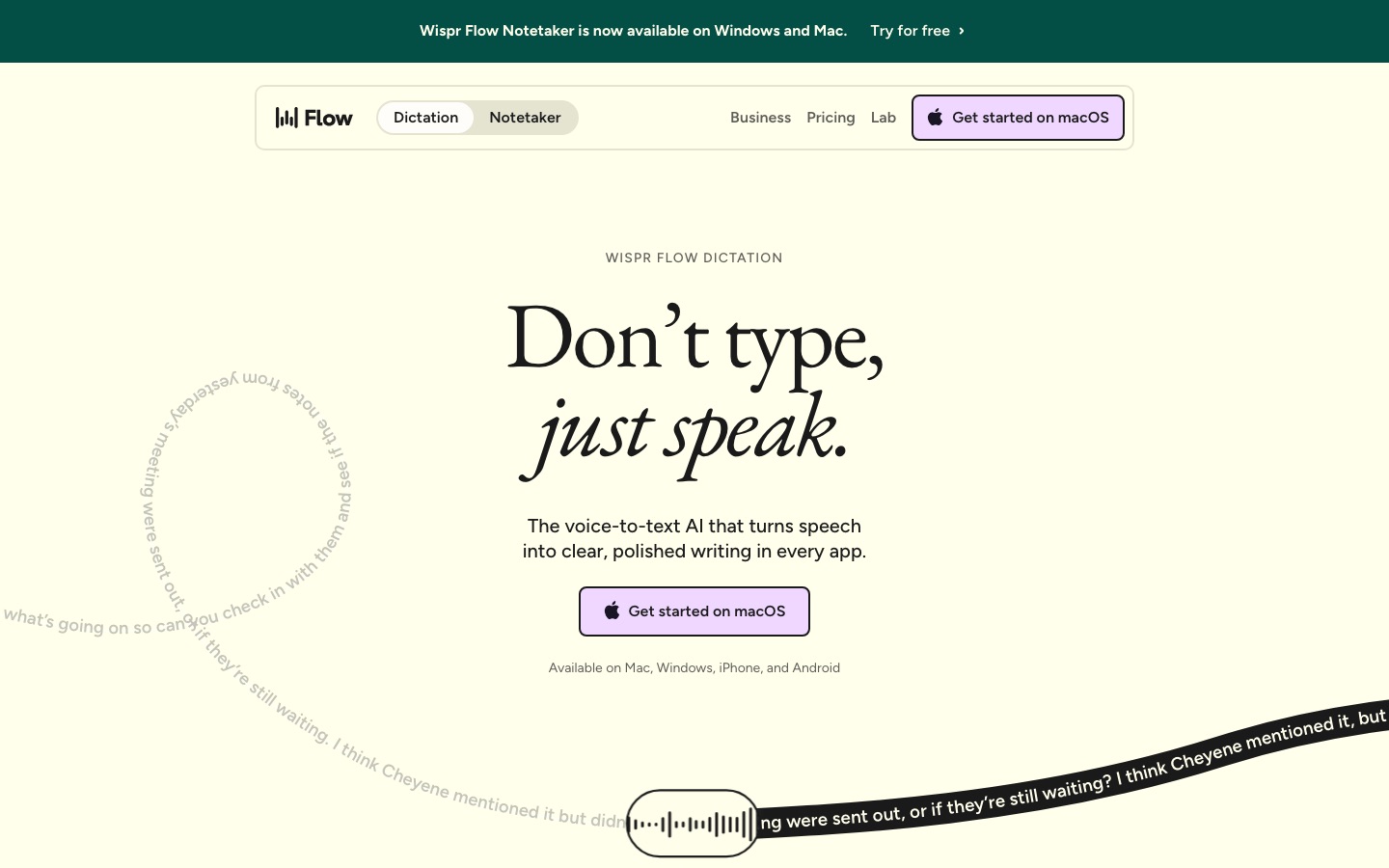
Wispr Flow is a voice dictation app that works system-wide. Instead of dictating into one special window, you hold a shortcut in any text field (Gmail, Slack, Notion, Google Docs, a terminal, Cursor, ChatGPT), speak, and release. Flow transcribes your speech, then uses AI to clean it up before pasting: it removes "um" and "like", adds punctuation and paragraphs, fixes capitalization, and applies corrections you make while speaking. Say "let's meet at 5, actually 6pm" and you get "Let's meet at 6pm."
Wispr claims Flow users reach about 220 words per minute versus about 45 typing, roughly four times faster. That is the company's figure, and your real speed depends on how much editing you do afterward, but the direction matches public user feedback: once you trust it, dictating long messages is much quicker than typing them.
What is new or expanded in 2026:
Every major platform: dictation on Mac, Windows, iPhone and Android.
100+ languages, with a language picker in the Flow bar.
Command Mode: edit selected text, draft replies or search by voice (Pro, desktop).
Wispr Notetaker: meeting transcripts with named speakers, topic summaries and next steps on Mac and Windows.
Team tiers: shared dictionaries and snippets, SSO, admin controls and HIPAA with a signed BAA.
Funding: Wispr says it has raised $81M to build its voice OS.
Wispr Flow features: a deep tour
Push-to-talk dictation in any app
The basic workflow is push-to-talk. On Mac you hold the Fn key by default, on Windows a key combination, talk, then let go. Double-press to lock hands-free mode for longer dictation, and press Esc to cancel. You can remap shortcuts to up to three keys or a spare mouse button. On iPhone and Android, Flow has its own mobile apps (with iPhone Shortcuts support), so you can dictate on your phone too.
Because Flow pastes into the focused field, it works in places native dictation often struggles with, including web apps, chat tools, terminals and code editors. That universality is the main reason people pay for it.
AI auto-edits and per-app styles
Flow does not just transcribe. It rewrites lightly for readability while keeping your meaning: filler words go, lists become lists, and self-corrections are applied. It reads the name of the app you are in and nearby text to choose formatting, so a Slack message stays casual while an email gets proper sentences. You can set styles (formal, casual, very casual) per app, which helps if your LinkedIn messages and your team chat should not sound the same.
Personal dictionary and snippets
The dictionary learns names, product terms and jargon automatically when you correct a word, or you can add them manually. This matters for developers, doctors and anyone with unusual vocabulary. Snippets expand a spoken cue into saved text: say "my calendar link" or "intro paragraph" and Flow inserts the full text. Teams on paid plans can share dictionaries and snippets so everyone spells the product and customer names the same way.
Command Mode
Command Mode turns Flow into a voice editor. Select a paragraph, hold the Command shortcut (Fn + Ctrl on Mac or Ctrl + Win + Alt on Windows by default), and say something like "make this more concise" or "turn this into a bulleted list". Flow sends the text and your instruction to its AI, then pastes the result back. You can also draft a reply to the text in front of you, or say a search request that opens Perplexity with your selection.
Two caveats from the Command Mode documentation: it is off by default (turn it on in Settings, Experimental), and it requires Pro or a trial. On iOS it can open searches but not edit text in place yet.
Quiet speech and accuracy
Flow handles very quiet speech, which helps in open offices and shared homes, and its dictionary and context awareness improve accuracy on names and terms. Public feedback rates its accuracy highly on English, with the usual dips on heavy accents, background noise and rare jargon until the dictionary learns it. For other languages, quality varies, so test your language on the free plan.
Wispr Notetaker
Notetaker records meetings on Mac and Windows and produces a transcript with named speakers, topic summaries and next steps. Free users get a limited weekly allowance (recordings under five minutes do not count), and Pro gets a longer history. It is a handy extra, but it is not as deep as dedicated notetakers; see our Granola review and Fathom vs Fireflies comparison if meetings are your main need.
Dictating prompts and code
One fast-growing use is talking to AI tools. Long, detailed prompts get better results from ChatGPT, Claude and coding agents like Claude Code and Cursor, and speaking a two-minute brief is far quicker than typing it. Flow works in terminals and editors, so developers use it to describe bugs, write commit messages and dictate instructions to agents. Our guide on how to use Claude Code shows why detailed prompts matter.
Wispr Flow's real trick is not transcription. It is that you can talk like a person and still send text that reads like you wrote it.
Wispr Flow pricing (as of October 2026)
Prices per user per month from Wispr Flow's pricing page. Annual billing saves about 20%.
| Plan | Annual / monthly | What you really get |
|---|---|---|
| Free | $0 | 2,000 words per week on desktop, limited weekly use on mobile, limited Notetaker meetings, dictionary and core features |
| Pro | $12 / $15 | Unlimited dictation, Command Mode, longer Notetaker history, shared dictionary and snippets, team workspace and billing, priority support |
| Growth | $18 / $23 | Everything in Pro plus SAML SSO, HIPAA enforcement with a signed BAA, admin control of model training, usage reporting |
| Enterprise | Custom | Training locked off, SCIM, audit logs, MDM, domain capture, invoicing and SLAs |
Students and educators with an education email get 50% off Pro, and nonprofits get a discount. New accounts can access Pro features during a trial; check the current trial length when you sign up.
Is the free plan enough? 2,000 words a week is about 300 words a working day, which covers a handful of emails and messages. If you try Flow for real work, you will hit the cap within a few days, which is the point: the free plan is a long trial. At $12 a month, Pro pays for itself if it saves you even 20 minutes of typing a week.
Pros and cons
Pros
Works everywhere you can type, on desktop and mobile.
Excellent cleanup: filler removal, punctuation, formatting and self-corrections.
Context-aware styles that match each app.
Dictionary and snippets that learn your vocabulary and save repeated text.
Command Mode for editing and drafting by voice.
100+ languages and strong team and compliance options, including HIPAA.
Cons
Cloud only: no offline mode and no on-device transcription.
Reads context from your screen (app names, surrounding text, and optionally the active window) to improve results, which some users dislike.
Free plan is tight at 2,000 words a week.
Subscription cost for something your operating system does for free, if less well.
Command Mode is still experimental and desktop-focused.
Occasional over-editing: the AI sometimes smooths phrasing you wanted kept.
Privacy, security and common complaints
Cloud processing and context
Wispr is clear that transcription always happens in the cloud, encrypted in transit and at rest, and that it has zero data retention agreements with its third-party AI providers. To format text well, Flow uses the name of the app you are in and the contents of the text box. With Context Awareness on, it may also use relevant text from the active window. You can turn Context Awareness and auto-add to dictionary off at any time.
You can also opt out of having your audio, transcripts and edits used to train or improve models (the old "Privacy Mode" is now this training setting). Enterprise locks training off for everyone. Wispr lists SOC 2 Type II, ISO 27001 and HIPAA readiness. Note that HIPAA accounts on a BAA have Notetaker and Scratchpad disabled.
If you handle highly confidential material and your policy bans cloud speech processing, a local option such as OpenAI Whisper run on your own machine is the safer choice.
What users complain about
Needs a connection: on a plane or a bad network, Flow cannot transcribe.
Edits that change meaning: rare, but it is why you should glance at important messages before sending.
Price creep: some long-time users dislike that teams and compliance features live in pricier tiers.
Learning curve: dictating well takes a few days. People who speak in fragments see less benefit until they adjust.
Wispr Flow vs the alternatives
| Tool | Best for | Runs where | Price |
|---|---|---|---|
| Wispr Flow | Polished dictation in every app | Cloud | Free (2,000 words/week); Pro $12/mo annual |
| Yap | Private dictation on Mac and Windows | Desktop app, privacy-focused | Free trial; check its site |
| Apple and Windows dictation | Quick, free voice typing | Built in | Free |
| OpenAI Whisper | Local, open-source transcription | Your machine | Free (open source) |
| RambleFix | Turning rambles into emails and posts | Cloud | Freemium |
| TalkNotes | Voice memos into structured notes | Cloud | Free trial |
Wispr Flow vs built-in dictation
macOS, Windows, iOS and Android all include free dictation, and it is fine for short messages. Wispr Flow wins on cleanup (no filler words, real punctuation, applied corrections), per-app style, a learning dictionary, snippets and Command Mode. If you dictate a few sentences a day, stick with built-in. If you dictate for an hour a day, Flow is a clear upgrade.
Wispr Flow vs Yap
Yap focuses on fast, private dictation for Mac and Windows, which suits people who are wary of sending audio to a cloud service (check its docs for exactly where processing happens). Wispr Flow has more AI rewriting, mobile apps, Command Mode and team features. Privacy-first users should try Yap first; productivity-first users will likely prefer Flow.
Wispr Flow vs OpenAI Whisper apps
Many local dictation apps, including superwhisper and open-source projects, run OpenAI Whisper models on your own hardware. They work offline and keep audio private, but setup takes more effort and cleanup is usually less polished unless you add an AI rewrite step.
Wispr Flow vs ChatGPT voice
Voice mode in ChatGPT is for talking to an AI. Wispr Flow is for writing your own words anywhere. They work well together: dictate a long prompt into ChatGPT or Claude with Flow, and you get the AI's full attention without typing.
Who should use Wispr Flow?
Founders, managers and salespeople drowning in email and Slack.
Developers who prompt coding agents and write long issue descriptions.
Writers and creators who think out loud and want first drafts fast.
People with RSI or accessibility needs who want to type less.
Healthcare and regulated teams that need HIPAA, via the Growth or Enterprise plans.
Not for: fully offline workflows, strict no-cloud policies, or very light users.
Tips to get the most from Wispr Flow
Speak in full thoughts, then pause. Flow formats complete sentences better than fragments.
Correct yourself out loud ("actually, make that Thursday") instead of stopping to edit.
Add names and jargon to the dictionary in your first week.
Create snippets for links, addresses and boilerplate you type often.
Set styles per app so chat stays casual and email stays formal.
Turn on Command Mode if you are on Pro, and use it to tighten long drafts.
Review high-stakes messages before sending, since AI cleanup can occasionally shift meaning.
FAQ
Is Wispr Flow free?
Wispr Flow has a free plan with 2,000 words of dictation per week on desktop and limited weekly use on mobile, plus a limited Notetaker allowance. For unlimited dictation and Command Mode you need Pro, which costs $12 per month billed annually or $15 monthly. Students get 50% off Pro.
Is Wispr Flow worth it?
Yes, if you write a lot. Wispr claims around 220 words per minute versus about 45 typing, and users consistently report big time savings on email, chat and AI prompts. If you only dictate occasionally, your operating system's free dictation or the free plan is enough.
Does Wispr Flow work offline?
No. Wispr says transcription always happens in the cloud for accuracy and speed, so you need an internet connection. If you need offline dictation, look at local tools that run OpenAI Whisper models on your computer, or a privacy-first app like Yap.
Is Wispr Flow safe and private?
Wispr encrypts data in transit and at rest, lists SOC 2 Type II and ISO 27001, has zero data retention agreements with its AI providers, and lets you opt out of model training. It does read app names and nearby text for formatting, and Context Awareness can be switched off. Enterprise locks training off.
Does Wispr Flow work on Windows and Android?
Yes. Dictation works on Mac, Windows, iPhone and Android. Wispr Notetaker, the meeting transcription feature, is currently Mac and Windows only, with mobile planned. Command Mode is mainly a desktop feature.
What languages does Wispr Flow support?
Wispr Flow supports speech-to-text in 100+ languages, with a language picker in the Flow bar. Accuracy and cleanup are strongest in English. If you dictate in another language or switch between languages, test it on the free plan before upgrading.
What is the best alternative to Wispr Flow?
For free, use your operating system's built-in dictation. For privacy, try Yap or a Whisper-based local app that runs on your own machine. For turning voice memos into structured notes or posts, try TalkNotes or RambleFix. For meeting notes specifically, a dedicated tool like Granola or Fathom is better.
Final verdict
Wispr Flow is the most polished AI dictation app in 2026. It works in every app, on every major platform, and its cleanup is good enough that you can send most messages without touching the keyboard. Command Mode, snippets and the learning dictionary make it more than a transcription tool, and team plans with HIPAA make it viable at work.
The trade-offs are cloud-only processing, a screen-context model some people will not accept, and a free plan that is really a trial. If you write for hours a day, Pro at $12 a month is one of the easiest AI upgrades to justify. If privacy or offline use matters more, pick a local alternative. For more ways to save time, see our guide to the best AI productivity tools and the best AI transcription software.
Find more dictation, voice and workflow tools in the AI productivity tools category and the AI audio tools category. If you build a voice or dictation tool we have missed, you can submit it for a listing.