Best AI Transcription Software (2026): 12 Tools for Audio and Video Files
The best AI transcription software depends on what you transcribe: Sonix for accurate everyday file transcription, Rev when you need human-verified or legal transcripts, Happy Scribe for subtitles and languages, Descript if you edit media from the transcript, and Whisper or an API if you want it free or built into your own product. Here are 12 picks with current pricing.
The best AI transcription software for most people in 2026 is Sonix: accurate transcripts in 54+ languages, pay-as-you-go at $10 an hour or plans from $25 a month, and a clean editor for fixing names and speakers. Pick Rev when a transcript has to hold up in court or print, because it adds human transcription at $1.99 a minute. Pick Happy Scribe for subtitles and rare languages, Descript if you want to edit the audio or video by editing the text, and OpenAI Whisper if you want free, offline transcription on your own computer.
This guide is about transcribing recorded files: interviews, podcasts, lectures, focus groups, voice memos and video. If you want a bot that joins live calls and writes meeting notes, see our separate guide to the best AI meeting transcription tools. Picks here are based on official pricing pages, product documentation and public user feedback as of October 2026, not our own accuracy benchmarks.





Quick picks: the best AI transcription software for each job
Best overall: Sonix. Accurate, fast, 54+ languages, pay-as-you-go or subscriptions.
Best for legal and accuracy-critical work: Rev. AI plus human transcription, deposition formatting.
Best for subtitles and languages: Happy Scribe. AI in 150+ languages and dialects, human proofreading.
Best for editing podcasts and video: Descript. Edit the media by editing the transcript.
Best budget subscription: Notta. 1,800 minutes a month for $97.99 a year.
Best for newsrooms: Trint. Collaborative story workspace built for journalists.
Best free and offline: OpenAI Whisper. Open-source model you run yourself.
Best free in the browser: AudioTranscription.io. No account, files up to 500MB.
Best APIs for developers: AssemblyAI, Deepgram and ElevenLabs Scribe.
All 12 picks at a glance
Starting prices are list prices as of October 2026 from each official pricing page. Annual billing is usually much cheaper than monthly.
| Tool | Best for | Free plan | Starting price |
|---|---|---|---|
| Sonix | Everyday file transcription | 30-minute trial | $10/hr pay-as-you-go; $25/mo Core |
| Rev | Legal, human-verified | 45 AI minutes/mo | $25.49/mo annual; human $1.99/min |
| Happy Scribe | Subtitles, many languages | 10-minute trial | $8.50/mo annual ($17 monthly) |
| Descript | Editing podcasts and video | 1 media hour/mo | $16/mo annual |
| Otter.ai | Imports plus meetings | 300 min/mo, 30-min cap | $8.33/mo annual |
| Notta | Budget volume, translation | 120 min/mo, 3-min cap | $97.99/yr |
| Trint | Newsrooms and media teams | 7-day trial | About $80/seat/mo (check site) |
| OpenAI Whisper | Free, offline, private | Free, open source | $0 (your hardware) |
| AudioTranscription.io | Quick free browser jobs | Yes, no account | Check site |
| AssemblyAI | API with audio intelligence | $50 credit | $0.15 to $0.21/hr |
| Deepgram | Fast and real-time API | $200 credit | $0.0043/min |
| ElevenLabs Scribe | Multilingual API, 90+ languages | Free plan (limits vary) | $0.22/hr |
How to choose AI transcription software
Does it need to be perfect? AI transcripts are excellent on clean audio but still miss names, jargon and crosstalk. For court, medical records or publication, choose a service with human review (Rev, Happy Scribe) or budget time to proofread.
How much audio do you have? A few hours a month suits pay-as-you-go. Ten or more hours a month makes a subscription cheaper. Hundreds of hours points to an API or Whisper.
Which languages? Check your exact language and dialect. Happy Scribe lists 150+ for AI, ElevenLabs Scribe 90+, Sonix 54+, while some meeting tools cover only a handful.
What happens next? If you will edit the recording, pick Descript. If you need subtitles, check SRT and VTT exports. If you will analyze themes, look for AI summaries and search across files.
Privacy and compliance. Sensitive recordings need SOC 2, HIPAA or GDPR terms, or local processing with Whisper.
The best AI transcription software, reviewed
1. Sonix: best overall
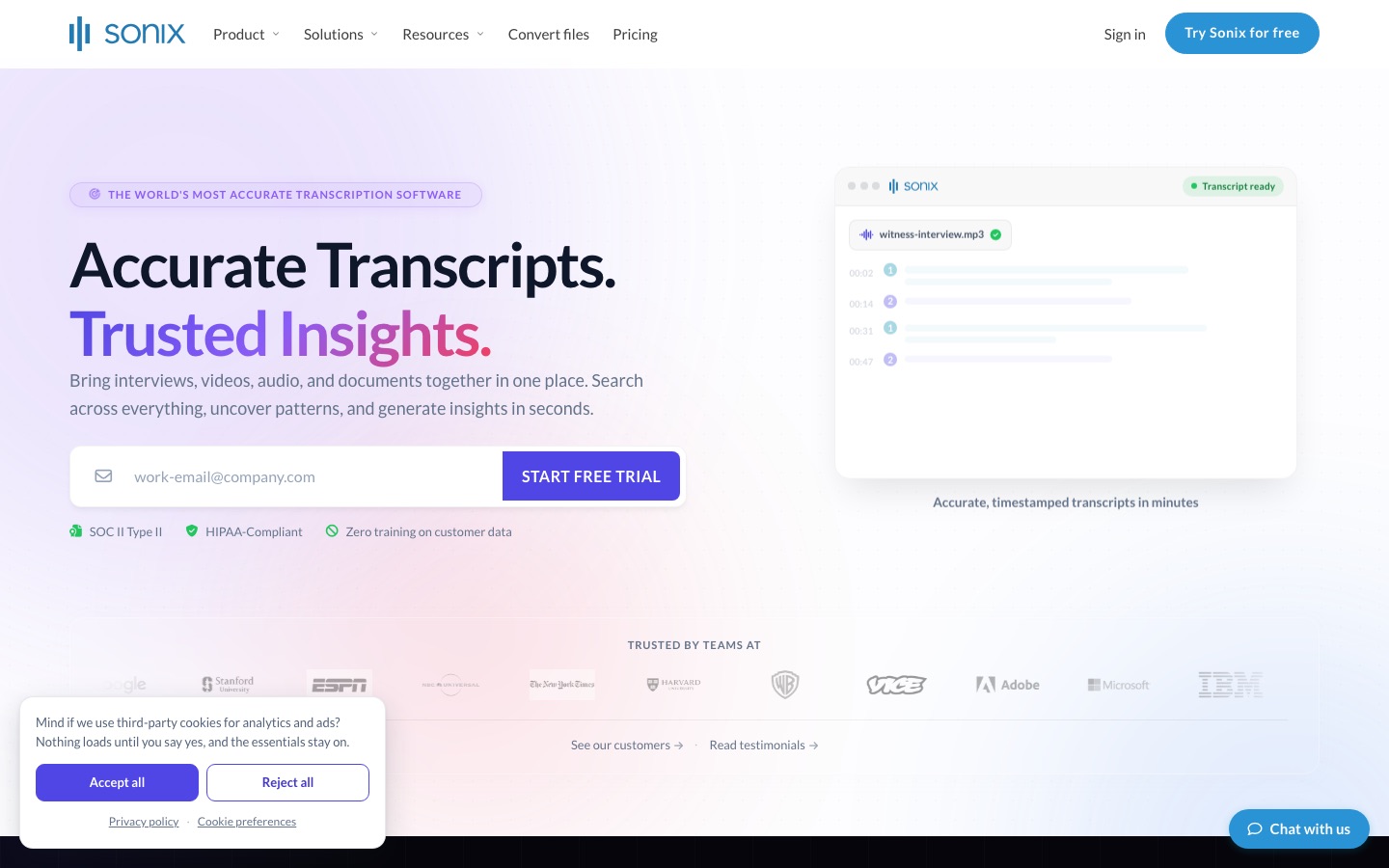
Sonix is a fast, accurate upload-and-edit transcription service used by journalists, researchers and podcasters. You get a timestamped transcript with speaker labels in minutes, in an editor that plays the audio from any word you click. It transcribes and translates in 54+ languages and adds an AI workspace for summaries, chapters and sentiment analysis.
Pricing is flexible, per the Sonix pricing page: pay-as-you-go at $10 an hour with no subscription, or Core at $25 a month (5 hours), Advanced at $50 (20 hours) and Pro at $80 (40 hours), with extra hours at $10. New users get 30 free minutes without a card.
Pros: strong accuracy on clear audio, many export formats (including SRT and VTT), SOC 2 Type II and enterprise options.
Cons: no real free plan, and heavy users pay more per hour than with Notta or Otter.
Best for: anyone transcribing interviews, lectures or podcasts a few hours a month.
2. Rev: best for legal and human-verified transcripts
Rev has been the default for professional transcription for years and is now an AI-first platform aimed heavily at legal teams. The free plan includes 45 AI minutes a month in English. Essentials costs $29.99 a month ($25.49 annual) with 5,000 AI minutes and Spanish, and Pro costs $59.99 ($47.99 annual) with 10,000 minutes, 37+ languages and Clio integration, per the Rev pricing page.
The real differentiator is human work: human transcription at $1.99 a minute with 99%+ accuracy claimed and 12-hour delivery, plus legal transcripts priced per page. Page-and-line citations for depositions make it a natural fit for law firms.
Pros: human option when AI is not enough, legal formatting, high AI minute allowances.
Cons: paid plans are pricier than they were, and multi-language support is limited to Pro.
Best for: lawyers, journalists and anyone who needs a transcript they can quote with confidence.
3. Happy Scribe: best for subtitles and languages
Happy Scribe combines AI transcription, subtitles and translation with optional human proofreading. Its AI covers 150+ languages and dialects, translation covers 80+, and human services cover 65+ languages from $2.00 a minute. Exports include SRT and VTT, plus STL, XML, FCPXML and EDL on Pro for video editors.
Per the Happy Scribe pricing page, Basic is $17 a month or $8.50 annual for 120 minutes, Pro is $29 or $19 annual for 600 minutes with 3 seats, and Business is $89 or $59 annual for 6,000 minutes. Extra AI minutes cost $0.20 each.
Pros: widest language coverage here, excellent subtitle tooling, style guides and glossaries for teams.
Cons: the free tier is only a 10-minute trial; minutes run out quickly on Basic.
Best for: video producers, subtitlers, translators and multilingual teams.
4. Descript: best for editing podcasts and video
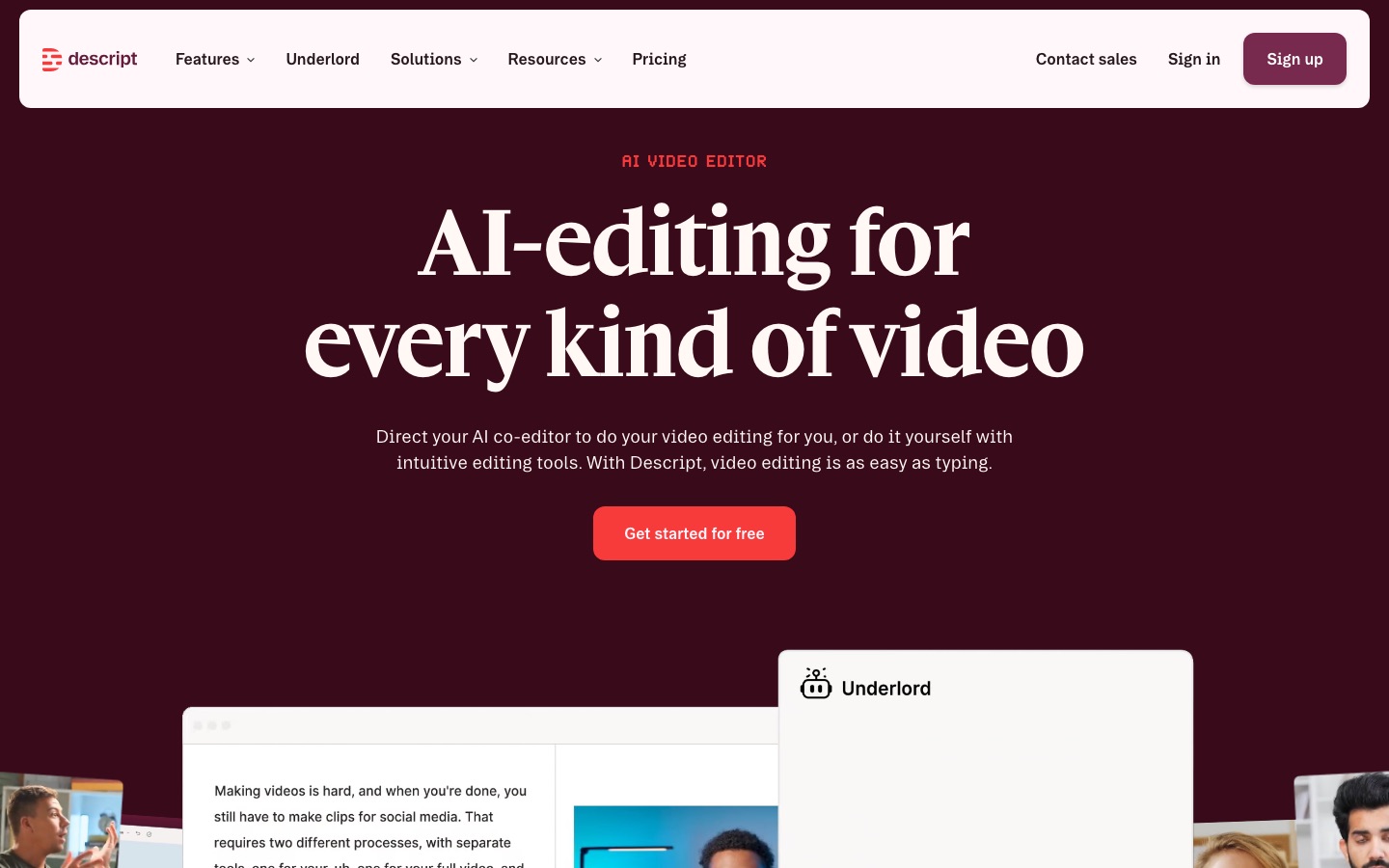
Descript is a full editor where the transcript is the timeline. Delete words in the text and they disappear from the recording, remove filler words in one click, and let the Underlord AI co-editor tighten the cut. If you only need text, it is overkill, but if the transcript is a step toward a finished episode or video, nothing else saves as much time.
Plans start free with 1 media hour, then Hobbyist at $16 a month annual (10 media hours) and Creator at $24 (30 media hours), per the Descript pricing page. Read our full Descript review for the credit and media hour details.
Pros: transcription and editing in one, Studio Sound audio cleanup, captions from the transcript.
Cons: media hours count every uploaded file, and AI credits are metered.
Best for: podcasters, YouTubers and course creators.
5. Otter.ai: best for imports plus meetings
Otter.ai is best known as a meeting notetaker, but it also transcribes imported files. The free Basic plan gives 300 minutes a month, with a 30-minute cap per conversation and just 3 lifetime imports. Pro costs $16.99 a month or $8.33 annual with 1,200 minutes, 90-minute conversations and 10 imports a month. Business at $19.99 annual raises imports to unlimited and conversations to 4 hours.
Pros: great value if you also record meetings, good speaker identification, live transcription.
Cons: limited languages, tight import limits on Pro.
Best for: professionals who mix live meetings with occasional recorded files. Compare it with rivals in Otter vs Fireflies.
6. Notta: best budget subscription
Notta offers a lot of minutes for the money. Pro costs $97.99 a year (about $8.17 a month) for 1,800 minutes a month, recordings up to 5 hours and 100 file uploads. Business costs $199.99 a year with unlimited transcription minutes. The free plan gives 120 minutes but caps each recording at 3 minutes, so it is really a trial. Translation and bilingual transcription are available as add-ons.
Pros: cheapest per minute among subscriptions, long file support, translation options.
Cons: monthly billing costs more, add-on pricing is complicated, free tier is very limited.
Best for: students, researchers and freelancers with high volumes on a small budget.
7. Trint: best for newsrooms
Trint is built for journalists and media teams: transcripts become a shared story workspace where you highlight quotes, comment, and assemble stories from multiple interviews. It is pricier than the rest, with plans reported at around $80 to $100 per seat per month on annual billing and file limits on the entry plan, so check trint.com for a current quote. There is a 7-day trial but no free plan.
Pros: collaboration designed for editorial work, quote finding across files.
Cons: expensive per seat, overkill for solo users.
Best for: newsrooms, documentary teams and research agencies.
8. OpenAI Whisper: best free and offline option
OpenAI Whisper is the open-source speech recognition model that many paid apps quietly run on. It supports roughly 100 languages and can run entirely on your own computer, so your audio never leaves the machine. The catch is setup: you need to run it from the command line or install a third-party desktop app built on it, and a decent GPU or Apple Silicon Mac speeds it up a lot.
Pros: free, private, multilingual, no minute limits.
Cons: no editor or speaker labels out of the box, technical setup, slower on older hardware.
Best for: privacy-sensitive interviews, researchers with lots of audio, and technical users.
9. AudioTranscription.io: best free browser tool
AudioTranscription.io is the quickest way to transcribe a single file without signing up. Upload MP3, WAV, MP4, MOV, M4A or WEBM files up to 500MB, or paste a YouTube link, and get a transcript with speaker separation and timestamps. It exports TXT, SRT, VTT, DOCX and JSON and adds summary types like study notes and chapter summaries. Check its pricing page for current free limits.
Pros: no account, fast, useful export formats.
Cons: fewer team and security features than paid services.
Best for: one-off jobs and students.
10. AssemblyAI: best API with audio intelligence
AssemblyAI is a speech-to-text API used inside many transcription and meeting products. Per the AssemblyAI pricing page, Universal-3.5 Pro costs $0.21 an hour for recorded audio and Universal-2 costs $0.15, with speaker diarization from $0.02 an hour extra. Streaming starts at $0.15 an hour. New accounts get $50 of free credit, and add-ons cover PII redaction, medical mode and translation.
Pros: strong accuracy, rich add-ons, clear documentation.
Cons: add-ons stack up, and you build your own interface.
Best for: developers adding transcription to an app.
11. Deepgram: best for speed and real-time
Deepgram is built for low latency. Per the Deepgram pricing page, Nova-3 costs $0.0043 a minute for recorded English (about $0.26 an hour) and $0.0077 a minute streaming, and it also hosts Whisper Large. New accounts get $200 of credit that does not expire, the most generous trial here.
Pros: very fast, real-time ready, generous free credit.
Cons: per-minute pricing is higher than AssemblyAI's cheapest tier for batch files.
Best for: voice agents, live captioning and call analytics.
12. ElevenLabs Scribe: best multilingual API
ElevenLabs is known for voices, but its Scribe v2 speech-to-text model supports 90+ languages with word timestamps, speaker labels and audio event tagging. API pricing is $0.22 an hour for Scribe v2 and $0.39 for Scribe v2 Realtime, per the ElevenLabs API pricing page. A HIPAA-eligible medical variant is also available.
Pros: broad language coverage, realtime option, one account for voice and transcription.
Cons: consumer app limits vary by plan, so check your allowance.
Best for: multilingual products and creators already using ElevenLabs.
Other transcription tools worth knowing
Riverside: remote recording with unlimited transcription on paid plans, ideal if you record interviews there anyway.
Pepys: pay-as-you-go AI transcription for audio and video, good for occasional users who dislike subscriptions.
Yap Audio to Text: free transcription that processes files on your device instead of uploading them.
Subtitles.app: browser tool to transcribe, translate and subtitle files.
TurboScribe: a popular low-cost option with a small free daily allowance and an unlimited plan; check its official page for current terms.
Pricing compared: cost for 10 hours of audio a month
Here is a rough monthly cost for 600 minutes of recorded audio, using list prices as of October 2026. Real costs depend on add-ons and billing period.
| Tool | Plan that covers 10 hours | Approximate monthly cost |
|---|---|---|
| Sonix | Advanced (20 hrs) or pay-as-you-go | $50 or $100 pay-as-you-go |
| Rev | Essentials (5,000 AI min) | $25.49 annual |
| Happy Scribe | Pro (600 min) | $19 annual |
| Otter.ai | Pro (1,200 min, 10 imports) | $8.33 annual |
| Notta | Pro (1,800 min) | About $8.17 annual |
| Descript | Hobbyist (10 media hours) | $16 annual |
| AssemblyAI | Universal-3.5 Pro API | About $2.10 |
| OpenAI Whisper | Self-hosted | $0 plus electricity |
Tips for more accurate AI transcripts
Record clean audio. Use a close microphone, a quiet room and separate tracks per speaker when possible. Clean up noisy files first with a tool from our Krisp vs Adobe Podcast vs Cleanvoice comparison.
Set the language manually. Auto-detect can misfire on short clips or accented speech.
Add custom vocabulary. Most tools let you add names, brands and jargon, which fixes the most common errors.
Set the speaker count. Telling the tool how many people are talking improves speaker labels.
Proofread the parts that matter. Spot-check quotes, numbers and names against the audio before publishing.
FAQ
What is the most accurate AI transcription software?
On clean audio, the top AI engines from Sonix, Rev, AssemblyAI, Deepgram, ElevenLabs and Whisper all reach very high accuracy, and differences depend on accents, noise and jargon. Vendors' accuracy claims are not independent. For guaranteed 99%+ accuracy, use human transcription from Rev or Happy Scribe, or test two tools on your own recording.
Is there free AI transcription software?
Yes. OpenAI Whisper is free and open source if you run it yourself. Browser tools such as AudioTranscription.io transcribe files without an account. Otter's free plan includes 300 minutes a month with tight import limits, and Rev's free plan includes 45 AI minutes a month. Most paid services offer short free trials.
Can ChatGPT transcribe audio?
ChatGPT can transcribe short recordings and voice input, and OpenAI's API offers dedicated transcription models. For long interviews, speaker labels, timestamps and exports like SRT, a dedicated transcription tool is more reliable. A good workflow is to transcribe in Sonix, Descript or Whisper and paste the transcript into ChatGPT for summaries.
How much does transcription software cost?
AI transcription ranges from free (Whisper) to about $0.15 to $0.26 an hour through APIs, $8 to $25 a month for consumer subscriptions, and $10 an hour pay-as-you-go on Sonix. Human transcription costs about $1.99 to $2.00 a minute on Rev and Happy Scribe. Newsroom tools like Trint charge per seat.
Is AI transcription good enough for legal or medical use?
Not on its own. AI transcripts need human review for depositions, court filings and medical records. Rev offers legal transcripts with multiple quality checks, and some APIs, such as AssemblyAI's medical mode and ElevenLabs Scribe v2 Medical, are built for clinical audio. Always check HIPAA or other compliance terms first.
What is the difference between transcription software and a meeting notetaker?
Transcription software converts recorded files into editable text with timestamps and exports. Meeting notetakers join live calls, record them and send summaries and action items. Some tools, like Otter.ai and Happy Scribe, do both. For live calls, see our best AI meeting transcription tools guide.
Final verdict
Start with Sonix if you transcribe files a few hours a month and want accuracy without fuss. Choose Rev when the transcript must be right every time, Happy Scribe for subtitles and languages, and Descript if the transcript is the first step of an edit. On a tight budget, Notta and Otter.ai give the most minutes per dollar, and OpenAI Whisper is free if you can set it up. Developers should test AssemblyAI, Deepgram and ElevenLabs Scribe on their own audio before choosing. For podcast workflows beyond transcription, see our list of the best AI podcast tools.
Browse more speech-to-text and voice tools in our AI audio tools category and research helpers in the AI research tools category. If you build a transcription tool we have missed, you can submit it for a listing.