VEED Review (2026): Is the Browser Video Editor Worth It?
VEED packs a full video editor, auto subtitles, translation, AI avatars and generative video into the browser. In 2026 it moved to Creator, Pro and Studio plans with AI credits and its own Fabric talking-video model. Here is what each plan really gets, what users complain about, and how VEED compares with CapCut, Descript and Clipchamp.
Short verdict: our VEED review finds it is one of the easiest ways for marketers, educators and small teams to produce polished, subtitled and on-brand video without installing software. VEED is strongest at subtitles, translation, quick social edits and talking-head videos with AI avatars. Skip it if you edit long or heavy projects (browser performance is the most common complaint), if you only need free short-form editing (CapCut gives more for nothing), or if you edit mostly by transcript (Descript is deeper).
VEED reworked its plans in 2026 around per-seat Creator, Pro and Studio tiers with AI credits, raised list prices in July, and pushed its in-house Fabric 1.0 model for talking-head video. This review is based on VEED's official pricing page, plan documentation, product pages and changelog, plus public reviews on G2, Capterra and Trustpilot, as of October 2026. We did not run our own hands-on test.

VEED at a glance
What it is: a browser-based video editor with AI tools for subtitles, translation, avatars, voice and generative video.
Best for: marketing teams, social media managers, educators, course creators and solo creators who want speed over depth.
Standout features: auto subtitles, translation into 50+ languages, brand kits, eye contact correction, noise removal, screen recorder, teleprompter and Fabric avatars.
Pricing: Free; Creator $25/mo or $12.25/mo yearly; Pro $45/mo or $22.08/mo yearly; Studio $79/mo or $38.75/mo yearly; Enterprise custom. All per editor seat.
Platforms: web on Windows, Mac, ChromeOS and Linux, with mobile apps listed for iOS and Android.
Not ideal for: long-form, effects-heavy or 4K-heavy editing, and anyone who dislikes per-seat SaaS billing.
What is VEED, and what changed in 2026?
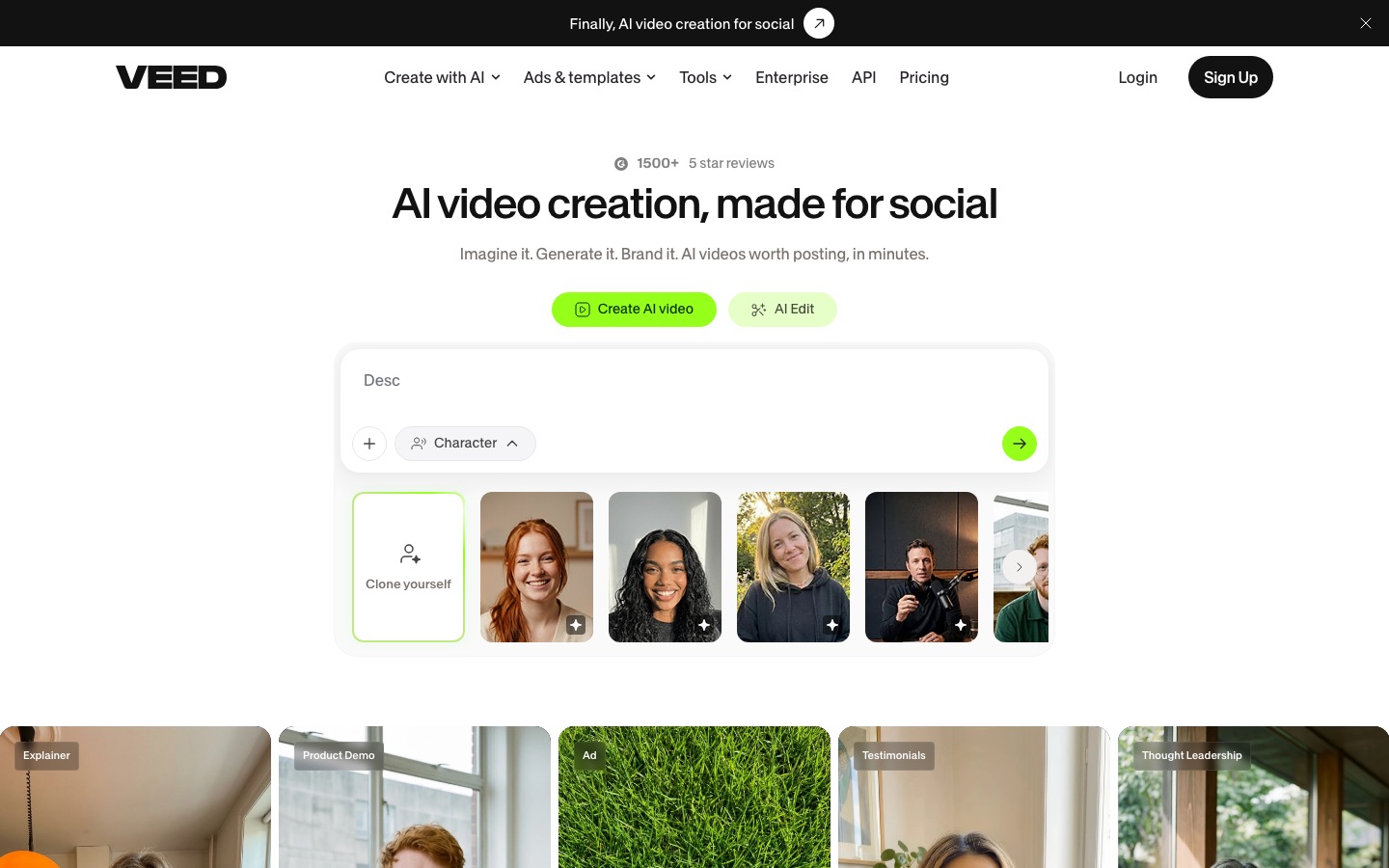
VEED started as a simple online editor for adding subtitles to social videos and grew into an all-in-one browser studio. You can record (screen, webcam or both), edit on a timeline, auto-generate subtitles, translate and dub, add stock media and brand assets, and now generate video with AI, all in one tab. Because everything lives in the cloud, a team can share templates, brand kits and projects without passing files around.
The main changes this year:
New plan lineup: Creator, Pro and Studio replaced the older Lite and Pro tiers, with AI credits as the main difference between them.
Price rise: pricing trackers recorded a USD list price increase in July 2026, and VEED has been A/B testing its Pro price (yearly Pro showed as $22 or $24 a month depending on the visit).
Gen-AI Studio and Fabric: VEED's own Fabric 1.0 model, launched in September 2025 and added to its AI Studio in November 2025, turns a photo and a script into a lip-synced talking video. The studio also lists Sora 2, Veo 3.1 and Kling 3.0 models.
Higher credit tiers: every plan can be bought with larger credit allowances, from 1,500 credits a month on Creator to 28,000 on Studio.
Key features in depth
The editor
VEED's timeline is approachable: drag in clips, split and trim, layer text, images, shapes and audio, add transitions and filters, and resize to vertical, square or widescreen in one click. It is designed so that a marketer who has never opened Premiere can finish a video in an afternoon. The trade-off is depth. Keyframing, color grading and effects are basic compared with CapCut or a desktop editor, and big projects can lag in the browser.
Auto subtitles and translation
Subtitles are still VEED's best feature. Auto subtitles transcribe your video, you correct the text, and you pick from styled caption templates, including animated word-by-word styles for social. Paid plans include unlimited subtitle generation under a fair use limit of 50 hours a month, and you can export SRT and VTT files. Pro and Studio add translation into 50+ languages, and VEED offers AI dubbing that draws on your plan's minutes and credits. The free plan allows only 10 minutes of subtitles a month.
AI avatars and Fabric 1.0
VEED offers a gallery of stock AI presenters and a "clone yourself" option. Its in-house Fabric 1.0 model animates a single photo into a talking video, with lip sync, facial expressions, head movement and gestures driven by text or audio. VEED's plan documentation prices Fabric at 8 credits per second at 720p, so Creator's 500 monthly credits cover about one minute, and Pro's 2,500 about five minutes. That makes VEED usable for occasional avatar clips, but dedicated avatar platforms are better for training libraries; see HeyGen vs Synthesia.
Gen-AI Studio
The Gen-AI Studio can produce a complete draft from one written prompt, split into scenes with transcripts and visuals, then add B-roll, pacing and transitions. You can generate shots with models such as Sora 2, Veo 3.1 and Kling 3.0 and drop them into the timeline. All generation draws from the same credit pool, and credits do not roll over, so heavy users need a higher tier.
Recording and cleanup tools
Screen and webcam recorder in the browser, useful for tutorials, demos and async updates.
Teleprompter for scripted recordings.
Eye contact correction that redirects your gaze toward the camera.
Background noise removal and audio cleanup.
Silence and filler removal to tighten talking-head footage.
AI clip generator to cut short clips from longer videos.
Brand kits and team features
Brand kits apply your colors, fonts, logos and voice settings automatically. Pro unlocks multiple brand kits, Studio adds custom templates, and Enterprise adds central team management, review mode and privacy controls. Because billing is per editor seat, adding a teammate adds a full seat to your bill.
VEED pricing (as of October 2026)
Figures come from VEED's official pricing page and its plan documentation. Prices are in USD per editor seat; local currency may differ, and VEED runs price tests, so your checkout may show slightly different numbers.
| Plan | Monthly | Yearly | AI credits | What you really get |
|---|---|---|---|---|
| Free | $0 | n/a | 50/mo (about 6 seconds of Fabric video) | Watermarked exports, 10 min/mo of subtitles; reviewers report 720p exports |
| Creator | $25 | $12.25/mo ($147/yr) | 500/mo or 6,000/yr | No watermark, unlimited auto subtitles, full stock catalog, 15+ AI tools, Gen-AI Studio |
| Pro | $45 | $22.08/mo ($265/yr) | 2,500/mo or 30,000/yr | Multiple brand kits, translation into 50+ languages, AI voice (12 hr/mo) |
| Studio | $79 | $38.75/mo ($465/yr) | 15,000/mo or 180,000/yr | Custom templates, AI voice (80 hr/mo), everything in Pro |
| Enterprise | Custom | Custom | Custom | Team and data management, review mode, privacy controls, customer success |
Which plan makes sense? Creator on annual billing is the sweet spot for solo creators who mainly want subtitles, stock and a clean export. Teams that publish in several languages need Pro, because translation starts there. Studio is for heavy AI generation and avatar work. Monthly billing costs roughly double the annual rate, so only pay monthly for a short project. Note that unused AI credits and translation minutes do not carry over.
Is VEED free?
VEED has a free plan, but it is a trial in practice: exports carry a watermark, subtitles are capped at 10 minutes a month, and the 50 AI credits cover only a few seconds of generated video. It is enough to test the editor and subtitle quality. If you need free, watermark-free editing, CapCut or Microsoft Clipchamp are better value.
Pros and cons
Pros
Very easy to learn; non-editors can produce clean videos quickly.
Excellent auto subtitles with styled templates and SRT export.
Translation, dubbing, avatars and generative video in one place.
Nothing to install, and projects, brand kits and templates are shared in the cloud.
Useful recording tools: screen recorder, teleprompter, eye contact fix.
Cons
Browser lag and slow exports on long or complex projects.
Per-seat pricing gets expensive for teams, and monthly billing is steep.
AI credits run out fast if you generate avatars or video.
The free plan is watermarked and heavily limited.
Billing and support complaints are common in public reviews.
Limitations and common complaints
VEED's public reputation is split. G2 reviewers rate it highly for ease of use, while Capterra's smaller pool of reviews is noticeably lower, and Trustpilot reviews are mixed. The recurring complaints are consistent across sites:
Performance: browser lag is the most cited issue, especially on long timelines, and some users report crashes during long saves and exports.
Billing: reviewers describe unexpected annual renewals and difficulty getting refunds. If you have several workspaces, auto-renewal must be turned off in each one.
Downgrades: when an account drops to Free, exports return to watermarked, lower-resolution files, so export final masters while your plan is active.
Support: some users say live support is limited to paid accounts.
Our advice: test your longest typical project on the free plan, set a calendar reminder before renewal, and keep local copies of finished videos.
VEED vs the alternatives




| Tool | Best for | Free plan | Paid from |
|---|---|---|---|
| VEED | Browser editing, subtitles, team brand kits | Yes, watermarked | $12.25/mo yearly |
| CapCut | Short-form, templates, mobile | Yes, generous | About $9.99/mo |
| Descript | Podcasts and transcript editing | Yes, 720p with watermark | $16/mo yearly |
| Microsoft Clipchamp | Free simple editing | Yes, 1080p exports | Check site |
| Submagic | Animated captions for shorts | Free trial | $12/mo yearly |
| HeyGen | Avatars and video translation | Check site | Check site |
VEED vs CapCut: CapCut has the stronger free plan, templates and mobile app; VEED is cleaner for teams, subtitles and brand control, with fewer data-ownership questions. See our CapCut review.
VEED vs Descript: Descript is better for long spoken content thanks to transcript editing and Studio Sound; VEED is simpler for quick social and marketing videos. Our Descript vs CapCut comparison covers Descript in depth.
VEED vs Clipchamp: Clipchamp is the better free option for Windows users; VEED has richer AI, subtitles and translation.
VEED vs Submagic: Submagic is cheaper and faster if all you need is viral captions on shorts; compare it in Captions vs Submagic.
VEED vs HeyGen: HeyGen has better avatars and lip-synced translation; VEED adds a real editor around its avatars.
Who should use VEED?
Social media managers and marketers: yes, especially with brand kits and subtitles.
Educators and course creators: yes for screen recordings, subtitles and translation.
Small businesses: yes on Creator yearly, if you publish regularly.
Multilingual teams: yes on Pro, for translation into 50+ languages.
Professional editors or long-form YouTubers: no; use a desktop editor or Descript.
Budget creators who only need short-form edits: start with CapCut or Clipchamp.
For more options, browse our guides to the best AI video editors and the best AI subtitle generators.
FAQ
Is VEED worth it?
For marketers, educators and small teams who want fast, subtitled, on-brand videos in the browser, yes, especially on annual billing, where Creator costs $12.25 a month. It is less worth it for long or complex edits, which can lag, or for budget creators who can get similar short-form editing free in CapCut or Clipchamp.
Is VEED free to use?
Yes, VEED has a free plan, but exports carry a watermark, subtitles are limited to 10 minutes a month and you get only 50 AI credits a month. It works for testing the editor. To remove the watermark and unlock unlimited subtitles, you need Creator at $25 monthly or $12.25 a month billed yearly.
How much does VEED cost?
As of October 2026, VEED costs $25 a month for Creator, $45 for Pro and $79 for Studio on monthly billing, or $12.25, $22.08 and $38.75 a month on yearly billing. Prices are per editor seat, and Enterprise is custom. VEED sometimes tests different prices, so check checkout.
Does VEED remove the watermark?
Yes, every paid plan, starting with Creator, exports without the VEED watermark. Videos exported on the free plan keep the watermark. If you downgrade to Free, new exports are watermarked again, so download your final versions while your paid plan is active.
Is VEED better than CapCut?
VEED is better for teams, subtitles, translation and brand consistency, and it avoids the ByteDance data questions that come with CapCut. CapCut is better for free editing, trend templates, effects and editing on a phone. Short-form creators on a budget usually prefer CapCut; marketing teams usually prefer VEED.
What is VEED Fabric?
Fabric 1.0 is VEED's own AI model that turns a single photo and a script or audio clip into a lip-synced talking video, with facial expressions and head movement. It runs inside VEED's Gen-AI Studio and costs 8 credits per second at 720p, according to VEED's plan documentation.
Final verdict
VEED is a strong choice in 2026 for anyone who values speed and simplicity over editing depth: marketers, educators and small teams that need subtitled, branded and multilingual video without a learning curve. Its subtitles, translation and all-in-one browser workflow are genuinely good, and Fabric adds affordable talking-head clips. Go in knowing the trade-offs: browser performance on big projects, credit-hungry AI, per-seat pricing and a history of billing complaints. Buy Creator or Pro yearly if it fits, and pick CapCut, Descript or a desktop editor if it does not.
Compare every AI video editor, subtitle tool and avatar generator we track in the AI video category. Building a video tool we have missed? Submit it for a listing.