Granola Review (2026): The Bot-Free AI Notepad, Tested Against the Field
Granola takes meeting notes without sending a bot into your call. Our Granola review covers how it works, the new free plan and $14 Business tier, Chat, Recipes, MCP, privacy and consent questions, and when Fathom, Fireflies or Otter is the better pick.
Granola review in one line: Granola is the best AI notetaker for people who type their own notes and hate meeting bots. It listens through your computer or phone audio, never joins the call as a participant, and turns your rough jottings into clean, structured notes when the meeting ends. Founders, investors, consultants and product managers love it. Skip it if you need video recordings, sales analytics, or a visible recording notice that does the consent work for you.
Granola changed a lot in 2026. It now has a genuinely useful free plan, a cheaper $14 Business tier, apps for Windows, iPhone, Android and Apple Watch, an MCP connector for Claude and ChatGPT, and a rebuilt agentic Chat. It also raised a $125M Series C and picked up a proposed class action over consent. This review is based on Granola's official pricing and release notes, its documentation, and public user feedback. We did not run lab benchmarks, and we flag anything we could not verify.

Quick verdict
Best for: people who take their own notes in meetings and want AI to fill the gaps, without a bot in the participant list.
Standout feature: your typed notes stay at the center. Granola enhances what you wrote instead of replacing it with a generic summary.
Price: free Basic plan (unlimited notes, 30 days of history), Business at $14 per user per month, Enterprise at $35.
Platforms: Mac and Windows desktop apps, plus iOS, Android and Apple Watch.
Biggest weakness: no audio or video recording to replay, and consent is entirely on you because nothing announces Granola in the call.
Skip it if: you run a sales team that needs call recordings, talk-time analytics and CRM field updates. Look at Fathom or Fireflies.ai instead.
What is Granola, and what changed in 2026?
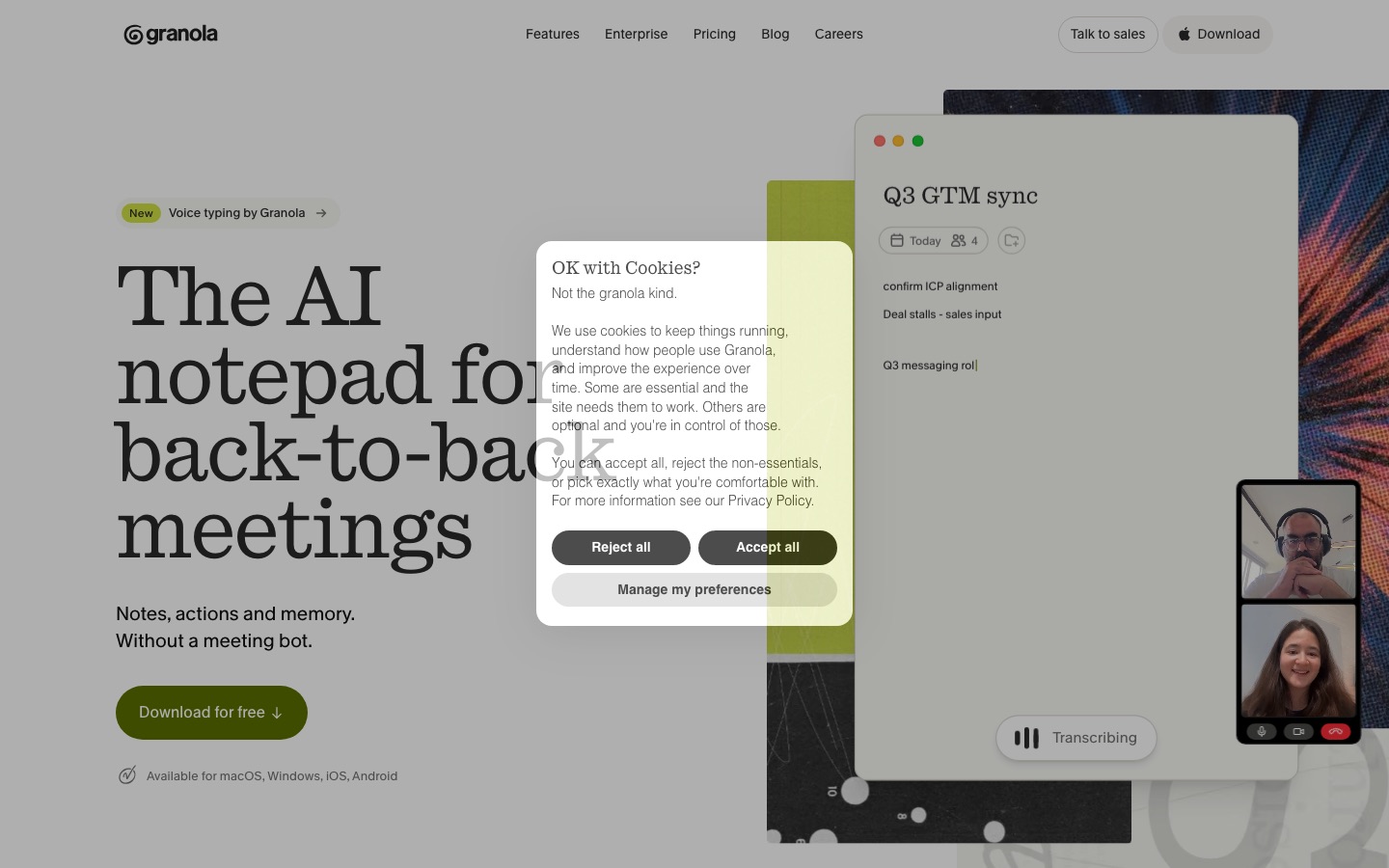
Granola is an AI notepad for meetings. You open it when a call starts (or it prompts you from your calendar), type whatever notes you want, and Granola transcribes the conversation in the background from your device's audio. When the meeting ends, you click to enhance, and it merges your notes with the transcript into a structured document: your points stay in black, AI additions appear in gray, and action items land at the bottom.
The key design choice is that Granola does not join your meeting. There is no "Granola Notetaker" tile in Zoom, Google Meet or Microsoft Teams, and it works with any app that plays audio on your computer, including Slack huddles and in-person conversations on your phone. That is why it spread so fast among investors and executives, who find meeting bots awkward on external calls.
Here is what is new this year, according to Granola's updates page:
February 2026: Granola MCP, which lets Claude, ChatGPT and other AI tools read your meeting notes directly.
March 2026: a $125M Series C led by Index Ventures at a reported $1.5B valuation, framed around becoming a company-wide "context" layer rather than just a notetaker.
April 2026: Granola Chat rebuilt as an agent, with faster search across your notes and Team Space, inline citations and new Recipes.
May 2026: Briefs, short summaries of who you are meeting and what matters before a call (Mac and Windows).
July 2026: Android and Apple Watch apps.
September 2026: support for 32 languages.
Pricing reset: a free plan with unlimited meeting notes and a 30-day history window, and a Business tier at $14 per user.
Granola features: a deep tour
The notepad and enhanced notes
Granola's core loop is simple: you write, it listens, then it combines both. The trick is that your own notes act as a signal. If you type "pricing concern" during a sales call, the enhanced version will expand that line with what was actually said about pricing. People who type nothing still get a solid summary, but the output is noticeably more useful when you jot a few keywords at the moments that matter to you. That is the opposite of most notetakers, which produce the same generic summary no matter who is listening.
You can also pick a template for the meeting type (one-on-one, customer discovery, user interview, standup, pitch) or build your own, so the enhanced notes come out in the structure your team already uses. Templates are on every plan, including Basic.
Bot-free capture on desktop and mobile
On Mac and Windows, Granola captures system audio plus your microphone, so it works with Zoom, Meet, Teams, Slack huddles and other meeting apps, or a phone call played through your laptop. On iPhone and Android, it records in-person meetings, walks and calls. Speaker tagging is on by default and separates you from other speakers. Granola says audio is deleted after transcription, so what you keep is the transcript and the notes, not a recording.
That last point is both a feature and a limitation. Nothing sits on Granola's servers that someone could replay, which privacy-minded users like. But you cannot go back and listen to exactly how a client phrased an objection, and you cannot clip a moment to share with your team the way you can with Fathom or tl;dv.
Granola Chat and Recipes
Chat lets you ask questions of a single meeting or your whole history: "What did I promise Sarah last week?", "Summarize every customer call that mentioned onboarding", or "Draft a follow-up email for this meeting". Since the April 2026 rebuild it works as an agent, searching across notes, shared folders and Team Space, and it cites the specific notes it used. Press coverage of the Series C says Chat can run on models from Anthropic, OpenAI and Google. On Basic, Chat uses automatic model selection only. Business adds the advanced thinking models and a manual model picker.
Recipes are saved prompts you trigger by typing / in the chat bar. Granola ships a library (for example, turning a call into a project plan, coaching feedback on how you ran the meeting, or a list of open questions), and you can write your own. For anyone who used to paste transcripts into ChatGPT with the same prompt every week, Recipes remove that step.
Briefs before meetings
Briefs arrived in May 2026. Before an external meeting, Granola prepares a short note on who is attending, what you discussed with them before, and what is likely to matter. It draws on your past Granola notes, so it gets better the longer you use the app. Briefs are a Business feature and currently run on the desktop apps.
Sharing, folders and Team Space
Notes are private by default. You can share a note with attendees via link, post it to Slack, or file it in a shared folder. Shared folders and Team Space give a company one searchable pool of meeting knowledge. This is where Granola has grown the most, but reviewers still rate it weaker for team collaboration than Fireflies or Otter, which were built around shared workspaces from day one.
Integrations, MCP and the API
Slack works on every plan. Business adds Notion, HubSpot, Attio, Affinity and Zapier, plus API access. Salesforce and admin-configurable integrations are Enterprise only. The Granola MCP connector is the most interesting piece: once connected, you can ask Claude, ChatGPT or Cursor questions that draw on your meeting history without copying anything. If you already run your work through an AI assistant, this alone can justify Granola.
Granola works best as a second brain for your meetings, not a recorder. If you want playback and clips, pick a different tool.
Granola pricing (as of October 2026)
Prices are per user per month, from Granola's pricing page. The page does not list separate annual prices, so check before you buy.
| Plan | Price | Meeting history | What you really get |
|---|---|---|---|
| Basic | $0 | Last 30 days | Unlimited AI meeting notes, templates, Chat (auto model only), Recipes, shared folders, Slack, speaker tagging, multi-language support, mobile apps |
| Business | $14 | Unlimited | Advanced models and model picker, Briefs, follow-up emails, workspace dictionary, Notion, HubSpot, Attio, Affinity, Zapier, API, centralized billing |
| Enterprise | $35 | Unlimited | SSO, SCIM, Salesforce, admin control of MCP and API, org-wide training opt-out, retention policies, HIPAA workspaces, audit API, priority support |
The free plan is genuinely usable now. The catch is the 30-day window: anything older is hidden until you upgrade, which makes Chat across your history much less useful. If you rely on Granola as a long-term memory, you will end up on Business. At $14, it undercuts most competitors' team tiers.
Pros and cons
Pros
No bot in the call, which keeps external and executive meetings feeling normal.
Your notes drive the output, so summaries reflect what you cared about, not a template.
Works with any audio source, including huddles, phone calls and in-person meetings.
Strong AI layer: agentic Chat with citations, Recipes, Briefs and an MCP connector.
Clean, fast interface that feels like a notes app, not a dashboard.
Affordable Business tier at $14 per user.
Cons
No recordings to replay, no video, and no clips or highlight reels.
Consent is your job, because there is no automatic recording notice.
Free plan hides notes older than 30 days.
Light on sales analytics: no talk-time ratios, scorecards or deal views.
Team features are still maturing compared with Fireflies and Otter.
32 languages is solid but well behind tools that claim 100+.
Limitations and common complaints
Consent and the lawsuit
The most serious criticism is about consent. A visible bot acts as a notice: people see it and can object. Granola removes that cue, so other participants may not know they are being transcribed. In 2026 a proposed class action (reported as Chamberlain v. Granola, in the Northern District of California) alleged that Granola captures participants' words without their knowledge and may use de-identified data to improve its models. The case was at an early stage when we checked, with no ruling reported.
Granola's own guidance says users should disclose the tool and get consent, and that rules depend on where participants are. In practice: tell people at the start of the call, add a line to your calendar invites, and turn on the per-user notification on Business (or the org-wide notice on Enterprise). Recording laws differ by state and country, and some require everyone's consent.
Accuracy and missed details
Public feedback is generally positive on transcript quality, with the usual weak spots: technical jargon, product names, heavy crosstalk and accents. Business adds a workspace dictionary to help with names and terms. Because Granola keeps no audio, you cannot re-listen to check a misheard number, so read action items before you send a follow-up.
Other gripes
Older reviews complain about Mac-only support and no Android app. Both are fixed: Windows has been out since 2025 and Android arrived in July 2026.
Some users want a recording for legal or compliance reasons, which Granola does not keep by design.
Teams coming from Fireflies or Otter miss shared channels, comments and analytics.
Granola vs the alternatives
Most competitors send a bot, keep a recording, and focus on teams. Here is how Granola stacks up, based on official pricing pages. Our Fathom vs Fireflies comparison and Otter vs Fireflies breakdown go deeper on the bot-based tools.
| Tool | Bot in call? | Recording playback | Free plan | Paid from |
|---|---|---|---|---|
| Granola | No | No (transcript only) | Unlimited notes, 30-day history | $14/user/mo |
| Fathom | Optional (bot-free beta on Mac) | Yes, audio and video | Unlimited recordings | $16/mo (annual) |
| Fireflies.ai | Usually yes | Yes (video on paid) | Limited storage and AI credits | $10/user/mo (annual) |
| Otter.ai | Usually yes | Yes | Monthly minute cap | Check otter.ai |
| Tactiq | No (browser extension) | No | Limited | Check tactiq.io |
Granola vs Fathom
Fathom records audio and video, gives you clips and playlists, and its free plan includes unlimited recordings. It now offers bot-free capture as a beta on Mac. Pick Fathom if you need to rewatch calls or share moments with a team. Pick Granola if you take your own notes and want the AI to work from them.
Granola vs Fireflies
Fireflies.ai is a meeting data pipeline: 100+ integrations, conversation analytics, CRM sync and 100+ languages (most in beta). It is better for companies rolling out one notetaker for everyone. Granola is better for individuals and small teams who care about note quality and discretion.
Granola vs Otter
Otter.ai shines at live transcripts you can follow during the call and at recording lectures and interviews. Granola feels lighter and less intrusive, and its enhanced notes read more like something a person wrote.
Granola vs Notion AI Meeting Notes
If your team already lives in Notion, Notion AI can transcribe and summarize meetings straight into your workspace on the Business plan. It is convenient, but it is part of a bigger suite. See our Notion AI review for how its credits work.
Who should use Granola?
Founders and investors: back-to-back external meetings where a bot feels off, and Briefs help you walk in prepared.
Consultants and agencies: client calls where your own notes matter more than a verbatim record.
Product managers and researchers: user interviews with templates and Recipes that pull out pain points.
People who live in Claude or ChatGPT: the MCP connector turns your meetings into context for everything else.
Not for: sales teams that need call recordings and coaching, regulated teams that must retain recordings, or anyone who cannot reliably tell participants they are being transcribed.
FAQ
Is Granola free?
Yes. Granola's Basic plan is free and includes unlimited AI meeting notes, templates, Chat, Recipes and Slack sharing. The limit is history: you can only see notes from the last 30 days. Business, at $14 per user per month, unlocks unlimited history, Briefs, advanced models and integrations like Notion and HubSpot.
Does Granola record audio?
Granola captures audio from your device to transcribe the meeting, but it says the audio is deleted after transcription. You keep the transcript and the enhanced notes, not a recording. That means there is no playback, video or clips, which is a key difference from Fathom, Fireflies and Otter.
Can other people tell Granola is recording?
No, not on their own. Granola does not join the call as a bot, so participants see nothing in Zoom, Meet or Teams. That makes disclosure your responsibility. Tell people at the start, mention it in invites, and use the notification features on Business or Enterprise. Some places legally require everyone's consent.
Does Granola work on Windows and Android?
Yes. Granola has desktop apps for Mac and Windows, and mobile apps for iPhone and Android, plus an Apple Watch app added in July 2026. Briefs currently run on the desktop apps. Older reviews that call it Mac-only are out of date.
Is Granola better than Otter?
It depends on how you work. Granola is better if you take your own notes and dislike bots, and its enhanced notes read more naturally. Otter is better if you want a live transcript during the call, audio playback, and shared team channels. Many people try both free plans for a week before choosing.
What languages does Granola support?
Granola announced support for 32 languages in September 2026, and multi-language support is included on every plan, including Basic. If your meetings mix languages or use a less common one, test a few calls first, and consider Fireflies, which claims 100+ languages.
Is Granola safe for confidential meetings?
Granola is SOC 2 Type II certified, deletes audio after transcription, and lets you opt out of model training. Enterprise adds SSO, retention policies, org-wide training opt-out and HIPAA workspaces. Still, check your company policy and get participant consent before using it on sensitive calls.
Final verdict
Granola is the most pleasant AI notetaker to use in 2026, and the best one if you want to stay present in a meeting while still walking away with great notes. The bot-free design, notes-first approach, agentic Chat and MCP connector make it feel like part of your thinking rather than surveillance software, and the new free plan and $14 Business tier make it easy to justify.
The trade-offs are real: no recordings, weaker team analytics, and a consent model that puts the burden on you. If you need replayable calls or sales coaching, pick Fathom or Fireflies.ai. For everything else, start on Granola's free plan and upgrade once 30 days of history stops being enough. For the full field, see our guides to the best AI meeting transcription tools and the best AI note-taking apps.
Compare every meeting notetaker and workflow tool we track in the AI productivity tools category. If you build a meeting or notes tool we have missed, you can submit it for a listing.