Best AI Headshot Generators (2026): 10 Picks for LinkedIn, Resumes and Teams
AI headshot generators now cost anywhere from $3 to $79 and range from studio-style packs that train on your selfies to one-photo editors that finish in seconds. Here are 10 picks compared on price, number of photos, turnaround and how long they keep your face data.
The best AI headshot generator for most people in 2026 is Aragon: for $35 you get 40 polished headshots in about 45 minutes from 6 selfies, with a refund if you have not downloaded them. If you only have one good photo, Professional-Headshot.ai works from a single selfie and deletes your uploads after 30 days. On a tight budget, MyPhotoAI starts at $5, and ProfileLoom lets you try free before buying a $9.99 pack.
A real photographer is still the gold standard for a company website or a speaking bio. But for a LinkedIn photo, a resume, a Slack avatar or a team page that needs to look consistent, an AI headshot generator gets you there in under an hour for less than lunch for two. This guide compares 10 tools on price, number of photos, input requirements, turnaround and privacy, based on official pricing pages, privacy statements and public user feedback as of October 2026. We did not upload our own faces to every service, so treat quality notes as a summary of what users report.





Quick picks: the best AI headshot generator for each need
Best overall: Aragon. 40 to 100 headshots from $35, 15 to 45 minute turnaround, refund before download.
Best from a single photo: Professional-Headshot.ai. Free watermarked preview, $39 for a week of unlimited scenes.
Best for small teams: Professional-Headshot.ai Ultimate, $79 one-time for up to 5 people.
Cheapest studio-style shoot: MyPhotoAI. From $5 for 3 HD photos, with 142 looks including dating and lifestyle.
Best to try free first: ProfileLoom. Up to 3 free portraits, then $9.99 for 15.
Best for choosing your own AI model: Photoshoot.si. 22 image models on one credit balance, from $9/mo.
Best free AI headshot generator: Fotor, from one selfie, with uploads deleted within 24 hours.
Best on your phone: Pixelcut, from $10/mo.
Best do-it-yourself option: Google Gemini with Nano Banana Pro, or ChatGPT, using a careful prompt.
Best for creative profile pictures: Magik Face and RemixAvatar.
AI headshot generators compared (as of October 2026)
| Tool | Best for | Free option | Starting price | Photos you upload | Turnaround |
|---|---|---|---|---|---|
| Aragon | Polished LinkedIn packs | No (refund before download) | $35 one-time, 40 headshots | About 6 selfies | 15 to 45 min |
| Professional-Headshot.ai | One photo, small teams | 1 watermarked preview | $39 one-time, 7 days unlimited | 1 (more optional) | 1 to 3 min for preview |
| MyPhotoAI | Cheapest full shoot | No | $5 for 3 HD photos | 10 to 15 | Over 1 hour first shoot |
| ProfileLoom | Trying before paying | Up to 3 portraits | $9.99 for 15 portraits | 1 to 4 | Seconds |
| Photoshoot.si | Picking the AI model | 50 credits | $9/mo (8,000 credits) | 1 to 4 | Minutes |
| Fotor | Free, quick headshots | Yes, credit-based | Check official page | 1 | Seconds |
| Pixelcut | Mobile editing | Yes, limited | $10/mo (600 credits) | 1 | Seconds |
| Gemini / ChatGPT | DIY with prompts | Yes, daily limits | Free to start | 1 | Seconds |
| Magik Face | Stylized portraits | No | $9.99 one-time | A set of photos | Minutes |
| RemixAvatar | Style-matched avatars | Trial | $2.99 one-time | 1 | 15 to 30 sec |
How AI headshot generators work
There are two approaches, and they explain most of the differences in price and quality.
Trained models (studio-style packs)
Aragon, MyPhotoAI and Magik Face ask for several photos and train a small personal model on your face. That model then renders you in many outfits, backgrounds and poses. It takes longer (15 minutes to over an hour) but usually keeps your likeness more consistent across dozens of results.
Single-image editing
Professional-Headshot.ai, ProfileLoom, Fotor, Pixelcut, Photoshoot.si and general chatbots like Gemini work from one to four reference photos and edit them with a powerful image model such as Nano Banana Pro or GPT Image. Results arrive in seconds and cost less, but likeness can drift, so you may need a few tries to get one that truly looks like you.
The best AI headshot generators, reviewed
1. Aragon: best AI headshot generator overall
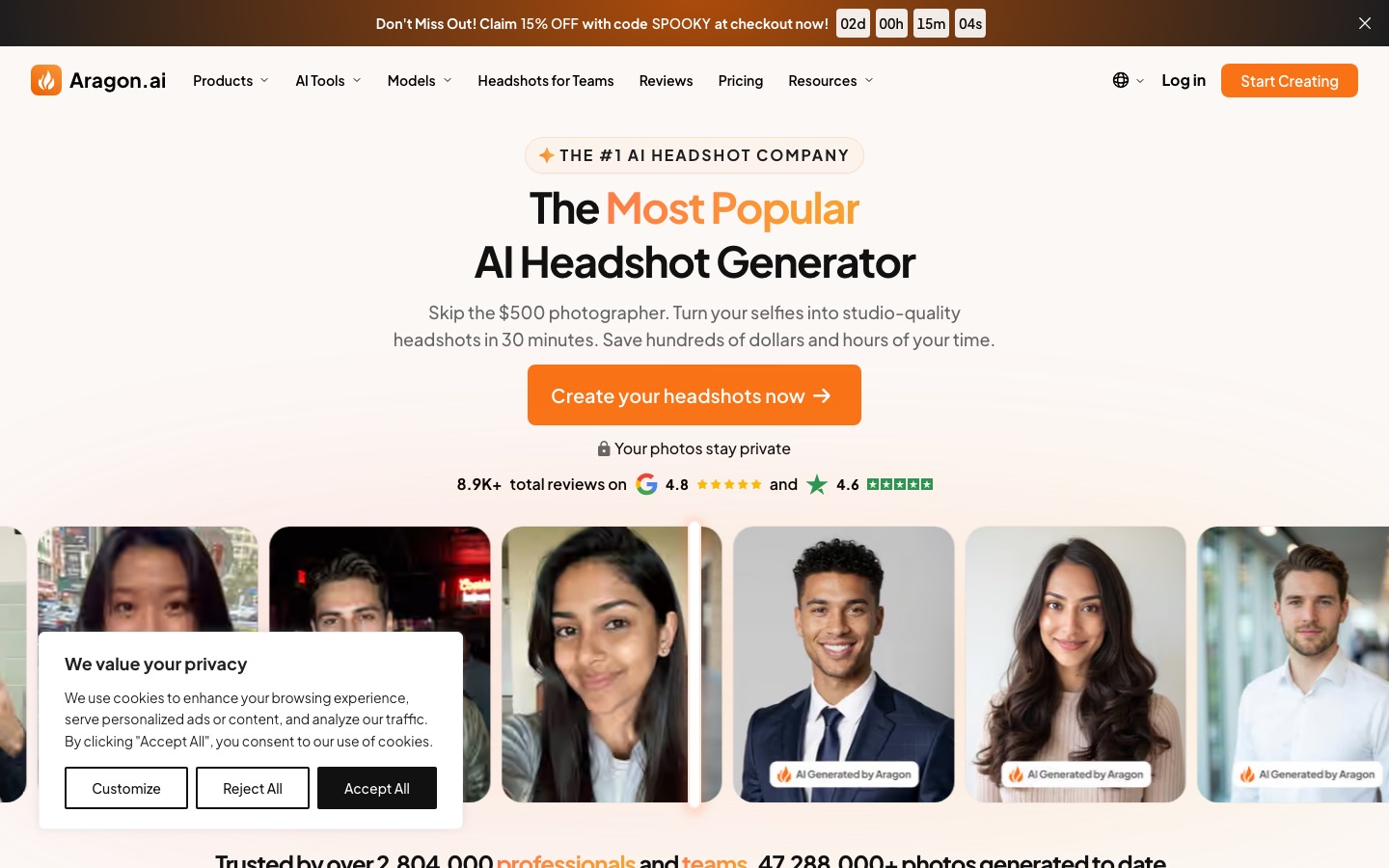
Aragon is one of the most established headshot services and the one most reviewers recommend first. You upload about six selfies, choose attire and backgrounds, and receive a pack of studio-style headshots. Basic costs $35 for 40 headshots in about 45 minutes with one outfit and one background. Standard is $45 for 60 headshots in 30 minutes with two of each, and Executive is $75 for 100 headshots in 15 minutes with every outfit and background, at a higher 1792 x 2176 pixel resolution. Those were promotional prices (regular $44, $56 and $94) on the Aragon pricing page in October 2026.
Aragon offers a full refund if you are unhappy and have not downloaded your photos, plus a free redo through support. It says it never sells your data or uses your photos to train AI models without permission, and that you can delete your account and data at any time.
Pros: consistent, professional results, fast turnaround, clear refund rules, one-time payment.
Cons: Basic and Standard limit outfits and backgrounds, and resolution is lower below Executive.
Who it suits: job seekers and professionals who want a large pack to choose from.
2. Professional-Headshot.ai: best from a single photo
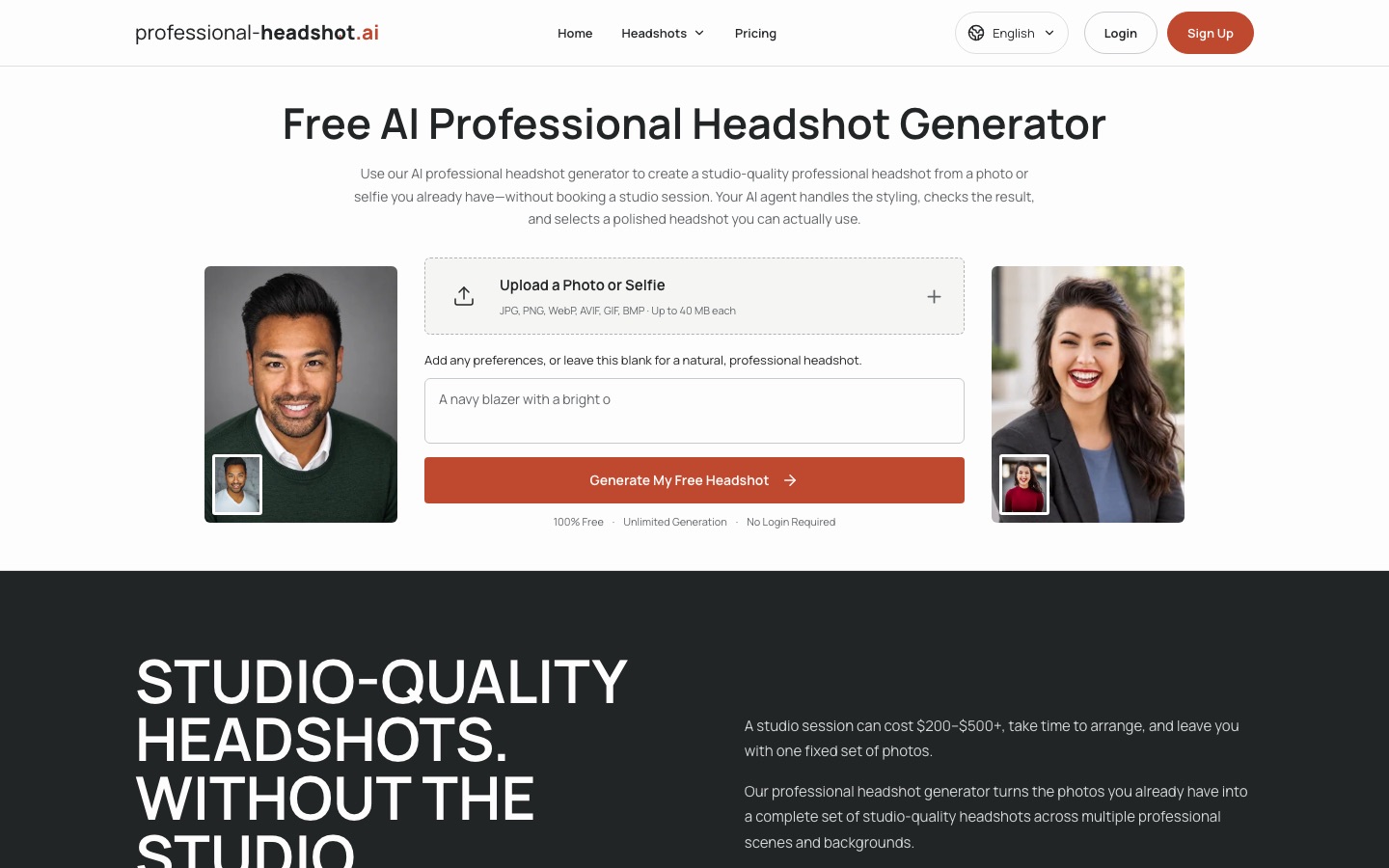
Professional-Headshot.ai needs only one clear photo to start, and an AI agent styles the image, checks the result and picks a recommended headshot plus two alternatives per scene. You can generate one watermarked preview with no account in about 1 to 3 minutes. Pro costs $39 one-time for 7 days of unlimited scenes and edits for one person, and Ultimate costs $79 for up to 5 people for 30 days. Neither renews automatically.
Its privacy policy is unusually specific: uploads are deleted 30 days after upload and generated headshots 30 days after creation, so download what you want to keep, according to the Professional-Headshot.ai site.
Pros: one photo is enough, free preview, unlimited edits during the pass, clear deletion window.
Cons: you get fewer images per scene than a big pack, and passes expire.
Who it suits: anyone without a set of good selfies, and small teams of up to five.
3. MyPhotoAI: cheapest studio-style shoot
MyPhotoAI trains a personal model on 10 to 15 photos, then generates up to 5 looks per shoot from 142 options across seven categories: Professional, Dating, Lifestyle, Creative, Events, Game Day and Boudoir. Pricing is per shoot with no subscription: $5 unlocks 3 HD photos and $10 unlocks a larger set, with platform-sized crops included. The first shoot can take over an hour because of model training, and the site emails you when it is ready. Output is 896 x 1152 pixel PNG, and the site says it does not sell your photos or share them with advertisers.
Pros: lowest entry price for a trained model, many styles beyond corporate.
Cons: needs more photos, slower first shoot, no deletion timeline stated on the homepage.
Who it suits: budget buyers who also want dating or lifestyle photos.
4. ProfileLoom: best to try before you pay
ProfileLoom lets you create one portrait without an account and two more after signing up, with no card required. One-time packs start at $9.99 for 15 portraits, with larger 40 and 100 portrait packs, and they never expire. Headshot styles include LinkedIn, Resume/CV, Company Page, Speaker Bio and Studio, alongside photoshoot and illustrated looks. It works from one to four photos, says reference photos are never used to train models, and removes unclaimed guest uploads after 24 hours.
Pros: genuinely free trial, non-expiring packs, many styles from one upload.
Cons: single-image approach means likeness can vary between results.
Who it suits: people who want to test AI headshots before spending anything.
5. Photoshoot.si: best for choosing your own AI model
Photoshoot.si bundles 22 image models, including Nano Banana Pro, GPT Image 2, FLUX.2 and Seedream, behind one credit balance and 38 preset tools such as an AI headshot generator. You upload one to four selfies and pay per image: about 60 credits with Nano Banana, 75 with GPT Image 2 and 195 with Nano Banana Pro. Essential costs $9/mo for 8,000 credits, credits roll over, failed generations are refunded, and new accounts get 50 free credits, per the Photoshoot.si pricing page.
Pros: compare top models side by side, transparent per-image costs, credits never expire.
Cons: a subscription, and you need to experiment to find the best model for your face.
Who it suits: tinkerers and people who want headshots plus product or lifestyle shots.
6. Fotor: best free AI headshot generator
Fotor is an all-purpose photo editor with a free AI headshot generator. Upload one selfie, choose 3 to 10 styles, and results arrive in seconds. Fotor says uploaded files are deleted automatically within 24 hours and the temporary model built from your photos is wiped after your session, according to its AI headshot generator page. Generation uses credits, refunded if a result does not capture your likeness, and paid plans unlock more. Check Fotor's pricing page for current limits.
Pros: free to start, very fast, short data retention, full editor for touch-ups.
Cons: less consistent likeness than trained packs.
Who it suits: anyone who needs a decent LinkedIn photo today for free.
7. Pixelcut: best on your phone
Pixelcut is a mobile-first editor known for product photos that also creates profile pictures and headshots, plus background removal and retouching. Pro costs $10/mo for 600 AI credits, with a discount for yearly billing. It is a good fit if you want to fix lighting, swap the background and crop for LinkedIn in one app.
8. Gemini and ChatGPT: best do-it-yourself headshots
You can make a headshot with a general assistant. Google Gemini runs Google's Nano Banana Pro image model, and ChatGPT has built-in image generation. Upload a clear, front-facing photo and try a prompt like: "Turn this photo into a professional LinkedIn headshot. Keep my face, hairstyle and skin tone exactly the same. Navy blazer, white shirt, soft studio lighting, plain light gray background, shoulders up, square crop." Free tiers have daily limits, and you will usually need several attempts, but the cost is zero.
9. Magik Face and 10. RemixAvatar: best for creative profile pictures
Magik Face trains a personal face model in a few minutes and renders you in anime, fantasy, watercolor and other styles, plus short animated videos, from $9.99 one-time. RemixAvatar restyles a selfie to match a style reference, from professional looks to cartoons, in about 15 to 30 seconds, with packs from $2.99. Neither is a first choice for corporate photos, but both are fun for Discord, X or a personal site.
How to take selfies that make better AI headshots
Input quality decides output quality. Follow these steps before you upload:
Use soft, even light. Face a window in daylight. Avoid overhead lights that cast shadows under your eyes.
Vary angles and expressions. For trained models, include front, slight left and slight right angles, smiling and neutral. Six varied photos beat fifteen near-identical ones.
Show only you. No sunglasses, hats, heavy filters, group shots or hands covering your face.
Shoot at eye level, arm's length or farther. Close-up wide-angle selfies distort your nose and jaw. Use the rear camera with a timer if you can.
Match your current look. Use recent photos with your current hairstyle, glasses and facial hair, so the result matches you in a video call.
Keep the background plain. Busy backgrounds can leak into results.
Privacy: what happens to your face data
A headshot generator handles biometric-like data, so read the policy before uploading. Check four things: how long uploads and results are kept, whether your photos train the vendor's models, whether a third-party AI provider processes them, and how to delete everything. Among our picks, Professional-Headshot.ai states a 30-day deletion window, Fotor says files are deleted within 24 hours, ProfileLoom removes unclaimed guest uploads after 24 hours and does not train on references, and Aragon lets you delete your account and data at any time. If a site does not explain deletion clearly, email support before you upload.
Using an AI headshot on LinkedIn and resumes
AI headshots are acceptable for most professional profiles as long as they look like you. LinkedIn's policies are about not misrepresenting your identity, so avoid results that change your age, features or body. A good rule: a recruiter meeting you on a video call should recognize you instantly.
Size and crop: LinkedIn shows your photo as a small circle. Upload a square image of at least 400 x 400 pixels with your face filling about 60% of the frame.
Background: plain or softly blurred backgrounds read best at thumbnail size.
Check details: zoom in on ears, teeth, collars, glasses and hands, where AI errors show up.
Stay consistent: use the same photo on LinkedIn, your resume, email signature and team page.
Building the rest of your application? See our guide to the best AI resume builders, and our roundup of the best AI image editors for touch-ups.
FAQ
What is the best AI headshot generator?
Aragon is the best all-round choice in 2026, with 40 to 100 professional headshots from $35, 15 to 45 minute turnaround and a refund before download. Professional-Headshot.ai is best when you only have one good photo, and MyPhotoAI is the cheapest full shoot at $5.
Is there a free AI headshot generator?
Yes. Fotor offers a free AI headshot generator from one selfie, ProfileLoom gives up to three free portraits, and Professional-Headshot.ai creates one free watermarked preview. You can also prompt Google Gemini or ChatGPT for free, though results vary and usually take a few tries.
Are AI headshots good enough for LinkedIn?
Yes, for most people. The best tools produce realistic, well-lit headshots that work at LinkedIn's small circular size. Pick a result that looks exactly like you today, check ears, teeth and collars for AI errors, and avoid heavy smoothing. If your role is client-facing or you speak at events, a real photographer is still worth it.
How much do AI headshots cost?
Prices range from $2.99 (RemixAvatar) and $5 (MyPhotoAI) to $35 to $75 for an Aragon pack and $79 for a five-person team pass at Professional-Headshot.ai. Most headshot tools charge one time rather than monthly, which is usually cheaper than booking a professional photographer.
Are AI headshot generators safe?
Reputable services are generally safe, but you are sharing photos of your face, so read the privacy policy first. Look for a stated deletion window, a promise not to train on your photos, and a way to delete your account. Professional-Headshot.ai deletes uploads after 30 days and Fotor within 24 hours.
How many photos do I need for AI headshots?
It depends on the method. Trained-model services like Aragon ask for about 6 photos and MyPhotoAI for 10 to 15. Single-image tools like Professional-Headshot.ai, ProfileLoom and Fotor work from one photo. Either way, varied, well-lit, recent photos without filters give the best results.
Final verdict
For a polished LinkedIn photo with plenty of options, buy the Aragon Basic or Standard pack. If you only have one good photo or need headshots for a small team, use Professional-Headshot.ai. On a budget, start free with ProfileLoom or Fotor, and step up to MyPhotoAI for a cheap trained shoot. Whichever you choose, spend five minutes on good selfies, read the deletion policy, and pick the result your colleagues would recognize.
Want sharper versions of your favorite shots? See our guide to the best AI image upscalers, or make visuals from scratch with the best free AI image generators. Browse every photo and portrait tool in the AI image category, and if you run a headshot generator we have not listed, submit it for a listing.