Best AI Image Upscalers (2026): 10 Picks for Photos, Print and AI Art
Some AI upscalers faithfully enlarge what is in your photo, while others invent new detail. Here are the 10 best AI image upscalers in 2026, compared on price, free plans, maximum scale, desktop vs web, and which one to use for print, old photos and AI art.
The best AI image upscaler for most photographers in 2026 is Topaz Gigapixel, which enlarges real photos with the least invented detail and runs locally on Mac and PC from $149 a year. For AI art and creative work, Magnific and Krea add striking new detail, with Krea reaching 22K on paid plans. The best free AI upscaler is the open-source Upscayl, and the quickest free online option is Clipdrop.
Upscaling is no longer just making pixels bigger. Today's tools split into faithful upscalers that reconstruct what was captured and generative upscalers that hallucinate plausible texture. Picking the wrong type is the most common mistake: a creative upscaler can change a face in a family photo, while a faithful one can leave AI art looking soft. This guide compares 10 picks on price, free plans, maximum scale, platform and best use, based on official pricing pages, documentation and public user feedback as of October 2026. We did not run our own benchmark tests.






Quick picks: the best AI upscaler for each job
Best overall for photos and print: Topaz Gigapixel. Desktop app, up to 16x, from $19/mo on an annual commitment ($149/yr).
Best creative upscaler for AI art: Magnific, now part of the Magnific suite (formerly Freepik), with plans from about $20/mo.
Best for huge output sizes: Krea. Up to 22K on paid plans from $5/mo, 2K free.
Best free AI image upscaler: Upscayl. Open source, offline, up to 16x on Windows, macOS and Linux.
Best inside a pro editor: Adobe Photoshop. Generative Upscale with Firefly and Topaz models, plus Super Resolution.
Best free online upscaler: Clipdrop. 2x free, 20 times a day, up to 16x on Pro.
Best for faces and old photos on mobile: Remini.
Best for batch jobs and a lifetime license: VanceAI. Desktop lifetime license $129.90.
Best budget web tools: Imgkits, AIEnhance.io and Bimg AI.
Best for restoring old family portraits: RestorePhoto.
Best AI image upscalers compared (as of October 2026)
| Tool | Best for | Free plan | Starting price | Max scale or size | Platform |
|---|---|---|---|---|---|
| Topaz Gigapixel | Photos, print, archives | No | $19/mo annual ($149/yr), $29 monthly | Up to 16x | Mac, PC, web, iPhone |
| Magnific | AI art, creative detail | No | About $20/mo (less yearly) | Check official page | Web |
| Krea | AI art, very large output | Yes, up to 2K | $5/mo | Up to 22K | Web |
| Upscayl | Free offline upscaling | Yes, fully free | $0 (paid cloud optional) | Up to 16x | Windows, macOS, Linux |
| Adobe Photoshop | Pro editing workflows | 7-day trial | $22.99/mo (annual plan) | 6144 x 6144 (Firefly), 56MP (Gigapixel) | Mac, PC |
| Clipdrop | Quick free web upscales | Yes, 2x, 20/day | Pro (check official page) | 16x on Pro | Web, API |
| Remini | Faces, selfies, old photos | Limited | About $9.99/week (US app) | Check official page | iOS, Android, web |
| VanceAI | Batch processing | 10 credits | $15/mo web, $129.90 lifetime PC | 8x | Web, Windows |
| Imgkits / AIEnhance.io / Bimg AI | Cheap all-in-one web editors | Free credits | Low monthly or credit packs | Up to 4x (AIEnhance.io) | Web |
| RestorePhoto | Blurry faces in old portraits | Yes, limited | Check official page | Face restoration | Web |
How AI image upscaling works: faithful vs generative
Faithful (reconstructive) upscalers
Models like Topaz Gigapixel's standard modes, Upscayl's Real-ESRGAN models and Photoshop's Super Resolution are trained to predict the missing pixels between existing ones. They sharpen edges and remove compression artifacts while staying close to the original. Use them for client photos, product shots, documents and anything where accuracy matters.
Generative (creative) upscalers
Magnific's Creative mode, Krea's Enhancer and Topaz Bloom use diffusion models to repaint the image at a higher resolution, adding skin pores, fabric weave and foliage that were never captured. The results can look spectacular, especially for AI art, but they can also change faces, text and logos. Most let you set a creativity or strength slider: keep it low for portraits and high for landscapes or fantasy art.
Upscaling cannot recover detail a camera never captured. A faithful upscaler gives you a cleaner, larger version of what is there, while a generative upscaler gives you a believable guess.
The best AI image upscalers, reviewed
1. Topaz Gigapixel: best AI image upscaler for photos and print
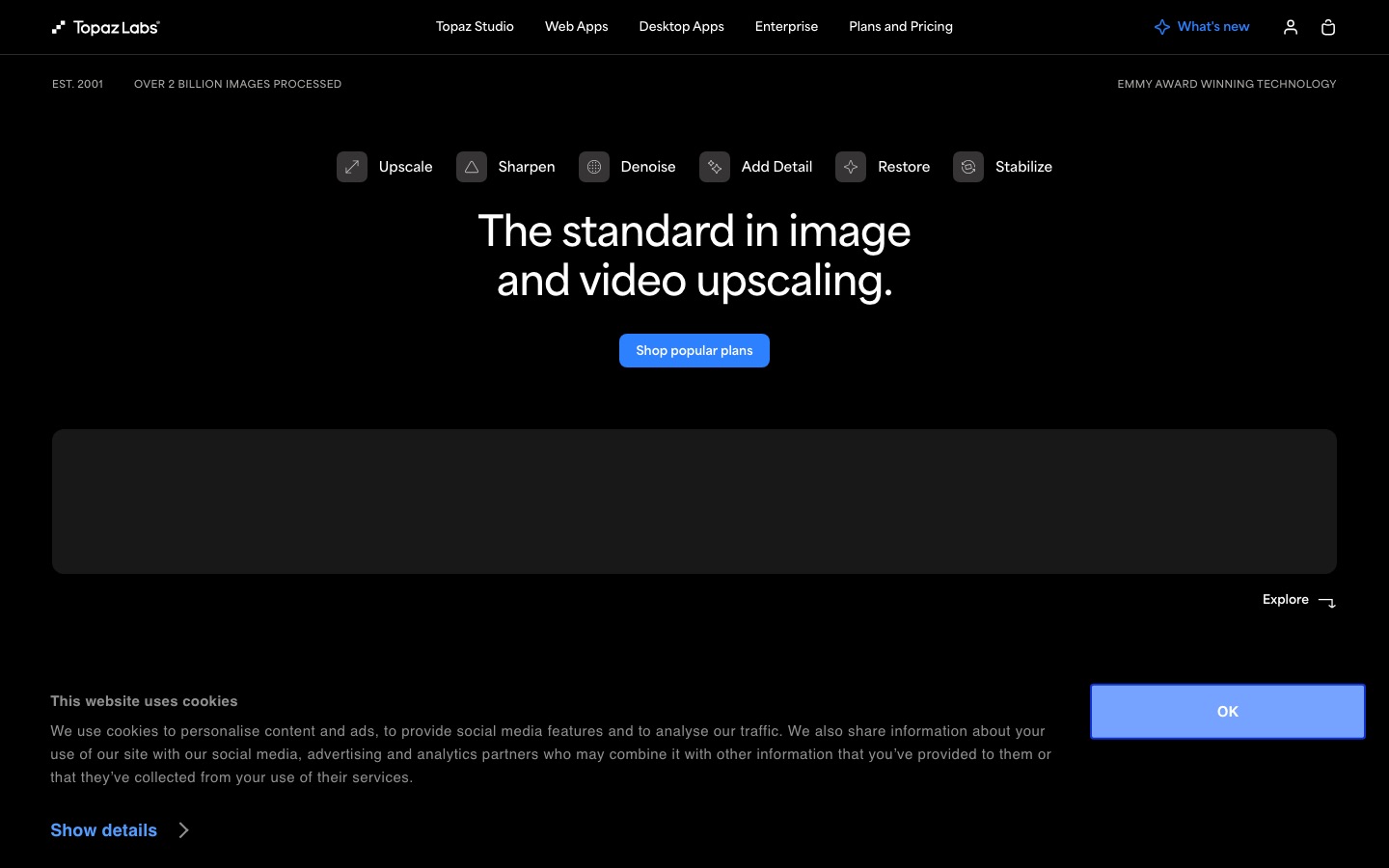
Topaz Labs Gigapixel is the reference tool for photographers. It runs locally on Mac and PC, so your files never leave your machine, and offers several models for different subjects (standard photos, low resolution, faces, text and graphics) plus a generative option for heavily degraded images. It upscales up to 16x and handles batch processing for whole folders.
Topaz moved to subscriptions only. Gigapixel costs $29 month to month, or $19/mo with an annual commitment ($149/yr), and Gigapixel Pro is $499/yr. The Topaz Studio bundle with Photo and Video is $399/yr, and a browser version (Topaz for Web, Image) starts at $19/mo, per the Topaz Labs pricing page.
Pros: most natural results on real photos, local processing, batch mode, face and text models.
Cons: no perpetual license anymore, and it needs a reasonably powerful computer.
Who it suits: photographers, print shops, archivists and anyone upscaling for clients.
2. Magnific: best creative upscaler for AI art
Magnific became famous for upscales that hallucinate rich new detail. Its Creative mode reimagines textures under your control (creativity, HDR and resemblance sliders, plus a prompt), while Precision mode stays closer to the source. In April 2026, Freepik rebranded its whole AI platform as Magnific, so the upscaler now sits inside one credit-based plan that also includes image and video generators.
Plans start with Premium at about $20/mo, cheaper on annual billing, and Premium includes the Magnific upscalers. Credits are metered per job; for example, the Magnific Precision model costs 90 credits per 2K image, according to the Magnific pricing page. Prices vary by region, so check the page in your currency.
Pros: the most dramatic detail on AI art, illustrations and landscapes, prompt-guided control.
Cons: can alter faces and text at high creativity, credits go quickly on big upscales, no free tier.
Who it suits: AI artists, concept artists and designers preparing hero images.
Comparing image generators to feed it? See Freepik AI vs Midjourney vs Leonardo AI and Midjourney vs Ideogram vs Flux.
3. Krea: best for huge output sizes
Krea is a real-time AI image and video platform whose Enhancer upscales images and video up to 22K on paid plans, using its own models plus paid upscalers including Topaz Standard. The free plan gives 100 compute units a day, upscaling up to 2K and about 4 Enhancer images a day. Basic starts at $5/mo with 625 Enhancer images, and Pro at $21/mo with 2,500, per the Krea pricing page.
Pros: enormous maximum resolution, cheap entry plan, faithful and creative options in one place.
Cons: compute units are shared with generation, and the free plan caps at 2K.
Who it suits: AI artists and designers who also generate images and want one subscription.
4. Upscayl: best free AI image upscaler
Upscayl is a free, open-source desktop app for Windows, macOS and Linux that runs AI upscaling models on your own GPU. It upscales up to 16x, supports batch folders and double upscaling, and lets you choose models for photos or digital art. Because everything runs offline, it is the best option for private images. You need a compatible graphics card for reasonable speed. A paid Upscayl Cloud adds face enhancement and cloud storage, per upscayl.org.
Pros: completely free, private, batch support, no watermarks or limits.
Cons: results depend on your GPU, and it lacks the face-aware polish of Topaz.
Who it suits: hobbyists, students and anyone who wants unlimited upscales for free.
5. Adobe Photoshop: best inside a pro editor
Adobe Photoshop now offers Generative Upscale with three models. The Firefly Upscaler restores images up to 6144 x 6144 pixels, Topaz Gigapixel preserves detail up to 56 megapixels, and Topaz Bloom adds creative detail up to 9 megapixels. The Topaz models use premium generative credits, according to Adobe's Generative Upscale help page. Separately, Super Resolution in Camera Raw and Lightroom doubles width and height without using credits.
Photoshop costs $22.99/mo on an annual plan in the US, and the Photography plan with Lightroom is cheaper. The Photoshop plan includes only a small monthly allowance of generative credits, so heavy Topaz use may need Firefly Pro or Creative Cloud Pro.
Pros: upscale, retouch and composite in one app, choice of faithful and creative models.
Cons: subscription cost, and credit limits on premium models.
Who it suits: designers and photographers who already live in Creative Cloud.
6. Clipdrop: best free online upscaler
Clipdrop is a web toolbox of AI image utilities. Its free plan includes 20 uses a day of the 2x Image Upscaler, plus background removal, cleanup and relighting. Pro raises the upscaler to 16x and 1,000 uses a day, and an API is available, per the Clipdrop pricing page. It is ideal for quick jobs like enlarging a screenshot or a small product photo.
7. Remini: best for faces and old photos on mobile
Remini is the phone app most people try first for blurry selfies and old family photos. Its face models produce sharp eyes and skin, though users often say results can look over-smoothed or plastic on heavy settings. The catch is billing: US App Store listings show Pro at about $9.99 a week, and forgotten weekly renewals are a common complaint, so set a reminder or choose a longer plan. Prices vary by country.
8. VanceAI: best for batch jobs and a lifetime license
VanceAI is a practical suite of upscaling, denoising, sharpening and restoration tools. On the web, 2x, 4x and 8x upscales cost 1, 2 and 3 credits; Starter is $15/mo for 260 credits, and new users get 10 free credits. The Windows app processes locally without credits for $39.90 a month, $99.90 a year or $129.90 for a lifetime license, per the VanceAI pricing page. Web uploads are capped at 10MB and 34 megapixels.
9. Imgkits, AIEnhance.io and Bimg AI: best budget web tools
These browser suites bundle upscaling with other everyday edits. Imgkits combines an image upscaler with object removal, background swaps, restoration and a video upscaler, with limited free access. AIEnhance.io offers 4x upscaling, old photo restoration and prompt-based editing with 20 free credits and non-expiring credit packs. Bimg AI adds an unblur tool built on Google's Nano Banana 2, with 20 free credits and plans from $10.49/mo billed yearly.

10. RestorePhoto: best for old family portraits
RestorePhoto focuses on one job: sharpening blurry faces in old portraits and family photos. Run it after a scan, then upscale the whole image with Upscayl or Topaz. For scratched or torn prints, Wondershare Repairit also restores old photos with AI. Always keep the original scan, because face restoration can subtly change a relative's features.
Which AI upscaler for which use case
Printing photos and posters
Print needs about 300 pixels per inch for close viewing. An 8 x 10 inch print needs 2,400 x 3,000 pixels, and a 24 x 36 inch poster viewed from a distance works at 150 PPI, or 3,600 x 5,400 pixels. Use a faithful upscaler (Topaz Gigapixel, Upscayl or Photoshop Super Resolution) and check edges at 100% zoom before sending to the printer.
Old and scanned photos
Scan at the highest resolution your scanner allows (600 DPI or more), restore faces with Remini or RestorePhoto, then upscale the full image with a faithful model. Keep creativity low so grandparents still look like themselves.
AI art and illustrations
Generators often output around 1 to 2 megapixels. Magnific or Krea at moderate creativity adds crisp detail for wallpapers and prints, and Upscayl's digital art model is a free alternative. Learn to get better source images in our guide on how to use Midjourney.
Ecommerce and product photos
Use faithful upscaling so logos, labels and text stay accurate. Clipdrop, VanceAI or Topaz work well, and the editors in our best AI image editors guide handle the background removal step.
Tips for better AI upscaling results
Start from the best source. Use the original file, not a screenshot or a compressed social media copy.
Upscale in steps. Two 2x passes often look cleaner than one 4x pass, especially with free tools.
Match the model to the content. Choose face, text, or art models when the tool offers them.
Keep creativity low for people. Generative detail can change eyes, teeth and expressions.
Denoise before you sharpen. Remove noise and JPEG artifacts first, or the upscaler will enlarge them.
Check at 100%. Inspect hair, text and edges at full size before you publish or print.
FAQ
What is the best AI image upscaler?
Topaz Gigapixel is the best AI image upscaler for real photos and print in 2026 because it adds the least invented detail and runs locally. For AI art, Magnific and Krea produce more dramatic results. For a free option, Upscayl is the best choice on desktop.
What is the best free AI image upscaler?
Upscayl is the best free AI upscaler: it is open source, runs offline on Windows, macOS and Linux, and upscales up to 16x with no limits or watermarks. Online, Clipdrop gives 20 free 2x upscales a day, and Krea offers free upscales up to 2K.
Is Topaz Gigapixel worth it?
Yes, if you upscale photos regularly for clients, print or archives. At $149 a year it offers some of the most natural results, local processing and batch mode. If you only upscale occasionally, Upscayl is free, and Photoshop subscribers can use Topaz Gigapixel inside Generative Upscale with premium credits.
Can AI upscale an image to 4K?
Yes. Almost every tool here can produce 4K (3840 x 2160) from a 1080p image with a 2x upscale. Krea goes up to 22K on paid plans, and Topaz Gigapixel and Upscayl offer up to 16x. Quality depends on the source, so a sharp 1080p photo upscales far better than a blurry thumbnail.
Does upscaling an image reduce quality?
Traditional resizing makes images blurry, but AI upscalers add sharpness by predicting missing detail, so results usually look better than the original at a larger size. The risk is artifacts: waxy skin, invented textures or warped text, especially with generative upscalers. Check at 100% zoom and lower the creativity setting if needed.
What is the best AI upscaler for old photos?
For faces in old photos, Remini and RestorePhoto are the easiest choices. For the whole image, scan at 600 DPI or higher and upscale with a faithful model in Topaz Gigapixel or Upscayl. Keep the original scan and compare before sharing, since restoration can change features.
Final verdict
If you work with real photos, buy Topaz Gigapixel or use Upscayl for free. If you make AI art, use Magnific for maximum invented detail or Krea for cheaper, larger output. Photoshop users should try Generative Upscale before paying for anything else, and casual users can stick with Clipdrop or Remini. The key decision is not the brand but the type: faithful for accuracy, generative for wow.
Upscaling a portrait? Our guide to the best AI headshot generators covers making one first, and the best free AI image generators guide covers creating source art. Browse every upscaler and editor in the AI image category, and if you build an image upscaler we have not listed, submit it for a listing.