Best AI Logo Generators (2026): 11 Tools Compared on Price, Files and Rights
The best AI logo generators in 2026, from brand-kit builders like Looka and LogoAI to free makers in Canva and Adobe Express, and design-first models like Ideogram and Recraft. What each costs, which give you vector files, and what you can actually trademark.
Short answer: the best AI logo generator for most small businesses is Looka, because it turns a few answers into a full logo and brand kit with vector files. For a free logo, use Canva or Adobe Express. For text-based wordmarks, Ideogram renders lettering better than any logo maker. For true vector artwork you can edit, pick Recraft or Logo Diffusion.
AI logo tools come in two kinds. Logo makers (Looka, LogoAI, Design.com, Turbologo, Sologo, Zoviz) generate templated options from your name and style and sell you files and a brand kit. Image models (Ideogram, Recraft, Logo Diffusion) generate original marks from a prompt, with more range but more finishing work. This guide compares both, based on official pricing pages, documentation and public user feedback as of October 2026. We have not hands-on tested every tool, and prices change often, so confirm on each official site before paying.



Quick picks: the best AI logo generator for each need
Best overall: Looka, for a logo plus a full brand kit.
Best for text and wordmarks: Ideogram, with transparent-background models.
Best free logo maker: Canva, if you also want social posts and business cards.
Best free option with Adobe tools: Adobe Express Logo Maker.
Best for vector illustration: Recraft, which generates real SVG.
Best for designers and sketches: Logo Diffusion, from prompts, sketches or photos to vectors.
Best subscription brand suite: LogoAI, with brand kit, animations and video.
Best for exclusive rights: Sologo, with paid exclusive buyouts.
Best one-time budget buy: Turbologo.
AI logo generators compared (as of October 2026)
| Tool | Best for | Free plan | Starting price | Vector files |
|---|---|---|---|---|
| Looka | Logo plus brand kit | Design free, pay to download | About $35 one-time | Premium package and up |
| Ideogram | Wordmarks and lettering | Yes, 30 credits a week | $20/mo ($15 yearly) | No, PNG only |
| Canva | Free logo plus marketing assets | Yes | Canva Pro subscription | SVG on paid plans |
| Adobe Express | Free logo, Adobe ecosystem | Yes | Premium about $9.99/mo | Limited |
| Recraft | Vector icons and marks | Yes, no commercial rights | Paid plans, check site | Yes, SVG |
| Logo Diffusion | Sketch to logo, designers | Yes, watermarked | $24/mo or $59 one-time | Yes, layered SVG |
| LogoAI | Brand suite subscription | No ($10 trial) | $20/mo | Check exports |
| Design.com | Free logo and templates | Yes | Shown at checkout | Yes |
| Turbologo | Cheap one-time package | Design free | About $20 one-time | Standard package and up |
| Sologo | Clear licensing, exclusivity | Explore only | $9.90/mo ($7.90 yearly) | Yes, SVG and PDF |
| Zoviz | Logo, brand kit and website | Design free | Monthly plans, local pricing | Yes |
How we picked
We weighed what a business needs: a mark that reads at small sizes, vector files for print, a transparent PNG, clear commercial rights, the option of exclusivity, fair pricing and solid public feedback.
The best AI logo generators in 2026
1. Looka: best overall AI logo generator
Looka asks for your company name, industry, preferred styles, colors and symbols, then generates dozens of logo options you can edit for layout, font, icon and color. Its Brand Kit adds matching business cards, social templates, email signatures and brand guidelines.
Pricing: you can design for free. Downloads are paid: after a September 2026 price change, third-party trackers list the Basic package at about $35 and the Premium package, with vector files, at about $72, both one-time. The Brand Kit subscription runs about $96 a year. Check Looka's pricing page for current figures.
Pros: polished, professional results; full brand kit; easy editor.
Cons: templated icons mean some logos look familiar; the Basic package lacks vector files.
Best for: small businesses and startups that want a complete identity in an afternoon.
2. Ideogram: best for wordmarks and lettering
Ideogram is a general image model, but its text rendering makes it the best AI tool for logos where the name is the logo. Its logo guide says to put the brand name in quotes, name two or three colors and use the Ideogram 4.0 Transparent model at 1:1. Studio lets you fix a letter or add a tagline as an editable text layer.
Pricing: free with 30 credits a week (images are public, and a 1K PNG download is free). Plus is $20/mo, or $15/mo billed yearly, with private generation.
Pros: best-in-class lettering; original designs, not templates; strong free tier.
Cons: exports raster PNG, not vector, so you need to vectorize for print; no brand kit.
Best for: wordmarks, lettermarks, badges, merch and early concept exploration.
See how it compares for general images in our Midjourney vs Ideogram vs FLUX comparison.
3. Canva: best free AI logo maker
Canva combines thousands of logo templates with Magic Studio AI tools that generate images and graphics, resize designs and keep your brand kit consistent. Your brand colors and fonts then flow into social posts, flyers and business cards.
Pricing: the free plan covers logo design and PNG downloads. Canva Pro adds transparent backgrounds, SVG export and brand kits; prices changed in 2026, so check the current rate.
Pros: free, fast, and doubles as your whole marketing design tool.
Cons: logos built from Canva templates or stock elements are not exclusive and cannot be trademarked, according to Canva's own help center.
Best for: side projects, events and early-stage businesses that need a logo today.
Deciding between design platforms? Read our Picsart vs Canva comparison.
4. Adobe Express Logo Maker: best free option with Adobe tools
Adobe Express Logo Maker generates logo ideas from a prompt with Adobe Firefly and lets you refine them in the Adobe Express editor with templates, fonts and brand controls. Adobe markets Firefly as commercially safe because it is trained on licensed and public-domain content.
Pricing: the logo maker is free to use, with a small monthly allowance of generative credits. Adobe Express Premium is about $9.99/mo in the US and adds more generative credits, brand kits and premium templates.
Pros: free; Firefly's licensing story; smooth path into other Adobe apps.
Cons: results can look template-driven; vector export options are limited compared with Illustrator.
Best for: creators and small businesses already using Adobe tools.
5. Recraft: best for vector logos and icons
Recraft is an AI design tool that generates true vector graphics, not just pixel images that look flat. That makes it one of the few AI tools whose output you can open and edit path by path in Illustrator or Figma. Its latest model generation is V4.1.
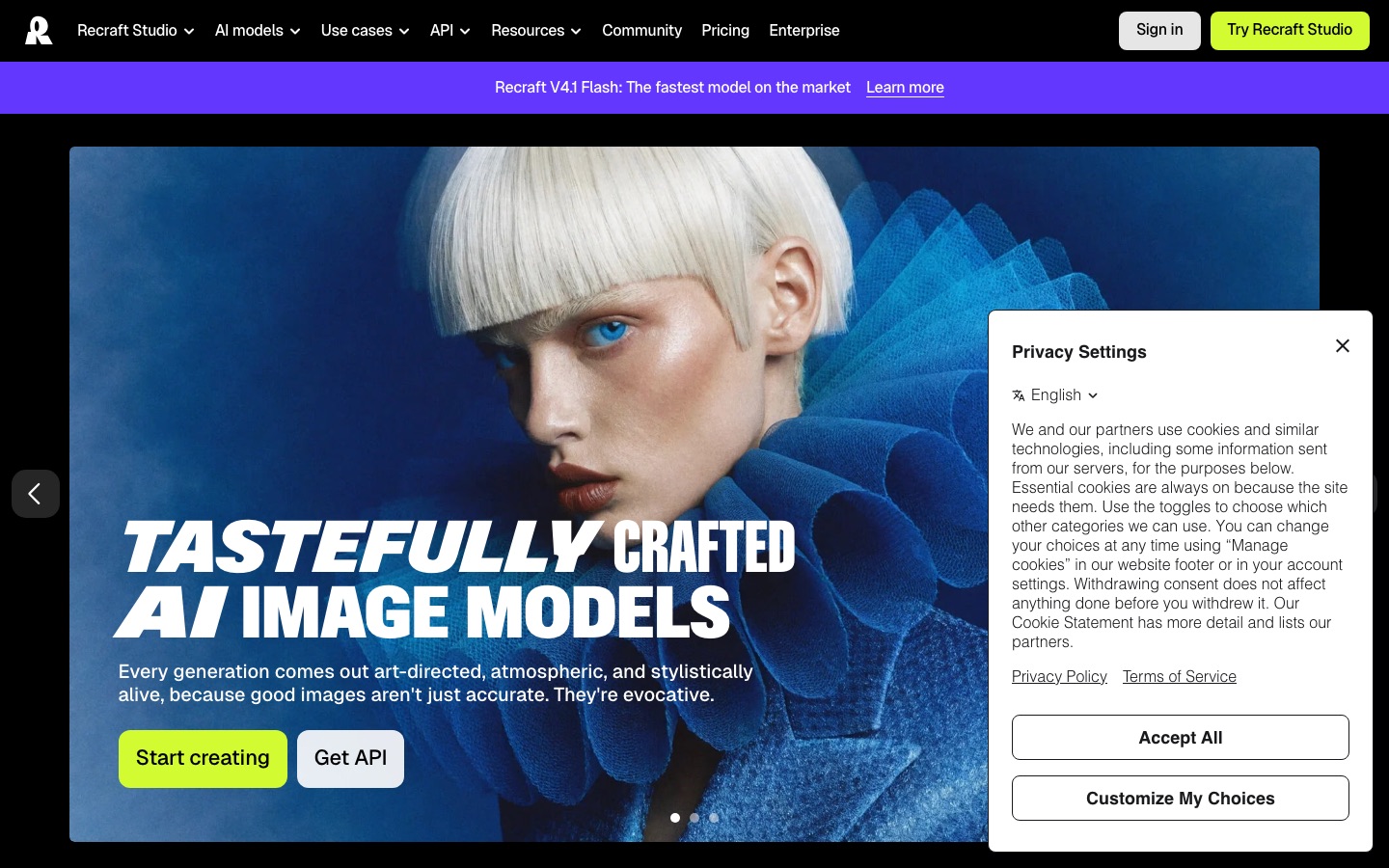
Pricing: there is a free plan, but per Recraft's pricing page, free-plan images are owned by Recraft, are public, and are not licensed for commercial use. Paid plans give you ownership and commercial rights, so you need one for a real logo. Check the official page for current tiers.
Pros: real SVG output; strong for icons and symbol marks; designer-friendly controls.
Cons: you must pay for commercial rights; less guided than logo makers.
Best for: designers and founders who want an original, editable symbol.
6. Logo Diffusion: best for designers and sketch-to-logo
Logo Diffusion is built for logo work specifically. You can start from a prompt, a rough sketch or a photo, refine it in a Magic Editor, preview it on mockups, animate it and export a vector.
Pricing: per Logo Diffusion's pricing page, the free plan gives 24 credits a month (about 12 logos) with watermarked 512px downloads. Basic is $24/mo with 1,000 credits, unlimited downloads and a commercial license that survives cancellation. Pro is $49/mo and Elite $99/mo. A $59 one-time Starter Pack includes 1,500 credits and 6 downloads as PNG and layered SVG.
Pros: sketch and image input; vectorizer; one-time option; logo animation.
Cons: credit system takes some learning; subscriptions are pricier than basic logo makers.
Best for: freelance designers, agencies and founders who sketch their own ideas.
7. LogoAI: best subscription brand suite
LogoAI generates logos and then builds out a brand around them: an AI brand kit, logo animations, brand videos and a design studio with image and video models.
Pricing: per LogoAI's pricing page, a 7-day trial costs $10 with 200 AI credits, then renews at $20/mo with 500 credits a month. Paid plans include commercial use, though LogoAI notes this does not guarantee exclusivity or trademark registration.
Pros: many brand assets in one place; animation and video included.
Cons: subscription only; the trial auto-renews if you forget to cancel.
Best for: small businesses that want ongoing branded social content.
8. Design.com: best free logo maker with templates
Design.com generates logo options from your business name, with templates for cards, social posts and websites. Reviews report free standard downloads, with premium and AI designs paid.
Pricing: Design.com does not publish a simple price list; the cost of premium packs appears at checkout, and its FAQ says a subscription covers one logo. Read the checkout screen carefully: some reviewers say they bought a subscription when they expected a one-time purchase.
Pros: quick results; free standard downloads reported; big template library.
Cons: opaque pricing; template-based marks are not exclusive.
Best for: budget projects that need a logo and matching templates quickly.
9. Turbologo: best one-time budget package
Turbologo is a simple AI logo maker: enter a name, pick styles and colors, then edit.
Pricing: Turbologo sells one-time packages with a limited access window rather than an ongoing subscription. Third-party listings put the entry package at about $20, with prices varying by region; vector files and transparent backgrounds start at the Standard package.
Pros: cheap; no long-term subscription; simple editor.
Cons: the cheapest package is low resolution only; designs are templated.
Best for: solo founders who want the lowest upfront cost.
10. Sologo: best for clear licensing and exclusivity
Sologo stands out for spelling out what you can do with the result. Subscribers can download logos as JPG, PNG, SVG and PDF and use them commercially, including after they cancel. For eligible icon-based designs, you can buy an exclusive logo that is removed from Sologo's store, with full copyright ownership and a "trademark-ready" file.
Pricing: per Sologo's pricing page, free accounts can explore with 10 one-time credits but cannot download. Membership is $9.90/mo, or $7.90/mo billed yearly. Exclusive logos cost $49 to $95 one-time depending on the bundle.
Pros: clear license terms; exclusive buyout option; vector files.
Cons: free plan cannot download; exclusivity only on eligible designs.
Best for: businesses that plan to register a trademark.
11. Zoviz: best all-in-one branding platform
Zoviz adds brand kits, auto-styled templates, digital business cards, link-in-bio pages and a website builder to your logo.
Pricing: shown in local currency; the Starter plan was C$39/mo for Canadian visitors, with big yearly discounts.
Pros: logo, brand assets and website in one subscription.
Cons: more than you need if you only want a logo file.
Best for: new businesses that want branding and web presence handled in one place.
Also worth a look
insMind AI Logo Generator makes editable concepts from a name, slogan and style preset. AnyLogo and LogoCreatorAI target startups with brand kits and pay-per-logo credits. You can also brainstorm concepts in ChatGPT or Midjourney, then rebuild the winner as a vector. For more no-cost options, see our best free AI image generators.
How to choose an AI logo generator
Decide what you need beyond the logo. Want cards, templates and a website? Pick a brand-kit tool (Looka, LogoAI, Zoviz). Only the mark? An image model or one-time package is cheaper.
Insist on vector files. SVG, EPS or PDF scales to any size. A PNG alone will blur on a sign or a truck. Ideogram and most free tiers give you PNG only.
Check commercial rights on your exact plan. Free tiers often exclude commercial use (Recraft) or downloads (Sologo).
Ask about exclusivity. Template-based logos can be used by other customers. If you plan to trademark, choose a tool with exclusive rights or have a designer redraw the mark.
Compare one-time versus subscription, and know what happens to your files if you cancel.
Test at small sizes. View your logo at 32 pixels and in one color.
How to prompt an AI logo generator
With prompt-based tools like Ideogram, Recraft and Logo Diffusion, structure matters. Name the brand in quotes, describe the mark type, give the style in plain words, limit colors, and ask for a plain background.
Wordmark: "A minimalist wordmark logo for a bakery called \"Rise & Crumb\", bold rounded sans-serif lettering, warm brown on a white background, flat vector style"
Symbol plus name: "A flat logo for a cycling club called \"Hill Hunters\", a simple mountain shape forming a bicycle wheel above the name, two colors, navy and orange"
Lettermark: "A geometric monogram logo using the letters \"NK\", thin interlocking lines, black on white, luxury fashion feel"
Change one element per round and check spelling letter by letter.
Trademark and copyright: what you need to know
This matters if you are building a real business. It is general information, not legal advice.
Copyright: the US Copyright Office's January 2025 report on AI and copyrightability says purely AI-generated material is not protected by copyright, and prompts alone do not count as enough human authorship. Human edits and arrangement can be protected. See the Copyright Office's AI page.
Trademark: a trademark protects a mark that identifies your business, regardless of how it was made, so an AI-assisted logo can be registered if it is distinctive and does not conflict with an existing mark. Search the USPTO trademark database before you commit.
Templates are the real risk. Canva's help center states that logos built from its stock templates and elements cannot be trademarked because other users can use the same content. Most template-driven logo makers have the same problem.
Similarity happens. AI can produce marks that resemble existing logos, so run a reverse image search.
The safest path for a brand you plan to protect: use AI to explore concepts, then have a designer refine the chosen direction into an original vector file you own outright.
FAQ
What is the best AI logo generator?
For most small businesses, Looka is the best AI logo generator because it creates professional options and a full brand kit with vector files. Ideogram is best for text-based wordmarks, Canva and Adobe Express are the best free choices, and Recraft and Logo Diffusion are best when you want original, editable vector artwork.
Is there a completely free AI logo generator?
Yes. Canva, Adobe Express Logo Maker and Ideogram let you create and download a logo for free, usually as a PNG. Design.com reportedly offers free standard downloads as well. Free versions often limit resolution, vector files or commercial rights, so check the terms before you use a free logo for a business.
Can I trademark a logo made with AI?
Often yes, if the logo is distinctive, does not conflict with existing marks and is not built from shared templates or stock elements. Trademark law cares how the mark identifies your business, not which tool made it. Copyright is harder, because purely AI-generated images are generally not copyrightable in the US. Ask a trademark attorney before filing.
Who owns a logo created with an AI logo generator?
It depends on the tool and your plan. Paid plans on most tools give you commercial rights, and some, like Recraft, give paid users full ownership. Free plans may keep ownership with the company. Only exclusive purchases, such as Sologo's buyouts, guarantee no one else gets the same design.
Can ChatGPT or Midjourney make a logo?
Yes, both can generate logo concepts from a prompt, and they are great for brainstorming. But they produce raster images, not vector files, and they do not offer brand kits or exclusivity. Use them to find a direction, then recreate the final mark in a vector tool like Recraft or have a designer redraw it.
Do AI logo generators give you vector files?
Some do. Looka's Premium package, Logo Diffusion, Recraft, Sologo, Turbologo's Standard package and Design.com offer SVG or other vector formats. Ideogram, ChatGPT and Midjourney export PNG or JPG only, so you would need to vectorize the image before printing it at large sizes.
Bottom line
For a professional logo and brand kit without a designer, start with Looka. On a tight budget, use Canva or Adobe Express, knowing template logos are not exclusive. If your logo is mostly lettering, Ideogram gives the best type. If you want an original, editable vector mark, use Recraft or Logo Diffusion. And if you plan to trademark it, choose exclusive rights or have a designer finish the job. For other business tools, see our roundup of the best AI tools for small business.
Explore more branding and graphic tools in our AI design tools category and AI image tools category. If you build an AI logo tool we have missed, you can submit it for a listing.