Best AI Tools for Small Business (2026): Picks by Function and Budget
The best AI tools for small business cover marketing, sales, support, bookkeeping, admin, design and your website without enterprise prices. Here are cost-conscious picks for each function, which free plans are worth using, and three starter stacks at $0, about $50 and about $200 a month.
The best AI tools for small business in 2026 are a general assistant like ChatGPT or the Gemini built into Google Workspace, plus low-cost specialists: Canva Magic Studio for design, HubSpot Breeze for a free AI-assisted CRM, Tidio for support chat, QuickBooks with Intuit Assist for bookkeeping and Zapier AI to connect it all. Most of these have free plans, and a useful stack costs $0 to $50 a month for a solo owner.
Small businesses do not need the enterprise AI platforms that big companies buy. They need tools that are cheap, quick to set up and replace hours of work that owners do themselves at night. So this guide is organized by business function, with the free plan and starting price for each pick. Our recommendations are based on official pricing pages, documentation and public user feedback, checked in October 2026, not on hands-on testing.






Quick picks: the best AI tool for each small business job
All-purpose assistant: ChatGPT, or Google Gemini if you already pay for Google Workspace.
Social media and design: Canva Magic Studio and Buffer AI Assistant.
Email marketing: Mailchimp, free up to 250 contacts.
Sales and CRM: HubSpot Breeze on HubSpot's free CRM, plus Apollo.io for finding leads.
Customer support: Tidio with its Lyro AI agent.
Bookkeeping: QuickBooks with Intuit Assist, or Bookeeping.ai as an AI bookkeeper.
Automation and admin: Zapier AI, Fyxer AI for email and Fathom for meeting notes.
Website: Durable for service businesses, Framer AI for design-led sites, Shopify Sidekick for online stores.
Best AI tools for small business compared (pricing as of October 2026)
| Tool | Function | Free plan | Starting paid price |
|---|---|---|---|
| ChatGPT | Assistant | Yes | Go $8/mo, Plus $20/mo |
| Google Gemini in Workspace | Assistant, email, docs | No (Workspace trial) | Business Starter about $7/user/mo yearly |
| Canva Magic Studio | Design, social content | Yes | Pro from about $15/mo |
| Buffer AI Assistant | Social scheduling | Yes (3 channels) | $5 per channel/mo |
| Mailchimp | Email marketing | Yes (250 contacts) | Varies by contacts |
| HubSpot Breeze | CRM and sales | Yes (2 users) | Starter from $20/seat/mo |
| Apollo.io | Lead finding, outreach | Yes | From $49/mo |
| Tidio | Support chat, AI agent | Yes (50 conversations) | Starter $24.17/mo, Lyro from $32.50/mo |
| QuickBooks (Intuit Assist) | Bookkeeping | No | Simple Start $38/mo |
| Bookeeping.ai | AI bookkeeper | Free trial | From $35/mo (our listing) |
| Zapier AI | Automation | Yes (100 tasks) | Pro $19.99/mo yearly |
| Fyxer AI | Email assistant | Yes | Pro $37/mo yearly |
| Durable | Website, CRM, booking | Yes (subdomain) | Launch $22 to $25/mo |
| Shopify Sidekick | Ecommerce assistant | Included with Shopify | No extra charge |
Prices are in US dollars and change often. Many vendors quote the annual rate by default, and monthly billing costs more.
All-purpose AI assistants for small business
1. ChatGPT: the best first AI tool for any small business
If you buy one AI tool, make it a general assistant. ChatGPT drafts emails, quotes, job ads, policies and social posts, explains contracts in plain English, cleans up spreadsheets and brainstorms offers. Custom GPTs let you save a brand voice or a standard quote template so anyone on your team can reuse it. The free plan is enough to start. Plus at $20/mo raises limits and adds better models, and Business seats add admin controls and keep your data out of model training.
Best for: owners who write a lot and want one tool for many jobs.
Watch out for: confident mistakes. Check anything involving money, law or tax.
Alternative: Claude for longer documents and more natural writing, also free or $20/mo.
2. Gemini in Google Workspace or Microsoft 365 Copilot: AI in the apps you already pay for
If your business already runs on Google Workspace, you may already have AI. Google folded Gemini into Workspace plans, so Business Starter includes Gemini in Gmail and the Gemini app, while Business Standard adds Gemini in Docs, Sheets, Meet and Drive, according to Google Workspace pricing. In the US, third-party trackers list Starter at about $7 and Standard at about $14 per user per month on annual plans. On the Microsoft side, Microsoft Copilot chat is free, and Microsoft 365 Copilot Business is a per-user add-on for companies under 300 seats.
Best for: teams that live in Gmail and Docs, or Outlook and Excel.
Watch out for: the cheapest Workspace tier only puts Gemini in Gmail, not Docs or Sheets.
AI marketing tools for small business
3. Canva Magic Studio: best for design and social content
Canva Magic Studio puts AI inside the design tool most small businesses already use. Magic Design builds layouts from a prompt, Magic Write drafts copy, background remover cleans up product shots, and Magic Resize turns one design into every social format. Brand Kits keep logos, fonts and colors consistent. The free plan includes limited AI uses. Pro, from about $15/mo depending on billing and region, unlocks the full toolkit and brand features.
Best for: owners who make their own flyers, menus, social posts and presentations.
Watch out for: AI credit limits per month, and templates that look like everyone else's if you do not customize them.
Need a logo first? Looka builds a logo and brand kit, and our guide to the best AI logo generators compares more options.
4. Buffer AI Assistant: best budget social scheduling
Buffer AI Assistant generates post ideas, rewrites a post for each network's tone and length and repurposes a blog post into social updates, right where you schedule. Buffer's free plan covers three channels and ten scheduled posts per channel, and the AI Assistant is included, per Buffer's pricing page. Essentials costs $5 per channel per month.
5. Mailchimp: best email marketing with AI built in
Mailchimp remains a common first email platform for small businesses. Its free plan covers up to 250 contacts and 500 sends a month. Standard and Premium plans add generative AI for subject lines and email copy at no extra cost, plus Intuit Assist (in beta) to help build campaigns and automations. Pricing scales with your contact count, so check the official page for your list size.
For blog and website copy, our roundup of the best AI writing tools goes deeper.
AI sales tools for small business
6. HubSpot Breeze: best free CRM with AI
HubSpot Breeze is HubSpot's AI layer: Breeze Assistant answers questions about your contacts and deals and drafts emails, and Breeze agents handle jobs like prospecting research and data cleanup. HubSpot's free CRM supports up to two users with no credit card. Starter seats add HubSpot Credits for AI features and are listed from $20 per seat per month, with lower rates on some annual bundles.
Best for: service businesses and B2B startups that need to track leads and deals properly for the first time.
Watch out for: costs climb quickly once you need Professional tiers.
7. Apollo.io: best for finding and emailing new leads
If you sell to other businesses, Apollo.io gives you a large B2B contact database, email sequences and AI-written outreach in one tool. There is a free plan for light use, and paid plans start around $49/mo. It is overkill for local consumer businesses. If Apollo is not a fit, see our guide to Apollo.io alternatives.
AI customer support for small business
8. Tidio: best AI chat for small business websites
Tidio combines live chat, a shared inbox and Lyro, an AI agent that answers customer questions from your FAQ and help content. It is popular with Shopify and WordPress stores. The free plan includes 50 billable conversations and a one-time allowance of 50 Lyro conversations. Starter costs $24.17/mo and the standalone Lyro AI Agent starts at $32.50/mo, according to Tidio's pricing page.
Best for: online stores and service businesses that get repeat questions about shipping, hours, pricing or bookings.
Watch out for: Lyro is only as good as the help content you feed it. Write clear FAQ answers first.
Phone instead of chat? AI receptionists like Kalyvox answer calls, qualify callers and book appointments, from $95/mo per our listing.
AI bookkeeping and finance tools
9. QuickBooks with Intuit Assist: best AI bookkeeping for most small businesses
Intuit's AI now runs throughout QuickBooks, branded as Intuit Assist and Intuit Intelligence. Even the entry plan includes automatic expense categorization, an AI chat for questions about your numbers (in beta) and help finding tax deductions. Higher plans add AI books cleanup, automated reconciliation, anomaly detection and scenario planning. Per QuickBooks pricing, Simple Start is $38/mo, Essentials $85/mo and Plus $140/mo, with 50% off the first three months at the time of writing.
Best for: most US small businesses, and anyone whose accountant already uses QuickBooks.
Watch out for: AI categorization still makes mistakes. Review transactions monthly, and keep a human accountant for taxes.
Alternative: Bookeeping.ai acts as an AI accountant that categorizes, reconciles and reports, from $35/mo per our listing.
AI automation and admin tools
10. Zapier AI: best for connecting your apps
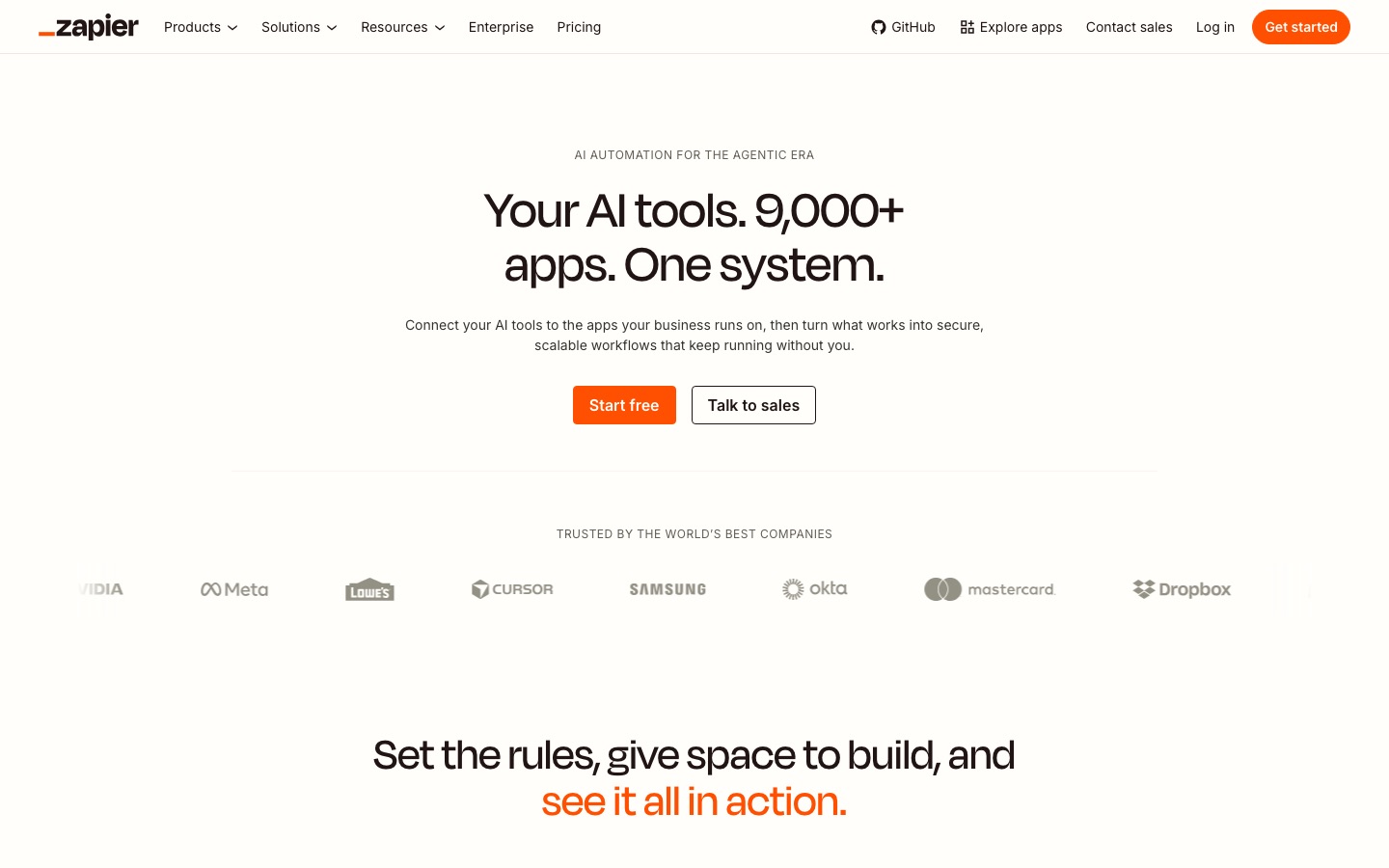
Small businesses lose hours copying data between apps: form leads into the CRM, orders into a spreadsheet, invoices into accounting. Zapier AI automates those handoffs across thousands of apps, and you can describe a workflow in plain English and let its Copilot build it. Zapier Agents can also run small AI tasks such as researching a new lead. The free plan includes 100 tasks a month with two-step Zaps, and Pro starts at $19.99/mo billed yearly, per Zapier's pricing page.
Make is a cheaper, more visual alternative with a free plan of 1,000 credits a month. We compare them in n8n vs Zapier vs Make.
11. Fyxer AI and Fathom: best for email and meeting admin
Fyxer AI sorts your Gmail or Outlook inbox and drafts replies in your tone, which helps owners who spend their evenings on email. It has a free plan, and Pro runs $37/mo billed yearly. Fathom records and summarizes sales and client calls for free, with unlimited recordings. For more options, see the best AI meeting transcription tools and our list of the best AI productivity tools.
AI website builders for small business
12. Durable, Framer AI and Shopify Sidekick
Durable builds a working business website from a few questions in under a minute, then adds a built-in CRM, online booking and AI tools for blog posts and SEO. The free plan gives you a site on a durable.site subdomain, and Launch, with a custom domain and booking, is $22 to $25/mo depending on billing. It suits trades, salons, consultants and other local service businesses.
Framer AI generates and edits design-led sites through an AI agent, from $10/mo per our listing, and suits brands that care about looks. If you sell online, Shopify Sidekick is included with Shopify plans at no extra charge. It can analyze sales, draft discount codes and write product descriptions using your store's data.
Starter AI stacks by budget
You do not need all twelve picks. Here are three realistic stacks, using October 2026 list prices.
| Budget | Stack | Approx. cost |
|---|---|---|
| $0/mo | ChatGPT free, Canva free, HubSpot free CRM, Mailchimp free, Buffer free, Tidio free, Zapier free, Fathom free | $0 |
| About $50/mo | ChatGPT Plus ($20), Canva Pro (about $15), Buffer Essentials for 2 channels ($10), plus the free plans above | About $45 to $50 |
| About $200/mo | Google Workspace Business Standard for 3 users (about $42), Canva Pro (about $15), QuickBooks Essentials ($85), Tidio Lyro (from $32.50), Zapier Pro ($19.99) | About $195 |
The free stack is enough to test whether AI helps your business at all. Upgrade the one tool you hit limits on first. For more no-cost picks, see our guide to the best free AI tools.
How to roll out AI in a small business
List your most repetitive tasks. Spend a week noting what you or your staff do over and over: answering the same questions, writing quotes, posting on social, chasing invoices.
Match one tool to the biggest time sink. If support questions eat your day, start with Tidio. If bookkeeping is a mess, start with QuickBooks. Do not buy five tools at once.
Feed it your real material. Upload your price list, FAQ, tone of voice and past emails. Generic input produces generic output.
Keep a human in the loop. Review AI replies to customers, social posts and financial categorization until you trust them.
Measure for 30 days. If a tool does not save at least a few hours a month, cancel it.
Set simple rules. Decide which customer or employee data may go into AI tools, and use business plans that do not train on your data.
What to watch out for
Accuracy: AI writes plausible but wrong answers. Never let it quote prices, legal terms or tax advice without review.
Privacy: check where customer data goes, especially for health, finance or children's services.
Brand voice: unedited AI copy sounds like everyone else's. Add your own stories, local details and opinions.
Subscription creep: five tools at $20 is $100 a month. Audit your AI spend every quarter.
FAQ
What is the best AI tool for small business?
For most small businesses, the best first AI tool is a general assistant like ChatGPT, because it helps with emails, marketing copy, quotes, policies and research. If you already pay for Google Workspace or Microsoft 365, try the built-in Gemini or Copilot first. Then add one specialist for your biggest bottleneck, such as Tidio for support.
What are the best free AI tools for small business?
Strong free options include ChatGPT's free plan, Canva's free plan, HubSpot's free CRM for up to two users, Mailchimp free for up to 250 contacts, Buffer free for three social channels, Tidio free for 50 conversations, Zapier free for 100 tasks a month and Fathom for unlimited meeting recordings.
How much do AI tools cost for a small business?
A solo owner can build a useful AI stack for $0 using free plans, or about $50 a month with ChatGPT Plus and Canva Pro. A small team adding AI bookkeeping, a support agent and automation usually lands around $150 to $250 a month. Annual billing typically saves 15% to 35%.
Can AI replace a bookkeeper or accountant?
Not fully. AI in QuickBooks and tools like Bookeeping.ai can categorize transactions, reconcile accounts and flag anomalies, which cuts routine bookkeeping time. But categorization errors still happen, and tax filing, payroll compliance and financial advice should stay with a qualified professional who reviews the books.
How can small businesses use AI for marketing?
The quickest wins are drafting social posts and emails in ChatGPT or Canva, resizing one design for every platform with Canva Magic Resize, scheduling with Buffer's AI Assistant, and writing email campaigns with Mailchimp's AI. Always edit drafts to add your own voice, offers and local details before publishing.
Is it safe to put customer data into AI tools?
It depends on the plan. Business and team plans from major vendors generally do not train on your data and offer admin controls, while some free consumer plans may use conversations to improve models. Avoid pasting sensitive customer, health or payment data into free chatbots, and read each vendor's data policy.
What AI tools do small business owners actually use most?
General chat assistants are the most common starting point, followed by AI inside tools owners already use: design in Canva, writing help in email platforms, AI in accounting software and chat assistants on websites. Built-in AI tends to stick because there is no new app to learn.
Bottom line
Start with a general assistant, ChatGPT or the Gemini or Copilot in your existing suite, and use it daily for a month. Then fix your most expensive bottleneck with one specialist: Canva Magic Studio for marketing, HubSpot Breeze for sales, Tidio for support, QuickBooks for the books or Zapier AI for admin. The free plans are good enough to prove the value before you spend anything.
Browse more tools in our business category and marketing category. If you make an AI tool for small businesses, submit it for a listing.