Best AI Agents (2026): 12 Picks for Research, Browsing, Coding and Automation
AI agents now research, browse, write code and run business workflows on their own. Here are the 12 best AI agents in 2026, grouped into general-purpose agents, browser agents, coding agents and no-code agent builders, with pricing and who each one suits.
The best AI agents in 2026: ChatGPT is the best all-round agent for most people, Manus is the strongest autonomous agent for research and finished deliverables, Claude in Chrome is the best browser agent, Claude Code is the best coding agent, Lindy is the easiest way to build business assistants without code, and n8n is the best platform for building your own custom agents.
"AI agent" has become a marketing label for almost everything, so this guide groups agents by the job they actually do: general-purpose agents that complete multi-step tasks, browser agents that act on websites, coding agents that ship pull requests, and builders for creating your own agents. Picks are based on official pricing pages, documentation and public user feedback as of October 2026, not hands-on benchmarks.



Quick picks
Best overall for most people: ChatGPT, with agent features in the app you probably already pay for.
Best autonomous general agent: Manus, from $20/mo.
Best for slides, docs and all-in-one output: Genspark.
Best open-source personal agent: OpenClaw, free plus model costs.
Best browser agent: Claude in Chrome, on any paid Claude plan.
Best free AI browser: Comet from Perplexity.
Best coding agent: Claude Code, from $20/mo with Claude Pro.
Best for parallel cloud coding tasks: OpenAI Codex, included in ChatGPT plans.
Best for assigning engineering tickets: Devin, free tier and Pro at $20/mo.
Best no-code business assistant: Lindy.
Best for connecting thousands of apps: Zapier Agents.
Best for building custom agents: n8n, free to self-host.
What is an AI agent?
An AI agent is software that uses a language model to pursue a goal on its own: it plans the steps, uses tools (a browser, code, files, your apps), checks the results and keeps going until the task is done or it needs your input. A chatbot answers a question. An agent does the work.
Three ingredients separate real agents from chatbots with a new label:
Tools: the agent can act, for example by browsing, clicking, running code, sending emails or editing a spreadsheet.
Autonomy: it decides which tool to use next, rather than following a fixed script.
Memory and context: it keeps track of what it has done across many steps, sometimes across sessions.
Agents also differ from classic automation. A Zapier or Make workflow runs the same steps every time. An agent chooses its steps based on the situation, which makes it more flexible but less predictable.
The best AI agents at a glance
| Agent | Type | Best for | Free plan | Paid from (as of October 2026) |
|---|---|---|---|---|
| ChatGPT | General-purpose | Everyday multi-step tasks | Yes | $8/mo (Go), $20/mo (Plus) |
| Manus | General-purpose | Research and finished deliverables | Yes, limited credits | $20/mo (4,000 credits) |
| Genspark | General-purpose | Slides, docs, sheets in one place | Yes, daily credits | About $20 to $25/mo |
| OpenClaw | Personal, open source | A self-hosted assistant in your chat apps | Free software | Model API costs only |
| Claude in Chrome | Browser | Acting on logged-in websites | No | $17/mo annual or $20/mo (Claude Pro) |
| Comet | Browser | Free AI browsing and research | Yes | Free; Comet Plus add-on $5/mo |
| Claude Code | Coding | Developers in terminal and IDE | No | $20/mo (Claude Pro) |
| OpenAI Codex | Coding | Parallel cloud tasks and PR reviews | Yes, light limits | $20/mo (ChatGPT Plus) |
| Devin | Coding | Delegating tickets end to end | Yes, light quota | $20/mo (Pro) |
| Lindy | No-code builder | Email, meeting and sales assistants | Trial credits | $49.99/mo (Team) |
| Zapier Agents | No-code builder | Agents across 9,000+ apps | Yes, 400 activities/mo | $19.99/mo annual (Pro) |
| n8n | Agent builder | Custom agents with your own tools | Self-hosted Community edition | €20/mo annual (Cloud Starter) |
General-purpose AI agents
1. ChatGPT: best AI agent for most people
ChatGPT has grown from a chatbot into OpenAI's agent hub. ChatGPT Work, launched in July 2026, takes on long, multi-step projects across your connected apps and files and hands back finished documents, spreadsheets, decks and even small web apps, pausing at approval checkpoints before consequential actions. Agent features can browse, use connectors, run code and schedule recurring tasks, and the same app includes Codex for coding.
Pros: no new tool to learn, huge connector library, strong models, scheduled tasks.
Cons: agent limits and feature availability vary by plan and change often; long tasks can still go off track.
Pricing: Free, Go $8/mo, Plus $20/mo, Pro from $100/mo, Business $25 per user/mo ($20 annual). Check OpenAI's site for which plans include Work and their limits.
Best for: anyone who wants agent capabilities inside a familiar assistant.
If you are weighing assistants more broadly, our best ChatGPT alternatives guide compares Claude, Gemini, Perplexity and others.
2. Manus: best autonomous agent for research and deliverables
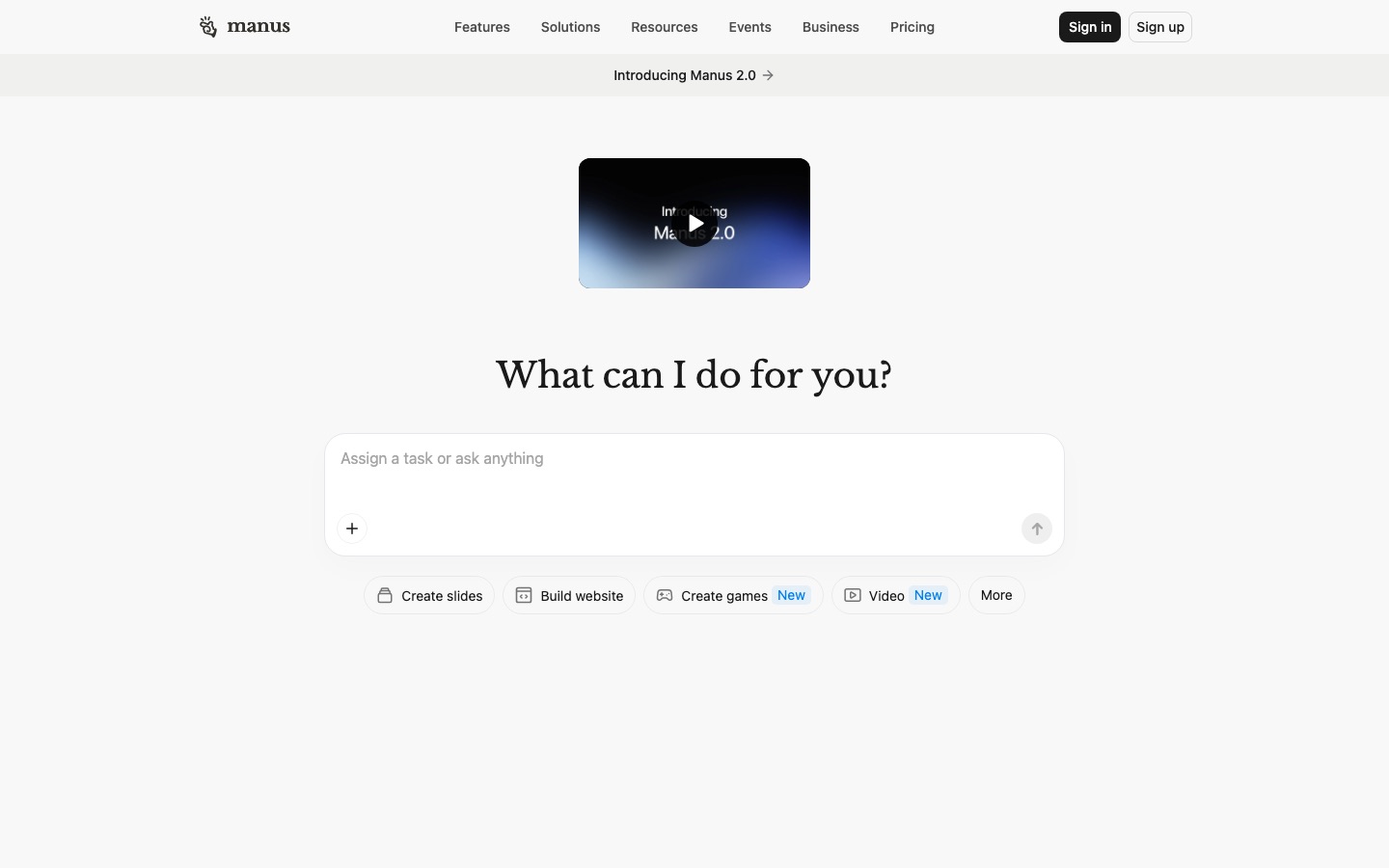
Manus made "general AI agent" mainstream. You describe an outcome (a market research report, a competitor spreadsheet, a slide deck, a simple website) and Manus plans the work, browses, writes and runs code in its own cloud environment, and delivers files while you do something else.
Pros: genuinely hands-off on long tasks, strong research and data work, polished outputs.
Cons: credit-based, and complex tasks can use hundreds of credits; credits do not roll over.
Pricing: Free plan with limited credits; Pro from $20/mo for 4,000 credits or $40/mo for 8,000, with about 17% off on annual billing, per Manus's help center.
Best for: analysts, founders and marketers who delegate research-heavy projects.
3. Genspark: best all-in-one agent workspace
Genspark calls itself a super agent. A single prompt can produce a researched report, AI slides, AI sheets, images or video, and its call agent can phone businesses on your behalf. It mixes several models behind the scenes and is popular for turning research into presentation-ready material quickly.
Pros: wide range of output types, fast slides and docs, generous free daily credits.
Cons: credits vanish quickly on video and heavy tasks; quality varies by task type.
Pricing: free daily credits; Plus about $24.99/mo or $19.99/mo annual for 10,000 credits, per third-party reports. Confirm on Genspark's site.
Best for: marketers, consultants and students who need finished assets, not just answers.
4. OpenClaw: best open-source personal agent
OpenClaw (formerly Clawdbot and Moltbot) is a free, MIT-licensed assistant that runs on your own machine and talks to you through WhatsApp, Telegram, Slack, Discord, iMessage and other chat apps. It keeps persistent memory, works with hosted or local models, and can check your inbox, manage your calendar, run coding agents and automate recurring chores.
Pros: free, private, model-agnostic, with an active community building skills and integrations.
Cons: needs a terminal and Node.js to set up; broad access to your machine and accounts is a real security risk if misconfigured.
Pricing: free software; you pay only for model API usage.
Best for: technical users who want a personal agent they fully control.
Browser agents
5. Claude in Chrome: best browser agent
Claude in Chrome is Anthropic's extension that lets Claude read the page you are on and act on it: clicking, typing, filling forms and working across grouped tabs, using the logins you already have. That makes it useful for internal tools and sites without APIs. Tasks can run in the background, and sessions sync to Claude on desktop and mobile, according to Anthropic's Claude in Chrome page.
Pros: works on any site you can log into, per-site permissions, purchases wait for approval.
Cons: Chrome only; Anthropic itself warns prompt-injection defenses are not foolproof and advises against banking or health workflows.
Pricing: included in all paid Claude plans, from $17/mo billed annually or $20/mo monthly, per Claude's pricing page.
Best for: professionals automating repetitive web work such as CRM updates, research and reporting.
6. Comet: best free AI browser
Comet is Perplexity's Chromium-based browser with an assistant built in. It can summarize pages, compare tabs, answer questions with citations and carry out tasks on websites, such as filling forms or gathering information across sites. Perplexity made Comet free for everyone, with extra features for paying Perplexity subscribers.
Pros: free, familiar Chrome-style browser, strong research with sources.
Cons: agentic actions are less reliable than dedicated agents on complex flows; switching browsers is a big ask for some.
Pricing: free; Comet Plus publisher add-on $5/mo, included with Perplexity Pro ($20/mo) and Max ($200/mo).
Best for: researchers and heavy browser users who want an agent without paying extra.
Coding agents
7. Claude Code: best AI coding agent
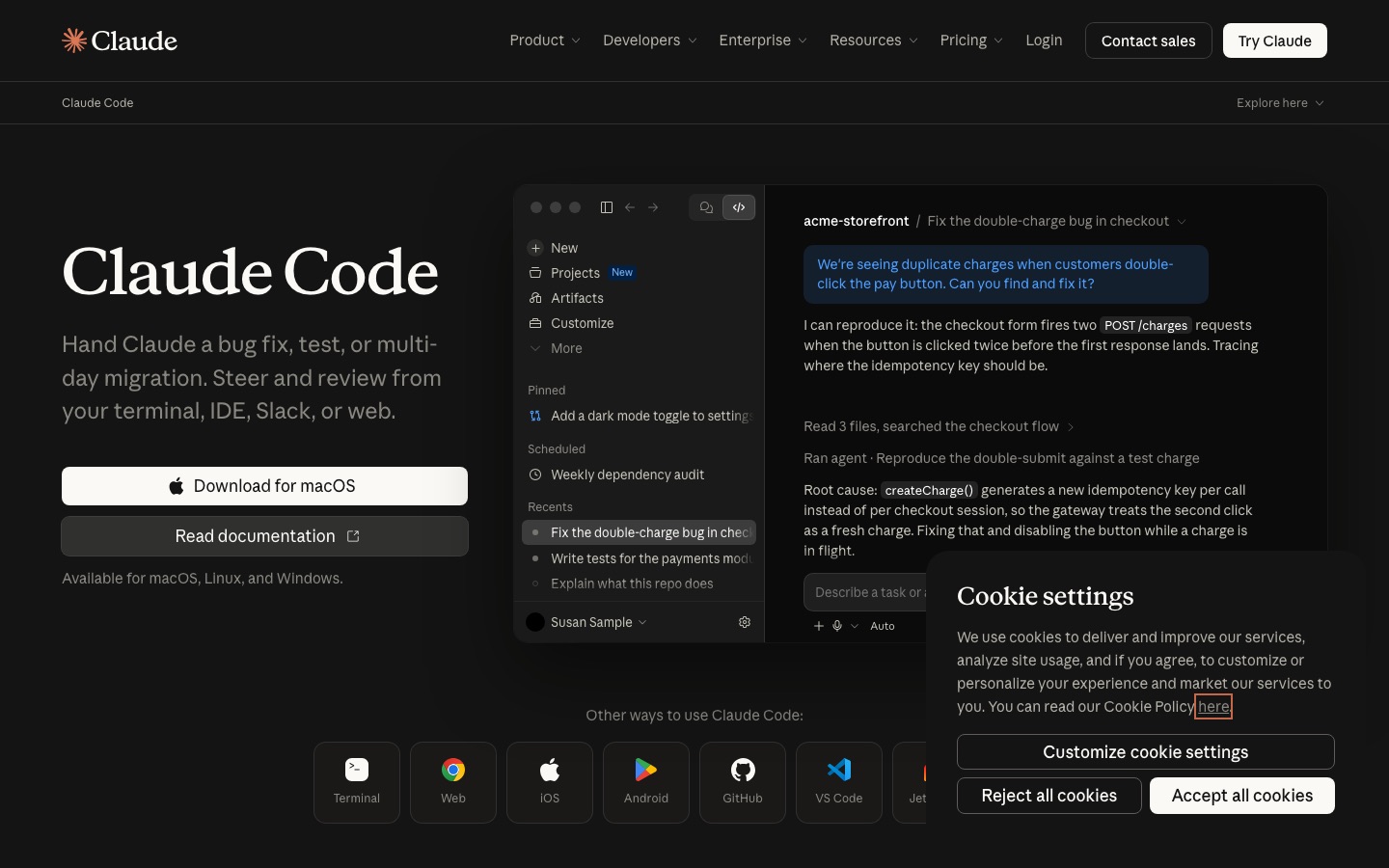
Claude Code is Anthropic's agentic coding tool. It reads your codebase, plans changes, edits many files, runs tests and commands, and iterates until the job is done. It runs in the terminal, VS Code and JetBrains, the desktop app and the web, and can drive Claude in Chrome to test web apps. Our guide on how to use Claude Code walks through setup.
Pros: excellent at large, multi-file changes; highly configurable with skills, hooks and MCP.
Cons: heavy users hit usage limits on Pro and need Max; it runs commands on your machine, so permissions matter.
Pricing: included with Claude Pro ($20/mo), Max (from $100/mo) and Team plans.
Best for: professional developers who want an agent that works directly in their repo.
8. OpenAI Codex: best for parallel cloud coding tasks
OpenAI Codex runs coding tasks in isolated cloud sandboxes, several at once, and returns tested pull requests. It also works locally through the Codex CLI and IDE extension, reviews GitHub PRs and can be triggered from Slack. Codex is included in every ChatGPT plan, according to OpenAI's Codex pricing page.
Pros: no extra subscription if you already pay for ChatGPT, parallel tasks, strong PR review.
Cons: usage limits on lower plans; cloud tasks upload your code to OpenAI's environment.
Pricing: Free and Go with light limits, Plus $20/mo, Pro from $100/mo, Business $25 per user/mo.
Best for: teams already on ChatGPT who want to offload backlog tasks.
9. Devin: best for delegating engineering tickets
Devin from Cognition is the original "AI software engineer". Assign it a ticket from Slack, Linear or its own workspace and it plans, codes, tests and opens a pull request. Cognition now bundles Devin Desktop, formerly Windsurf, with its plans, so you get an agentic IDE and cloud agent together, per the Devin pricing page.
Pros: true ticket-to-PR delegation, integrates with team tools, IDE included.
Cons: needs well-scoped tickets; heavy use requires Max or Teams.
Pricing: Free with a light quota, Pro $20/mo, Max $200/mo, Teams $80/mo plus $40 per developer seat.
Best for: engineering teams with a backlog of well-defined tasks.
For the full field, including Cursor, GitHub Copilot and review bots, see our guide to the best AI coding tools.
No-code and custom agent builders
10. Lindy: best no-code business assistant
Lindy lets you create AI assistants by describing what you want: an email triager, a meeting note-taker that updates your CRM, a sales follow-up agent or a support responder. Agents connect to 1,500+ integrations and can use computer use on paid plans.
Pros: easy setup in plain English, strong email and meeting workflows, pooled team credits.
Cons: credit costs add up with heavy automation; less control than a developer platform.
Pricing: free trial credits; Team from $49.99/mo with 5,000 credits, per Lindy's pricing page.
Best for: founders, sales and operations teams who want assistants without engineering help.
11. Zapier Agents: best for connecting thousands of apps
Zapier Agents are AI teammates you set up in plain English, give company knowledge, and connect to any of Zapier's 9,000+ apps. They can run on command or on triggers, such as enriching every new lead or answering support emails from your docs. Agent activities do not consume Zapier tasks.
Pros: the widest app coverage, easy for non-technical users, works alongside existing Zaps.
Cons: less control over memory and reasoning than n8n; activity limits on lower plans.
Pricing: available on all plans: Free includes 400 activities/mo, Pro 1,500, per Zapier's pricing page. Pro starts at $19.99/mo billed annually.
Best for: teams already using Zapier that want agents across their whole stack.
12. n8n: best for building custom AI agents
n8n is a workflow platform with a dedicated AI Agent node. Connect any major model, add memory, turn any of its 500+ integrations into a tool, require human approval for risky steps, and expose or consume tools via MCP. You can self-host the Community edition free with Docker. Our tutorial on how to build an AI agent with n8n builds an inbox triage agent step by step.
Pros: maximum control, any model, self-hosting, per-run pricing that stays cheap at volume.
Cons: steeper learning curve than Lindy or Zapier.
Pricing: free self-hosted; Cloud from €20/mo annual for 2,500 executions.
Best for: technical teams and agencies building production agents.
Torn between workflow platforms? Read our n8n vs Zapier vs Make comparison.
Also worth a look
Jules: Google's asynchronous coding agent, with 15 tasks a day on the base plan and more on Google AI Pro and Ultra.
Relevance AI: a platform for teams of specialist business agents, now mostly sold through sales.
Make: visual automation with AI agents on all plans, from about $9/mo.
Hermes Agent: an open-source, self-improving agent with persistent memory that runs on your machine.
Atlassian Rovo: agents across Jira, Confluence and connected apps for Atlassian teams.
How to choose the right AI agent
Define the job. Research and deliverables point to ChatGPT, Manus or Genspark; web chores to Claude in Chrome or Comet; code to Claude Code, Codex or Devin; recurring business processes to Lindy, Zapier or n8n.
Check where your data lives. Agents need access to your apps. Confirm the integrations you need exist, and prefer self-hosting (n8n, OpenClaw) for sensitive data.
Understand the pricing unit. Credits, activities, executions and usage limits behave very differently. Run a realistic task during a trial and note what it costs.
Start supervised. Keep approvals on for sending, buying or deleting until the agent has earned your trust.
AI agent safety tips
Give agents the narrowest permissions that work, and use test accounts while you set them up.
Treat web pages and emails as untrusted input: prompt injection can trick agents into following hidden instructions.
Require human approval for payments, outgoing messages and deletions.
FAQ
What is the best AI agent right now?
For most people, ChatGPT is the best starting point because its agent features live in an app you likely already use. Manus is stronger for long autonomous research tasks, Claude Code is the top coding agent, and n8n is the best platform if you want to build your own agent. The best choice depends on the job.
Are there any free AI agents?
Yes. Comet is a free AI browser with agent features, OpenClaw and n8n's Community edition are free to self-host (you pay only for model usage), and ChatGPT, Manus, Genspark, Devin and Zapier offer free plans with limited usage. Free tiers are good for testing but usually too limited for daily work.
What is the difference between an AI agent and a chatbot?
A chatbot responds to messages. An AI agent pursues a goal: it plans steps, uses tools such as a browser, code or your apps, checks results and continues until the task is complete. Many chatbots, including ChatGPT and Claude, now include agent modes, so the line is blurring.
Can AI agents replace employees?
Not fully in 2026. Agents handle well-defined, repetitive tasks such as research, data entry, triage, drafting and routine coding very well, but they still make mistakes on ambiguous or high-stakes work. The best results come from pairing agents with people who review their output and handle exceptions.
Which AI agent is best for business?
For non-technical teams, Lindy and Zapier Agents are the easiest to deploy across email, CRM and support. For technical teams that need control, self-hosting or custom tools, n8n is the strongest option. Larger organizations with Atlassian or Microsoft stacks should also look at the agents built into those platforms.
Are AI agents safe to use?
They are reasonably safe with sensible guardrails. The main risks are prompt injection from web pages or emails, overly broad permissions and unsupervised actions. Use per-site or per-app permissions, require approval for purchases and messages, start with test accounts and review agent logs regularly.
Final verdict
There is no single best AI agent, but there is a clear best for each job. Start with ChatGPT for everyday multi-step work, use Manus when you want a long research project done for you, add Claude in Chrome for web chores, pick Claude Code for software work, and build repeatable business agents with Lindy (no code) or n8n (full control). Try one agent on one real task this week, keep approvals on, and expand from there.
Browse every agent we track in the AI agents category, and coding agents in the AI code category. Building an AI agent we have missed? Submit it for a listing.