Claude Code vs Cursor (2026): Terminal Agent or AI Code Editor?
Claude Code is the stronger pick for delegating large, multi-file tasks to an autonomous agent, and Claude models come included in the plan. Cursor is the better editor for hands-on daily coding, with the best tab completions, now sold as part of SpaceX's X Subscription. Here is how they compare on workflow, models, agents, pricing and limits, and why many developers run both.
Short verdict on Claude Code vs Cursor: choose Claude Code if you want to hand an AI agent a real task, such as a feature, a refactor or a failing test suite, and let it plan, edit files, run commands and finish while you review. Choose Cursor if you want AI woven into every keystroke of an editor you work in all day, with the best tab completions and a visual agent you steer closely. Claude Code starts with Claude Pro at $20 a month. Cursor has a free tier and paid plans from $8 a month, but third-party models such as Claude cost extra at API prices, and only on the $30 Premium plan and up.
The two tools now overlap more than ever. Claude Code runs in the terminal, VS Code, JetBrains, a desktop app and the browser. Cursor has its own command-line agent and cloud agents. The real difference is philosophy: Claude Code is an agent that happens to have editor integrations, while Cursor is an editor that happens to have agents. This comparison is based on official pricing pages, product documentation and public developer feedback as of October 2026, not our own benchmark tests. Both companies change plans often, so confirm on their sites.


One big change to know first. SpaceX completed its acquisition of Cursor's maker, Anysphere, on August 14, 2026, and on October 12 began selling Cursor through a combined X Subscription with Grok and X Premium. The old Hobby, Pro, Pro+ and Ultra tiers are now legacy plans. If you read an older comparison that quotes Cursor Pro at $20, it no longer applies to new sign-ups.
Quick verdict by use case
Autonomous multi-file features and refactors: Claude Code.
Fast inline completions while you type: Cursor, clearly.
Visual diff review and supervised edits in an IDE: Cursor, though Claude Code's VS Code extension closes much of the gap.
Heavy use of Claude models: Claude Code. Claude usage is included in the plan, while Cursor bills Claude models at API list price.
Cheapest paid entry: Cursor Plus at $8 a month, if you are happy with Grok models only.
Automation in CI, scripts and GitHub: Claude Code, with headless mode, GitHub Actions and code review.
Claude Code vs Cursor at a glance
| Claude Code | Cursor | |
|---|---|---|
| What it is | Agentic coding tool from Anthropic | AI-first code editor (VS Code fork), now owned by SpaceX |
| Where it runs | Terminal, VS Code and Cursor extension, JetBrains, desktop app, web, mobile, Slack, CI | Desktop editor, Cursor CLI, cloud agents, GitHub, Slack, Linear |
| Models | Claude only: Opus 5.5 (default), Sonnet 5.5, Haiku 5.5, Fable 5.1 on eligible plans | Composer 2.5, Grok 4.7, plus third-party models such as Opus 5.5, Fable 5.1, GPT-5.6 Sol and Gemini 3.1 Pro on Premium and up |
| Autocomplete | None (agent and chat only) | Tab, its signature multi-line prediction |
| Agent strengths | Long autonomous runs, subagents, hooks, skills, plugins, plan and auto modes | Agent in the editor, Plan mode, Cloud Agents, automations |
| Project instructions | CLAUDE.md (also reads AGENTS.md) | Rules, skills and plugins |
| Code review | /code-review locally, GitHub Code Review | Bugbot on GitHub pull requests |
| Free plan | No (claude.ai Free excludes Claude Code) | Yes, limited agent requests |
| Paid from | $20/mo (Claude Pro) | $8/mo (Plus, Grok models only) |
What each tool is
Claude Code
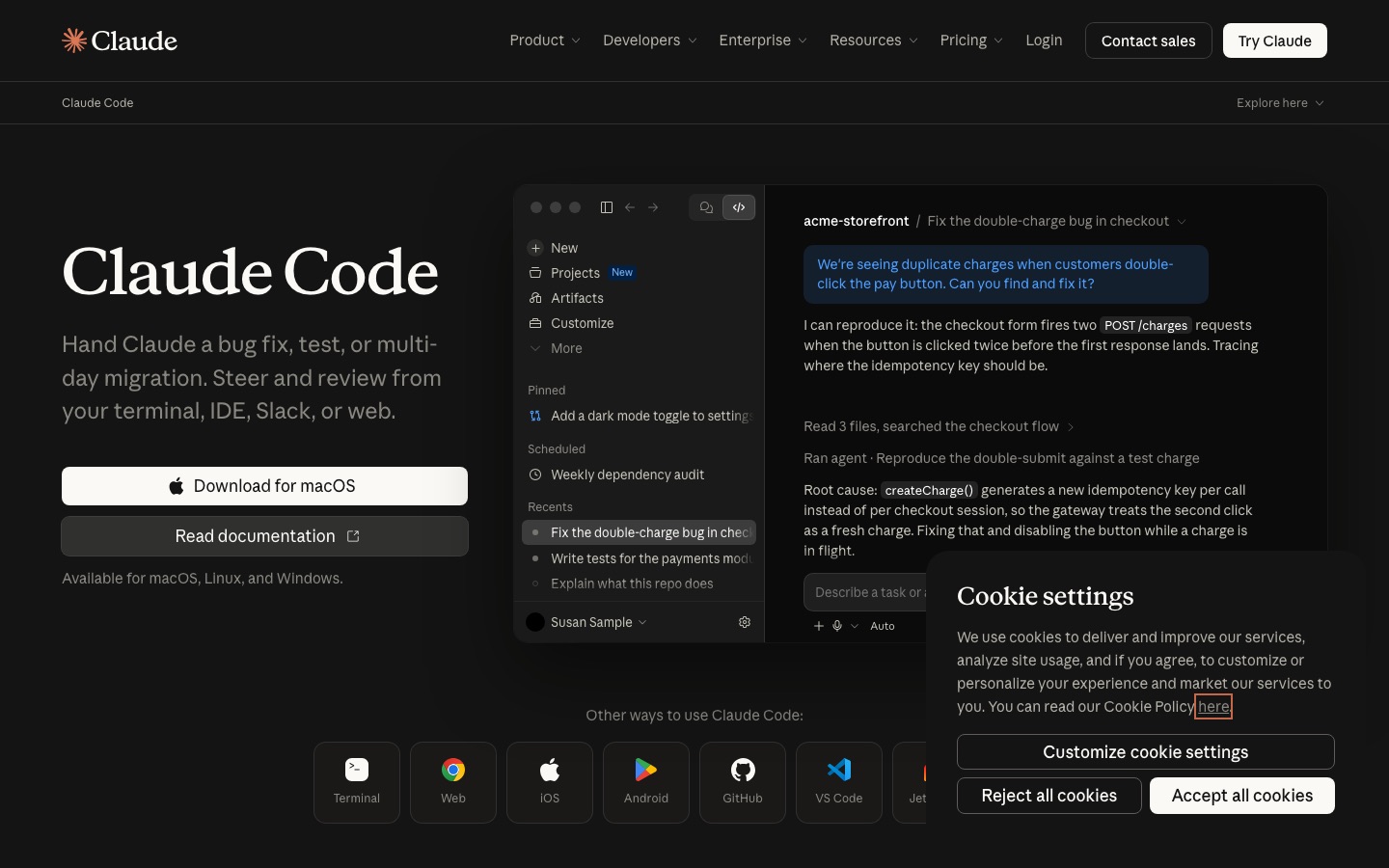
Claude Code is Anthropic's agentic coding tool. You start it in a project folder, describe what you want, and it explores the codebase, proposes a plan, edits files, runs your tests and shell commands, and handles git, asking for permission according to the mode you choose. It began as a terminal tool and is now available as a VS Code extension (which also installs in Cursor), a JetBrains plugin, a desktop app, on the web at claude.ai/code, on mobile and in Slack. The Claude Code overview lists every surface.
Its power comes from how far you can extend it. CLAUDE.md files give it persistent project instructions. Subagents run focused jobs in their own context window. Hooks run your own scripts at fixed points, such as formatting every file it edits. MCP servers connect it to tools like GitHub, Sentry or Notion. Skills and plugins package workflows your team can share. And claude -p runs it headless in scripts and CI. If you are new to it, our guide on how to use Claude Code walks through setup step by step.
Cursor

Cursor forked VS Code in 2023 and rebuilt it around AI. Your extensions, themes and keybindings carry over. Tab predicts your next edit, often several lines or files ahead. The Agent plans and executes multi-file changes inside the editor, with a Plan option to scope work first. Cloud Agents run on their own machines to build and test features in parallel, sometimes for hours. Bugbot reviews pull requests on GitHub, and the Cursor CLI brings its agent to the terminal.
Cursor trains its own models, currently Composer 2.5, and since the SpaceX deal it leans on xAI's Grok models, with Grok 4.7 introduced in September 2026. Third-party models from Anthropic, OpenAI and Google remain available on Premium and higher plans, billed separately at API list price.
Claude Code vs Cursor, dimension by dimension
Workflow: delegate or drive
This is the deciding factor for most people. Claude Code works best when you can describe a task clearly and step back: "add rate limiting to the public API, with tests, and update the docs." It explores on its own, keeps a to-do list, runs the tests, fixes what fails and reports back. You review the diff at the end, or watch and interrupt with Escape when it drifts.
Cursor works best when you are in the code. You select a function, ask for a change, accept or reject each hunk, and keep typing while Tab fills in the obvious parts. Its agent can take on bigger jobs too, but the experience is built around a human who stays in the loop line by line.
Winner: Claude Code for delegation, Cursor for hands-on editing.
Agent capabilities
Claude Code's agent is deeper and more configurable. It has six permission modes, including plan mode for read-only exploration and auto mode, where a classifier approves safe actions so long tasks run without constant prompts. It can spawn subagents, run several sessions in parallel in git worktrees, rewind code and conversation to a checkpoint, and run scheduled tasks. Opus 5.5 and Sonnet 5.5 also get 1M-token context windows by default.
Cursor's agent is more visual. You see its plan and every edit inside the editor, and Cloud Agents let you fire off several tasks at once and review the results like pull requests. For many developers that visibility matters more than raw autonomy.
Winner: Claude Code for autonomy and extensibility, with Cursor ahead on visual supervision.
Autocomplete and in-editor editing
No contest here. Cursor's Tab model is the feature its users cite most, predicting multi-line edits and jumping to the next place you need to change. Claude Code has no inline autocomplete at all. Its VS Code extension adds inline diffs you can accept or reject, @-mentions of files and line ranges, and plan review as a commentable document, but it is still a chat-and-agent experience.
Winner: Cursor.
Models
Claude Code runs Claude models only. On paid plans it defaults to Opus 5.5, and you can switch to Sonnet 5.5, Haiku 5.5 or, where your plan allows, Fable 5.1 with the /model command. The opusplan setting uses Opus while planning and Sonnet while executing. You also set an effort level, from low to max, to trade speed and cost against depth.
Cursor offers more choice: its own Composer models, Grok models and third-party frontier models from several labs. The catch since October 2026 is cost. The $8 Plus plan covers Grok models only, and on Premium and up, third-party models are billed at API list price on top of your subscription. If you want Claude specifically, Claude Code includes it in a flat plan.
Winner: Cursor for model variety, Claude Code for Claude at predictable cost.
Context and large codebases
Cursor indexes your codebase so chat and the agent can find relevant files. Claude Code searches the repo the way a developer would, loads nested CLAUDE.md files as it moves through folders, and offloads noisy exploration to subagents. For team setup it also goes further, with organization-level instructions, managed settings and an Agent SDK. In public feedback, developers in large monorepos often credit Claude Code with holding a multi-step task together better, while Cursor's index makes quick questions faster.
Winner: Claude Code, narrowly, for long tasks in big repos and team-wide setup.
Automation, CI and code review
Claude Code's headless mode (claude -p) pipes logs and diffs through Claude like any command-line tool, outputs JSON, and runs in GitHub Actions and GitLab CI/CD. /code-review and /security-review check your branch before you push, and GitHub Code Review comments on every pull request. Cursor's Bugbot reviews pull requests on GitHub, and Cloud Agents and automations cover much of the same ground for teams on Premium and up. For dedicated review tools, see our Graphite vs CodeRabbit comparison.
Winner: Claude Code for scripting and CI, tie for pull request review.
Pricing and usage limits
Here is what each plan costs as of October 2026, from Claude's pricing page and Cursor's pricing page:
| Plan | Price | What you get for coding |
|---|---|---|
| Claude Free | $0 | Claude chat only; Claude Code is not included |
| Claude Pro | $20/mo, or $17/mo billed annually | Claude Code with Opus, Sonnet and Haiku; Fable via usage credits |
| Claude Max 5x | $100/mo | 5x Pro's per-session usage |
| Claude Max 20x | $200/mo | 20x Pro's per-session usage |
| Claude Team | $25 per Standard seat, $125 per Premium seat (less annually) | Claude Code on every seat; Premium has 5x Standard usage |
| Cursor Free | $0 | Limited agent requests |
| Cursor Plus | $8/mo | Cursor agent with Grok models only; no cloud agents |
| Cursor Premium | $30/mo | 4x Plus usage, cloud agents, automations, AI code reviews; third-party models billed at API price |
| Cursor Super | $100/mo | 15x Plus usage, priority model access |
| Cursor Ultra | $200/mo | 50x Plus usage, earliest access to new products and models |
| Cursor Teams | From $30 per user/mo | Pooled usage, SSO, admin and analytics |
How the limits work
Claude Code usage counts against your Claude plan, shared with Claude chat. Limits reset on a rolling five-hour session window, and Max plans also have a weekly limit across all models, as Anthropic's Max plan help article explains. When you hit a limit, you can wait for the reset or turn on usage credits to keep going. The /usage command inside Claude Code shows your plan usage and what is consuming it.
Cursor usage is now one weekly pool shared across Cursor and the Grok apps, with top-offs available. The subscription covers Grok and Cursor's own models within that pool; third-party models are billed by usage on top. Heavy Claude users on Cursor can therefore pay a subscription plus API costs, which pushes many Claude-heavy users toward Claude Code for agent work.
Value verdict: at $20, Claude Pro is the better deal for anyone who wants Claude models doing agentic work. For full-time agent use, Max 5x at $100 is the common sweet spot. Cursor Plus at $8 is the cheapest paid AI editor if Grok models suit you, and Premium at $30 makes sense if you want Tab plus cloud agents and occasional third-party models.
Pros and cons
Claude Code
Pros: best-in-class autonomy on multi-step tasks, Claude models included in a flat plan, runs everywhere from terminal to CI, hooks, subagents, skills and MCP, 1M-token context on current models.
Cons: no inline autocomplete, no free plan, Claude models only, five-hour and weekly limits can interrupt long days on Pro.
Cursor
Pros: best tab completions, familiar VS Code editor, visual diff review, model choice, cheap $8 entry plan, Cloud Agents and Bugbot.
Cons: third-party models such as Claude cost extra at API prices, usage pool shared with Grok apps, pricing changed under new ownership, some teams may need to review the SpaceX terms.
Using Claude Code and Cursor together
You do not have to choose. A very common setup in 2026 is Cursor as the editor and Claude Code as the agent:
Install the Claude Code extension in Cursor. Because Cursor is a VS Code fork, the official extension installs directly and opens Claude Code in a panel, with inline diffs and @-mentions.
Use Cursor Plus or Premium for Tab and quick edits, with Grok or Composer handling small in-editor changes.
Hand larger tasks to Claude Code, such as a new feature, a migration or a test backfill, ideally in plan mode first.
Review Claude Code's changes in Cursor's diff view, then commit.
Share project instructions. Claude Code can read an AGENTS.md file, so one set of conventions can guide both tools.
This combination costs $28 to $50 a month at the entry tiers and plays to each tool's strength. If you want a single subscription, pick based on whether you spend more time typing code or reviewing it.
Alternatives to both
OpenAI Codex: OpenAI's coding agent, included with ChatGPT plans from Plus at $20/mo, with a CLI, IDE extension, desktop app and parallel cloud tasks. The closest rival to Claude Code.
GitHub Copilot: the default inside GitHub and most editors, with a free tier and paid plans from $10/mo, including a coding agent and CLI. See Copilot's plans.
Windsurf: now called Devin Desktop, an agent-first VS Code-based IDE from Cognition, with a free plan and Pro from $20/mo.
Our best AI coding tools guide covers the whole field, the Cursor vs Windsurf vs Trae comparison goes deeper on AI editors, and Claude vs ChatGPT compares the chat assistants behind Claude Code and Codex. Not a developer? Start with our Lovable vs Bolt vs v0 comparison of AI app builders.
FAQ
Is Claude Code better than Cursor?
For autonomous, multi-file work such as building features, refactoring or fixing test suites, many developers find Claude Code better. For hands-on editing with fast autocomplete and visual diffs, Cursor is better. They solve different parts of the job, which is why many developers run Claude Code inside Cursor rather than choosing one.
Can I use Claude Code in Cursor?
Yes. Cursor is built on VS Code, so the official Claude Code extension installs in Cursor and opens Claude Code in a panel with inline diffs, @-mentions and plan review. You can also run the claude command in Cursor's integrated terminal. Claude Code usage then counts against your Claude plan, not your Cursor plan.
Is Claude Code free?
No. Claude Code requires a paid Claude plan (Pro, Max, Team or Enterprise) or a Claude Console account billed per token. The free claude.ai plan does not include it. Claude Pro is the cheapest way in at $20 a month, or $17 a month billed annually.
How much does Cursor cost in 2026?
Since October 2026, Cursor is sold through SpaceX's X Subscription: Free, Plus at $8 a month (Grok models only), Premium at $30, Super at $100 and Ultra at $200, plus Teams from $30 per user. Third-party models such as Claude are billed separately at API list price on Premium and above.
Which is cheaper for heavy use, Claude Max or Cursor Ultra?
Both top tiers cost $200 a month. Claude Max 20x includes Claude models with 20 times Pro's per-session usage, subject to weekly limits. Cursor Ultra gives 50 times Plus usage for Grok and Cursor models, but Claude and other third-party models cost extra at API prices. For Claude-heavy work, Max is usually cheaper.
Does Cursor still offer Claude models?
Yes, on Premium and higher plans, Cursor's model picker includes Anthropic models such as Opus 5.5 and Fable 5.1 alongside OpenAI and Google models. Since the SpaceX bundle launched, they are billed separately at API list price rather than included in the subscription. The $8 Plus plan covers Grok models only.
Final verdict
Claude Code is the best choice when you want an agent to do the work: it is more autonomous, more configurable and runs Claude models under a flat subscription. Cursor is the best choice when you want to do the work yourself, faster, with the best autocomplete in the business and a polished visual agent. Under SpaceX, Cursor is cheaper at the bottom and pricier for Claude-heavy use. If coding is your job, the strongest setup is often both: Cursor as your editor, Claude Code as the teammate you delegate to.
Compare every AI editor, coding agent and review bot we track in the AI coding category, or browse AI agents. Building a developer tool we have missed? Submit it for a listing.