Best AI Interior Design Tools (2026): 11 Picks for Every Room and Budget
The best AI interior design tool depends on the job: Interior AI for fast photo redesigns, REimagineHome for real estate staging, Paintit.ai for a free start with real paint colors, and Floor Plan AI or 3D House Planner when you need a layout. Here are 11 picks with current pricing, free options and who each one suits.
The best AI interior design tool for most homeowners in 2026 is Interior AI if you want fast, realistic redesigns from a photo, or Paintit.ai if you want to start free and shop real furniture and paint colors. Real estate agents should use REimagineHome for virtual staging, and anyone planning a renovation layout rather than a new look should start with Floor Plan AI or 3D House Planner.
AI interior design tools now cover four jobs: restyling a room photo, staging an empty listing, drawing a floor plan and rendering a sketch. This guide sorts 11 tools by job, based on official pricing pages, product documentation and public user feedback as of October 2026, not hands-on testing. Every pick links to its full listing in our AI tools directory.






Quick picks: the best AI interior design tool for each job
Best overall for photo redesigns: Interior AI, with 55+ styles, virtual staging and flythrough videos.
Best for real estate virtual staging: REimagineHome, with batch listing processing and shoppable products.
Best free start with real products and paint: Paintit.ai, with 30 free credits and no card.
Best for testing one specific change: AI Room Makeover, which edits only what you ask for.
Best free idea generator: AI Room Planner.
Best free floor plan editor with AI: Floor Plan AI.
Best free 3D home designer: 3D House Planner, with an AI layout assistant and BIM export.
Best for listings from a floor plan sketch: GetFloorPlan, for 3D plans, renders and virtual tours.
Best for architects and designers: ReRender AI, for sketch and 3D screenshot renders.
Best for gardens and yards: Hadaa.
Best general assistants for quick edits: ChatGPT and Gemini with Nano Banana Pro.
All 11 AI interior design tools at a glance
Starting prices are monthly list prices as of October 2026 unless noted. Several of these tools change prices and run promotions often, so confirm on each official site before paying.
| Tool | Best for | Free plan | Starting price |
|---|---|---|---|
| Interior AI | Photo redesigns, staging, flythroughs | No | $49/mo ($29/mo billed yearly) |
| REimagineHome | Real estate staging, shoppable designs | 5 free designs, no card | $14/mo (Essential, 30 credits) |
| Paintit.ai | Free start, real paint and furniture | 30 free credits | Check site (Starter) |
| AI Room Makeover | Testing one change on your real room | Free option | Credit based, check site |
| AI Room Planner | Free style ideas from a photo | Yes | Free |
| Floor Plan AI | To-scale floor plans plus redesigns | Yes, unlimited 2D plans | About $19/mo for AI and exports |
| 3D House Planner | Free 3D home layouts | Yes | Free |
| GetFloorPlan | Plans, renders, virtual tours for listings | No | From about $25 per project |
| ReRender AI | Sketch and model renders for pros | Limited | About $45/mo |
| Hadaa | Garden and landscape design | No | From about $12 one-time |
| ChatGPT / Gemini | Quick conversational room edits | Yes, with limits | Free; paid plans from about $5 to $20/mo |
How to choose an AI interior design tool
Answer three questions before you sign up for anything:
Do you want a new look or a new layout? Photo redesign tools (Interior AI, Paintit.ai, REimagineHome) keep your walls and windows and change finishes, furniture and style. They cannot tell you whether a sofa fits. Layout tools (Floor Plan AI, 3D House Planner, GetFloorPlan) work to scale, so use them before you knock down a wall or order furniture.
Is it for you or for a listing? Homeowners want inspiration and shoppable products. Agents need fast, believable staging in batches, with a commercial license and a clear way to disclose that photos are virtually staged.
How many images do you need? One room is a few dozen generations; a busy agent needs hundreds a month, and rerolls eat credits fast.
Photo redesign and virtual staging tools
1. Interior AI: best overall for photo redesigns
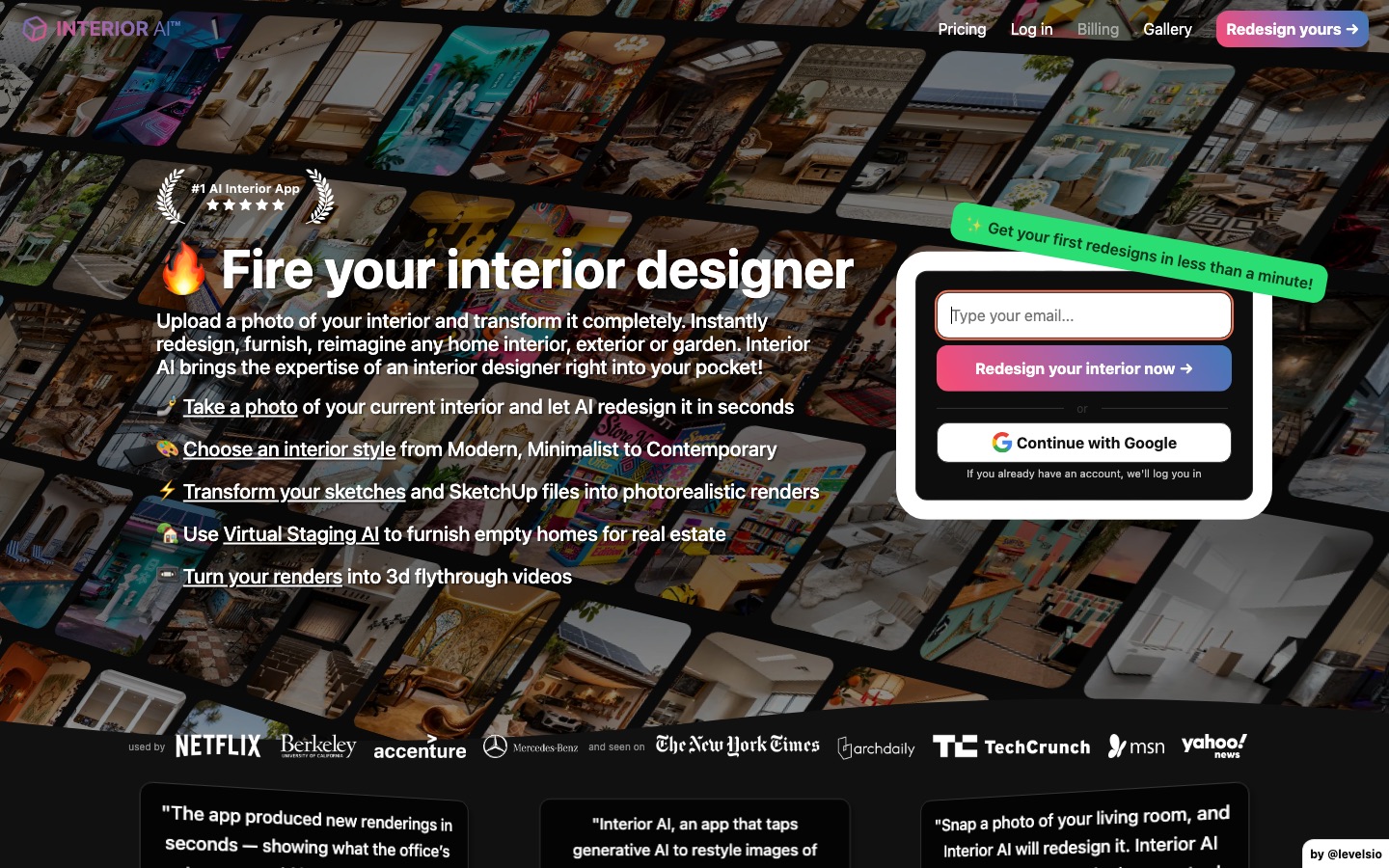
Interior AI is the tool most people mean when they say "AI interior design." You upload a photo of a room, exterior or garden, pick a room type and a style, and it returns redesigned versions in about 25 seconds. Modes include Virtual Staging, Style Transfer from a reference photo, Sketch2Image, SketchUp screenshot conversion, outdoor design and "empty the space."
There are 55+ style presets and dozens of room types, and renders can become 3D flythrough videos. Per the Interior AI website, Pro is $49 a month ($29 billed yearly) for 1,000 designs, Premium is $99 ($49 yearly) for 5,000 designs with editing tools such as wall painting, lighting changes and adding furniture, and Ultra is $199 ($99 yearly) for 25,000 designs at the highest render quality.
Pros: fast, many modes in one app, high volume on every plan, video output.
Cons: no free plan, Pro renders are lower quality than Premium, and the site is inconsistent about which tier includes virtual staging, so confirm before you pay.
Best for: homeowners planning a renovation, designers who want fast concepts, and small agencies.
2. REimagineHome: best for real estate virtual staging
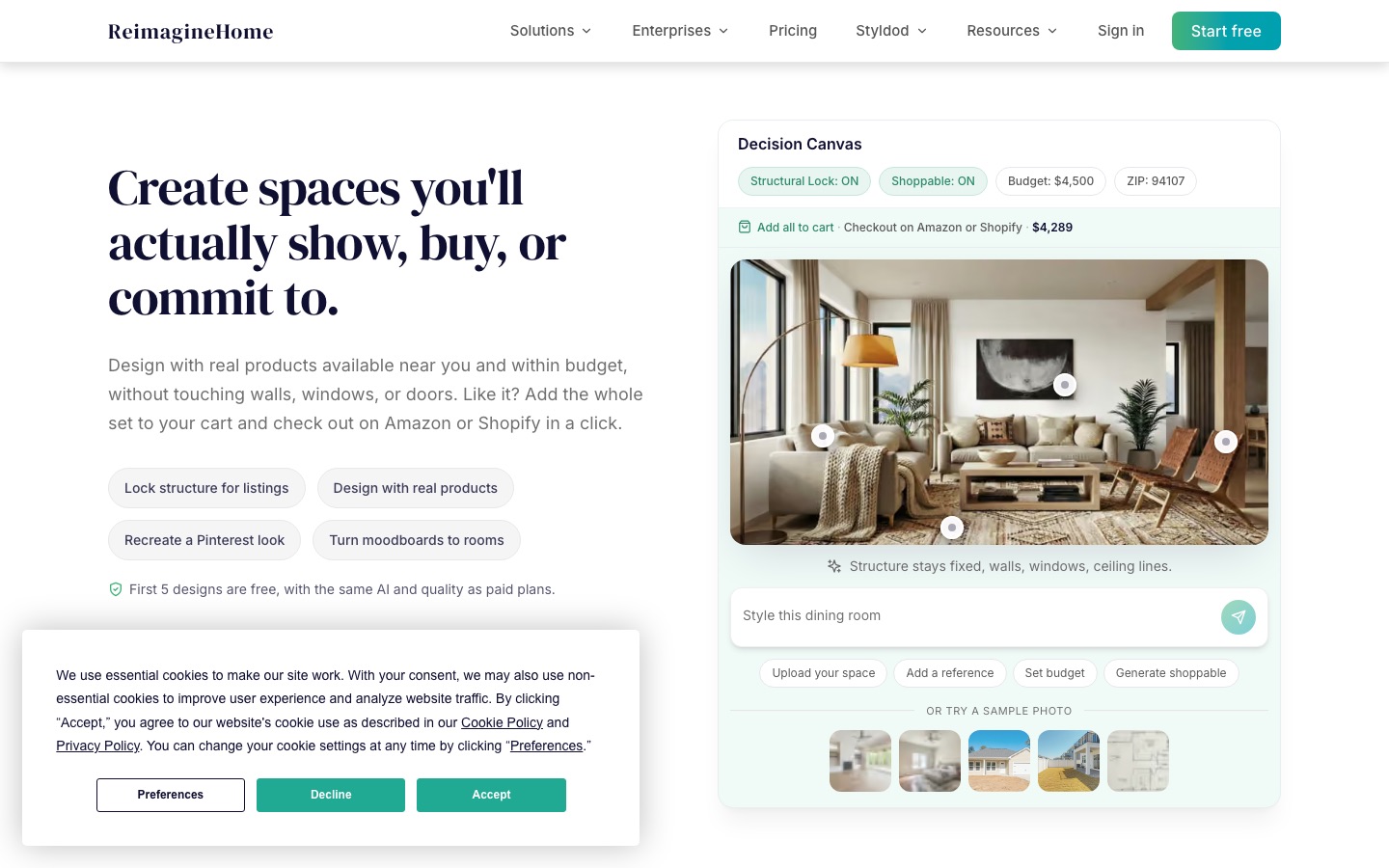
REimagineHome is built for listings. It stages empty rooms, redesigns furnished ones, updates landscaping and exteriors, and fixes listing photos, with batch processing so you can stage a whole property in one pass. A conversational design flow and real product discovery place furniture you can actually buy into the room.
Credits are simple: one credit per design, two when you visualize real products, and zero for chatting through ideas. According to the REimagineHome pricing page, there are four plans (Essential, Pro, Advanced and Agency) with 30, 200, 400 and 900 credits a month, in a range of $14 to $99 a month. Essential covers basic staging and edits without watermarks; Pro adds the conversational flow, reference photos, product matching and batch processing. New users get 5 free designs with no card.
Pros: made for agents, batch staging, shoppable furniture, a free trial that uses the Pro model.
Cons: Essential leaves out the best features, and third-party sites list conflicting prices for the upper tiers, so check the official page.
Best for: real estate agents, photographers, property managers and stagers.
3. Paintit.ai: best free start with real paint colors and furniture
Paintit.ai redesigns, repaints and stages interiors, exteriors and commercial spaces from a photo, a preset or a text prompt, then lets you refine the result in chat. Two features stand out: targeted edits that change one element (say, wall color) while keeping your furniture, and real paint colors from major brands, plus "Real Furniture" matches to products you can buy.
It accepts phone photos, floor plans and sketches. The free plan gives 30 credits with no card. Paid tiers (Starter, Pro and Max) remove watermarks and add 4K export and Private Mode; Pro and Max add 360-degree views, CAD and DXF export and Pinterest import. Per the Paintit.ai site, commercial use such as real estate staging requires Pro. Prices were not listed on the page we checked, so see the official pricing page.
Pros: genuinely useful free tier, real paint and furniture matching, edits that keep what you like.
Cons: free images are watermarked and may appear in public galleries unless you pay for Private Mode.
Best for: homeowners and renters choosing colors and furniture before they buy.
4. AI Room Makeover: best for testing one specific change
Most redesign tools reimagine the whole room, which does not help when you only want to see one new sofa. AI Room Makeover works the other way: you upload your room, describe one change and add product or material reference images, and it keeps the rest of the room as close to the original as possible.
You can pick the image model (the site lists GPT Image 2 at low quality for 1 credit) or design in conversation with an agent. There is a no-login free option; check the site for credit packs.
Pros: precise, product-level previews; works with your actual room.
Cons: less suited to full redesigns; credit costs vary by model.
Best for: shoppers deciding on one big purchase, like a sofa, rug or kitchen finish.
5. AI Room Planner: best free idea generator
AI Room Planner does one thing: upload a room photo and it renders the space in different interior styles, at no cost. It is a quick way to compare styles before paying for anything, with fewer controls and less consistency than Interior AI or Paintit.ai.
Pros: free, no learning curve.
Cons: basic controls; many similarly named apps exist, so make sure you are on the right site.
Best for: early inspiration and mood boards.
Floor plan and 3D layout tools
Photo tools change how a room looks; these change how it works. Use one before moving walls, doors or kitchens.
6. Floor Plan AI: best free floor plan editor with AI
Floor Plan AI is a browser editor for drawing accurate, to-scale floor plans with exact wall dimensions in feet or meters, snapping, door and window symbols and resizable furniture. You can trace a photo or sketch, stack floors, and use AI for layout ideas and photo redesigns.
Per the Floor Plan AI website, the 2D editor is free with unlimited plans, and PNG export is free with no watermark. Print-to-scale PDF, DXF for CAD and more AI generations require an upgrade; our listing puts paid plans from about $19 a month, but check the pricing page.
Pros: real measurements, a free editor with no feature gates, CAD export.
Cons: the AI redesign side is less polished than dedicated photo tools.
Best for: DIY renovators, renters planning furniture, and anyone who needs a plan for a contractor.
7. 3D House Planner: best free 3D home designer
3D House Planner lets you draw, describe or import a floor plan and walk through it in 3D in your browser. An AI assistant builds rooms, roofs and furniture from a description, and BIM export lets a professional take over. It is free.
Pros: free, 3D walkthroughs, AI layout help, BIM export.
Cons: renders are less photoreal than paid rendering tools.
Best for: homeowners and self-builders planning layouts and extensions.
8. GetFloorPlan: best for listings from a floor plan sketch
GetFloorPlan converts an uploaded floor plan, sketch or blueprint into furnished 2D and 3D plans, interior renderings and 360-degree virtual tours. Pricing is per project, from about $25 according to our listing, with plans for higher volume.
Pros: a full listing visual package from a simple plan.
Cons: not a design tool for exploring ideas; you pay per project.
Best for: agents, developers and off-plan sales.
Tools for professionals and outdoor spaces
9. ReRender AI: best for architects and interior designers
ReRender AI turns a photo, hand sketch or screenshot from SketchUp, Revit or another 3D tool into a photorealistic render in seconds, with lighting style options. Our listing shows plans from about $45 a month. Similar options include GetRender for architectural sketch-to-render work.
Pros: works from the files designers already have; fast client visuals.
Cons: a professional price, and AI renders are concepts, not construction documents.
Best for: architects, interior designers and design students.
10. Hadaa: best for gardens and yards
Hadaa is built for landscapes. Upload yard photos, a hand sketch or a DWG file, and it returns photoreal garden designs, a planting guide matched to your growing zone and a plan a contractor can work from. Pricing starts from about $12 as a one-time purchase, per our listing.
Pros: zone-aware planting, contractor-ready output, no subscription required.
Cons: outdoor only.
Best for: homeowners redesigning a garden, patio or front yard.
11. ChatGPT and Gemini: best general assistants for quick room edits
You do not always need a dedicated app. ChatGPT, with ChatGPT Images 2, and Google Gemini, with Nano Banana Pro, can both take a room photo and follow conversational instructions such as "paint the walls sage green, swap the rug for a jute one and keep everything else." They also help with palettes and shopping lists.
Both have free tiers with image limits. The tradeoff is consistency: they sometimes move windows or change proportions, so treat them as a sketchpad. For more on these assistants, see our ChatGPT vs Gemini comparison.
Honorable mentions
Curbora: listing photo editing with virtual staging, decluttering, day to dusk and disclosure labels for MLS-ready exports.
ImovPro.ai: turns property photos into staged rooms, a narrated listing video and listing copy.
Floor Plan Maker: AI floor plans in 2D, 2.5D and 3D with GLB export.
HomeDesigns AI, Planner 5D, Homestyler and Spacely AI also appear in rankings but are not yet in our directory.
How to get realistic results from AI room design
Start with a clean, wide, well-lit photo. The input matters more than the model: clear clutter, open curtains and shoot from a corner at chest height.
Pick the right room type. Telling the tool a room is a bedroom when it is a living room produces odd furniture.
Change one thing at a time when it matters. For purchase decisions, use targeted edits (Paintit.ai or AI Room Makeover) rather than full redesigns.
Use a reference image. A photo of a room you love, or of a specific product, is more precise than a style name.
Check the structure. Compare the output with the original: windows, doors, radiators and ceiling height should not move. If they do, regenerate.
Confirm sizes in a floor plan. AI images do not measure. Before ordering a sofa, draw it to scale in Floor Plan AI or 3D House Planner.
If you stage a listing, label it: many listing services require disclosure. Never use AI to hide defects like damp or cracks.
Related guides
For more no-cost options, see the best free AI tools and the best free AI image generators. If you are editing listing or product photos, our roundups of the best AI image editors, best AI background removers and best AI image upscalers cover the next steps. Building furniture or decor models for a configurator? See the best AI 3D model generators.
FAQ
What is the best AI for interior design?
For most homeowners, Interior AI is the strongest all-round choice, with 55+ styles, virtual staging and flythrough videos from $29 a month billed yearly. Paintit.ai is the best free start, with real paint colors and furniture. Real estate agents should pick REimagineHome, and anyone planning a layout should use a to-scale tool like Floor Plan AI.
Is there a free AI interior design app?
Yes. AI Room Planner is free for style ideas, Paintit.ai gives 30 free credits with no card, REimagineHome offers 5 free designs, and Floor Plan AI and 3D House Planner are free for layouts. ChatGPT and Gemini can also edit room photos on their free plans, with daily limits. Free images are often watermarked or public.
Can AI design my room from a photo?
Yes. Upload a clear, wide photo, choose a room type and a style, and tools like Interior AI or Paintit.ai keep your walls and windows while replacing furniture, finishes and decor in under a minute. Results look real but are not measured, so confirm furniture sizes in a floor plan tool before you buy anything.
Can ChatGPT design a room?
ChatGPT can redesign a room photo with its image model and is good for palettes, layouts in words and shopping lists. It is less consistent than dedicated tools: it may move windows or alter proportions, and it does not know real product sizes. Use it for brainstorming, then check ideas in a dedicated app or floor plan.
What is the best AI virtual staging software for real estate?
REimagineHome is the most complete option for agents, with batch staging, real product matching and plans from $14 a month. Interior AI includes virtual staging on its higher plans, and Curbora focuses on MLS-ready listing edits with disclosure labels. Always label staged photos, since many listing services require it.
Will AI replace interior designers?
Not for real projects. AI tools are excellent at fast concepts, mood boards and staging, but they do not measure, source to budget, manage contractors or handle building rules. Many designers now use tools like ReRender AI or Interior AI to show clients ideas faster, then do the detailed design work themselves.
Bottom line
Pick the tool by the job. For a new look, start free with Paintit.ai and move to Interior AI for volume, video and better renders. For listings, use REimagineHome. For anything structural, draw it to scale in Floor Plan AI or 3D House Planner first, because no AI image can tell you whether the island fits.
Browse every AI design tool we track in the AI design category, including more floor plan, rendering and staging apps. Building an interior design tool we have missed? Submit it for a listing.