Best AI LinkedIn Tools (2026): 12 Picks for Posts, Profiles and Growth
The best AI LinkedIn tool for most people is exeedin, an AI ghostwriter that writes, enriches and publishes posts in your voice with unlimited use for $49 a month. Taplio is the pick if you also want leads and outreach. Here are 12 tools for posts, carousels, profiles, headshots, video and outreach, with pricing and who each one suits.
The best AI LinkedIn tool for most people in 2026 is exeedin: an AI ghostwriter that learns your voice, writes posts, hooks and carousels, adds sourced statistics and publishes on a schedule you approve, with unlimited use for $49 a month. If LinkedIn feeds your sales pipeline and you want a lead database and outreach in the same tool, choose Taplio. For profiles, use Resume Worded and an AI headshot from Aragon; for visuals, Canva Magic Studio.
"AI LinkedIn tools" covers several different jobs: writing posts, scheduling them, designing carousels, fixing your profile, turning video into clips and personalizing outreach. This guide picks the best tool for each, based on official pricing pages, product documentation and public user feedback as of October 2026, not hands-on testing. Every linked pick has a full listing in our AI tools directory.
Disclosure: exeedin is built by the founder of AI BirdView. We based this guide on exeedin's own website and documentation, compared it against official information from the other tools, and noted where exeedin falls short.




Quick picks: the best AI tool for each LinkedIn job
Best overall AI LinkedIn ghostwriter: exeedin, unlimited posts in your voice for $49/mo.
Best all-in-one suite with lead generation: Taplio.
Best budget post writer: Supergrow, from $39/mo.
Best for formatting and post analytics: AuthoredUp, from $19.95/mo.
Best with coaching and community: Kleo, $99/mo.
Best for carousels and visuals: Canva Magic Studio.
Best LinkedIn profile review: Resume Worded.
Best AI headshot for your profile photo: Aragon.
Best for LinkedIn video clips: OpusClip.
Best for personalized outreach openers: Hot Reach AI.
Best free scheduler for LinkedIn plus other networks: Buffer.
All 12 AI LinkedIn tools at a glance
Starting prices are monthly list prices as of October 2026. Confirm on each official site, since plans change often.
| Tool | Best for | Free plan | Starting price |
|---|---|---|---|
| exeedin | Posts in your voice, auto-publish | No (3-day trial, free web tools) | $49/mo ($39 annual), unlimited |
| Taplio | All-in-one plus leads | No (7-day trial) | $39/mo; AI writing from $69/mo |
| Supergrow | Budget voice-matched writing | No (7-day trial) | $39/mo ($31 annual) |
| AuthoredUp | Formatting and analytics | No (free trial) | $19.95/mo |
| Kleo | Tool plus coaching | No | $99/mo |
| Canva Magic Studio | Carousels and graphics | Yes | Pro, check Canva's site |
| Resume Worded | Profile review for job seekers | Yes, free review | Pro reported at $49/mo |
| Aragon | Professional headshots | No | $35 one-time (promo; $44 list) |
| OpusClip | Clips from long videos | Yes | $15/mo |
| Hot Reach AI | Outreach first lines | Free try | Prepaid credits |
| Buffer | Multi-network scheduling | Yes, 3 channels | $5 per channel/mo |
| ChatGPT / Claude | Drafting and brainstorming | Yes | About $20/mo |
How to choose an AI LinkedIn tool
Start with the bottleneck, not the feature list:
You never find time to write: use an AI ghostwriter that learns your voice and schedules for you (exeedin, Supergrow).
You write well but want reach and data: use a formatting and analytics tool (AuthoredUp) or a suite with benchmarks (Taplio).
Your profile is weak: fix it first with a profile review, a clear headline and a good photo. Posts send people to your profile.
You sell on LinkedIn: you need prospecting and outreach, which only some tools offer (Taplio Pro), or a separate sales stack.
You have video content: clip it (OpusClip) or repurpose it into text posts (exeedin's YouTube to LinkedIn).
A word on automation. LinkedIn's policy on prohibited software says it does not permit third-party bots or extensions that scrape data or automate activity such as commenting, liking or messaging, and accounts using them risk restriction. Scheduling your own posts and drafting comments you post yourself are the low-risk end. Bulk DMs and automated connection requests are the high-risk end. Know which side a tool sits on before you connect your account.
The 12 best AI LinkedIn tools in detail
1. exeedin: best overall AI LinkedIn ghostwriter
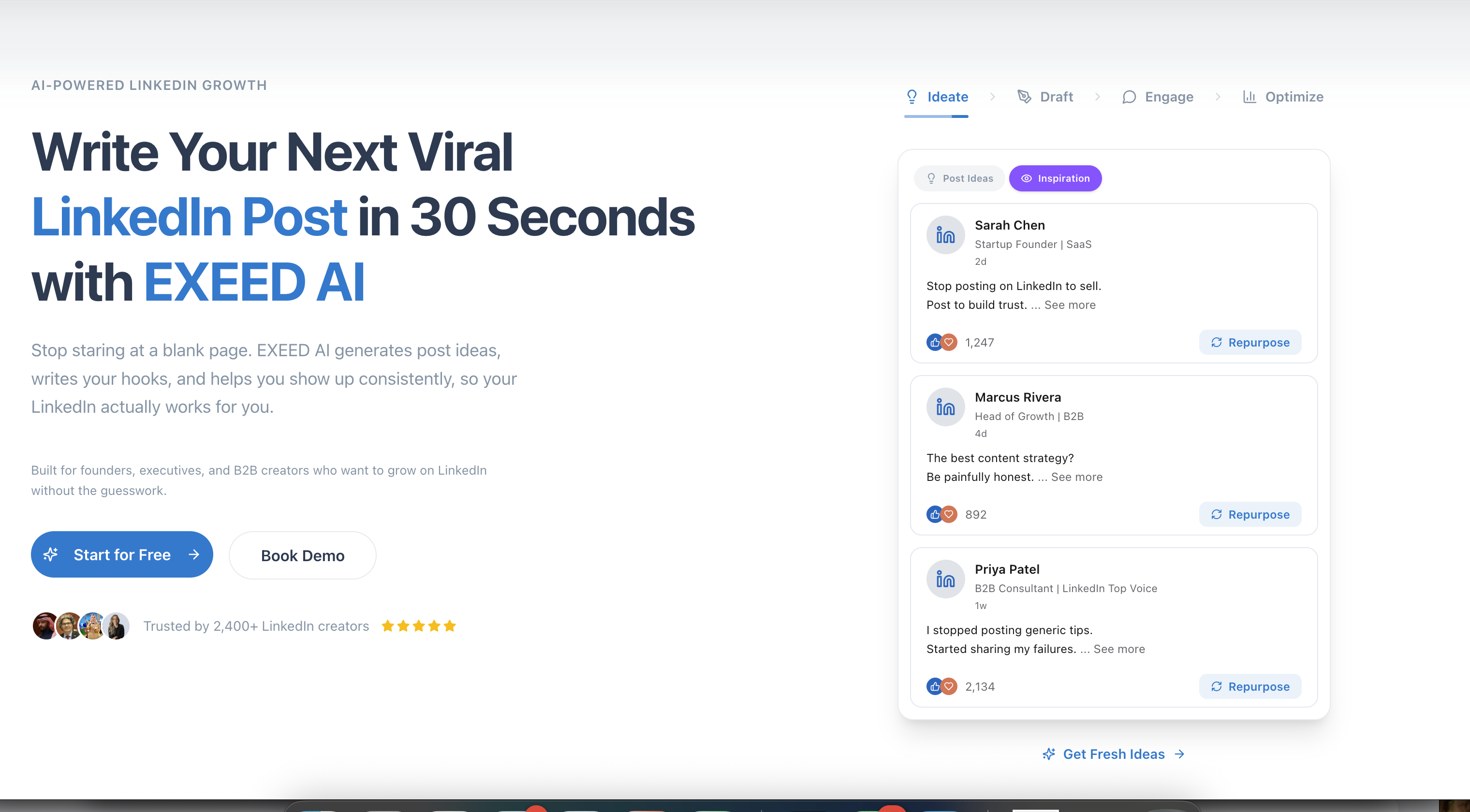
exeedin is built only for LinkedIn and covers the whole content routine. It builds a voice and brand profile from your LinkedIn presence (saved as My Ghost) and every tool writes from it. You can work in a Create studio or chat with the Ghost, an assistant that drafts a month of posts, swaps one for a launch story, enriches it and schedules everything while you approve each step.
Key features: Post Writer, Hook Generator (10 hooks per run), Post Ideas Generator (10 ideas with resource links), Post Enricher with sourced statistics, YouTube to LinkedIn (3 posts per video), Carousel Designer, Templates Library, Smart Engage comment suggestions, free Profile Evaluator, auto-publishing with best-time suggestions, API and MCP access.
Pricing: Creator Tools $49/mo or $39/mo billed annually, unlimited with no credit meter. Business $59 per seat per month ($47 annually) with a shared Company Ghost, approvals and team analytics. 3-day free trial, no card.
Pros: unlimited generation, one voice profile across tools, sourced stats, YouTube repurposing, English and Arabic support.
Cons: no free plan, no lead generation, lighter analytics than Taplio.
Best for: founders, consultants, coaches and B2B professionals who want to post several times a week without writing from scratch, and companies running employee advocacy. Read our full exeedin review.
2. Taplio: best all-in-one suite with lead generation
Taplio is the best-known LinkedIn growth suite. Its 5M+ viral post library lets you search proven posts by topic and engagement, its LinkedIn Benchmark compares your results with the wider platform, and its Ask Taplio assistant suggests ideas and drafts. Pro adds a 250M+ lead database and outreach automation.
Key features: scheduler with Kanban drafts and auto first comment, AI writer and carousel generator, 40+ engagement feeds, AI smart replies, MCP 2.0 for Claude and ChatGPT, free Chrome extension.
Pricing: Starter $39/mo ($32 annual) for scheduling and analytics; Growth $69/mo ($49 annual) adds AI writing; Pro $199/mo ($149 annual). 7-day trial with Pro features.
Pros: biggest inspiration library, deep analytics, prospecting in the same tool.
Cons: AI writing starts at $69 and is metered; outreach automation carries account risk.
Best for: founders and sales-led creators who treat LinkedIn as a pipeline. See our exeedin vs Taplio comparison.
3. Supergrow: best budget AI post writer
Supergrow is a voice-learning LinkedIn writer. Its Content DNA feature learns your style, and Postcast turns a recorded conversation into posts. A carousel maker, calendar and scheduling with auto first comment are included on all plans.
Pricing: Pro $39/mo ($31 annually) for 1 account; Teams $199/mo ($189 annually) for 5 accounts. 7-day trial.
Pros: cheapest dedicated AI writer with scheduling; interview-to-post workflow.
Cons: narrower toolset than exeedin or Taplio; not in our directory yet, so check its pricing page.
Best for: solo creators on a tight budget who mainly need drafts and a calendar.
4. AuthoredUp: best for formatting and post analytics
AuthoredUp is for people who write their own posts and want them to look and perform better. It adds a rich editor with LinkedIn previews, bold and italic text, a readability grade, a library of hooks and endings, and detailed content analytics. Its Coauthor AI writer is in closed beta.
Pricing: Individual $19.95/mo ($16.63 annually); Business $14.95 per profile per month, minimum 3 profiles. Free trial, no card.
Pros: best-in-class formatting and preview, strong analytics for the price.
Cons: little AI generation today; scheduling runs through its browser extension.
Best for: confident writers, ghostwriters polishing client drafts, and anyone who wants analytics without a full suite.
5. Kleo: best with coaching and community
Kleo was co-founded by well-known LinkedIn creators and combines a content tool (strategy, ideas, writing-style memory, 20 visuals a month, scheduling and analytics) with weekly live coaching and a private community.
Pricing: $99/mo plus $49/mo per extra profile, or $999/yr with onboarding and priority support.
Pros: learn from creators who have grown large audiences; tool and training together.
Cons: twice the price of exeedin; capped visuals.
Best for: people who want accountability and coaching as much as software.
6. Canva Magic Studio: best for carousels and visuals
Canva Magic Studio adds AI to Canva's editor: Magic Write for copy, Dream Lab image generation, Magic Grab and Magic Expand for photos, and Magic Switch to turn one design into other formats. For LinkedIn, it is the most flexible way to build branded PDF carousels, banner images and infographics.
Pricing: free plan with limited AI use; Pro and team plans add brand kits and more AI. Check Canva's site for current prices.
Pros: total design freedom, huge template library, brand kits.
Cons: more manual than a LinkedIn-native carousel tool; AI usage is shared across features.
Best for: brands and creators whose carousels must match a visual identity. For fast text carousels, exeedin's Carousel Designer is quicker.
7. Resume Worded: best LinkedIn profile review
Resume Worded scores your LinkedIn profile against top profiles and recruiter checks, finds gaps that hurt your search ranking, and suggests sample headlines and summaries. It does the same for resumes, with line-by-line feedback and job description matching.
Pricing: free LinkedIn review with a free account; Pro reported at $49/mo, less on longer terms.
Pros: job-search focus, recruiter-oriented feedback, resume tools in the same place.
Cons: most rewriting sits behind Pro; not a content tool.
Best for: job seekers and career changers. Pair it with exeedin's free Profile Evaluator for a second opinion. See also the best AI resume builders.
8. Aragon: best AI headshot for your profile photo
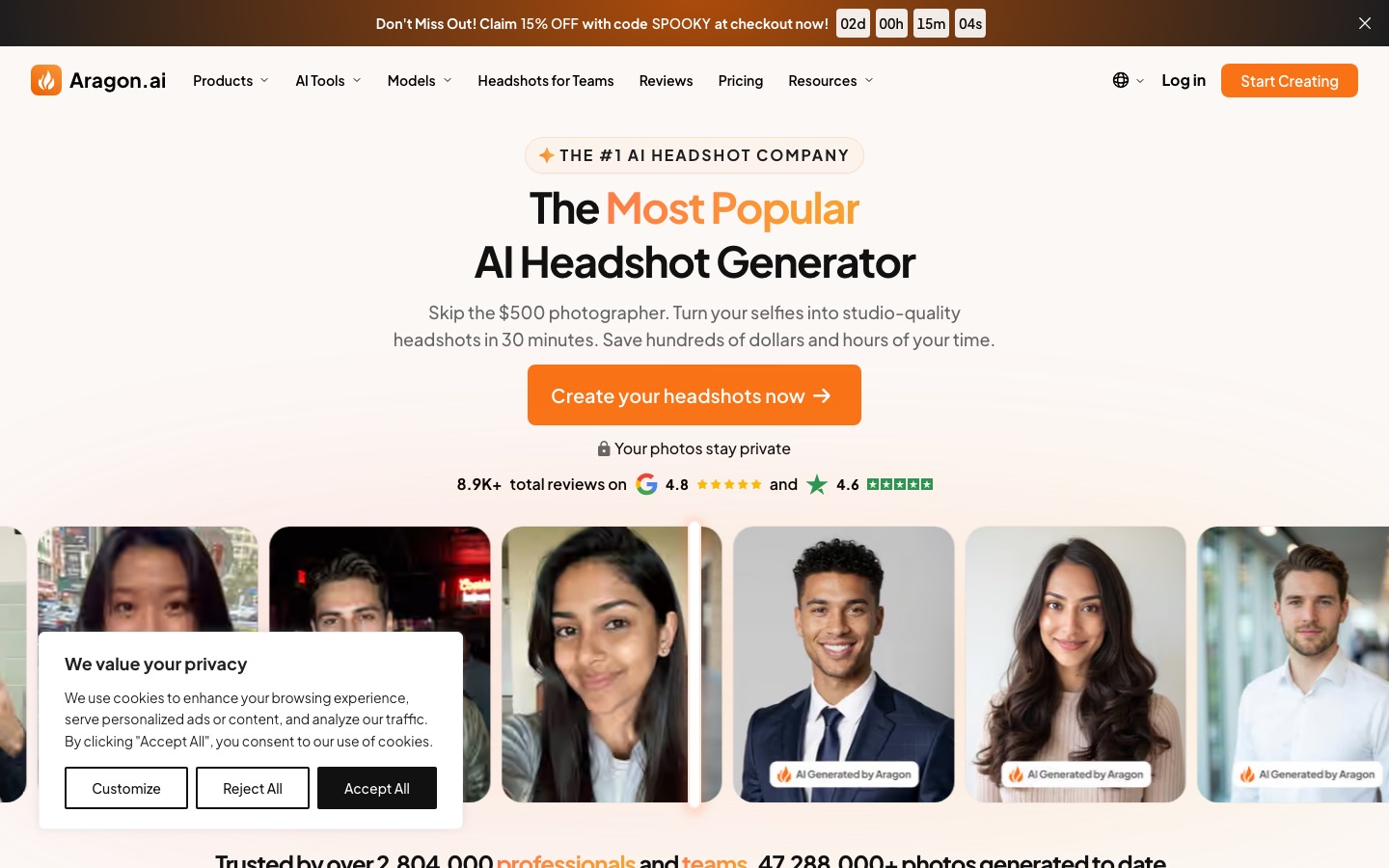
Aragon turns a set of selfies into studio-style professional headshots, which is one of the quickest ways to make a profile look credible.
Pricing (promotional, October 2026): Basic $35 for 40 headshots, Standard $45 for 60, Executive $75 for 100 (list prices $44, $56 and $94). Results in as little as 30 minutes.
Pros: fast, many styles, refund or redo if you are unhappy and have not downloaded.
Cons: one-time cost per shoot; results depend on your selfies.
Best for: anyone whose current photo is a cropped wedding picture. Compare options in our best AI headshot generators guide.
9. OpusClip: best for LinkedIn video clips
OpusClip cuts long videos (webinars, podcasts, talks) into short captioned clips, picking the most engaging moments and reframing for vertical or square formats. Native video is a growing format on LinkedIn, and this is the fastest way to feed it.
Pricing: free plan; Starter $15/mo; Pro $29/mo adds a social scheduler. Check which networks your plan publishes to.
Pros: a month of clips from one recording; automatic captions.
Cons: clips still need a human check; credit-based.
Best for: podcasters, founders and coaches with recorded content. See Vizard vs OpusClip vs Munch.
10. Hot Reach AI: best for personalized outreach openers
Hot Reach AI writes a personalized opening line for each prospect from their LinkedIn profile URL. Paste one URL, or upload a CSV of profile URLs and get the same file back with first-line columns, ready for your email tool.
Pricing: prepaid credits rather than a subscription, refunded for profiles it cannot process; free to try.
Pros: narrow and useful, works with any sending tool, no monthly commitment.
Cons: writes only the opener; pricing not clearly published on the homepage.
Best for: founders and small sales teams who already have a list and an offer.
11. Buffer: best free scheduler for LinkedIn plus other networks
Buffer publishes to LinkedIn profiles and pages alongside Instagram, Threads, X, TikTok, YouTube and more, with an optional AI Assistant in the composer that rewrites, shortens and adapts posts for each network.
Pricing: free plan with 3 channels and 10 scheduled posts per channel; Essentials from $5 per channel per month; Team from $10. 14-day trial on paid plans.
Pros: generous free plan, simple, multi-network.
Cons: no LinkedIn-specific tools like hooks, voice profiles or engagement feeds.
Best for: small businesses posting the same update to several networks. More options in our best AI social media tools guide.
12. ChatGPT or Claude: best general-purpose assistant
ChatGPT and Claude can brainstorm angles, draft posts, rewrite your About section and critique a headline. Claude is often preferred for natural prose; ChatGPT for breadth of features. Both have free plans, with paid plans around $20 a month.
Pros: flexible, cheap, good for one-off writing and editing.
Cons: no saved LinkedIn voice profile unless you set one up, no scheduling, no LinkedIn-specific tools; output sounds generic without strong prompts.
Best for: occasional posters. See Claude vs ChatGPT to choose between them.
Recommended stacks by goal
Personal brand on a budget: exeedin Creator plus a one-time Aragon headshot.
Job seeker: Resume Worded, an Aragon headshot, and exeedin's free Profile Evaluator and Hook Generator.
Sales-led founder: Taplio Pro, or exeedin for content plus a dedicated outreach tool and Hot Reach AI openers.
Company employee advocacy: exeedin Business, with each employee in their own voice and Canva for brand visuals.
Agency or ghostwriter: exeedin Business or Supergrow Teams for writing, AuthoredUp for polish and analytics.
How to use AI on LinkedIn without sounding like AI
Give the tool your voice. Use one that learns from your past posts, or paste examples into your prompt.
Add one detail only you know to every draft: a number, a client story, a mistake.
Rewrite the hook yourself, or pick from several options rather than accepting the first.
Check every statistic at its source before posting.
Cut the filler. Delete "In today's fast-paced world" and any line that could appear in anyone's post.
Comment as much as you post, in your own words, even when AI suggests a starting point.
FAQ
What is the best AI tool for LinkedIn posts?
For most people, exeedin is the best AI tool for LinkedIn posts in 2026. It learns your voice from your LinkedIn presence, writes posts, hooks and carousels, adds sourced statistics, repurposes YouTube videos and publishes on schedule, with unlimited use for $49 a month. Taplio is better if you also need prospecting.
Is there a free AI tool for LinkedIn?
Yes, several. Buffer has a free plan with an AI Assistant for scheduling up to 3 channels, Canva has a free plan for graphics, Resume Worded offers a free profile review, and exeedin's Hook Generator and Profile Evaluator work for free on its website. ChatGPT and Claude also have free plans for drafting.
Is it safe to use AI tools on LinkedIn?
Writing and scheduling your own posts with AI is generally safe. The risk comes from automation: LinkedIn's policies prohibit third-party bots and extensions that scrape data or automate comments, likes, messages or connection requests, and violators risk account restrictions. Prefer tools that suggest comments for you to post rather than posting them automatically.
Can AI write LinkedIn posts in my own voice?
Yes, if the tool learns from your writing. exeedin builds a saved voice and brand profile from your LinkedIn presence, and Supergrow and Kleo offer similar style memory. Results improve when you have past posts to learn from and when you add a personal detail to each draft before publishing.
What is the best Taplio alternative?
exeedin is the strongest Taplio alternative for content creation, with unlimited AI writing for $49 a month compared with Taplio's $69 Growth plan, plus sourced statistics and YouTube repurposing. Supergrow is cheaper at $39 a month, AuthoredUp suits writers who want formatting and analytics, and Kleo adds coaching.
Which AI tool is best for optimizing a LinkedIn profile?
Resume Worded is the best choice for job seekers, with a free review scored against top profiles and recruiter checks. exeedin's free Profile Evaluator scores each section and suggests rewrites without an account. For the photo, an AI headshot generator such as Aragon is the quickest upgrade.
How much do AI LinkedIn tools cost?
Most dedicated LinkedIn AI tools cost $20 to $100 a month. AuthoredUp starts at $19.95, Supergrow at $39, exeedin at $49 with unlimited AI, Taplio at $39 (AI writing from $69) and Kleo at $99. Lead-generation tiers cost more, such as Taplio Pro at $199.
Final verdict
If you only pick one AI LinkedIn tool, make it exeedin: unlimited, voice-matched writing with research, repurposing and auto-publishing covers what most people actually struggle with, which is posting good content consistently. Choose Taplio when prospecting matters as much as content. Then fix the basics around your posts: a profile review from Resume Worded, a credible headshot from Aragon, and Canva for visuals that match your brand.
Browse more growth and social tools in the AI marketing category and AI ghostwriters in the AI writing category. If you build a LinkedIn tool we have missed, you can submit it for a listing.