Best AI Music Generators (2026): 12 Picks for Songs, Background Music and Stems
The best AI music generator depends on whether you need a full song with vocals, royalty-free background music for videos, a cinematic score, or tools to split and re-voice tracks. We compared 12 options on licensing, downloads, pricing and what each one is actually good at.
The best AI music generator for most people in 2026 is Suno, which makes full songs with vocals up to 8 minutes long and lets paid users download and release them. For a strong licensed alternative, use Eleven Music from ElevenLabs. For free experiments, try Google's Lyria 3.5 in the Gemini app. For royalty-free background music in videos, Soundraw and Beatoven.ai are safer and simpler, and AIVA is the pick for cinematic and game scores.
"AI music generator" now covers four jobs: full songs, cleared background music, instrumental scores, and stem or vocal tools. Licensing also shifted after label settlements, download caps and one service switching off exports. This guide sorts the field by job. It is based on official pricing pages, documentation, company announcements and public user feedback, not hands-on listening tests.





Quick picks: the best AI music generator for each job
Best overall for full songs: Suno. Free plan, paid from $10/mo.
Best licensed song generator: Eleven Music by ElevenLabs. Free plan, paid from $6/mo.
Best free way to try AI songs: Lyria 3.5 in the Gemini app.
Best chat-based music studio: Google Flow Music, formerly Riffusion. Free plan, paid from $6/mo.
Best open-weights model: MiniMax Music 3.0, free to run on your own GPU.
Best for vocal realism (listen-only for now): Udio. Downloads are disabled.
Best royalty-free music for YouTube and video: Soundraw and Beatoven.ai.
Best for endless streams and apps: Mubert, from $14/mo.
Best for cinematic and game scores: AIVA, from €11/mo billed yearly.
Best for licensed instrumentals and sound design: Stable Audio.
Best for vocals, voice conversion and stems: Kits AI, with Moises and LALAL.AI for stem splitting.
All 12 picks compared (as of October 2026)
| Tool | Best for | Free plan | Starting price |
|---|---|---|---|
| Suno | Full songs with vocals | Yes, 50 credits/day | $10/mo ($8/mo yearly) |
| Eleven Music | Licensed songs, commercial clarity | Yes, personal use | $6/mo |
| Lyria 3.5 | Free song experiments, developers | Yes, in Gemini app | API $0.08 per song |
| Google Flow Music | Chat-based production | Yes, daily credits | $6/mo |
| MiniMax Music 3.0 | Self-hosted song generation | Open weights | Free (your hardware) |
| Udio | Vocal realism, in-app listening | Yes, 3 songs/day | $10/mo ($8/mo yearly) |
| Soundraw | Royalty-free tracks you can reshape | Try before you buy | Check official page |
| Beatoven.ai | Mood-based background music | Yes, limited | Check official page |
| Mubert | Long streams, apps and API | Yes, 25 tracks/mo | $14/mo ($11.69 yearly) |
| AIVA | Cinematic and game scores, MIDI | Yes, 3 downloads/mo | €11/mo billed yearly |
| Stable Audio | Licensed instrumentals, SFX | Yes | Check official page |
| Kits AI | AI vocals and voice conversion | Yes, 15 min/mo | $10/mo |
How to choose an AI music generator
Decide what the music is for. A song you will release, a background bed under a YouTube video, a game score and a remix need different tools.
Check downloads first. In 2026, being able to generate a track does not mean you can export it. Suno caps downloads by plan and Udio has switched them off.
Read the license, not the headline. Look for commercial use, monetized YouTube, client work, streaming distribution and Content ID. Plans often split these.
Check ownership. Some services keep ownership of free-plan tracks, some grant it on paid plans, and some only license tracks to you while you subscribe.
Best AI music generators for full songs with vocals
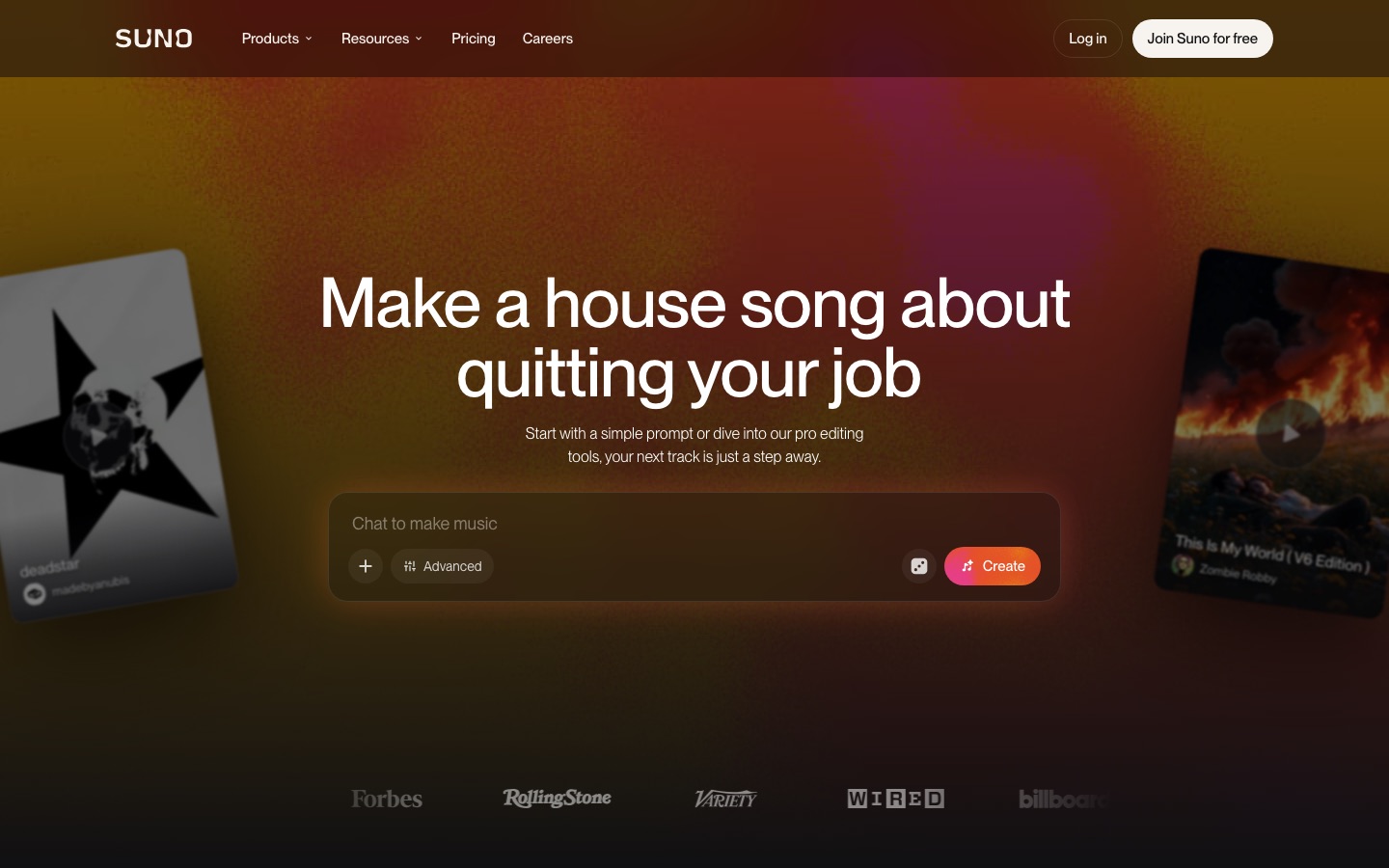
1. Suno: best AI song generator overall
Suno is the most popular AI song generator and the most complete. Its v6 model family, launched in September 2026, writes lyrics or sings yours, follows section tags like [Verse] and [Chorus], and generates up to 8 minutes per take. You can edit a section or lyric in plain language, extend, cover and remaster songs. Premier adds Suno Studio, a browser DAW with stems and MIDI.
Pricing on the official Suno pricing page: Free gives 50 credits a day on v6-mini, non-commercial only. Pro is $10/mo ($8 billed yearly) with 2,500 credits, commercial rights and 20 downloads a month. Premier is $30/mo ($24 yearly) with 10,000 credits, Studio and 60 downloads a month.
Pros: best all-round song quality and control, long tracks, deep editing, commercial rights on paid plans.
Cons: monthly download caps since September 2026, ongoing lawsuits from Universal and Sony.
Best for: songwriters, hobbyists and creators who want finished songs. Start with our guide on how to make a song with Suno.
2. Eleven Music: best licensed alternative to Suno
ElevenLabs, best known for voices, runs Eleven Music as a full song generator with vocals in multiple languages, instrumentals, inpainting (regenerate one section), text-based revisions, stem separation and reusable vocals and styles. ElevenLabs says it built the product with artists, labels and publishers, and its Music v2.5 model is the default on every plan, including Free.
Plans on the Eleven Music page range from Free (personal use only) to Starter at $6/mo, Creator at $22/mo and Pro at $99/mo. Commercial rights vary by tier: Starter allows commercial use without streaming distribution, and self-serve plans exclude film, TV and studio games, which need Enterprise.
Pros: clearer licensing story than most rivals, strong multilingual vocals, editing and stems in one place.
Cons: commercial terms split across several tiers, credits are shared with other ElevenLabs tools.
Best for: brands, agencies and creators who want songs with less legal ambiguity.
3. Lyria 3.5 in Gemini: best free AI music generator to start
Google DeepMind's Lyria 3.5 arrived in the Gemini app and Gemini API on September 4, 2026. You describe a song or write lyrics, choose vocals or instrumental, and get tracks of 60 seconds up to about three minutes. Every output carries Google's inaudible SynthID watermark, and requests for specific artist voices are blocked.
For developers, the Gemini API pricing page lists Lyria 3.5 at $0.08 per full song, with no free API tier. In the consumer app it is available to Gemini users worldwide; usage limits depend on your Google plan, so check inside the app.
Pros: easiest free entry point, good vocals, cheap API pricing.
Cons: single-turn generation without the deep editing of Suno, shorter maximum length.
Best for: trying AI songs for free, birthday songs and jingles, app developers.
4. Google Flow Music: best chat-based AI music studio
Google Flow Music is the former Riffusion, which became Producer.ai, was acquired by Google in February 2026 and was renamed in April. You chat with a Gemini-powered producer agent that writes, remixes and edits full songs using Lyria models, with section-by-section editing, style-preserving covers and an iOS app. The pricing page lists MP3, WAV and M4A downloads plus stems as features.
Plans: Free with daily top-up credits, Starter at $6/mo (3,000 credits, about 600 songs), Plus at $18/mo and Member at $48/mo. Google says it does not claim ownership of what you create, but detailed commercial terms are thin, so read the terms of service before a release.
Pros: conversational workflow, generous credits for the price, downloads and stems listed.
Cons: product is young and still changing, a class action over Lyria 3 training data is pending.
Best for: people who prefer describing changes to a producer over tweaking sliders.
5. MiniMax Music 3.0: best open-weights song model
MiniMax Music 3.0 generates complete songs with vocals of around five minutes. MiniMax launched it through its API in July 2026 and published the weights on Hugging Face in August, with a ComfyUI build. Running it locally needs a serious GPU (reports cite up to 24 GB of VRAM). Read the community license on the model page before using output commercially.
Pros: no subscription, full control, runs offline.
Cons: technical setup, no independent quality benchmarks yet, license terms need checking.
Best for: developers, researchers and tinkerers with a capable GPU.
6. Udio: best for vocal realism, but you cannot export
Udio was Suno's closest rival and is still praised for natural-sounding vocals and its inpainting editor. But since its October 2025 settlement with Universal Music Group, downloads of audio, stems and video have been disabled on every plan while it builds a licensed platform, which had no launch date as of October 2026. Plans run from Free to Standard at $10/mo and Pro at $30/mo. Our Suno vs Udio comparison covers the full story.
Pros: excellent vocals, precise section editing, deals with most major labels.
Cons: no downloads, model has not been updated since Allegro v1.5 (March 2025).
Best for: listening, experimenting and sharing links inside Udio.
Also consider Boomy, which focuses on making simple tracks fast and distributing them to streaming services, if you want the shortest path from idea to release.
Best for royalty-free background music for creators
For YouTube, podcasts and ads you usually need instrumentals that fit the mood, end on time and will not trigger a copyright claim. These tools are built for that.
7. Soundraw: best royalty-free music you can reshape
Soundraw generates instrumental tracks from genre, mood, theme, length and tempo, then lets you edit sections, swap instruments and adjust energy so the music hits your cuts. Its own models are trained on music produced in-house, which is a big part of its appeal for commercial work. Every plan on the Soundraw pricing page includes commercial and background use, and Artist plans allow distribution to Spotify and Apple Music. Creator includes unlimited MP3 downloads, while WAV and stems start on Artist Pro. Prices display in local currency, so check the page.
Pros: clean licensing, easy timing edits, unlimited downloads on several plans.
Cons: instrumentals only, stems require a higher plan.
Best for: YouTubers, editors and small agencies.
8. Beatoven.ai: best for mood-matched video soundtracks
Beatoven.ai composes background music around emotions and lets you change mood at specific points in a video. Tracks downloaded on paid plans come with a perpetual commercial license, and it also offers sound effects and an API. Plan names and prices have changed several times in 2026, so confirm them on the official site.
Pros: emotion and timing controls, royalty-free forever on paid downloads.
Cons: less suited to songs with vocals, pricing changes often.
Best for: video editors who score scenes, not just pick loops.
9. Mubert: best for streams, apps and long tracks
Mubert generates tracks up to 25 minutes long and endless streams, plus an API for apps and games. The license tiers matter: Creator ($14/mo or $11.69 yearly) is non-commercial, Pro ($39/mo) covers monetized channels and ads, and Business ($199/mo) covers apps, client work and sublicensing. No plan allows publishing to streaming services or Content ID registration.
Pros: very long tracks, stem editing on Pro, developer API.
Cons: commercial use only from $39/mo, watermark and attribution on Free.
Best for: streamers, app developers and long-form content.
10. AIVA: best for cinematic, orchestral and game scores
AIVA is a composition tool that writes in styles from orchestral to lo-fi and exports MIDI, so you can rework the score in your DAW. According to the AIVA pricing page, Free gives 3 downloads a month with AIVA owning the copyright and credit required. Standard (€11/mo billed yearly) allows monetization on YouTube, Twitch, TikTok and Instagram. Pro (€33/mo billed yearly) gives you the copyright, 300 downloads and WAV export.
Pros: MIDI export, full copyright ownership on Pro, strong at orchestral styles.
Cons: no vocals, copyright stays with AIVA below Pro.
Best for: filmmakers, indie game developers and composers.
11. Stable Audio: best for licensed instrumentals and sound design
Stability AI's Stable Audio moved to Stable Audio 3.0 in May 2026, a family of models that the company says is trained entirely on licensed data and can generate tracks longer than six minutes. Small and Medium versions are open weights, and the Large model runs through the web app and API. It handles instrumentals, loops and sound effects. Plan prices and free-tier commercial terms vary between sources, so check the official pricing page.
Pros: licensed training data, open-weights options, good for loops and SFX.
Cons: weaker at vocal songs than Suno or Eleven Music.
Best for: producers, sound designers and developers.
Loudly is another option for quick, video-matched background tracks with a large genre catalog; check its site for current license tiers.
Best for vocals, stems and remixing
12. Kits AI: best for AI vocals and voice conversion
Kits AI is built for musicians. It converts a sung vocal into another voice, clones your own voice, designs new ones and generates vocals, with a vocal remover for stems. On its pricing page, Free gives 15 conversion minutes a month, Starter is $10/mo with voice cloning, Producer is $30/mo with unlimited conversions, and Professional is $60/mo with unlimited downloads.
Pros: made for music rather than speech, works on your own recordings.
Cons: no full-song generation, download minutes limited on lower plans.
Best for: producers demoing vocals or turning a rough guide vocal into a polished one.
For stem separation, Moises splits songs into up to 27 stem types and adds chord detection and practice tools, while LALAL.AI is a focused, high-quality stem splitter. If you want to sing over AI tracks in a different voice, compare options in our best AI voice cloning tools guide.
Licensing and copyright: what to know before you publish
Ownership depends on plan. Suno owns free-plan songs; paid songs are yours. AIVA keeps copyright below Pro. Mubert licenses tracks for use rather than handing over ownership.
Subscriptions can matter after you cancel. Suno's paid rights survive cancellation. Mubert says tracks cannot go into new projects after a subscription ends.
Streaming release is a separate right. Soundraw Artist plans and paid Suno plans allow it; Mubert does not, and Eleven Music limits it by tier.
AI-only works may not be copyrightable. US copyright requires human authorship, so add your own lyrics, arrangement or performance if protection matters.
Lawsuits are ongoing. Universal and Sony are suing Suno, Sony is suing Udio, and a class action targets Google's Lyria training data. Keep records of what you generated and when.
FAQ
What is the best AI music generator?
For full songs with vocals, Suno is the best AI music generator in 2026 thanks to its v6 models, 8-minute generations and commercial rights on paid plans. Eleven Music is the best licensed alternative. For royalty-free background music, Soundraw and Beatoven.ai are better choices, and AIVA leads for orchestral and game scores.
What is the best free AI music generator?
Suno's free plan gives 50 credits a day, roughly 10 songs, but for non-commercial use only. Lyria 3.5 in the Gemini app is free for Gemini users, Google Flow Music has daily free credits, and MiniMax Music 3.0 is free if you can run it on your own GPU. Eleven Music also has a free personal-use tier.
Which AI music generator is best for YouTube?
For background music, Soundraw is a safe pick because its licenses cover commercial and background use on every plan and the music is trained on in-house recordings. Beatoven.ai is great for mood-matched scoring. Mubert covers monetized channels only on Pro. For original songs, use Suno Pro or Premier, which grant commercial rights.
Can I use AI-generated music commercially?
Usually only on a paid plan, and the details differ. Suno, Soundraw and AIVA Pro grant commercial rights, Mubert requires Pro for monetized content, and Eleven Music splits rights across tiers. Read whether your plan covers streaming distribution, client work and Content ID, and keep your license records for every track you publish.
Is Udio better than Suno?
Udio is often praised for vocal realism, but Suno is the more practical choice in 2026. Udio has disabled all downloads since October 2025 while it builds a licensed platform with Universal Music Group, so you cannot export songs. Suno lets paid users download, own and release their tracks, with monthly download caps.
Can AI make a song with my own voice?
Yes. Suno paid plans let you record or upload your own voice, and Kits AI can clone your voice and convert a sung guide vocal into it. Eleven Music lets you reuse a vocal from your own tracks. Only clone voices you own or have permission to use, and disclose AI vocals where platforms require it.
Bottom line
If you want one tool, start with Suno: it makes the most complete songs and lets paying users keep them. Choose Eleven Music if licensing clarity matters more than raw features, and Lyria 3.5 or Google Flow Music if you want to experiment cheaply. For video soundtracks use Soundraw or Beatoven.ai, for scores AIVA, and for vocals and stems Kits AI and Moises.
Making videos to go with your music? See the best AI video generators and the best AI text-to-speech tools. Browse every music and voice tool in our AI audio category, and if your music tool is missing, submit it for a listing.