Best AI Video Translators (2026): 11 Tools for Dubbing and Lip Sync
The best AI video translator depends on what you need: HeyGen for lip-synced translation of talking-head video, ElevenLabs for the most natural dubbed voices, AI Studios for the most dubbing minutes per dollar, and YouTube's free auto dubbing for creators on a budget. Here are 11 picks with current pricing, limits and languages.
The best AI video translator for most people in 2026 is HeyGen: it translates talking-head video into 175+ languages and dialects, clones the speaker's voice and re-syncs their lips, and you can try it free. If voice quality matters more than lip movement (podcasts, narration, interviews with several speakers), ElevenLabs dubbing sounds the most natural. Teams translating large volumes should look at AI Studios, and YouTube creators should switch on YouTube's own free auto dubbing before paying for anything.
AI video translation now does in minutes what used to take a dubbing studio weeks: it transcribes the original speech, translates it, generates speech in a cloned version of the speaker's voice and, on better tools, adjusts their mouth movements to match. This guide ranks 11 tools based on official pricing pages, documentation and public user feedback as of October 2026, not hands-on testing. Each tool links to its listing in our AI tools directory.





Quick picks: the best AI video translator for each job
Best overall (lip-synced talking heads): HeyGen, 175+ languages, up to 10 languages at once.
Best voice quality and multi-speaker dubbing: ElevenLabs, 90+ languages and up to 32 speakers per file.
Best budget lip dubbing: Perso Dubbing, with lip dubbing from $6.99 a month.
Best for corporate training: Synthesia, with dubbing in 70+ languages and enterprise controls.
Most dubbing minutes per dollar: AI Studios, 120 minutes a month for $24.
Best for broadcasters and sports: Camb AI, 150+ languages including live content.
Best for phone creators: Captions, with AI Translate and AI Lipdub.
Best free option for YouTubers: YouTube auto dubbing, built into YouTube Studio.
Best for fixing lip sync after dubbing: Sync, lip sync for any video in any language.
All picks at a glance
Prices are monthly list prices as of October 2026. Most tools bill in credits or minutes, and lip sync often costs extra, so check each official page before you budget.
| Tool | Best for | Free plan | Starting paid price |
|---|---|---|---|
| HeyGen | Lip-synced talking heads | 3 translated videos/mo up to 3 min | $29/mo ($24 annual) |
| ElevenLabs | Natural voices, many speakers | 10k credits/mo | $6/mo |
| Perso Dubbing | Budget lip dubbing | 1 free generation | $6.99/mo |
| Synthesia | Training and enterprise | 10 min/mo, watermarked | $19/mo ($14 annual) |
| AI Studios | Volume dubbing | 1 min/mo | $24/mo |
| Camb AI | Broadcast, 150+ languages | One-time 5k credits, no dubbing | $5/mo |
| Captions | Short-form creators | Basic tools | $24.99/mo (iOS) |
| Akool | 4K translation, avatars | 5 min uploads, watermarked | $12/mo billed annually |
| Dubverse | Indian languages, simple dubbing | 2-day trial | $18/mo ($9 annual) |
| VEED | Subtitles plus dubbing in an editor | Yes, watermarked | Check site |
| Sync | Lip sync for dubbed footage | Trial | $5/mo plus $0.05 per second |
Subtitles, dubbing or lip sync: which do you need?
AI video translation comes in three levels, and each one costs more than the last:
Translated subtitles. Cheapest and safest. Viewers read along, and the original voice stays. Good for social clips, courses and accessibility. Our best AI subtitle generators guide covers this level.
Voice dubbing. The speech is replaced with a translated voice, ideally a clone of the original speaker. Works well for narration, podcasts, screen recordings and anything where the speaker is not filling the frame.
Lip-synced dubbing. The tool also changes the speaker's mouth movements to match the new language. This is what makes a talking-head video look native, and it is where quality differences between tools are largest.
Rule of thumb: if a face fills more than a third of the frame for most of the video, pay for lip sync. Otherwise voice dubbing is usually enough.
The best AI video translators in detail
1. HeyGen: best overall AI video translator
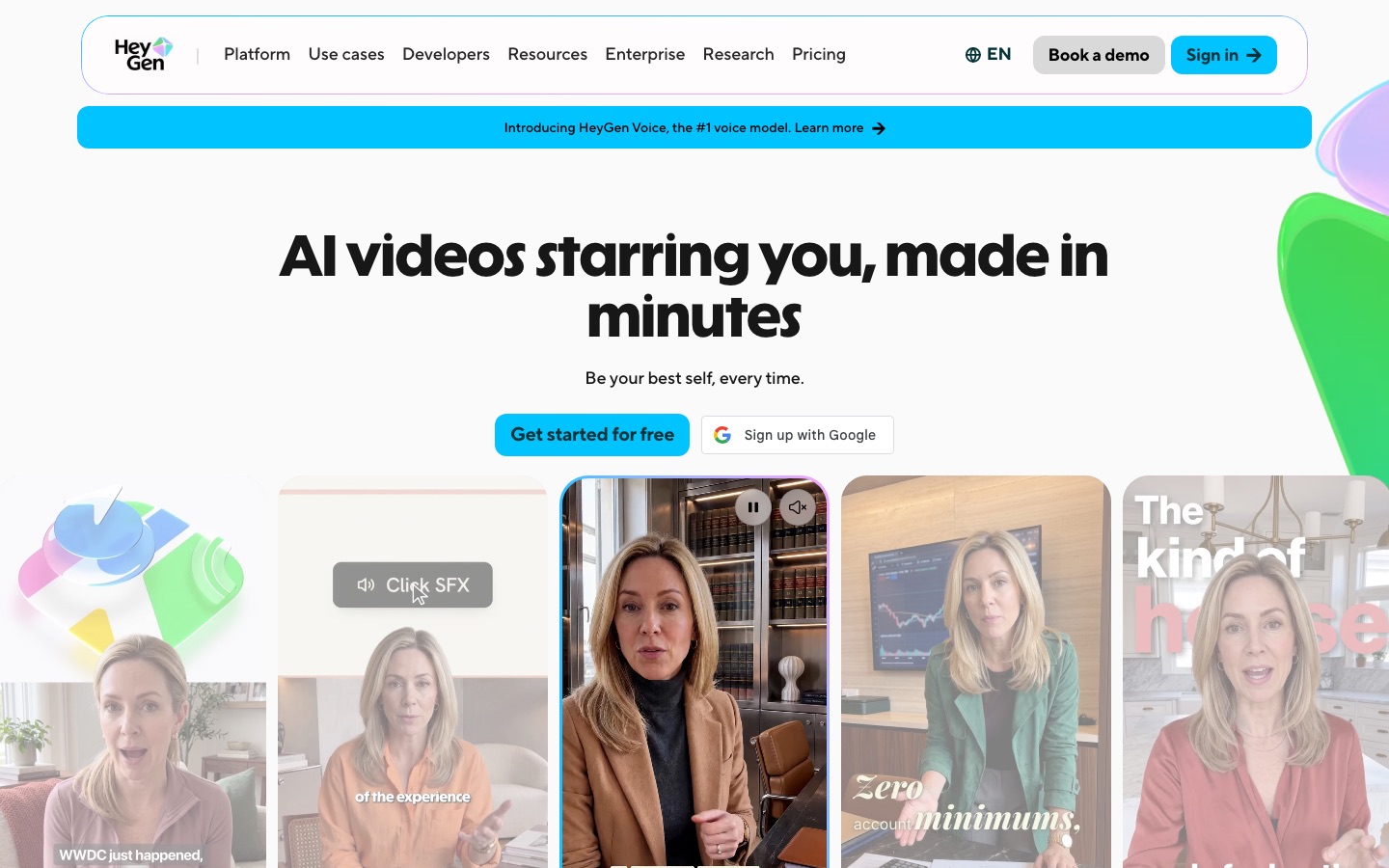
HeyGen is the tool most people start with, and for talking-head footage it remains the benchmark. Upload a video or paste a link and it translates into 175+ languages and dialects, clones the original voice and adjusts lip movements, and you can translate one video into up to 10 languages in a single job. An Edit and Review step lets you proofread the translated script before rendering, and enterprise plans add professional proofreading.
Per its video translation page, the free plan allows 3 translated videos a month up to 3 minutes each. Paid plans start at Creator for $29 a month ($24 annual) with 600 credits and videos up to 30 minutes; Pro is $49 with 4K export, per the HeyGen pricing page.
Pros: best-known lip sync, huge language list, batch translation, also a full avatar platform.
Cons: credits make long videos expensive, and lip sync struggles with side profiles, beards and fast speech.
Best for: founders, marketers, course creators and YouTubers localizing face-to-camera video.
2. ElevenLabs: best voice quality and multi-speaker dubbing
ElevenLabs is the voice specialist, and its dubbing sounds the most natural of any tool here. Per the ElevenLabs dubbing docs, it supports 90+ languages, separates up to 32 speakers (including overlapping speech), preserves each speaker's tone and pace, and keeps the original music and effects. Automatic Dubbing handles files up to 1 GB and 180 minutes in the app. It does not change lip movements, so pair it with a lip sync tool if faces matter.
Dubbing runs on the same credits as everything else: a dubbed minute costs 2,000 to 10,000 credits depending on the mode and watermarking. Starter is $6 a month (30,000 credits, roughly 3 to 15 minutes), Creator is $22 (121,000 credits) and Pro is $99 (600,000 credits). One caveat: the older Dubbing Studio editor is now in maintenance mode, so the editing workflow may change.
Pros: best voices, multi-speaker support, long files, strong API.
Cons: no lip sync, and credit costs per minute vary by mode.
Best for: podcasts, interviews, documentaries, narration and developers. Read our ElevenLabs review for more.
3. Perso Dubbing: best budget lip dubbing
Perso Dubbing, from ESTsoft, offers voice cloning and lip-synced dubbing with 99+ detected languages and several dubbing models with different quality and cost. Per the Perso pricing page, Starter is $6.99 a month (about 7 dubbing minutes and 2 minutes of lip dubbing, videos up to 3 minutes), Creator is $29 (about 40 minutes and 13 minutes of lip dubbing, videos up to 15 minutes), and Pro is $99 (up to 180 minutes with its standard model and 60 minutes of lip dubbing).
Pros: lip sync from the cheapest tier, a choice of models for cost versus quality.
Cons: short maximum video lengths on lower plans, and lip dubbing minutes are tight.
Best for: creators and small businesses testing lip-synced translation cheaply.
4. Synthesia: best for corporate training
Synthesia is primarily an avatar platform, but its dubbing works on any uploaded video, with 70+ dubbing languages, voice preservation, a custom glossary for brand and technical terms, and a dubbing API. Lip sync is optional and uses twice the credits. The free Basic plan includes 10 minutes of video or dubbing a month; Starter is $19 ($14 annual) and Pro $89 ($59 annual), per Synthesia's pricing page. Enterprise adds 1-click translation of avatar videos into 140+ languages.
Pros: glossary control, enterprise security, translation of avatar projects as well as uploads.
Cons: dubbing allowances on Starter are small, and lip sync doubles the cost.
Best for: L&D and internal comms teams already producing training video.
5. AI Studios: most dubbing minutes per dollar
AI Studios (formerly DeepBrain AI) is the value pick. Its Personal plan at $24 a month includes 120 dubbing minutes, with videos up to 30 minutes, which works out to about 20 cents a minute. Team at $55 a seat doubles that to 240 minutes, allows 60-minute videos and adds proofreading of translated scripts. The free plan includes 1 dubbing minute a month. Public reviews describe its lip sync as good rather than best in class.
Pros: lowest cost per dubbed minute among the major platforms, plus avatars.
Cons: lip sync quality trails HeyGen in public comparisons.
Best for: teams translating a large back catalog on a budget.
6. Camb AI: best for broadcasters and live content
Camb AI dubs into 150+ languages and is known for broadcast and sports work, including live events. For self-serve users it is credit-heavy: per the Camb AI pricing page, Essentials at $5 includes 1 dubbing minute, Pro at $20 includes 4, and Premier at $75 includes 16, with larger plans up to $900. The free plan gives one-time credits for text to speech but no dubbing minutes.
Pros: huge language coverage, professional and live-content credentials.
Cons: expensive per minute on self-serve plans.
Best for: media companies and broadcasters, usually on enterprise contracts.
7. Captions: best for creators on a phone
Captions bundles AI Translate and AI Lipdub into its mobile and web editor, alongside translated captions in 100+ languages, eye contact correction and AI avatars. Max costs $24.99 a month on iOS (500 credits) and Frontier starts at $69.99.
Pros: translate, caption and edit in one app.
Cons: best for short videos, and per-feature credit costs are not clearly published.
Best for: TikTok, Reels and Shorts creators.
8. Akool: best for 4K translation alongside avatars
Akool lists 155+ translation languages on every plan, with 4K output and upload length that grows by tier: 5 minutes on Free and Starter, 30 on Pro ($30, or $21 annual), 60 on Pro Max and 120 on Business (which also outputs 8K).
Pros: high-resolution output, long uploads on upper tiers, many other tools included.
Cons: the free plan has a full-screen watermark, and the suite is broad rather than deep.
Best for: marketing teams that want translation and avatars in one subscription.
9. YouTube auto dubbing: best free option for creators
If you publish on YouTube, try its built-in auto dubbing first. Per YouTube Help, it is on by default for eligible channels, creates dubbed audio tracks viewers can pick, and supports expressive speech in some languages. Experimental lip sync is rolling out to select channels. Limits: videos over 120 minutes are ineligible, dubs cannot be edited directly (you fix the original transcript instead), English has the widest target coverage, and some source languages dub only into English. You review, publish or delete dubs in YouTube Studio on a computer.
Pros: free, no upload or export step, and the dub lives on your original video.
Cons: limited control, voice matching is imperfect, and it only works on YouTube.
Best for: any YouTuber with an international audience.
10. Dubverse: best for Indian languages
Dubverse is a self-serve dubbing tool popular in India, with strong Indian language support and pricing in both dollars and rupees. Pro is $18 a month ($9 annual) for videos under 60 minutes; Supreme is $30 ($15 annual) for videos under 150 minutes and adds voice cloning and custom animated subtitles. Lip sync is Enterprise only, and there is no free plan, just a 2-day trial with no card.
Pros: affordable, long videos, regional pricing.
Cons: no lip sync below Enterprise, and voice cloning starts on Supreme.
Best for: educators and creators targeting Indian audiences.
11. Sync: best for adding lip sync after dubbing
Sync does one thing: it re-syncs lips in existing footage to any new audio track. Pair it with ElevenLabs or a human voice actor when you want studio-quality voices and convincing mouth movement. Per its pricing page, Hobbyist is $5 a month for clips up to 1 minute and Creator is $19 for clips up to 5 minutes, both billed at $0.05 per second of output. Its current models include lipsync-2-pro and sync-3.
Pros: works with any voice source, strong quality, API-first.
Cons: a second tool and a second bill, and short clip limits on cheap plans.
Best for: editors and agencies building a best-of-breed dubbing pipeline.
Honorable mentions
VEED: subtitles in 125+ languages plus AI dubbing inside a full browser editor, with translation on Pro.
Descript: caption translation and dubbing (audio translation) on paid plans, inside a transcript-based editor.
Vosko AI, Keevx and AI Video Translator: lighter-weight translators with voice cloning, editable subtitles and, on some, lip sync.
Rask AI: a well-known dubbing tool (not yet in our directory) with 135+ languages; per its pricing page, Creator is $39 a month for 25 minutes and lip sync starts on Creator Pro at $99.
Feature comparison
| Tool | Languages | Voice cloning | Lip sync | Max length (entry plan) |
|---|---|---|---|---|
| HeyGen | 175+ | Yes | Yes | 30 min (Creator) |
| ElevenLabs | 90+ | Yes | No | 180 min, 1 GB |
| Perso Dubbing | 99+ detected | Yes | Yes, 2 min/mo on Starter | 3 min (Starter) |
| Synthesia | 70+ dubbing | Yes | Optional, 2x credits | Credit-based |
| AI Studios | Multi-language on paid | Yes | Yes | 30 min (Personal) |
| Camb AI | 150+ | Yes | Check site | Size-based (1 GB on Pro) |
| YouTube auto dubbing | Limited set | Expressive speech in some | Experimental | 120 min |
| Dubverse | Check site | From Supreme | Enterprise only | Under 60 min (Pro) |
How to translate a video with AI: a quick workflow
Start with clean audio. Less noise means better transcripts and voice clones.
Check the source transcript. Fix names, brand terms and jargon before translating; errors multiply across every language.
Add a glossary of terms that should not be translated (product names, acronyms) where the tool supports it.
Translate and review the script in the editor before rendering. This is cheaper than re-rendering.
Render a 30-second test with lip sync to check quality on your footage before spending credits on the full video.
Get a native speaker to review tone, idioms and timing. Then upload the dub as a separate audio track (YouTube supports multi-language audio) or as a separate video.
Common mistakes to avoid
Paying for lip sync you do not need. Screen recordings, slides and B-roll-heavy videos rarely benefit.
Translating without consent. Cloning a guest's voice into another language still requires their permission.
Skipping review. Machine translation misses humor, idioms and cultural context, and public feedback on every tool here mentions occasional mistranslations.
FAQ
What is the best AI video translator?
HeyGen is the best AI video translator for most people in 2026, with lip-synced translation into 175+ languages and a free plan for 3 short videos a month. ElevenLabs produces more natural voices for multi-speaker content but does not change lip movements. AI Studios offers the most dubbing minutes per dollar.
Is there a free AI video translator?
Yes, with limits. YouTube auto dubbing is free for eligible channels. HeyGen translates 3 videos a month up to 3 minutes for free, Synthesia includes 10 minutes of dubbing a month, and ElevenLabs gives 10,000 free credits. Free output is usually watermarked or short, so expect to pay for regular use.
Can AI translate a video and keep my voice?
Yes. HeyGen, ElevenLabs, Perso, Synthesia, AI Studios and most other tools here clone the original speaker's voice and use it in the translated audio. Results are best with clean, single-speaker audio. Voice similarity varies by language, so test the languages you care about before committing.
How accurate is AI video translation?
For clear speech on general topics, AI translation is usually accurate enough to publish after a quick review. Accuracy drops with accents, overlapping speakers, slang, jargon and proper nouns. Every major tool lets you edit the transcript or translated script before rendering, and a native speaker review is still recommended for anything customer-facing.
Which AI video translator has the best lip sync?
HeyGen is the most widely cited for lip sync on talking-head footage, with Synthesia, Perso and dedicated lip sync tools like Sync close behind. Lip sync works best with front-facing, well-lit speakers and struggles with side profiles, beards, hands near the face and very fast speech.
How much does AI dubbing cost per minute?
It ranges widely. AI Studios works out to about $0.20 a minute on its $24 plan, Rask AI about $1.56 on Creator, and Camb AI about $5 on Pro. ElevenLabs charges 2,000 to 10,000 credits per minute. Lip sync usually costs extra, often double or triple the standard rate.
Final verdict
Start with YouTube auto dubbing if YouTube is your only channel, since it is free. For talking-head video anywhere else, HeyGen is the best AI video translator, with the most trusted lip sync and a free plan to test it. Choose ElevenLabs when voice quality and multiple speakers matter more than mouth movement, AI Studios for volume on a budget, Perso Dubbing for cheap lip dubbing, and Synthesia for enterprise training. Whatever you pick, review the translated script before you render.
Related reading: our best AI avatar generators guide, HeyGen vs Synthesia, the best AI voice cloning tools and our wider best AI translation tools roundup.
Browse every dubbing, avatar and editing tool we track in the AI video category and voice tools in AI audio. Building a video translator we have missed? Submit it for a listing.