Best AI Avatar Generators (2026): 12 Tools for Talking Videos and Digital Twins
The best AI avatar generator depends on the job: HeyGen for realistic custom avatars and translation, Synthesia for training at scale, Colossyan and AI Studios for budget-friendly business video, D-ID for talking photos and Captions for creators on a phone. Here are 12 picks with current pricing and free plans.
The best AI avatar generator for most people in 2026 is HeyGen: it makes the most realistic custom avatar of you from a short clip, translates it into 175+ languages, and starts free. Companies producing training and onboarding should pick Synthesia, budget business teams should look at Colossyan or AI Studios, and anyone who just wants to make a photo talk should start with D-ID. Creators who film on a phone will get more from Captions.
This guide covers talking video avatars (a stock presenter or a clone of you reading a script on camera), with a short section on profile picture avatars at the end. Rankings are based on official pricing pages, documentation and public user feedback as of October 2026, not hands-on testing. Every tool links to its listing in our AI tools directory.





Quick picks: the best AI avatar generator for each job
Best overall: HeyGen, for realistic digital twins, photo avatars and lip-synced translation.
Best for corporate training: Synthesia, with 140+ languages, templates and enterprise governance.
Best for learning teams on a budget: Colossyan, with a free plan, interactive quizzes and SCORM-friendly courses.
Best value for dubbing and volume: AI Studios (formerly DeepBrain AI), with 120 dubbing minutes on its $24 plan.
Best for talking photos: D-ID, the cheapest way to animate a single image.
Best for creators filming on a phone: Captions, with AI Twin, eye contact correction and animated captions.
Best free AI avatar generator: Vidnoz, with daily free credits (watermarked).
All 12 AI avatar generators at a glance
Prices are monthly list prices as of October 2026, with annual-billing equivalents where the vendor publishes them. Avatar tools run on credits or minutes and change limits often, so confirm on each official page before you buy.
| Tool | Best for | Free plan | Starting paid price |
|---|---|---|---|
| HeyGen | Custom avatars, translation, marketing | Yes, 3 videos/mo up to 1 min, watermarked | $29/mo ($24 annual) |
| Synthesia | Training and internal comms | Yes, 10 min/mo, watermarked | $19/mo ($14 annual) |
| Colossyan | L&D, interactive courses | Yes, no card required | $59/mo billed annually |
| AI Studios | Dubbing, volume, interactive avatars | Yes, 3 videos up to 1 min, 720p | $24/mo |
| D-ID | Talking photos, cheap entry | Trial, watermarked | About $6/mo (check site) |
| Captions | Phone creators, AI Twin | Yes, basic tools | $24.99/mo (iOS) |
| Akool | Face swap, streaming avatars | Yes, watermarked | $12/mo billed annually |
| Vidnoz | Free experimentation | Yes, 3 min videos, 720p, watermark | Credit-based (check site) |
| Elai.io | Turning documents into training video | Yes, 1 min | $29/mo ($23 annual) |
| Argil | Social clone videos | No | Credit allowance (check site) |
| Tavus | Conversational AI humans via API | Yes, 25 min/mo | $59/mo |
| Hedra | Character animation via API | Pay as you go | From 2.5 cents per second |
How to choose an AI avatar generator
Stock avatar or your own face? Compare how many custom avatars each plan allows: HeyGen includes one even on free, Synthesia gives 3 from Starter.
Talking head or full scene? For cinematic shots, use a tool from our best AI video generators guide instead.
How many languages? Lip-synced translation is now standard, but limits differ. See our best AI video translators guide.
Who signs off? HR and training teams need SSO, brand kits and consent records, which points to Synthesia or Colossyan.
Best AI avatar generators for business and marketing
1. HeyGen: best overall AI avatar generator
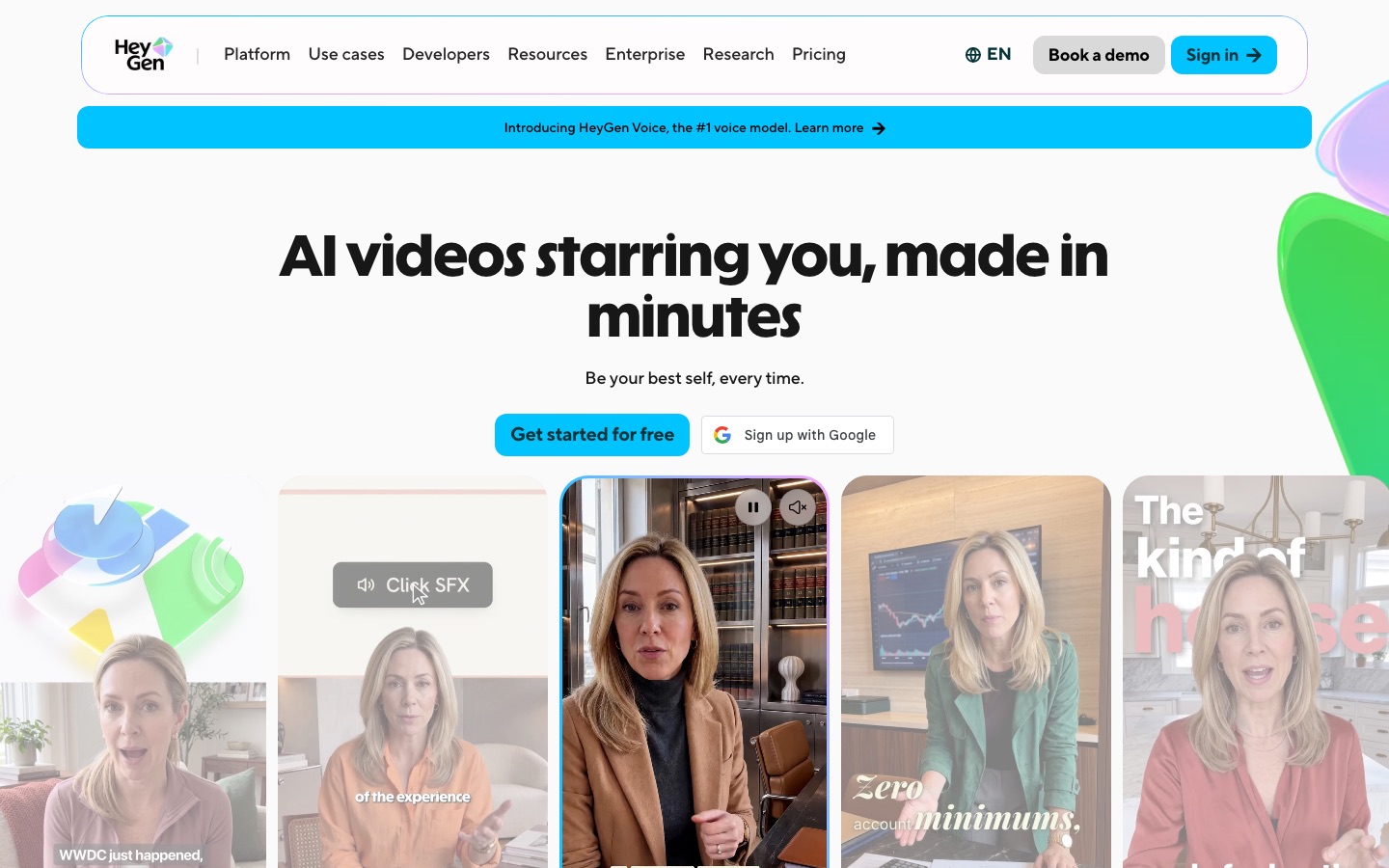
HeyGen is the default choice for most avatar video in 2026. You record a short clip to create a digital twin with your face and cloned voice, or turn a single photo into a photo avatar. Its avatar models have moved quickly: the free plan includes Avatar IV, Creator adds limited Avatar V usage, and Pro gets full Avatar V access and first access to newer models. It adds a Video Agent, 700+ stock avatars and lip-synced translation into 175+ languages.
Per the HeyGen pricing page, the free plan gives 3 watermarked videos a month up to 1 minute, one custom video avatar and up to 3 photo avatars. Creator costs $29 a month ($24 billed annually) with 600 credits, videos up to 30 minutes and 1080p export. Pro is $49 a month with 1,000 credits and 4K export, and Business is $149 plus $20 per seat.
Pros: most realistic custom avatars at its price, strong translation, generous free plan.
Cons: credits make costs hard to predict, and quality depends on your footage.
Best for: marketers, founders, sales teams and creators publishing in several languages.
See our HeyGen tutorial and full HeyGen review.
2. Synthesia: best for corporate training
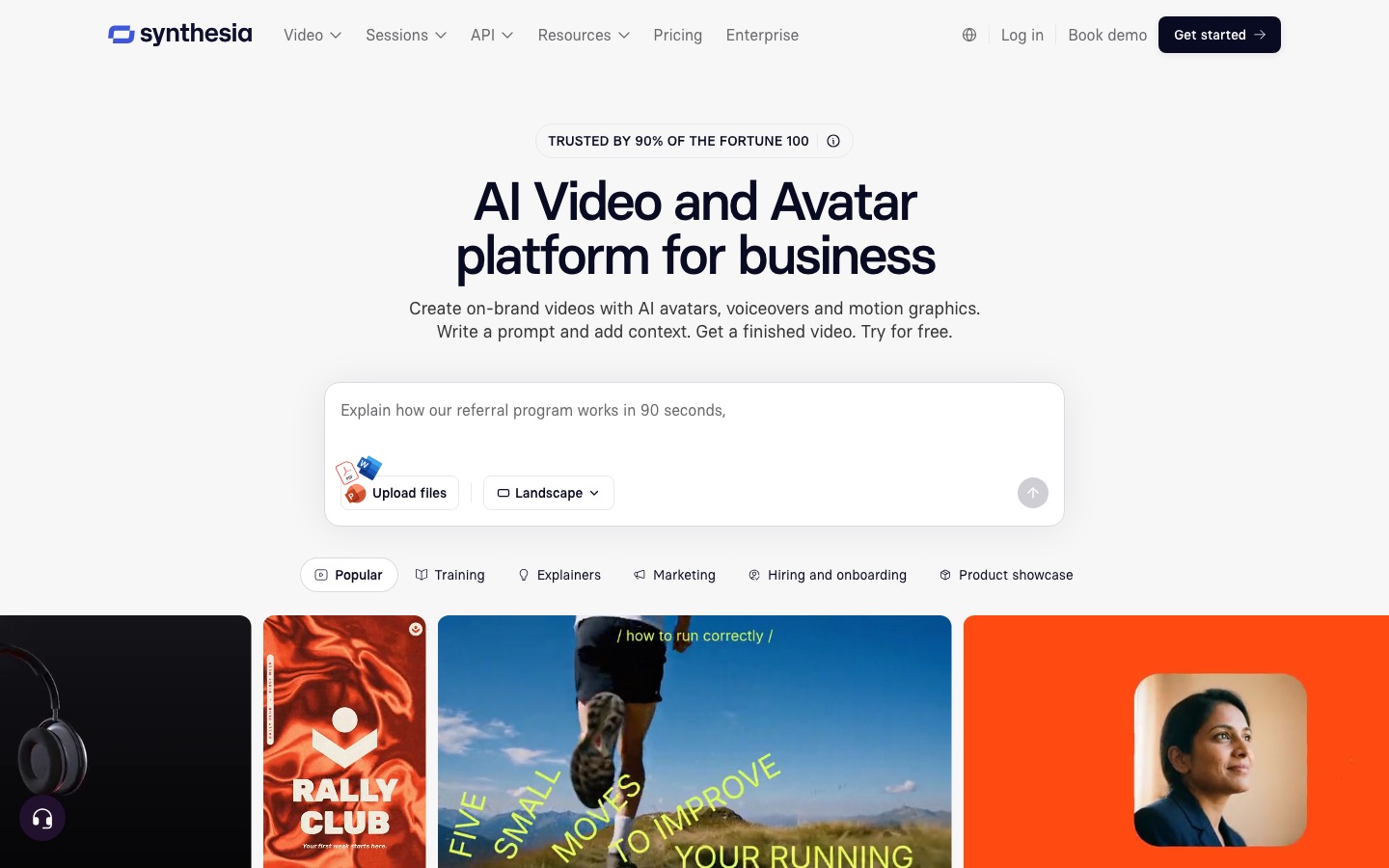
Synthesia is built for companies that make a lot of training, onboarding and internal video. Its slide-style editor, templates and brand kits let subject experts build videos alone. It offers 125+ stock avatars on Starter and 180+ on Pro, 140+ languages and voices, and dubbing into 70+ languages with voice preservation and optional lip sync (which uses double credits).
The Synthesia pricing page lists a free Basic plan with 10 minutes of video or dubbing a month (watermarked), Starter at $19 a month ($14 annual) with 3 personal avatars, and Pro at $89 a month ($59 annual) with 5 personal avatars.
Pros: polished output, enterprise security, a usable free plan.
Cons: stock avatars can feel corporate, and the credit math for dubbing and lip sync takes some reading.
Best for: L&D, HR, compliance and internal comms teams.
Torn between the two? Read our HeyGen vs Synthesia comparison.
3. Colossyan: best for learning teams on a budget
Colossyan targets workplace learning, with interactive videos (branching scenarios and quizzes), course creation and auto-translation built into the product. It has 300+ stock avatars, 120+ languages, and instant avatars on any active plan.
The free Starter plan (no credit card) includes 20 NEO minutes a month, 15 auto-translations and 10 interactive videos. Professional is $59 a month on annual billing, with 30 NEO and 10 NEO2 minutes, 20 custom avatars and $30 a month per extra member, per the Colossyan pricing page.
Pros: built-in interactivity for training, generous free plan, course creation included.
Cons: fewer marketing-style features, and NEO2 minutes are limited on lower plans.
Best for: instructional designers and small L&D teams.
4. AI Studios (formerly DeepBrain AI): best value for dubbing and volume
AI Studios, from DeepBrain AI, offers realistic stock and custom avatars, AI dubbing and real-time interactive avatars. Its standout is how much dubbing it includes: per the AI Studios pricing page, the $24 Personal plan includes 120 dubbing minutes a month, 3 custom video avatars and 100+ stock avatars, while Team at $55 a seat raises that to 240 minutes, 5 custom avatars and translated-script proofreading. The free plan gives 3 videos up to 1 minute at 720p.
Pros: lots of dubbing minutes per dollar, plus interactive avatars from $99/mo.
Cons: the editor is less refined than Synthesia's, and public feedback rates its lip sync as solid rather than class-leading.
Best for: teams localizing a lot of video, and businesses building interactive kiosks or agents.
5. Elai.io: best for turning documents into training video
Elai.io converts a URL, PDF or presentation into a presenter-led video, with 80+ avatars and 75+ languages. Creator costs $29 a month ($23 annual) for 15 minutes; Team is $125 a month ($100 annual) and adds a selfie avatar, a voice clone and 4K. A free plan gives 1 minute.
Pros: fast document-to-video workflow, simple pricing per minute.
Cons: small minute allowances, and custom avatars start on Team.
Best for: trainers converting existing slide decks.
Best AI avatar generators for creators and social video
6. Captions: best for creators filming on a phone
Captions started as an animated captions app and grew into a full talking-video studio (it recently merged in Mirage Studio, its AI actor product). AI Twin clones you, AI Ads generates presenters for ad scripts, and it fixes eye contact, trims filler words and translates with AI Lipdub, on iOS, Android and web.
Its pricing page lists Max at $24.99 a month (500 credits, including digital twins and custom AI actors) and Frontier from $69.99 a month (1,400 credits), with those figures quoted for iOS plans. A free tier covers basic editing.
Pros: combines avatars with a real phone camera and editor, great for short-form creators.
Cons: less suited to long training videos, and pricing differs by platform.
Best for: TikTok, Reels and Shorts creators, and small brands making UGC-style ads.
7. Argil: best for social clone videos
Argil focuses on short social videos featuring a clone of you, with characters that stay consistent from video to video, auto-edits, captions and B-roll. Plans use a monthly credit allowance that does not roll over; prices did not display when we checked, so confirm on the site.
Pros: made for creator-style content rather than corporate presenters.
Cons: no free plan, and pricing transparency is limited.
Best for: personal brands posting short videos daily.
8. Akool: best for face swap and live avatars
Akool is an AI video suite covering avatars, face swap, talking photos, video translation into 155+ languages and streaming (real-time) avatars. Per the Akool pricing page, the free plan includes 5 minutes of live face swap and streaming avatar time with a full-screen watermark. Starter is $12 a month billed annually (200 credits), Pro is $30 monthly or $21 annually (600 credits, 3 instant avatars), and
Pros: wide feature set in one account, live streaming avatars, strong face swap.
Cons: breadth over depth, and face swap demands careful consent practices.
Best for: marketers and agencies experimenting with personalized and live video.
9. Vidnoz: best free AI avatar generator
Vidnoz is the most generous place to try avatar video for free. Its free plan offers 1,800+ studio avatars, 890 voices, 3,200+ templates and videos up to 3 minutes at 720p, with a Vidnoz watermark, and the site advertises 60 free credits every day. Paid plans unlock 1080p, 60-minute videos and no watermark (Business adds voice cloning and translation); check current prices on the site.
Pros: big free allowance, huge avatar and template library.
Cons: less natural avatars and a confusing credit system.
Best for: beginners, students and anyone testing the idea before paying.
Talking photos, developers and real-time avatars
10. D-ID: best for talking photos
D-ID made its name animating still photos into talking heads, and it remains the cheapest paid entry point. Its Studio turns any portrait into a speaking avatar, and its API powers many third-party apps. Trial and Lite videos are watermarked, and minutes round up to the nearest 15 seconds. Third-party trackers put Lite at around $6 a month and Pro at around $29, but D-ID adjusts packages often, so check the D-ID pricing page.
Pros: one photo is enough, low entry price, mature API.
Cons: less natural body movement than video-trained avatars, and Lite is watermarked.
Best for: quick explainers, greeting videos and developers animating portraits.
11. Tavus: best for real-time conversational avatars
Tavus is a developer platform for AI humans that see, hear and reply in real time over video. Its current models are Phoenix-4.5 for rendering, Raven-1 for perception and Sparrow-2 for conversational turn-taking. Per the Tavus pricing page, a free Basic plan includes 25 conversational video minutes and 25 stock replicas, Starter is $59 a month for 100 minutes and 3 custom replicas, and Growth is $397 a month.
Pros: built for live conversations, not just pre-rendered clips.
Cons: needs development work, and usage costs scale with minutes.
Best for: product teams building AI tutors, interviewers or support agents.
12. Hedra: best for character animation via API
Hedra is known for animating characters (real or illustrated) with expressive lip sync, and in 2026 it leans toward a developer API and agent workspace. Pricing is pay as you go from a prepaid balance, with avatar and lip sync from 2.5 cents per second of output, per Hedra's pricing page.
Pros: works with stylized and cartoon characters, no subscription required for the API.
Cons: less of a turnkey presenter editor than HeyGen or Synthesia.
Best for: developers, animators and creators who want characters rather than corporate presenters.
Honorable mentions
CreatorKit, Keevx and KreadoAI: avatar actors for product ads, with translation and lip sync.
StableAvatar: open-source long talking-avatar videos from a photo and audio.
Sync: lip sync for existing footage when you want to re-voice real video instead of building an avatar.
Feature comparison: what each plan really includes
What the cheapest paid tier of each leading tool includes, per official pricing pages as of October 2026:
| Tool (entry paid plan) | Custom avatars | Max video length | Translation | Export |
|---|---|---|---|---|
| HeyGen Creator ($29) | 1+ video avatar, unlimited photo avatars | 30 min | 175+ languages | 1080p, no watermark |
| Synthesia Starter ($19) | 3 personal avatars | Credit-based (about 12 extra min/mo) | Dubbing in 70+ languages | No watermark |
| Colossyan Professional ($59 annual) | 20 custom avatars, 5 voices | 30 NEO + 10 NEO2 min/mo | 20 auto-translations/mo | No watermark |
| AI Studios Personal ($24) | 3 custom video avatars | Dubbing up to 30 min per video | 120 dubbing min/mo | No watermark |
| Akool Pro ($30, $21 annual) | 3 instant avatars | Translation uploads up to 30 min | 155+ languages | 4K |
| Elai Creator ($29) | Stock only (selfie avatar from Team) | 15 min/mo | 75+ languages | No watermark |
AI avatar generators for profile pictures
Want a profile picture or gaming avatar instead of a presenter? Use one of these:
Photo AI and Magik Face: train a personal model on your selfies, then generate styled portraits in any setting.
RemixAvatar: restyle one photo into a new profile picture from a style reference, with no prompt writing.
Avaturn: turns a selfie into a rigged 3D avatar for games and apps.
Adobe Firefly: commercially safe illustrated or stylized avatars from a prompt.
For professional, realistic photos of yourself, our best AI headshot generators guide compares the dedicated headshot tools.
FAQ
What is the best AI avatar generator?
HeyGen is the best all-round AI avatar generator in 2026, thanks to realistic custom avatars, photo avatars and translation into 175+ languages from $29 a month, with a free plan to test. Synthesia is better for enterprise training, and D-ID is the cheapest way to animate a single photo.
Is there a free AI avatar generator?
Yes. HeyGen gives 3 free videos a month up to 1 minute, Synthesia gives 10 free minutes a month, Colossyan has a free Starter plan, and Vidnoz advertises daily free credits. Free output is almost always watermarked and limited to short videos or 720p, so expect to pay to publish professionally.
How do I make an AI avatar of myself?
Record a short, well-lit clip of yourself talking naturally to camera, upload it to a tool like HeyGen, Synthesia or Captions, and complete the consent verification. The tool trains a digital twin that can then read any script in your cloned voice. Photo avatars work from a single image but look less natural.
Are AI avatar videos legal to use commercially?
Generally yes on paid plans, as long as you have consent from the person whose likeness and voice you use and follow each platform's terms. Free plans often restrict commercial use or add watermarks. Never clone someone without permission, and check advertising and disclosure rules in your market.
Which AI avatar generator is the most realistic?
HeyGen's Avatar IV and Avatar V models and Synthesia's latest avatars are generally rated the most realistic in public feedback, especially for custom avatars made from good footage. Realism drops with fast speech, side profiles, hands near the face or poor source video, so test with your own script.
What is the difference between an AI avatar and a deepfake?
The technology overlaps, but the difference is consent and purpose. Legitimate avatar platforms require the person being cloned to verify consent, moderate content, and label or watermark output. A deepfake imitates someone without permission. Use reputable platforms and keep consent records for every custom avatar.
Can AI avatars speak other languages?
Yes. HeyGen translates into 175+ languages and dialects, Synthesia supports 140+ languages and dubbing into 70+, AI Studios includes dubbing minutes on every paid plan, and Akool lists 155+ translation languages. Most keep your cloned voice and adjust lip movements to match the new language.
Final verdict
For most people, HeyGen is the best AI avatar generator: the most convincing custom avatars at a creator price, strong translation, and a free plan to prove it works for you. Choose Synthesia for enterprise training, Colossyan or AI Studios for budget and volume, D-ID for talking photos, and Captions if you film on a phone. Test your own script in two tools before buying annually.
Browse every avatar, editing and generation tool we track in the AI video category. Building an avatar tool we have missed? Submit it for a listing.