Photoroom Review (2026): Pricing, AI Models and Video Ads
Photoroom is still the fastest way to turn phone photos into clean product images, and in 2026 it added AI fashion models, batch AI edits, Shopify publishing and a video ad maker. Here is what each plan really includes, what users complain about, and when Pixelcut, Pebblely or Flair is the better pick.
Our Photoroom review verdict: Photoroom is the best all-round AI product photo editor for small online sellers in 2026, as long as you treat it as a production tool and watch your credits. Background removal, retouching and resizing are fast and free of credit costs on paid plans, the mobile app is excellent, and the 2026 additions (AI fashion models, batch AI edits on up to 250 images, Shopify publishing and a video ad maker) make it a one-stop studio for a Shopify or marketplace catalog. Skip it if you only need occasional cutouts (a free background remover will do), if you need vector or print files, or if you cannot tolerate a subscription that is famously hard to cancel through app stores.
This review is based on Photoroom's official pricing page, API pricing, its 2026 product recaps and public user feedback on Trustpilot, G2 and app stores as of October 2026. We did not run a paid hands-on test. For a wider view of the category, see our guide to the best AI product photo generators.

Photoroom at a glance
What it is: an AI photo editor and generator built for product photos, available on iPhone, Android and the web, with an API and an MCP connector for Claude.
Best for: Shopify, Etsy, eBay, Amazon and Depop sellers, resellers, small fashion brands and marketplace teams who need consistent catalog images fast.
Core tools: background remover, retouch, AI shadows, AI expand and resize, image enhancer, batch editing and templates.
Generative tools: AI backgrounds, product staging, AI fashion models, ghost mannequin, flat lay, recolor, Edit with AI and a video generator.
Pricing: free plan, then Pro at $12.99/mo, Max at $34.99/mo and Ultra at $99/mo, with large discounts on yearly billing.
Not for: vector design, print-resolution work on the cheaper plans, or anyone who wants a pure pay-per-image tool without a subscription (use the API instead).
What Photoroom is and what changed in 2026
Photoroom started in 2019 as a phone app that cut products out of their background. That is still the core: point your phone at a sneaker or a candle and you get a marketplace-ready image in seconds. It has since grown into a full product imaging platform, and 2026 was its biggest year of changes.
According to Photoroom's H1 2026 product recap, the main additions were:
Batch AI tools: since February, the web app can apply Ghost Mannequin, AI Fashion Model, Recolor, Flat Lay, Product Beautifier, Product Staging and Edit with AI to up to 250 images at once. Mobile batch arrived in May.
Custom AI fashion models: save a model in your Brand Kit and reuse the same face across products and seasons, and dress one model in up to four items in a single generation.
Product Fixer: repairs details an AI generation got wrong with one brush stroke, using the original photo as reference, at no credit cost.
2K and 4K tiers: seven generative tools can now export at higher resolutions, gated by plan.
Shopify tools: Listing Score flags weak product listings, and catalog publishing pushes images, new products and SEO metadata to your store in one step.
AI Ironing and AI Shot List: remove wrinkles from garments, and generate several shot variations from one image with a preview before credits are spent.
Video: a template-first video generator with 300+ ecommerce templates, multi-reference product video, and a Video Ad Maker that writes a script and shot plan you can edit before rendering.
Photoroom MCP for Claude: describe edits in plain language and run multi-step image workflows from Claude.
The pricing model changed too. Photoroom now separates exports (every image you download or publish) from AI credits (spent on generative features). Understanding that split is the key to choosing a plan, so we cover it in detail below.
Key features, reviewed
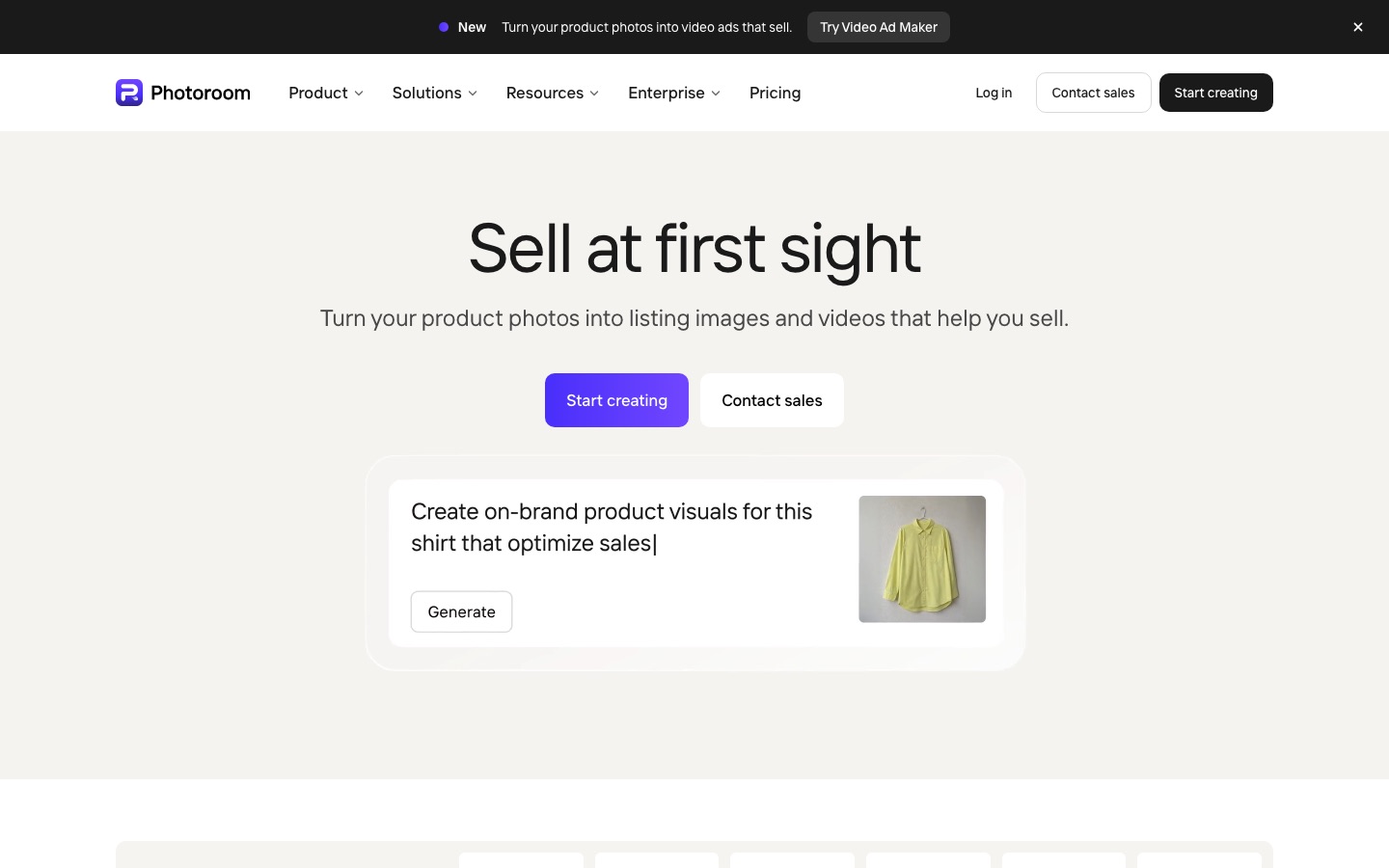
Background remover and retouch
This is the feature that built Photoroom's reputation, and public feedback is still overwhelmingly positive about it. Cutouts handle hair, fur, fabric edges and most reflective packaging well, and the retouch brush removes dust, tags and stray objects. On paid plans these core tools do not use AI credits, though Photoroom applies fair-use limits. Clear glass and white-on-white products still need occasional manual cleanup.
AI backgrounds and product staging
AI Backgrounds places your cutout into a generated scene from a preset or a text prompt, such as a marble countertop at golden hour or a beach towel with soft shadows. Product Staging goes further and builds a realistic lifestyle scene around the product. Both cost AI credits, and Product Staging requires a paid plan. The common caveat: generative staging can subtly change logos, handles or seams, so check staged images against the real product (Product Fixer helps).
AI fashion models, ghost mannequin and flat lay
For clothing sellers, this is the most important 2026 upgrade. Upload a garment on a hanger, a mannequin or a flat lay, and Photoroom can put it on an AI model, generate a ghost mannequin (the hollow, invisible-mannequin look) or create a clean flat lay. Custom models saved in your Brand Kit keep the same face across a whole collection, which solves the biggest complaint about earlier AI model tools. Specialists like Botika and FASHN still offer more control over poses and fit, as we explain in our guide to the best AI fashion model generators, but for a small brand that also needs packshots, having it all in one app is a real advantage.
Batch editing and templates
Batch mode lets you apply the same background, shadow, size and margins to a whole set of photos. In 2026 batch also covers the AI tools above (up to 250 images per run on the web) and adjustable AI shadow settings. Batch export requires Pro or higher.
Video generator and Video Ad Maker
Max and Ultra include product video generation. You can start from one of more than 300 ecommerce templates, combine several reference images for a product spin or cinematic shot, or use the Video Ad Maker, which drafts a script and shot plan with voiceover, an AI actor, format and duration that you edit before generating. Output covers 9:16 for TikTok, Reels and Shorts, and 16:9 for YouTube and websites. Photoroom advises checking videos for product accuracy. If video ads are your main goal, dedicated tools in our best AI ad generators guide offer more formats and actors.
Shopify integration and Listing Score
On Max and Ultra, the Shopify integration lets you publish edited images straight to products, create new products from photos, and generate SEO titles and descriptions in your store's language. Listing Score rates each product and flags the listings likely to cost you sales. Every image published to Shopify counts as an export.
API and MCP
Developers and marketplaces can use the Photoroom API: the Remove Background API costs $0.02 per image, and the Image Editing API (AI backgrounds, shadows, expand, ghost mannequin, virtual try-on, staging) costs $0.10 per image, sold in fixed monthly bundles. A sandbox gives 1,000 watermarked calls a month for free, and you get 10 free production calls when you sign up. Enterprise API contracts start at a 200,000-image annual minimum.
Photoroom pricing (as of October 2026)
Prices below are US web prices from the official Photoroom pricing page and recent pricing checks. Photoroom notes that credit amounts can vary by country, and app store prices are often higher than web prices, so subscribe on the web if you can.
| Plan | Price | AI credits / mo | Exports / mo | What it really adds |
|---|---|---|---|---|
| Free | $0 | Limited | Limited (about 100) | Background remover and basic editing; personal use; not suitable for a real store |
| Pro | $12.99/mo or $89.99/yr | 8,000 | 1,000 | All core tools without credit cost, batch export, AI backgrounds and models at 1K, up to 50 seats |
| Max | $34.99/mo or about $250/yr | 25,000 | 3,000 | 2K output, up to 50 video generations, Shopify integration |
| Ultra | $99/mo or $990/yr | 75,000 | 10,000 | 4K images and HD video, up to 150 video generations; larger Ultra tiers available |
| Enterprise | Custom | Shared annual balance | Usage-based | SSO, SLA, SOC 2 Type 2, Visual QA, adjustable AI shadows, outcome-based Enterprise Guarantee |
Credits vs exports, explained
Think of exports as your download allowance and credits as your generative AI fuel. A seller who mostly removes backgrounds and resizes photos will hit the export cap long before running out of credits, so Pro's 1,000 exports is the number that matters. A fashion brand generating on-model shots will burn credits first, and higher resolutions cost more credits per image. Both pools are shared across everyone in a Space, so a team of five on one Pro plan shares the same 1,000 exports.
Is Photoroom free?
Photoroom has a free plan with the background remover and basic editing, but it is limited in exports and AI features, and recent reviews of Photoroom's terms note that free output is licensed for personal use. In practice, anyone selling products should budget for Pro. If you only need a few transparent PNGs a month, a free background remover from our best AI background removers list is enough.
Pros and cons
Pros
Best-in-class mobile app for shooting and editing products on the spot.
Core tools cost no credits on paid plans, so everyday cutouts and resizing are predictable.
All-in-one catalog studio: packshots, lifestyle scenes, AI models, ghost mannequin and video in one subscription.
Batch AI on up to 250 images and reusable brand models keep a catalog consistent.
Shopify publishing and Listing Score save real time for store owners.
Cheap, simple API at $0.02 per background removal.
Cons
Two allowances to track (credits and exports), shared across your team.
Resolution is gated: 2K needs Max and 4K needs Ultra.
Generative edits can alter product details, so every AI image needs a check.
Video and Shopify require Max, nearly three times the price of Pro.
Billing and support complaints are common in public reviews.
Raster output only (PNG, JPEG, WebP), no vector files.
Common complaints from Photoroom users
Photoroom's app store ratings are high, but its Trustpilot page tells a different story, with a low score across a couple of hundred reviews when we checked. The complaints cluster around a few themes:
Charges after a free trial or after cancelling. Many reviewers say they were billed after cancelling. Photoroom's replies explain that subscriptions bought through the Apple App Store or Google Play must be cancelled there, not inside the app, and web subscriptions are managed at app.photoroom.com. Cancel a trial at least a day early and keep the confirmation.
Credits spent on failed or poor results. Photoroom says technical failures are refunded automatically, but a generation you do not like still costs credits. Draft at 1K first.
Allowances that feel small. Several users say the credit and export limits were not clear at signup. Read the plan table above before you buy.
Slow support. Reviewers describe bot-first support and slow replies on billing disputes. Photoroom's pricing page offers refunds up to one week after purchase, so act quickly if a plan is wrong for you.
Privacy. Recent reviews note that Photoroom's 2026 privacy policy allows uploaded images to be used for model training unless you opt out in settings. If that matters for unreleased products, opt out before uploading, or use Enterprise.
Photoroom alternatives compared
| Tool | Best for | Free plan | Starting price |
|---|---|---|---|
| Photoroom | All-round product photos, Shopify, AI models | Yes, limited | $12.99/mo ($7.50/mo yearly) |
| Pixelcut | Budget mobile editing, generous unlimited cutouts | Yes, limited | $10/mo ($8/mo yearly) |
| Pebblely | Themed product scenes on a budget | Check site | $9/mo for 30 images |
| Flair | Art-directed product scenes on a canvas | Yes, 5 images | $8/mo |
| remove.bg | Background removal only, API | Free previews | From about $9/mo |
| Canva Magic Studio | Social graphics and ads with product photos | Yes | About $15/mo |
Photoroom vs Pixelcut
Pixelcut is the closest rival. Pro costs $10 a month ($8 yearly) with unlimited background removal and upscaling, 600 AI credits and 1,000 batch exports, and it bundles third-party image and video models. Photoroom has more mature batch AI, custom brand models and deeper Shopify tools. Pick Pixelcut on a tight budget, Photoroom when you run a real catalog.
Photoroom vs Pebblely and Flair
Pebblely is a simple scene generator with 40+ themes, priced by image count ($9 for 30 images, $19 for 200, $39 for 500). Flair gives you a drag-and-drop canvas to art-direct product scenes and train custom product models, from $8 a month. Both make prettier hero images than Photoroom's presets for brand campaigns, but neither replaces Photoroom's everyday editing.
Photoroom vs Canva and general image models
If you mainly need ads and social graphics, Canva Magic Studio (see our Canva Magic Studio review) or Picsart (see Picsart vs Canva) may cover you. General models like Nano Banana Pro and Adobe Firefly can generate striking product scenes from a reference photo, but they lack batch processing, marketplace presets and product-accuracy guardrails.
Who should use Photoroom?
Resellers (Vinted, Depop, eBay): the free plan or Pro.
Shopify and Etsy store owners: Pro if you list fewer than 1,000 images a month; Max if you want Shopify publishing, 2K output and product videos.
Small fashion brands: Max, for AI models, ghost mannequin and video in one place.
Marketplaces and platforms: the API, at $0.02 to $0.10 per image, or Enterprise for SLAs and Visual QA.
Agencies: Ultra or Enterprise, for 4K output and high export volume.
FAQ
Is Photoroom worth it in 2026?
For anyone selling products online, yes. Pro at $12.99 a month (or $7.50 a month billed yearly) covers unlimited-feeling background removal and retouching plus 1,000 exports, which replaces hours of manual editing. It is less worth it if you only edit a handful of photos a month or if you need 4K output, which requires the $99 Ultra plan.
What is the difference between Photoroom Pro, Max and Ultra?
Pro ($12.99/mo) gives 8,000 AI credits and 1,000 exports. Max ($34.99/mo) raises that to 25,000 credits and 3,000 exports and adds 2K output, product video and the Shopify integration. Ultra ($99/mo) gives 75,000 credits, 10,000 exports, 4K images and HD video. All three allow up to 50 seats sharing the allowance.
How do I cancel my Photoroom subscription?
Cancel where you subscribed. If you bought through the Apple App Store or Google Play, cancel in your phone's subscription settings, because deleting the app does not stop billing. If you subscribed on the web, cancel at app.photoroom.com in your account settings. Keep the confirmation email and check your next statement.
Is Photoroom better than Pixelcut?
Photoroom is better for running a full catalog, thanks to batch AI tools on up to 250 images, custom brand models, Shopify publishing and video. Pixelcut is cheaper at $10 a month and its unlimited background removal is generous, so it suits sellers on a tight budget. Try both free plans on your own products.
Does Photoroom use my photos to train AI?
Recent reviews of Photoroom's 2026 privacy policy say uploaded images may be used to improve its models unless you opt out in your account settings, and the opt-out is not retroactive. If you photograph unreleased products, opt out before uploading or discuss data terms on an Enterprise contract. Check Photoroom's current privacy policy for the exact wording.
How much does the Photoroom API cost?
The Remove Background API costs $0.02 per image and the Image Editing API, which adds AI backgrounds, shadows, expand, ghost mannequin and virtual try-on, costs $0.10 per image, sold in monthly bundles with no rollover. A free sandbox offers 1,000 watermarked calls a month. Enterprise contracts start at 200,000 images a year.
Final verdict
Photoroom earns its place as the default product photo app for small sellers. The core editing is fast, reliable and free of credit worries on paid plans, and the 2026 upgrades turn it into a credible all-in-one catalog studio, with consistent AI models, batch generative edits, Shopify publishing and video ads. The weaknesses are commercial rather than technical: two shared allowances, resolution and video locked behind pricier tiers, and a billing experience that generates a lot of angry reviews. Start on the web with Pro, check every AI-generated image against the real product, and upgrade to Max only when you need video, 2K or Shopify publishing.
Browse more AI photo editors, generators and upscalers in the AI image tools category, or compare the wider field in our best AI image editors guide. If you build a product photo tool we have missed, you can submit it for a listing.