Suno Review (2026): Is Suno v6 Worth Paying For?
Our Suno review for 2026: what the v6 models, Studio 2.0 and the new download caps mean for you, what Free, Pro and Premier really include, who owns your songs, the lawsuits, and when Udio, Eleven Music or a royalty-free library is the better pick.
Verdict: in this Suno review for 2026, Suno is still the best AI song generator for most people, but it is no longer the no-brainer it was. Pick it if you want full songs with vocals from a text prompt, you write your own lyrics, or you want stems and a browser DAW (Premier). Skip it, or stay on the free plan, if you need dozens of finished downloads a month, you dislike the v6 sound, or you need music with zero legal uncertainty for a brand campaign.
Three changes reshaped Suno this year. On September 3, 2026, new terms capped monthly downloads. On September 9, the v6 model family replaced every older model. And in August, Suno Studio 2.0 added MIDI and effects to its browser workstation. Meanwhile Universal and Sony filed a second lawsuit. This review explains what Suno does well, what each plan really gets you, where users are unhappy, and how it stacks up against the alternatives. It is based on Suno's official pricing page, help center, company blog, court reporting and public user feedback as of October 2026, not blind listening tests.

Suno at a glance
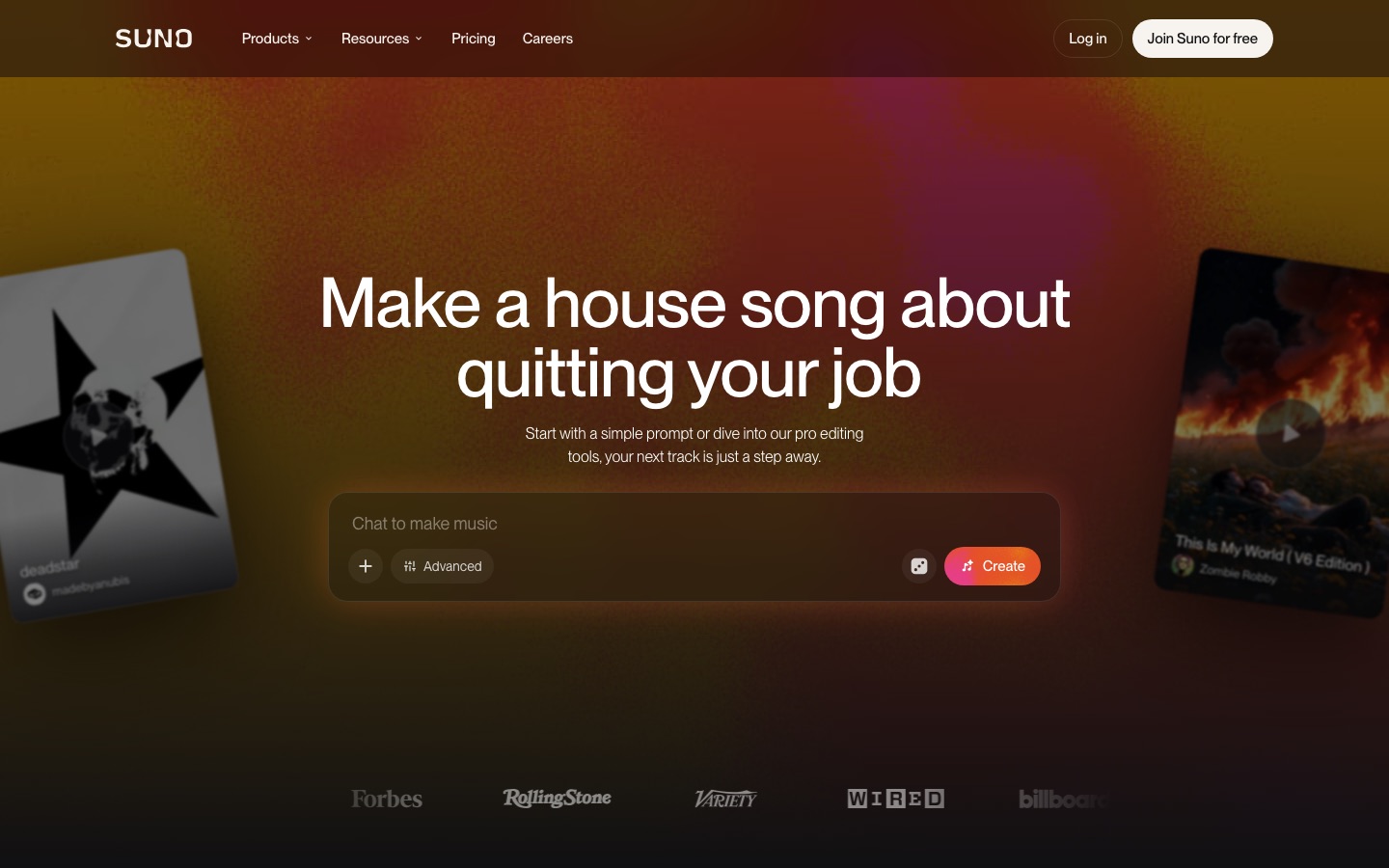
What it is: an AI music generator that writes and sings full songs from a prompt, your lyrics, or uploaded audio.
Models: v6 (flagship), v6-wild (experimental) and v6-mini (fast, free).
Free plan: 50 credits a day (about 10 songs), v6-mini only, non-commercial, no monthly downloads.
Paid plans: Pro at $10/mo ($8 yearly) and Premier at $30/mo ($24 yearly).
Downloads: 20 a month on Pro, 60 on Premier, uncapped inside Suno Studio.
Rights: you own songs made on a paid plan and can use them commercially.
Best for: hobbyists, songwriters, content creators and producers who want raw material.
What changed at Suno in 2026
Suno is a Cambridge, Massachusetts company, and its CEO said in February 2026 that it had passed 2 million paid subscribers. Here is what happened since:
August 13: Studio 2.0 launched for Premier, adding MIDI recording and editing, effects, automation, a chat assistant and better stem separation.
September 3: new terms of service introduced monthly download caps for every plan and applied them to older songs too.
September 9: v6 launched and Suno began retiring all previous models. Suno says v6 was trained from scratch with Warner Music Group, BMG and Believe as partners.
September 18: Universal and Sony filed a second lawsuit, aimed at v6, alongside their original 2024 case.
The common thread is licensing. After settling with Warner in late 2025, Suno is rebuilding around label-approved models, and the download caps are part of that deal. Suno's stated reason was to make mass exporting harder for bad actors.
Key features
Simple and Advanced creation
The Create screen has three modes. Simple takes a one-line idea ("a lo-fi breakup song with a sad trumpet") and writes the lyrics and style for you. Advanced gives you separate fields for lyrics, styles and title, plus sliders under More Options. Sounds makes loops and one-shots for producers. Each generation costs 10 credits and returns two takes, so you always have a choice.
Lyrics accept structure tags such as [Verse], [Chorus], [Bridge] and [Instrumental], which is the single best way to get a song with a real shape. Our step-by-step guide on how to make a song with Suno covers tags, style prompts and sliders in detail.
The v6 models
Suno's v6 announcement focuses on control. v6 aims for polished, predictable results across genres. v6-wild is deliberately less predictable, which helps when you are hunting for ideas. v6-mini is faster and lighter and is the only model on the free plan. All three understand musical language better than older models, including references to vocals, instrumentation, structure and mood, and they accept text, audio, images and video as starting points.
Suno's help center says a v6 generation can run up to 8 minutes, which is far longer than most rivals, and Extend continues a song from where it ends.
Editing: section edits, lyric changes, covers and mashups
This is where v6 moved furthest. You can rewrite one section in plain language ("make the second chorus bigger, add strings"), change a single word or line without regenerating the song, build a mashup that combines vocals and drums from several songs, or sample a riff and build a beat around it. Cover restyles a song while keeping its melody, and Remaster refreshes an older track. On the current pricing page, Pro gets the basic editing tools, while Premier adds advanced editing (replace or add sections), personas, and adding new vocals or instruments to an existing song.
Your own voice, uploads and custom models
Paid plans let you record or upload your own voice and audio, and build custom models. Uploads can run up to 8 minutes on the free plan and up to 30 minutes on paid plans. This is the feature that turns Suno from a toy into a writing partner: hum a melody or record a rough guitar idea, and let Suno arrange it.
Stems and Suno Studio 2.0
Pro includes two stem separation types (Auto and Split from mix), and Premier adds a third, Advanced split. Premier also unlocks Suno Studio, a generative digital audio workstation that runs in the browser. Studio 2.0 adds MIDI, a built-in synth, effects, automation and custom plugins, and Suno says Premier users can export 32-bit, 48 kHz multitracks and stems from Studio without download limits. If you finish tracks in Ableton, Logic or FL Studio, this is the main reason to pay for Premier.
Suno pricing (as of October 2026)
Prices and limits come from the official Suno pricing page in October 2026. Yearly billing saves 20%.
| Plan | Price | Credits | Models | Downloads | What you really get |
|---|---|---|---|---|---|
| Free | $0 | 50 per day (about 10 songs) | v6-mini | None monthly | Shared queue, 4 songs at once, 8-minute uploads. Suno owns the songs; non-commercial only. |
| Pro | $10/mo or $8/mo yearly ($96/yr) | 2,500 per month (about 500 songs) | v6, v6-wild, v6-mini | 20 per month | Commercial rights, priority queue, 10 at once, 2 stem types, voice uploads, custom models, 30-minute uploads, credit top-ups. |
| Premier | $30/mo or $24/mo yearly ($288/yr) | 10,000 per month (about 2,000 songs) | v6, v6-wild, v6-mini | 60 per month, uncapped in Studio | Everything in Pro, plus Suno Studio, 3 stem types, personas and advanced section editing. |
Credits do not roll over. Top-up credits never expire but need an active subscription, and you can buy extra downloads when you hit your cap (the price is shown in the app). One quirk worth knowing: generation and download limits are separate, so Pro lets you create about 500 songs a month but download only 20 of them. Audition everything in the browser and spend downloads only on finished versions.
Downloads and who owns your songs
Ownership depends on the plan you were on when you created the song. Songs made on Pro or Premier belong to you with commercial use rights, and those rights survive if you cancel later. Songs made on the free plan belong to Suno and are for non-commercial use. According to Suno's downloads policy update, songs downloaded on paid plans remain yours to use commercially, while free trial downloads (up to 7 for accounts that joined before September 3) are personal use only.
Two practical rules follow. Subscribe before you write anything you might release, because upgrading later does not appear to convert old free songs. And keep local copies of every master and lyric sheet you download, since policies have changed twice in a year. Also remember that owning a fully AI-generated song is not the same as having copyright protection: US law requires human authorship, so your own lyrics, melodies and edits strengthen your position.
Sound quality: what users say about v6
We did not run blind tests, so here is what public feedback shows. The v6 launch was Suno's most divisive release. A widely shared MusicRadar report quoted users calling it "muffled" and "generic", and launch threads on Reddit complained about buried vocals, a dull high end and prompts that ignore precise BPM or arrangement requests. Other creators report cleaner, more coherent songs, wider mixes and better rock, folk and electronic tracks. Hands-on reviewers generally land in between: v6 follows structure and editing instructions better, but its default mix can sound flatter than the older v5.
Since older models are being retired, you cannot simply switch back. The best workaround is to try the same prompt on v6 and v6-wild, be specific about vocal style and production in the Styles field, and use section edits rather than rerolling whole songs.
Suno v6 is easier to control than any version before it. Whether it sounds better is a matter of genre and taste.
Pros and cons
Pros
Full songs with vocals in under a minute, with two takes per generation.
Long tracks: up to 8 minutes per generation on v6.
Deep editing: single-lyric changes, section rewrites, covers, mashups and extends.
A real production path: stems, MIDI and Studio exports for Premier users.
Generous free tier for learning, at about 10 songs a day.
Clear commercial rights for songs made on paid plans.
Cons
Download caps: 20 a month on Pro is tight for content creators.
Mixed v6 reception: some users find it muffled or generic, and the old models are gone.
Free songs are not yours: they belong to Suno and cannot be used commercially.
Legal uncertainty: active lawsuits from Universal and Sony, plus a German ruling against Suno.
Credits do not roll over, and stem separation and Studio actions cost extra credits.
Legal status: is it safe to use Suno?
Using Suno is legal for you as a creator, but the company is in court. Universal and Sony's original 2024 case continues in Massachusetts, and their September 18, 2026 complaint argues that v6 still benefits from older models trained on their recordings. Suno calls that suit "fundamentally flawed on both the facts and the law" and says v6 was trained on licensed content plus user creations and preference data. In Germany, a Munich court ruled in July 2026 that Suno infringed works represented by the rights group GEMA, a decision Suno may appeal. Warner settled in November 2025 and is now a partner.
For personal projects and social content, the practical risk is low. For a national ad campaign or a track you plan to pitch to a label, talk to a lawyer and check your distributor's AI policy first. The full timeline is in our Suno vs Udio comparison.
Suno vs the alternatives
| Tool | Best for | Free plan | Paid from | Downloads |
|---|---|---|---|---|
| Suno | Full songs with vocals, editing, stems | Yes, 50 credits a day | $10/mo | 20 to 60 a month, uncapped in Studio |
| Udio | Vocal realism, inpainting | Yes | $10/mo | Disabled since October 2025 |
| ElevenLabs (Eleven Music) | Licensed music for marketing | Yes, personal use | $6/mo | Yes, commercial from Starter |
| Lyria 3.5 | Trying Google's music model | Yes, in the Gemini app | Check Google | Check Google |
| Soundraw | Royalty-free background music | Yes | Check site | Yes, royalty free |
| AIVA | Instrumental and cinematic scores | Yes | Check site | Yes, by plan |
Suno vs Udio
Udio still has fans for its vocal texture and inpainting, but it has not allowed audio or stem downloads since its Universal settlement in October 2025, and its licensed relaunch had no public date in October 2026. For now, Suno is the only one of the two that lets you release what you make.
Suno vs Eleven Music
ElevenLabs offers Eleven Music in the same account as its voices and sound effects, with commercial use from $6 a month and a new Universal Music deal. It has nothing like Suno Studio for detailed production, but marketers who want fewer legal questions should test it. Our ElevenLabs review covers the plans.
Suno vs Google's Lyria and Flow Music
Google's Lyria 3.5 is free to try in the Gemini app, and Google Flow Music, formerly Riffusion, wraps it in a chat-based production studio. They are worth a try if you already pay for Google AI plans.
Suno vs royalty-free generators
If you need lots of instrumental background music for videos, Soundraw, Beatoven.ai or AIVA are often cheaper per track and avoid download caps. See all the options in our best AI music generators guide.
Who should use Suno
Hobbyists and gift songs: the free plan, or one month of Pro when you want to download a keeper.
Songwriters: Pro, to sketch arrangements around your own lyrics and melodies and own the results.
Producers: Premier, for stems, MIDI and uncapped Studio exports into your DAW.
YouTubers and podcasters: Pro for intros and theme songs. For dozens of background tracks, a royalty-free tool is better value.
Brands and agencies: test Suno, but weigh the legal picture and consider Eleven Music for campaign work.
FAQ
Is Suno worth it in 2026?
For most people who want songs with vocals, yes. Pro costs $10 a month, gives about 500 songs, 20 downloads and commercial rights. Premier at $30 is worth it only if you will use Suno Studio's stems and MIDI. If you just want to experiment, the free plan's 10 songs a day is enough.
Is Suno free?
Yes. The free plan gives 50 credits a day, about 10 songs, on the v6-mini model. Free songs belong to Suno and are for non-commercial use, and there are no monthly downloads, though some accounts have a few personal-use trial downloads. To own and release songs, you need Pro or Premier.
How many songs can you download on Suno?
Since September 3, 2026, Pro includes 20 downloads a month and Premier includes 60, with no limit on exports from inside Suno Studio for Premier users. Unused downloads do not roll over, and you can buy more when you reach the cap. All songs stay playable and shareable on every plan.
Can I use Suno songs on Spotify and YouTube?
Yes, if you made them on a paid plan. Pro and Premier songs come with commercial use rights, so you can distribute them to streaming services and monetize them on YouTube. Check your distributor's AI rules first, and avoid using free-plan songs, which belong to Suno.
Is Suno v6 better than v5?
It depends on the song. v6 follows editing instructions, structure and musical references better, and it adds section and lyric edits. But many users say its default mix sounds muffled or generic compared with v5. Since older models are being retired, use v6-wild and detailed style prompts to get closer to the sound you want.
Is Suno being sued?
Yes. Universal and Sony have two active US lawsuits against Suno, filed in 2024 and in September 2026. Warner settled in November 2025 and partnered with Suno. A Munich court also ruled against Suno in a case brought by GEMA in July 2026. None of this makes using Suno illegal for creators.
Final verdict
Suno is still the most capable AI song generator you can actually release music from. v6 gives you more control than ever, with single-line lyric edits, section rewrites, 8-minute songs and, on Premier, a proper browser workstation with stems and MIDI. The download caps and the divided reaction to v6's sound are real drawbacks, and the lawsuits are not going away.
Our advice: learn on the free plan, subscribe to Pro before you write anything you might release, and upgrade to Premier only if you finish tracks in a DAW. If you need large volumes of background music or no legal questions at all, look at a royalty-free alternative instead.
Explore more music, voice and sound tools in the AI audio tools category, or compare options in our roundup of the best AI music generators. Made a music tool we should review? Submit it for a listing.