Best AI Vocal Removers (2026): 10 Tools to Isolate Vocals and Split Stems
The best AI vocal remover depends on what you need: LALAL.AI for clean, pro-grade stems, Moises for practicing musicians, Fadr or Ultimate Vocal Remover for free, and the stem splitters built into Logic Pro and FL Studio if you already own them. Here are 10 picks with current pricing, tips for cleaner results and the copyright rules to know.
The best AI vocal remover for most people in 2026 is LALAL.AI: it produces some of the cleanest vocal and instrumental splits available, separates up to 10 stem types including guitars and piano, and has a free tier plus plans from $7.50 a month. Musicians who want to practice along with songs should pick Moises. If you want it free, use Fadr in the browser or the open-source Ultimate Vocal Remover on your own computer. Producers on Logic Pro or FL Studio already have a capable stem splitter built in.
AI vocal removers use source separation models trained to pull a mixed song apart into vocals, drums, bass and other instruments. The quality gap between tools has narrowed, so the real differences are now stem options, file formats, limits, speed and price. This guide compares 10 options based on official pricing pages, product documentation and public user feedback from musicians and producers as of October 2026, not our own listening tests.




Quick picks: the best AI vocal remover for each job
Best overall quality: LALAL.AI. Clean splits, 10 stem types, lead and backing vocal splitting.
Best for practicing musicians: Moises. Stems plus chord detection, tempo and pitch control.
Best free in the browser: Fadr. Free 4-stem separation, Plus from $10 a month for 18 stem types.
Best free and offline: Ultimate Vocal Remover (UVR). Open source, runs locally, many models.
Best free desktop app with voice tools: Replay, from Weights.
Best for producers who also want AI voices: Kits AI.
Best for vocal transformation and covers: Vocalist.ai.
Best for professional audio repair: iZotope RX with Music Rebalance.
Best for video files: Media.io vocal remover.
Best if you already own a DAW: the stem splitters in Logic Pro and FL Studio.
All 10 picks at a glance
Prices are list prices as of October 2026 where the vendor publishes them. Several music apps show prices only inside the app, so we say "check site" rather than guess.
| Tool | Best for | Free plan | Starting price |
|---|---|---|---|
| LALAL.AI | Cleanest stems, many stem types | Yes, 10 minutes | $7.50/mo ($90/yr) |
| Moises | Practice, chords, tempo | Yes, limited uploads | Check site |
| Fadr | Free browser splitting, remixing | Yes, 4 stems, MP3 | $10/mo ($100/yr) |
| Ultimate Vocal Remover | Free, offline, model choice | Free, open source | $0 |
| Replay | Free desktop stems and voice covers | Free | $0 |
| Kits AI | Producers using AI voices | Yes, limited | $10/mo |
| Vocalist.ai | Vocal transformation plus splitting | 7-day trial | Check site |
| iZotope RX | Pro repair and rebalancing | Trial | Check site |
| Media.io | Quick vocal removal from video | Free credits | Check site |
| Logic Pro / FL Studio | Producers already in a DAW | Included with DAW | Price of the DAW |
How AI vocal removers work (and why results vary)
Old-school vocal removers used phase cancellation: they subtracted the left channel from the right to cancel anything panned dead center, usually the vocal. That also killed the bass and kick, and it failed on stereo reverbs. AI tools work differently. Neural networks such as Demucs, MDX-Net and newer transformer-based models have learned what a voice, a snare or a bass guitar sounds like, and they rebuild each stem as its own track.
Results still depend on the source. A dense rock mix with distorted guitars, heavy reverb on the vocal or backing vocals stacked on the lead will leave more artifacts than a sparse pop track. The typical artifacts are a watery or "underwater" sound on the instrumental, faint vocal ghosts in loud choruses, and cymbals bleeding into the vocal stem.
The single biggest quality upgrade is the source file: a lossless WAV or FLAC beats a compressed MP3 or a YouTube rip every time.
The best AI vocal removers, reviewed
1. LALAL.AI: best overall quality
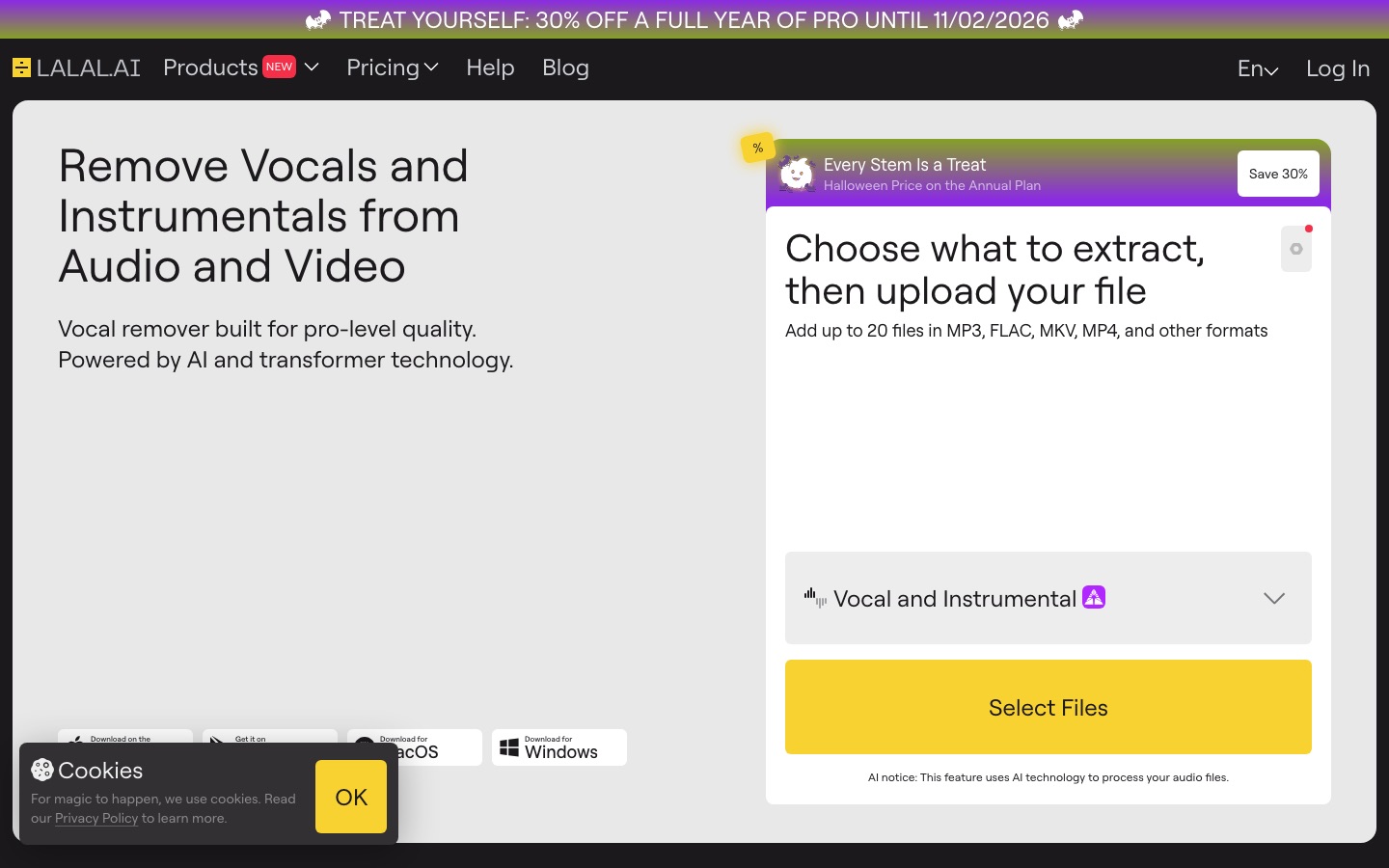
LALAL.AI is a dedicated stem splitter and one of the most recommended vocal removers among producers. Its current Andromeda model separates vocals and instrumentals plus drums, bass, electric and acoustic guitar, piano, synth, strings and wind. Extra tools include a Lead/Back Splitter that separates lead vocals from backing vocals, an Echo and Reverb Remover, a Voice Cleaner for dialogue, a Voice Changer and a Voice Cloner.
Per the LALAL.AI pricing page, the free Starter plan includes 10 minutes in the relaxed queue with a 200MB file limit. Lite costs $7.50 a month ($90 a year) with unlimited relaxed processing and 90 fast minutes, and Pro costs $15 a month ($180 a year) with 250 fast minutes, a VST plugin, local processing in the desktop app and API access. Note that stem separation minutes multiply by the number of stem types you select, and subscriptions are non-refundable.
Pros: clean splits, widest stem list here, lead and backing vocal separation, apps on every platform.
Cons: minutes multiply per stem, fast-queue minutes do not roll over, no refunds.
Best for: producers, DJs, remixers and video editors who need reliable, clean stems.
2. Moises: best for practicing musicians
Moises is a practice app first. Upload a song and you can mute your instrument and play along, solo a part to learn it, slow the tempo without changing pitch, transpose to your vocal range, and see detected chords and lyrics. Its official site says it can separate up to 27 stem types, including vocals, guitar, bass, drums, piano, keys, winds and strings.
The free tier allows a limited number of uploads each month with a subset of features. Paid plans unlock more uploads, more stem types and higher-quality models, but Moises shows exact prices inside its app and studio, so check moises.ai for your region.
Pros: best practice tools, chord finder, tempo and pitch control, mobile and desktop apps.
Cons: pricing not shown on the public page, free uploads are limited.
Best for: guitarists, bassists, drummers, singers and music teachers.

3. Fadr: best free vocal remover in the browser
Fadr is a free web app for splitting songs and making remixes. The free plan separates vocals, melodies, drums and bass and detects MIDI, with MP3 downloads. Per the Fadr Plus page, Fadr Plus costs $10 a month or $100 a year and adds Pro Stems in 18 types (including lead and backing vocals, piano, guitar, kick and snare), lossless 32-bit WAV downloads, uploads up to an hour, a stems plugin and API access. Fadr is not yet in our catalog.
Pros: genuinely useful free tier, MIDI extraction, remix tools.
Cons: free downloads are MP3 only, fewer stems on free.
Best for: hobbyists, beatmakers and anyone who wants quick free stems.
4. Ultimate Vocal Remover: best free offline option
Ultimate Vocal Remover (UVR) is a free, open-source desktop app (MIT license) for Windows, macOS and Linux that wraps several of the best separation models, including MDX-Net, Demucs v4 and VR Architecture models, in one interface. According to its GitHub page, GPU processing needs at least an Nvidia GTX 1060 with 6GB of VRAM, with 8GB or more recommended, and Apple Silicon Macs get GPU acceleration for many models.
Because everything runs locally, there are no minute limits and your files never leave your computer. The trade-off is complexity: choosing models and settings takes some reading, and processing is slow without a good GPU. UVR is not in our catalog.
Pros: free, unlimited, private, access to many top models.
Cons: technical, hardware-dependent, no mobile app.
Best for: producers and enthusiasts comfortable with settings.
5. Replay: best free desktop app with voice tools
Replay is a free desktop app from Weights for Mac, Windows and Linux that runs offline on your device. Alongside stem splitting it focuses on AI vocal conversion, voice covers and training your own voice models. It is simpler than UVR, but check the voice rights of any model before publishing a cover.
Pros: free, offline, splitting plus voice conversion in one app.
Cons: fewer separation controls than UVR or LALAL.AI.
Best for: hobbyists making covers and remixes on a budget.
6. Kits AI: best for producers who want AI voices too
Kits AI is a musician-focused platform for licensed AI voice models, voice conversion and voice cloning, with a vocal remover among its tools. Plans run Free, Starter at $10 a month, Producer at $30 and Professional at $60, with up to 47% off annually, per the Kits AI pricing page. Check the app for how vocal removal counts against your plan.
Pros: split a track and swap in a licensed AI voice in one workflow.
Cons: vocal removal limits are not clearly listed.
Best for: producers making demos and topline ideas.
7. Vocalist.ai: best for vocal transformation and covers
Vocalist.ai offers three tools: Transform (turn a dry vocal into another singer's voice model), Tune (AI pitch correction) and Split (separate vocals and instrumentals and remove reverb). Its 7-day trial includes unlimited Tune and Split and 10 download credits, and outputs are royalty-free for commercial use according to its site.
Pros: splitting plus pitch correction and transformation.
Cons: pricing details are not on the homepage.
Best for: producers who want to rebuild vocals, not only remove them.
8. iZotope RX: best for professional audio repair
iZotope RX is the post-production standard for audio repair. Its Music Rebalance module uses machine learning to raise, lower or isolate vocals, bass, percussion and other instruments, and RX also handles de-noising, de-clicking and dialogue isolation. It is aimed at engineers rather than casual users; check iZotope's site for which RX editions include Music Rebalance and current prices.
Pros: professional quality and control, part of a full repair suite.
Cons: expensive and complex for simple karaoke jobs.
Best for: mixing and mastering engineers, post-production and broadcast.
9. Media.io: best for removing vocals from video
Media.io, from Wondershare, has an online vocal remover that accepts both audio and video files (MP3, WAV, MP4, MOV, MKV, WEBM, AVI) and outputs vocal and instrumental tracks. New users get free credits on signup, and commercial use depends on your plan. It is handy when the song lives inside a video you are editing.
Pros: works on video directly, part of a broader editing suite.
Cons: fewer stem options, credit costs not published on the tool page.
Best for: video creators and social media editors.
10. Logic Pro and FL Studio: best if you already own a DAW
Apple's Logic Pro includes a Stem Splitter that separates vocals, drums, bass and other parts, and later updates added guitar and piano. FL Studio also has built-in stem separation. If you produce in either, try the built-in tool before paying for another subscription. Quality is competitive for most uses, and the stems land straight in your project.
Pros: no extra cost, stems go straight into your session.
Cons: fewer stem types and controls than dedicated tools.
Best for: producers already working in Logic Pro or FL Studio.
Other options worth knowing
Audacity: its built-in Vocal Reduction and Isolation effect uses the old phase method, but Intel's free OpenVINO plugins for Audacity add AI music separation on Windows.
CapCut: the video editor includes a vocal isolation feature for quick jobs inside a video project; see our CapCut review.
Speech-only tools: to clean a voice recording rather than a song, use Adobe Podcast Enhance Speech or ElevenLabs' Voice Isolator. Our Krisp vs Adobe Podcast vs Cleanvoice guide covers dialogue cleanup.
Free vs paid vocal removers: what you actually get
| Feature | Typical free tier | Typical paid plan |
|---|---|---|
| Stem types | 2 to 4 (vocals, drums, bass, other) | 10 to 27, including guitar, piano, lead and backing vocals |
| File format | MP3, sometimes previews only | Lossless WAV or FLAC |
| Length and volume | Short files, few minutes a month | Longer files, hundreds of minutes or unlimited |
| Speed | Slow or relaxed queue | Priority processing |
| Extras | Basic player | VST plugins, API, reverb removal, MIDI, practice tools |
How to get the cleanest vocal removal
Start with the best source you can get. Use a lossless WAV, FLAC or high-bitrate file. Ripped streaming audio adds compression artifacts that the model will exaggerate.
Pick the right stem mode. If you only need karaoke, choose vocal and instrumental. Asking for many stems can blur the ones you care about and, on LALAL.AI, costs more minutes.
Try two models. UVR and several paid tools let you switch models. One may handle a dense chorus better than another.
Remove reverb separately. If the acapella sounds washy, run it through a de-reverb tool such as LALAL.AI's Echo and Reverb Remover.
Fix leftovers in a DAW. A gentle EQ, a noise gate or manual edits on loud sections remove most remaining ghosts.
Is it legal to use an AI vocal remover?
Removing vocals from a song for personal practice, study or a private karaoke night is generally fine. Publishing the result is different: the instrumental and acapella are still the copyrighted recording and composition. Uploading remixes, covers over the original instrumental or sampled acapellas to Spotify, YouTube or TikTok can trigger takedowns or Content ID claims unless you have a license or the track is cleared. If you want royalty-free music you can use freely, generate it instead with the tools in our guide to the best AI music generators. This is general information, not legal advice.
FAQ
What is the best free AI vocal remover?
Fadr is the best free option in a browser, with free separation into vocals, melodies, drums and bass. Ultimate Vocal Remover is the best free desktop tool, with no limits because it runs on your computer. LALAL.AI's free Starter plan includes 10 minutes, and Moises has a limited free tier for practice.
Can you remove vocals from a song without losing quality?
Not perfectly. AI separation is very good, but some artifacts remain, especially on dense mixes or vocals with heavy reverb. Use a lossless source file, choose a high-quality model, export WAV, and fix leftovers in a DAW. Paid tools such as LALAL.AI and Moises usually give cleaner results than older free websites.
How do I make an instrumental of a song?
Upload the song to a vocal remover such as LALAL.AI, Moises or Fadr, choose vocal and instrumental separation, and download the instrumental stem. For more control, split into drums, bass and other stems and rebuild the mix in your DAW. Keep the instrumental for personal use unless you have the rights.
Does Audacity have an AI vocal remover?
Audacity's built-in Vocal Reduction and Isolation effect uses phase cancellation, not AI, so results are limited. On Windows, Intel's free OpenVINO plugins add AI music separation to Audacity. For better results without setup, export the track and run it through a dedicated AI vocal remover.
Can I remove vocals on my iPhone?
Yes. Moises and LALAL.AI both have iPhone and Android apps that separate vocals and instruments from songs in your files. Moises is better if you want to practice along, with tempo and pitch control, while LALAL.AI is better for exporting clean stems to use elsewhere.
Is it legal to remove vocals from a song?
For personal use, practice and study, removing vocals is generally fine. Publishing or monetizing the instrumental, acapella or a remix built on them usually requires permission from the rights holders, and platforms may block it through Content ID. Royalty-free or AI-generated music avoids the problem.
What is the difference between a vocal remover and a stem splitter?
A vocal remover separates a song into two parts: vocals and the instrumental. A stem splitter goes further and separates individual instruments such as drums, bass, guitar and piano. Most modern AI tools, including LALAL.AI, Moises and Fadr, do both.
Final verdict
For the cleanest results with the least effort, LALAL.AI is the best AI vocal remover in 2026, and its Lite plan is affordable for regular use. Musicians who want to learn songs should choose Moises. On a zero budget, Fadr in the browser and Ultimate Vocal Remover on your desktop are excellent, and Replay adds free voice tools. If you already produce in Logic Pro or FL Studio, start with the built-in splitter. Whatever you choose, use a lossless source file and keep anything built on copyrighted songs for personal use unless you have a license. To turn your stems into new tracks, see our Suno vs Udio comparison and our guide on how to make a song with Suno.
Explore more music, voice and audio tools in our AI audio tools category. If you build a stem splitter or vocal remover we have missed, you can submit it for a listing.