Best AI Legal Tools (2026): 12 Picks for Lawyers, Firms and Consumers
The best AI legal tools in 2026 split into three groups: enterprise platforms built for law firms (Harvey, Legora), general assistants that handle drafting and document review well (Claude, ChatGPT), and specialist tools for consumers, verification and niche practice areas. Here are 12 picks with pricing, privacy notes and who each suits.
The best AI legal tools for law firms and in-house teams in 2026 are Harvey and Legora, two platforms built specifically for legal work, with agents, bulk document review and secure workspaces. Solo lawyers and small firms get most of the value from a business plan of Claude or ChatGPT, which do not train on your data by default. Consumers who just want to understand a lease or contract can start with AI Lawyer, and anyone worried about hallucinated answers should look at IamVERA.
Legal is one of the highest-stakes places to use AI. Courts have sanctioned lawyers for filing briefs with invented case citations, and bar regulators, including the American Bar Association in its 2024 Formal Opinion 512, have reminded lawyers that duties of competence, confidentiality and supervision apply to AI tools. This guide ranks 12 AI tools for legal work based on official product pages, pricing pages and public user feedback as of October 2026, not hands-on testing. Nothing here is legal advice.





Quick picks: the best AI legal tool for each job
Best for large law firms: Harvey, used by more than 80 of the AmLaw 100.
Best collaborative legal AI platform: Legora, with tabular review, an agent and a Word add-in.
Best general assistant for drafting and long documents: Claude.
Best general assistant for research and everyday tasks: ChatGPT.
Best for consumers and law students: AI Lawyer.
Best for checking AI answers: IamVERA, which has several models review each answer.
Best for plaintiff firms finding cases: Darrow.
Best for construction contracts: Contriqo.
Best for document-heavy case files: DeepKnit AI.
Best for compliance workflows: Process Street.
Best consumer self-help bundle: DoNotPay, with caveats.
Best AI receptionist for law offices: Kalyvox.
All picks at a glance
Most enterprise legal AI is sold by quote after a demo. Prices below are as of October 2026; confirm on each official page.
| Tool | Best for | Free option | Starting price |
|---|---|---|---|
| Harvey | Large firms, in-house legal | No | Custom quote |
| Legora | Collaborative review and drafting | No | Custom quote |
| Claude | Drafting, long documents | Yes (consumer) | Team $25/seat/mo ($20 annual) |
| ChatGPT | Research, everyday legal tasks | Yes (consumer) | Business $25/seat/mo ($20 annual) |
| AI Lawyer | Consumers, students, solos | Free trial | Check the official page |
| IamVERA | Verified, multi-model answers | Starter free for 3 months | Essential €79/mo |
| Darrow | Finding potential cases | No | Custom quote |
| Contriqo | Construction contract risk | Free demo | From AUD $1,490/yr (check site) |
| DeepKnit AI | Case file and document processing | No | Custom quote |
| Process Street | Compliance operations | Free trial | Check the official page |
| DoNotPay | Consumer paperwork and refunds | No | Paid membership (check site) |
| Kalyvox | AI receptionist for intake calls | 7-day trial | $95/mo plus usage |
How to choose AI legal software
Confidentiality comes first. Never paste client information into a consumer chatbot that may train on it. Use enterprise legal platforms or business plans that exclude training by default, and check data retention, encryption and certifications such as SOC 2 and ISO 27001.
Match the tool to the task. Legal research needs verifiable citations. Contract review needs clause extraction and comparison across many documents. Drafting needs a good Word integration. One tool rarely leads in all three.
Verify every citation. General chatbots can invent cases that look real. Check every authority against a primary source before it goes in a filing or client advice.
Pilot on a matter you know. Run the tool on documents you have already reviewed, so you can judge accuracy against work you trust.
Count the real cost. Enterprise platforms often require annual contracts and minimum seats. For a solo practice, a $20 to $25 business seat may cover most needs.
Legal AI platforms for firms and legal departments
1. Harvey: best for large law firms
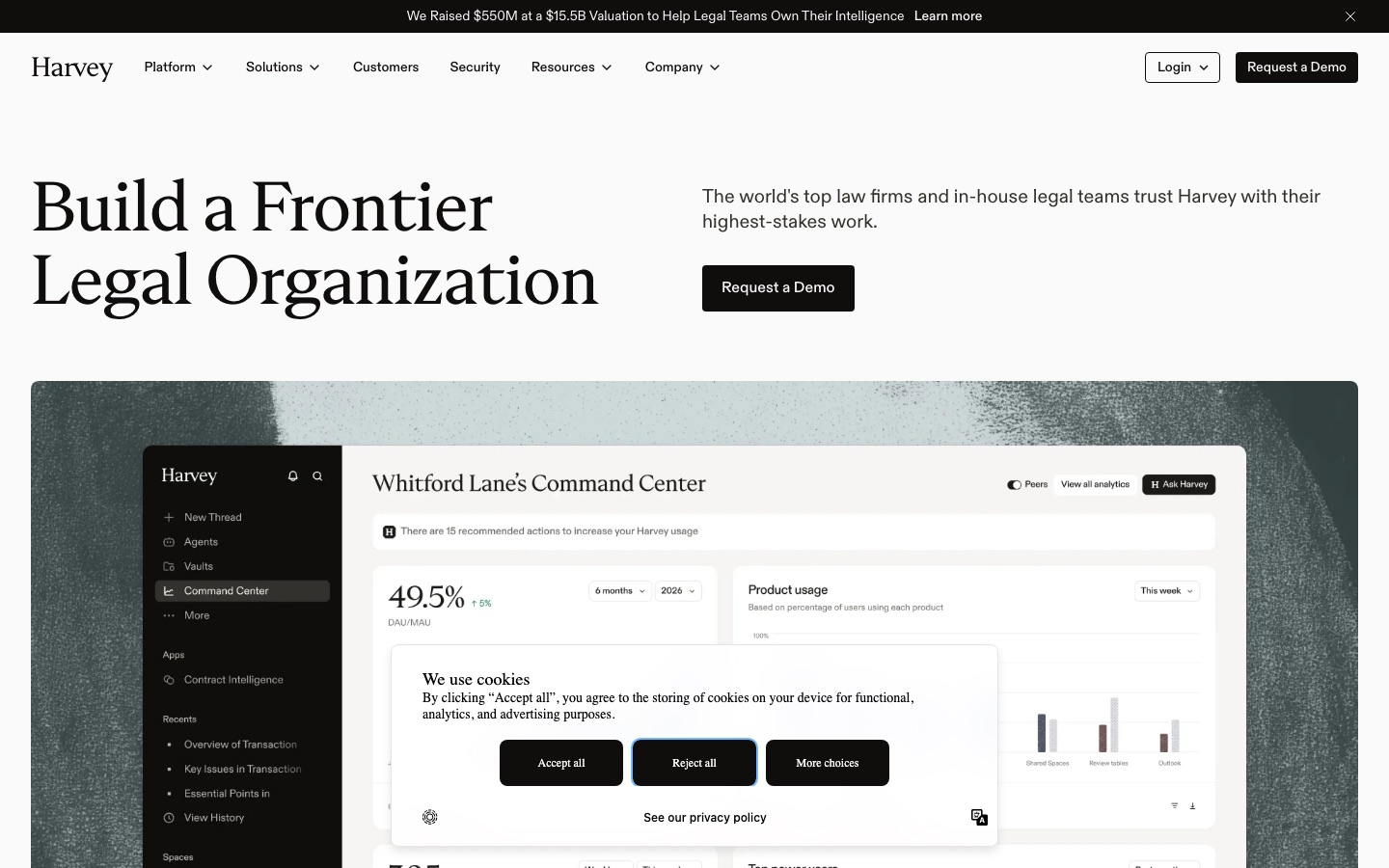
Harvey is the most prominent legal-specific AI platform. Per Harvey's site, more than 3,500 legal organizations and 200,000 professionals in 85+ countries use it, including more than 80 AmLaw 100 firms. Its products include Agents that orchestrate multi-step legal work, Vault for storing and querying large document sets in diligence or discovery, Knowledge for legal, regulatory and tax research, Contract Intelligence for review and negotiation, Horizon Scanning for regulatory change, and Spaces for secure collaboration with clients and co-counsel, with ethical walls.
Pricing is not published; you request a demo. Expect an enterprise contract.
Pros: the broadest legal-specific feature set; strong security and admin controls; adoption by top firms makes training and benchmarking easier.
Cons: enterprise pricing puts it out of reach for most small firms; value depends on rollout and training.
Best for: large and mid-size firms and corporate legal departments adopting AI across practice areas.
2. Legora: best collaborative legal AI platform
Legora, which started as Leya in Stockholm in 2023, is Harvey's closest rival. Its standout is Tabular Review, which pulls answers from many contracts or filings into one comparable grid. An Agent plans, executes and checks multi-step legal work, Monitors scan regulatory changes, and Word and Outlook add-ins keep drafting in familiar tools. Legora's site lists ISO 42001, ISO 27001, SOC 2 Type II, GDPR and HIPAA, and a policy of no AI training on customer data.
Like Harvey, pricing is quoted after a demo.
Pros: excellent bulk review; collaboration built in; strong Word workflow.
Cons: enterprise pricing; newer platform with a smaller track record in the US.
Best for: firms and in-house teams that review large volumes of documents together.
General AI assistants for lawyers
3. Claude: best general assistant for drafting and long documents
Claude is a favorite among lawyers for careful reasoning, a long context window for reading whole agreements and polished prose for first drafts. Projects let you store templates and style guides for a matter, Claude for Microsoft 365 brings it into Office apps, and connectors reach Google Drive and other document stores. Ask it to compare two contract versions, summarize deposition transcripts or redraft a clause in plain English.
Per the Claude pricing page, Team seats cost $25 a month ($20 annual) and Enterprise starts at $20 per seat with a 20-seat minimum plus usage. Team and Enterprise do not train on your content by default; on Free, Pro and Max, training is an opt-out setting, so use a business plan for client work. Our Claude review covers features in depth.
Pros: strong long-document analysis and drafting; affordable business seats.
Cons: not a legal research database, so citations must be verified.
Best for: solo lawyers, small firms and in-house counsel.
4. ChatGPT: best general assistant for research and everyday legal tasks
ChatGPT handles a wide range of legal support work: drafting emails and memos, summarizing uploaded PDFs, building checklists and researching background with web search and Deep Research. Projects and connectors to Google Drive, SharePoint and OneDrive keep matter files close. Business seats cost $20 a month on annual billing ($25 monthly) and exclude your data from training by default. See our ChatGPT review and Claude vs ChatGPT comparison to choose between them.
Pros: versatile; strong web research; widely known by staff.
Cons: like any general chatbot, it can produce plausible but wrong citations.
Best for: firms that want one assistant for legal and business tasks.
AI legal tools for consumers and verification
5. AI Lawyer: best for consumers and law students
AI Lawyer answers legal questions in plain language, in the language you write in. It researches laws by jurisdiction, summarizes and compares documents, converts images to text, generates clauses and includes a library of contract and letter templates, on web, iOS and Android. A free trial is available and students and teachers get half off; the site does not list plan prices, so check the app. Treat answers as a starting point and talk to a licensed lawyer before acting.
Pros: approachable; multilingual; useful templates.
Cons: not a substitute for legal advice; pricing is not transparent.
Best for: tenants, freelancers, small business owners and law students.
6. IamVERA: best for checking AI answers
IamVERA tackles the hallucination problem directly. Per its site, one model drafts an answer, another fact-checks it, a third argues the other side and a fourth finds sources, and you see every change. Privacy Shield replaces sensitive details with placeholders before text leaves your control, Vera X-Ray scans documents on your own computer first, and Vera Office edits Word files with undoable changes.
Starter is free for three months (10 checked questions a month), Essential is €79 a month, Professional €199 and Compliance €399, with 17% off yearly.
Pros: transparent multi-model review; strong privacy design; ISO 27001 and 42001.
Cons: priced per checked question; the company says checking improves answers but does not guarantee them.
Best for: lawyers and notaries who want AI help without blind trust.
7. DoNotPay: consumer self-help bundle, with caveats
DoNotPay bundles consumer tools for canceling subscriptions, disputing charges, fighting spam calls and handling routine paperwork. It once marketed itself as a "robot lawyer", and in 2025 the FTC finalized an order over that marketing. Judge it on what it does today, routine consumer chores, and do not treat it as legal representation.
Specialist legal AI tools
8. Darrow: best for plaintiff firms finding cases
Darrow works before a matter exists. It scans regulatory filings, incident reports and litigation patterns to surface potential legal violations, mapping them to a knowledge base of legal obligations and outcomes. Plaintiff firms use it to find and prioritize cases, while insurers and compliance teams use it to spot exposure early. Pricing is by demo.
9. Contriqo: best for construction contracts
Contriqo, from Australia's Perfomir, reads construction and infrastructure contracts to surface risky clauses, notice obligations and time bars, then tracks project events against those terms to flag possible claims. A risk score and executive summary give managers a quick read. Our listing shows plans from AUD $1,490 a year, with a free demo for one contract.
10. DeepKnit AI: best for document-heavy case files
DeepKnit AI automates processing of large, messy document sets, including scanned PDFs and handwriting, using OCR, language models and workflow orchestration with optional human review. For legal teams, it can assemble timelines and summaries from many related files, which suits personal injury, insurance defense and medical record review.
11. Process Street: best for compliance workflows
Process Street turns policies and procedures into enforced checklists, with document control, version history and Cora, an AI agent focused on compliance and risk. It suits in-house legal, compliance and quality teams that need to prove each step was followed. A free trial is available; check the site for pricing.
12. Kalyvox: best AI receptionist for law offices
Kalyvox is not legal AI, but missed calls cost small firms clients. It answers on your existing number (every call, missed calls only or after hours), asks your intake questions, transfers to staff or takes messages and books consultations into your calendar. Plans start at $95 a month plus per-minute usage, with a 7-day trial. Script it so it never gives legal advice.
Also consider: Spellbook, CoCounsel and Lexis+ AI
Three well-known legal tools are not in our directory yet:
Spellbook: contract drafting and review that works with Microsoft Word, with playbooks that check terms against your standards. Spellbook says more than 5,000 legal teams and firms use it, and offers a 7-day trial.
CoCounsel (Thomson Reuters) and Lexis+ AI (LexisNexis): AI research assistants built on top of the major legal research databases. If your firm already subscribes to Westlaw or Lexis, ask your account rep about these first, since they ground answers in primary law.
What AI can and cannot do in legal work
AI is already good at first drafts, summaries, clause extraction, comparing document versions, translating legalese for clients and organizing large document sets. It is weaker at knowing the current law in a specific jurisdiction, judging strategy and spotting what is missing from a document. Use it to speed up the parts of the job you can check, and keep a lawyer responsible for every output that reaches a client or court.
Related guides: the best AI PDF tools for reading and annotating long documents, the best AI research tools for background research, and the best AI meeting transcription tools for client calls.
FAQ
What is the best AI tool for lawyers?
For large firms and legal departments, Harvey and Legora are the leading legal-specific platforms, with bulk document review, agents and enterprise security. Solo lawyers and small firms usually get the best value from a business plan of Claude or ChatGPT at $20 to $25 per seat, combined with their existing research database for verified citations.
Is it safe to use ChatGPT for legal work?
It can be, with precautions. Use a business or enterprise plan that excludes your data from training by default, avoid entering unnecessary client details, and verify every case citation and statement of law against primary sources. Lawyers have been sanctioned for filing AI-generated briefs with fake citations, so treat output as a draft.
How much does Harvey AI cost?
Harvey does not publish its pricing. It sells to law firms and legal departments through demos and enterprise contracts, so the price depends on seats, products and rollout. Smaller firms that cannot justify an enterprise contract often start with Claude or ChatGPT business seats, which cost $20 to $25 per user a month.
Is there a free AI legal assistant?
Free consumer plans of Claude and ChatGPT can explain legal concepts and summarize documents, and AI Lawyer offers a free trial. IamVERA's Starter plan is free for three months. Free tools are fine for learning and understanding documents, but do not upload confidential information, and consult a licensed lawyer before acting on anything important.
Can AI review contracts?
Yes. Legora's tabular review and Harvey's Vault extract and compare clauses across many contracts, Spellbook checks terms against your playbook in Word, and Contriqo flags risks in construction contracts. Claude and ChatGPT can also review a single agreement well. A lawyer should still confirm the findings and judge what matters for the client.
Will AI replace lawyers?
Not in the foreseeable future. AI is cutting the time spent on document review, research and first drafts, which changes how firms staff and bill work. But legal judgment, advocacy, negotiation and responsibility for advice remain human jobs, and professional rules require lawyers to supervise the tools they use.
Bottom line
Firms with the budget should pilot Harvey or Legora on a real matter and compare the output with work they trust. Solo lawyers and small firms can do most of the same tasks with Claude or ChatGPT business seats, as long as they verify every citation. Consumers should use AI Lawyer to understand their documents, not to replace a lawyer, and anyone who worries about wrong answers should try IamVERA. Whatever you choose, keep client data out of tools that train on it.
Browse every AI legal, compliance and document tool we track in the AI business tools category and the AI research category. Building a legal AI tool we have missed? Submit it for a listing.