Comet Browser Review (2026): Perplexity's Free AI Browser, Pros and Cons
Comet is Perplexity's free, Chromium-based AI browser. Its assistant reads your tabs, answers with citations and can complete tasks on websites. Here is what it does well, what stays on your device, what the paid Perplexity plans add, the real risks of an agentic browser, and how it compares with Dia, ChatGPT Atlas and Claude in Chrome.
Our Comet browser review in one line: Comet is the best free AI browser for people who research, compare and read all day. It is Chrome underneath, so your extensions and habits carry over, and the built-in Comet Assistant can summarize pages, compare tabs, answer questions with sources and complete simple tasks on websites. Skip it if you want a hands-off agent for complex, logged-in workflows, or if you are not comfortable letting an AI act inside a browser where you are signed in to everything.
Perplexity launched Comet in July 2025 for its top-tier subscribers and made it a free download for everyone in October 2025. A year on, it runs on Mac, Windows and Android, with iOS listed on the official Comet page, and it has become the default answer to "which AI browser should I try first?". This review is based on Perplexity's Comet page, help center articles and pricing page, plus public user feedback, as of October 2026. We did not run controlled tests.


Comet at a glance
What it is: a Chromium-based web browser with Perplexity's AI built in.
Made by: Perplexity, the AI answer engine.
Price: free to download; paid Perplexity plans add stronger models and higher limits.
Platforms: macOS, Windows and Android (Android 12 or later), with iOS listed on the Comet page.
Default search: Perplexity, switchable to another engine.
Extensions: supports most Chrome extensions, bookmarks and settings import.
Best for: students, researchers, analysts and knowledge workers who live in tabs.
Quick verdict: who should use Comet
Yes, if you constantly copy text from web pages into a chatbot. Comet removes that step.
Yes, if you compare products, articles or sources across many tabs.
Yes, if you already like Perplexity's cited answers and want them everywhere.
Yes, if you want an AI browser without paying anything.
Think twice if you plan to let it shop, email or fill forms on accounts that matter. Agentic browsing still carries prompt-injection risk.
Skip it if you want a privacy-first browser with no cloud AI by default; Brave is a better fit.
What Comet is
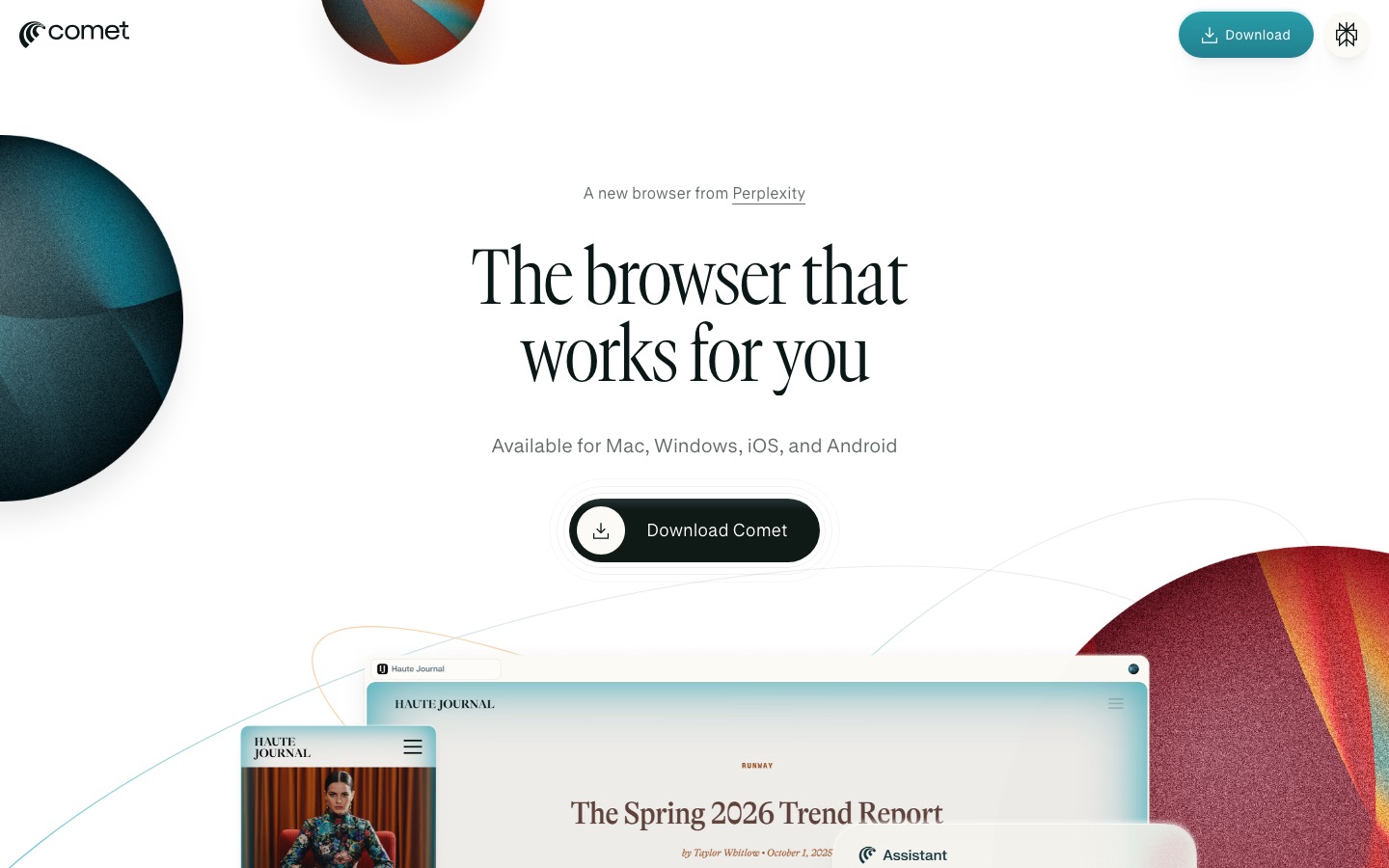
Comet is a full browser, not an extension. Because it is built on Chromium, the engine behind Chrome, it supports most Chrome extensions, bookmarks and page translation, and switching takes minutes. What makes it different is that Perplexity's AI is part of the browser: search defaults to Perplexity, an Assistant sits next to every page, and the address bar understands plain-language commands.
Perplexity's Comet page pitches it as "the AI browser that acts as a personal assistant", with example tasks such as comparing news coverage, building a study plan from a syllabus, drafting an email reply about your schedule and shopping for an office chair. In practice, Comet is strongest at the first three: understanding and synthesizing what is on your screen.
Key features in depth
Comet Assistant
The Assistant panel opens beside the page you are reading. Each time you ask something, it reads the page's visible text, headlines and metadata, and you can pull in other tabs by mentioning them with @, for example "compare @tab1 and @tab2 on price and battery life". It can draft replies from a tab's content, translate sections, extract dates and locations, and summarize several tabs at once. According to the Assistant panel help article, it keeps working while you browse other pages, and you can run multiple requests in parallel.
There is also an Inline Assistant for help with selected text and a Voice Mode for talking to the browser.
Agentic tasks
Beyond answering questions, Comet can act on websites: clicking, navigating, filling forms and gathering information across sites. On Android, blue edges on the screen show when the AI is in control, and an assist button lists the steps it took. Examples Perplexity highlights include adding items to a cart, comparing prices across stores and finding and testing promo codes at checkout.
This is where expectations need managing. Public user feedback is consistent that Comet handles short, well-defined tasks well and struggles with long, multi-site flows, logins, CAPTCHAs and unusual page layouts. On Android, automated tasks only run while the app is open. Treat agentic tasks as a helpful shortcut, not a reliable autopilot.
Search, Summarize and Browser Commands
Typing in the address bar runs a Perplexity search with cited sources by default. A Summarize button condenses long articles, threads and videos. Browser Commands let you manage tabs in plain English, for example "close all tabs older than two hours" or "group my research tabs by topic", which is surprisingly useful in sprawling research sessions.
Personal Search and memory
Personal Search uses your browsing history to answer questions such as "what was that pricing page I looked at last week?". Comet does not keep a separate memory; it uses your Perplexity account's memory, with toggles to reference your search library and saved memories, and you can edit or delete stored items. Agent actions such as browsing and completing tasks are not saved to memory, according to the Comet memory article.
Gmail and calendar connector
A Gmail connector lets you ask about email and calendar items from the browser, such as "what meetings do I have Thursday?" or "draft a reply proposing two times next week". Comet always asks for approval before connecting to services like Gmail.
Everyday browser features
Comet includes a built-in ad blocker, a password manager, safe browsing and malware protection, safe downloads, site permissions, sync between devices and an incognito mode. Comet for Enterprise is available to Perplexity Enterprise organizations.
Privacy: what stays on your device
Privacy is the first question most people ask about an AI browser. Perplexity's Assistant privacy article lays out the model:
Stays local: your browsing history, the full list of open tabs, cookies and site data, passwords and autofill, local files, and text you type on websites unless you include it in a request.
Sent to Perplexity only when needed: the minimal context a request requires, such as the current page for a summary or the tab you mention.
Retention: context from those requests is stored for up to 30 days as Temporary Sessions in your Perplexity library, then deleted automatically, unless you remove the timer.
Never sold: Perplexity says it does not sell this data. The article does not address model training, so check your Perplexity account's AI data settings.
Off-limits: Perplexity states that Comet never has access to your passwords or payment data.
You can also turn the Assistant off entirely, block it on specific sites (Perplexity's own example is your bank), and use incognito mode to stop it indexing your activity. When an advanced agent first runs, Comet asks you to allow it once, always allow it, or decline.
Security: the prompt-injection question
Every agentic browser shares one weakness: a web page can contain hidden instructions that try to hijack the AI. Security researchers, including Brave's team, have published prompt-injection demonstrations against AI browsers, Comet among them, and Brave wrote again in June 2026 that indirect prompt injection "remains a fundamental security challenge" for AI. Perplexity has added permissions, approval prompts and blocked-site controls since launch, but no vendor claims the problem is solved.
Our practical rules for Comet, and for any AI browser:
Keep sensitive sites blocked. Add your bank, brokerage, health portal and work admin consoles to the Assistant's blocked list.
Choose "allow once" for agents until you trust how they behave on a site.
Never let an agent finish a payment or send a message you have not read.
Use a separate profile for agent experiments, with fewer saved logins.
Comet pricing (as of October 2026)
Comet itself is free, and you do not need a Perplexity account to start browsing and try basic AI features. Signing in saves your chats and history, syncs across devices and unlocks more powerful AI features and higher limits. Paid Perplexity plans add advanced models for the Comet Assistant, according to the Perplexity pricing page.
| Plan | Price | What it adds in Comet |
|---|---|---|
| No account | $0 | Browsing, Perplexity search and basic AI features |
| Perplexity Free | $0 | Saved chats and history, sync across devices, higher limits than signed-out use |
| Perplexity Pro | $20/mo, or $17/mo billed annually | Advanced models for Comet Assistant, higher Assistant limits, plus Pro Search, Research and file uploads in Perplexity |
| Perplexity Max | $200/mo, or $167/mo billed annually | Top limits and frontier models, 10,000 Perplexity Computer credits a month |
| Enterprise | Contact sales | Comet for Enterprise with organization controls |
Perplexity does not publish exact Comet Assistant quotas per plan, and it has also offered Comet Plus, a news subscription that shares revenue with publishers, as a separate add-on that some Perplexity plans include. Check the Comet and pricing pages for the current details before you subscribe. For a full breakdown of what Pro and Max include, see our Perplexity review.
Do you need Perplexity Pro for Comet?
No. Most people should start free, use Comet for a couple of weeks and upgrade only if they hit Assistant limits or want stronger models. If you already pay for Perplexity Pro, Comet is an easy addition that gives you more value from the same subscription.
Pros and cons
Pros
Free, with no account needed to start.
Familiar: Chromium, Chrome extensions and one-click import.
Excellent page and tab understanding, with cited answers from Perplexity.
Background, parallel Assistant requests while you keep browsing.
Clear, local-by-default privacy model with per-site blocking.
Built-in ad blocker and natural-language tab management.
Cons
Agentic tasks are hit or miss on complex, logged-in or multi-site flows.
Prompt injection remains an unsolved risk for any agentic browser.
Opaque limits: no published Assistant quotas per plan.
Perplexity as default search will not suit everyone, though you can change it.
Mobile is less complete than desktop, and Android tasks only run with the app open.
Comet vs other AI browsers
| Browser or agent | Best for | Price (as of October 2026) | Platforms |
|---|---|---|---|
| Comet | Free AI research browsing | Free; Perplexity Pro $20/mo | Mac, Windows, Android, iOS listed |
| Dia | Knowledge work across tabs and work apps | Free browser; AI plans from $10/mo | Mac, Windows |
| ChatGPT Atlas | ChatGPT users who want an AI browser | Free download; agent mode on paid ChatGPT plans | Check OpenAI's site |
| Claude in Chrome | Agent tasks in your existing Chrome | Paid Claude plans, from $17/mo annual | Chrome extension |
| Brave Leo | Privacy-first AI in the browser | Free; Leo Premium paid | Desktop, Android, iOS |
Comet vs Dia
Dia, from the team behind Arc, is more polished for office work: a Morning Brief, connections to Slack, Notion, Gmail and Outlook, and profiles for work and personal browsing. But for most new Mac users its AI now sits behind paid plans, starting at $10 a month. Comet's AI is free, and its research answers come with sources.
Comet vs ChatGPT Atlas
OpenAI's ChatGPT Atlas puts ChatGPT in a browser, with browser memories and an agent mode for paid ChatGPT plans. If ChatGPT is your main assistant, Atlas is the natural pick; if Perplexity is, choose Comet. Our Perplexity vs ChatGPT comparison helps decide which assistant fits you.
Comet vs Claude in Chrome
Claude in Chrome is an extension rather than a browser, so you keep Chrome and add a capable agent that works across tab groups, in the background and with per-site permissions. It is generally stronger on multi-step tasks, but it needs a paid Claude plan. Comet is better for free research browsing. Our full best AI browsers guide covers ten options, and our best AI agents guide covers agents beyond the browser.
Best use cases for Comet
Research and reading: "Summarize this paper and list the claims that need a source."
Comparisons: "Compare the three laptops in my open tabs on price, weight and battery in a table."
News: "How are these four outlets covering this story differently?"
Studying: "Turn this syllabus into a 10-week study plan with weekly goals."
Inbox help: "What do I need to reply to today, and draft the two most urgent replies."
Light shopping: price comparisons and promo codes, with you completing the payment.
New to Perplexity's features? Our guide on how to use Perplexity AI explains Search, Research, Projects and model choice.
FAQ
Is Comet browser free?
Yes. Comet is free to download and use, and you do not even need a Perplexity account to start browsing and try basic AI features. Signing in with a free account saves history and syncs devices. Paid Perplexity plans (Pro at $20 a month, Max at $200) add stronger models and higher Comet Assistant limits.
Is Comet browser safe?
Comet keeps history, passwords, cookies and payment data on your device and sends only the context a request needs. The bigger risk is prompt injection when the Assistant acts on websites. Block sensitive sites, approve agents one task at a time, and never let it complete payments or send messages without checking first.
Is Comet better than Chrome?
For research-heavy browsing, Comet is more useful because AI help is built into every page and it still runs Chrome extensions. For pure speed, stability and Google account integration, Chrome remains the safer default, and Chrome now has Gemini built in too. Many people keep Chrome for work accounts and use Comet for research.
Does Comet work on iPhone and Android?
Comet for Android is on the Play Store for Android 12 or later, with task automation, voice search, summaries and tab commands. Perplexity's Comet page lists iOS as well, but some help articles are older, so check the App Store in your region. Desktop versions run on Mac and Windows.
Who makes Comet browser?
Comet is made by Perplexity, the company behind the Perplexity AI answer engine. It launched in July 2025 for Perplexity Max subscribers and became free for everyone in October 2025. It is built on Chromium, the open-source project that also powers Chrome, Edge, Brave and Dia.
Can Comet do tasks for me?
Yes, Comet's Assistant can navigate sites, click, fill forms, compare prices and find promo codes, and it can work in the background while you browse. It is reliable on short, clear tasks and less so on long, logged-in or multi-site workflows. Review each step before it buys, books or sends anything.
Final verdict
Comet is the easiest recommendation in AI browsing right now: it is free, it feels like Chrome, and the Assistant genuinely saves time when you read, compare and research across tabs. Its privacy model is clearer than most, with local-by-default data and per-site blocking. Agentic tasks are the weak spot, as they are for every AI browser in 2026, and prompt injection means you should keep it away from banking and payments. Download it, import your Chrome profile, use it for research for two weeks, and only pay for Perplexity Pro if you hit the limits.
Browse more AI browsers, extensions and assistants in the AI productivity category and the AI research category. Building an AI browser or extension we have missed? Submit it for a listing.