Cursor Review (2026): Still the Best AI Code Editor?
Cursor is still the most polished AI code editor, with the best Tab completions and strong cloud agents. But since SpaceX bought it, plans are sold through the X Subscription, the $8 tier runs Grok models only, and Claude and GPT now cost extra at API prices. Here is what that means for you.
Our Cursor review in one line: Cursor is still the best AI code editor for developers who want AI in every keystroke, thanks to its Tab completions, a mature in-editor agent and cloud agents that work in parallel. It is a great buy at $30 a month for Premium if you are happy with Grok and Cursor's own Composer models. It is a worse deal than it was a year ago if you mainly want Claude or GPT, because since October 2026 those models are billed at API list price on top of your plan.
Cursor had a dramatic 2026. SpaceX completed its acquisition of Cursor's maker, Anysphere, on August 14, in an all-stock deal valued at about $60 billion. On October 12 it moved Cursor's individual plans into a combined X Subscription with Grok and X Premium. OpenAI then said it would stop supplying models to Cursor on November 12. This review covers what Cursor does well, what the new plans really get you, and who should look elsewhere. It is based on Cursor's official pricing page, documentation, changelog and public developer feedback as of October 2026, not our own benchmark tests.

Cursor at a glance
What it is: an AI-first code editor built on VS Code, with Tab completions, an Agent, cloud agents, Bugbot code review and a CLI.
Owner: SpaceX, since August 2026.
Pricing: Free, Plus $8/mo, Premium $30/mo, Super $100/mo, Ultra $200/mo, Teams from $30 per seat, Enterprise custom.
Included models: Grok 4.7, Grok 4.6, Grok 4.5 and Composer 2.5 in one weekly usage pool.
Third-party models: Claude, GPT, Gemini and others on Premium and up, billed at API list price from prepaid credit.
Best for: developers who live in the editor and want the fastest supervised AI workflow.
Quick verdict: who should use Cursor
Yes, if you want the best autocomplete in the business and a visual agent you steer closely.
Yes, if you are fine with Grok and Composer models for most work. Premium at $30 is strong value then.
Yes, if you want cloud agents, Bugbot reviews and automations in one product.
Think twice if you rely on Claude or GPT all day. You pay the subscription plus API costs.
Think twice if your company has vendor rules about SpaceX or xAI terms, or needs OpenAI models in the editor after November 12.
Skip it if you want a terminal-first agent; Claude Code or OpenAI Codex fit better.
What changed at Cursor in 2026
If you last looked at Cursor in 2025, four changes matter:
New owner. SpaceX announced a right to buy Cursor in April 2026, exercised it in June, and closed on August 14. Cursor still ships under its own name.
New plans. On October 12, Cursor moved to the X Subscription tiers: Plus, Premium, Super and Ultra. Old Hobby, Pro, Pro+ and Ultra plans are now legacy, and Cursor says existing customers can keep them as they are.
Third-party models cost extra. The old $20 Pro plan included about $20 of model usage. On the new plans, Claude, GPT and Gemini are billed at API price from the first request, and only from Premium up.
OpenAI is leaving. OpenAI announced on August 28 that it would wind down model supply to Cursor, with a November 12 shutoff. Cursor's CEO said OpenAI models served about 5% of traffic. You can still use your own OpenAI API key.
Anthropic, by contrast, said it would keep Claude available in Cursor. Expect the model lineup to keep moving, so check Cursor's models page before you buy.
Cursor's key features
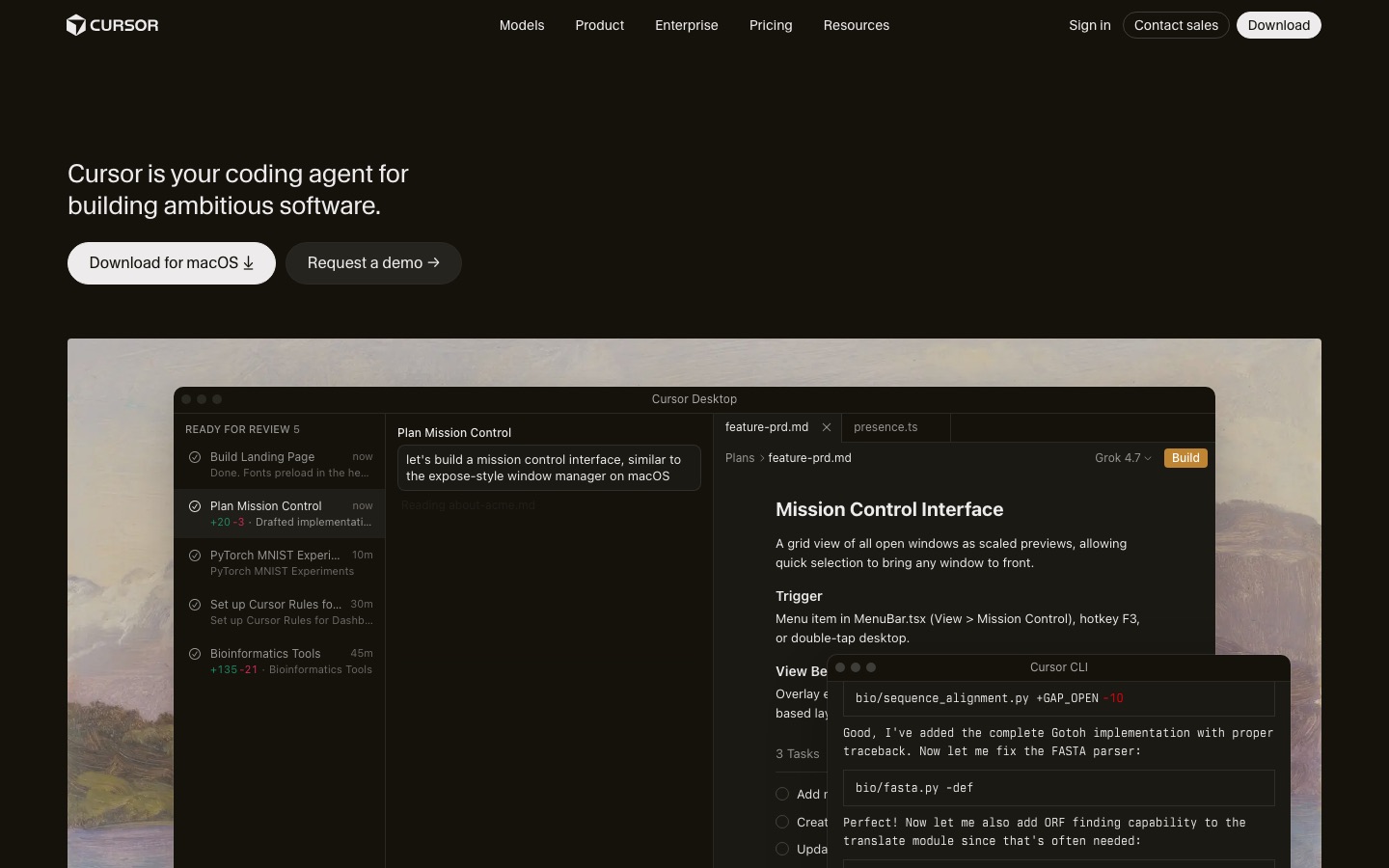
Tab: the reason people switch
Cursor's Tab model predicts your next edit, not just the next token. It suggests multi-line changes, jumps to the next place you need to edit, and handles ripple edits like renaming a field across a file. In public feedback it remains the single feature developers cite most when explaining why they pay for Cursor, and the one rivals such as GitHub Copilot and Devin Desktop are measured against.
Agent and Plan mode
The Agent reads your codebase, plans a change, edits multiple files, runs terminal commands and fixes its own errors, with every diff visible in the editor before you accept it. Plan mode scopes the work first, which helps on larger features. Cursor indexes your repository, so you can ask questions about unfamiliar code and reference files, folders and docs with @-mentions. Rules, skills and plugins let you encode project conventions, and Teams can share them through a team marketplace.
On individual plans the Auto setting runs in Cost mode, drawing from your weekly pool whichever model serves the request. Teams and Enterprise get Balance and Intelligence modes through Cursor Router.
Cloud agents, canvases and automations
Cloud agents run on Cursor's machines rather than your laptop, so you can fire off several tasks in parallel and review them like pull requests. In October 2026 Cursor added shareable interactive canvases that cloud agents can build, an Environments API in beta, and cloud environments that support up to 300 repositories and load five times faster, per the Cursor changelog. Automations run agent tasks on triggers. All of this starts at Premium.
Bugbot, Security Review and Rollouts
Bugbot reviews pull requests on GitHub and comments on likely bugs and quality issues, included from Premium up. For Teams and Enterprise, Cursor added Security Review, which posts one comment listing exploitable bugs, and Rollouts, which monitors each deploy's health per environment, both in September 2026. If review is your main need, compare with dedicated tools in our Graphite vs CodeRabbit piece.
CLI, mobile and the Agent SDK
The Cursor CLI brings the agent to your terminal. Since October 6, the Cursor iOS app can view and message agents running on your own computer, as long as it stays online. And on October 20 Cursor launched an Agent SDK: agents become folders of code you test with evals and deploy to Cursor or your own infrastructure, triggered from GitHub, GitLab, Bitbucket, Slack, webhooks or a schedule.
Models: Composer, Grok and the rest
Cursor trains its own models. Composer 2.5, released in May 2026, is built on Moonshot AI's open-weight Kimi K2.5 base, which Cursor acknowledged after users noticed that Composer 2 was built on Kimi without disclosure at launch. Since the SpaceX deal, xAI's Grok 4.7, 4.6 and 4.5 are the other included models, with Fast and 500k-context variants. Third-party options on Premium and up include Anthropic's Claude, Google's Gemini, Z.ai's GLM, Moonshot's Kimi, DeepSeek and, until the cutoff, OpenAI's GPT models.
Cursor pricing in 2026
Prices below come from Cursor's pricing page and its pricing documentation, as of October 2026. Plans are sold only through X Subscription Corp, and prices exclude tax.
| Plan | Monthly | Annual | Usage | What you get |
|---|---|---|---|---|
| Free | $0 | n/a | Limited | Limited Agent requests, no third-party models |
| Plus | $8 | $80/yr | Base pool | Cursor and Grok models only; no cloud agents or Bugbot |
| Premium | $30 | $300/yr | 4x Plus | Cloud agents, automations, Bugbot, code hosting, third-party models at API price |
| Super | $100 | $1,000/yr | 15x Plus | Everything in Premium plus priority model access at peak times |
| Ultra | $200 | $2,000/yr | 50x Plus | Earliest access to new products and models |
| Teams | $30, $100 or $200 per seat | n/a | Pooled 4x to 50x | SSO, admin, analytics, team marketplace; mix seat tiers |
| Enterprise | Custom | Custom | Pooled | SCIM, audit logs, model and MCP access controls |
How the usage pool works
One weekly pool covers Grok 4.7, 4.6, 4.5 and Composer 2.5, and it is shared across the editor Agent, the CLI, cloud agents and the Grok apps. Different models drain it at different rates. When it runs out, you can wait for the weekly reset, pay from prepaid credit or upgrade, and Cursor says requests are never quietly downgraded. You manage credit, auto top-up and a monthly spending cap from the Grok billing dashboard.
Third-party models never touch the pool. On Premium and up they are billed at API list price from prepaid credit, with optional spending caps. Teams and Enterprise pay an extra Cursor Token Rate of $0.25 per million tokens on eligible third-party models.
What this means in practice
Grok and Composer users: Premium at $30 now bundles Cursor, Grok and X Premium, which is a real discount if you wanted all three.
Claude-heavy users: a busy day with a frontier Claude model can cost more in API charges than the plan itself. Many such developers pair a cheap Cursor plan with a flat-rate Claude subscription and run Claude Code inside Cursor.
Legacy subscribers: if you still have an old Pro or Ultra plan, Cursor says it keeps working as before. Do the math before switching.
Pros and cons
Pros
Best-in-class Tab completions and next-edit predictions.
Mature, visual Agent with Plan mode and fine-grained diff review.
Cloud agents, canvases, automations and Bugbot in one product.
Familiar VS Code base: extensions, themes and keybindings carry over.
Cheapest paid AI editor at $8 for Grok and Composer models, with a weekly pool that resets often.
Cons
Claude, GPT and Gemini cost extra at API price, and only from $30 up.
OpenAI models end on November 12, 2026, except through your own API key.
Plans now tied to the X Subscription and SpaceX terms, which some employers will need to review.
Usage pool shared with Grok apps, so non-coding Grok use eats coding allowance.
Pricing has changed repeatedly, from the July 2025 usage cap backlash to the October 2026 bundle.
Common complaints from users
Losing the model-agnostic promise. On Cursor's forum and in developer media, longtime subscribers argue the new pricing undermines what made Cursor popular: easy access to any frontier model at a flat price.
Bill shock. Developers who used Claude heavily on the old $20 Pro plan report that the same usage would now cost far more through API billing.
Ownership concerns. Some teams worry about procurement and data terms under SpaceX and xAI, and about Cursor's future access to OpenAI and possibly other labs.
Trust after disclosure issues. The undisclosed Kimi base for Composer 2 and the 2025 pricing reversal are still raised in discussions.
Context misses in huge repos. As in previous years, some users say the Agent can miss relevant files in very large monorepos unless you reference them explicitly.
Cursor vs the alternatives
| Tool | Type | Paid from (Oct 2026) | Third-party models |
|---|---|---|---|
| Cursor | AI-native editor | $8/mo | Premium and up, at API price |
| GitHub Copilot | Assistant in any IDE | $10/mo | Included in AI Credits |
| Claude Code | Agent: terminal, IDE, desktop, web | $20/mo (Claude Pro) | Claude only, included |
| OpenAI Codex | Agent inside ChatGPT, CLI, IDE | Free tier; Plus $20/mo | GPT only, included |
| Devin Desktop | Agent-first editor (formerly Windsurf) | $20/mo | Frontier models included on Pro |
| Trae | Budget AI editor | $10/mo | Low-cost frontier access |
Cursor vs GitHub Copilot: Copilot is now the better value for multi-model use, at $10 with Claude and GPT included in credits. Cursor is the better editor. See GitHub Copilot vs Cursor and our GitHub Copilot review.
Cursor vs Claude Code: different jobs. Cursor is for driving, Claude Code for delegating. Our Claude Code vs Cursor comparison explains why many developers use both.
Cursor vs Devin Desktop and Trae: covered in depth in Cursor vs Windsurf vs Trae. Devin Desktop's free plan includes unlimited Tab, and Pro at $20 includes frontier models.
Open-source options: Void, Cline and Kilo Code let you bring your own models and keys with no middleman pricing.
Who should pick which Cursor plan
Trying it out: Free, then Plus at $8 if Grok and Composer handle your stack well.
Most professionals: Premium at $30 for cloud agents, Bugbot and occasional Claude or Gemini use with a spending cap.
Full-time agent users on Grok and Composer: Super at $100 for 15x Plus usage and priority access.
Claude-first developers: Plus or Premium for Tab and quick edits, plus a Claude plan for heavy agent work.
Teams: Teams seats from $30, mixing tiers by role. Check the $0.25 per million Cursor Token Rate on third-party models.
FAQ
Is Cursor worth it in 2026?
Yes, if you code in an editor all day and are comfortable with Grok and Composer models for most tasks. Premium at $30 includes cloud agents and Bugbot and is strong value. If you mainly use Claude or GPT, the API-priced billing makes it costlier, and GitHub Copilot or a Claude plan may be the smarter buy.
How much does Cursor cost now?
Since October 12, 2026: Free, Plus at $8 a month, Premium at $30, Super at $100 and Ultra at $200, with annual options from $80 a year. Teams seats cost $30, $100 or $200, and Enterprise is custom. Third-party models are billed separately at API list price on Premium and above.
Is Cursor owned by SpaceX?
Yes. SpaceX completed its acquisition of Anysphere, the company behind Cursor, on August 14, 2026, in an all-stock deal valued at about $60 billion. Cursor keeps its name, but its individual plans are now sold by X Subscription Corp as part of a bundle with Grok and X Premium.
Can I still use Claude in Cursor?
Yes, on Premium, Super, Ultra, Teams and Enterprise. Claude models are billed at Anthropic's API list price from prepaid credit, separate from your weekly pool. Plus and Free do not include them. Anthropic has said it will keep supporting Claude in Cursor. You can also install the Claude Code extension in Cursor and use a Claude subscription.
Will GPT models stop working in Cursor?
OpenAI announced it will end native model access for Cursor on November 12, 2026, and will not provide future models. Cursor said OpenAI models served about 5% of its traffic and that it was talking with OpenAI. Bringing your own OpenAI API key is the reported workaround. Check Cursor's announcements for the latest status.
Is Cursor free?
Cursor has a free plan with limited Agent requests and no third-party models. It is enough to test the editor and Tab on a real project. For regular work you need Plus at $8 a month, and for cloud agents, Bugbot or Claude and Gemini you need Premium at $30.
What is the best alternative to Cursor?
GitHub Copilot if you want to stay in VS Code or JetBrains at $10 a month with many models included. Devin Desktop, formerly Windsurf, if you want another AI-native editor. Claude Code or OpenAI Codex if you prefer delegating whole tasks to an agent. Void or Cline if you want open source and your own keys.
Final verdict
Cursor is still the best AI code editor to work in. Tab, the in-editor Agent and cloud agents remain the benchmark, and the new Premium plan is good value for anyone who is happy with Grok and Composer models. What changed is the deal for everyone else. Under SpaceX, Claude and GPT cost extra, OpenAI is leaving, and your plan lives inside a social media subscription.
Our advice: try Cursor Free or Plus on a real project and see whether the included models handle your stack. If they do, Premium is excellent. If you find yourself reaching for Claude all day, pair a cheaper Cursor plan with a Claude subscription, or move your daily driver to GitHub Copilot. Either way, keep an eye on the November 12 OpenAI cutoff and Cursor's model page.
Browse every AI editor and coding agent we track in the AI code tools category, see our picks for the best vibe coding tools, or read the full best AI coding tools guide. Built a developer tool we have missed? Submit it for a listing.