GitHub Copilot vs Cursor (2026): Which AI Coding Tool to Pick?
GitHub Copilot is the better value in 2026: $10 a month, works in almost every editor, and includes Claude, GPT and Gemini in its AI Credits. Cursor is the better editor, with the best Tab completions and cloud agents, but since joining SpaceX it bills third-party models at API prices. Here is the full comparison.
Short verdict on GitHub Copilot vs Cursor: pick GitHub Copilot if you want the best value, want to keep your current editor (VS Code, JetBrains, Visual Studio, Xcode, Neovim and more), and want Claude, GPT and Gemini models included in one $10 plan. Pick Cursor if you are willing to switch to an AI-native editor for the best Tab completions and the most polished in-editor agent, and you are comfortable with Grok and Cursor's Composer models doing most of the work, since Claude and GPT now cost extra at API prices.
A year ago this was a closer call, and Cursor often won. Two 2026 changes reshaped it. GitHub moved Copilot to usage-based AI Credits on June 1 and shipped a cloud agent, CLI and desktop app on every paid plan. Cursor was acquired by SpaceX in August and moved to the X Subscription on October 12, with third-party models billed separately. This comparison uses official pricing pages, documentation, changelogs and public developer feedback as of October 2026, not our own benchmark tests.


Quick verdict by use case
Best value for most developers: GitHub Copilot Pro at $10.
Best autocomplete: Cursor Tab, still the benchmark.
Using Claude or GPT models heavily: Copilot, where they are included in credits; on Cursor they bill at API price.
JetBrains, Visual Studio, Xcode or Neovim users: Copilot. Cursor requires its own editor.
Most polished supervised agent inside an editor: Cursor.
Delegating issues and getting pull requests back on GitHub: Copilot's cloud agent is the most native.
Parallel cloud agents with shareable canvases: Cursor Premium, with Copilot's app close behind.
Enterprise procurement and policy controls: Copilot Business or Enterprise.
GitHub Copilot vs Cursor at a glance
| GitHub Copilot | Cursor | |
|---|---|---|
| What it is | AI assistant that plugs into your editor and GitHub | AI-first editor (VS Code fork) with its own agents |
| Owner | GitHub (Microsoft) | SpaceX, since August 2026 |
| Editors | VS Code, Visual Studio, JetBrains, Xcode, Vim, Neovim, Zed, Eclipse | Cursor only (plus CLI and iOS app) |
| Other surfaces | CLI, Copilot app, github.com, mobile, Slack, Teams | CLI, cloud agents, iOS, GitHub, Slack |
| Autocomplete | Completions and next edit suggestions, unlimited on paid plans | Tab, multi-line and next-edit prediction |
| Included models | Claude, GPT, Gemini, Grok and more, metered in AI Credits | Grok 4.7, 4.6, 4.5 and Composer 2.5 in a weekly pool |
| Third-party models | Included in credits | Premium and up, at API list price |
| Cloud agent | Yes, from Pro | Yes, from Premium |
| PR review | Copilot code review, from Pro | Bugbot, from Premium |
| Free plan | Yes, 2,000 completions a month | Yes, limited Agent requests |
| Paid from | $10/mo | $8/mo (Grok and Composer only) |
The two tools in brief
GitHub Copilot
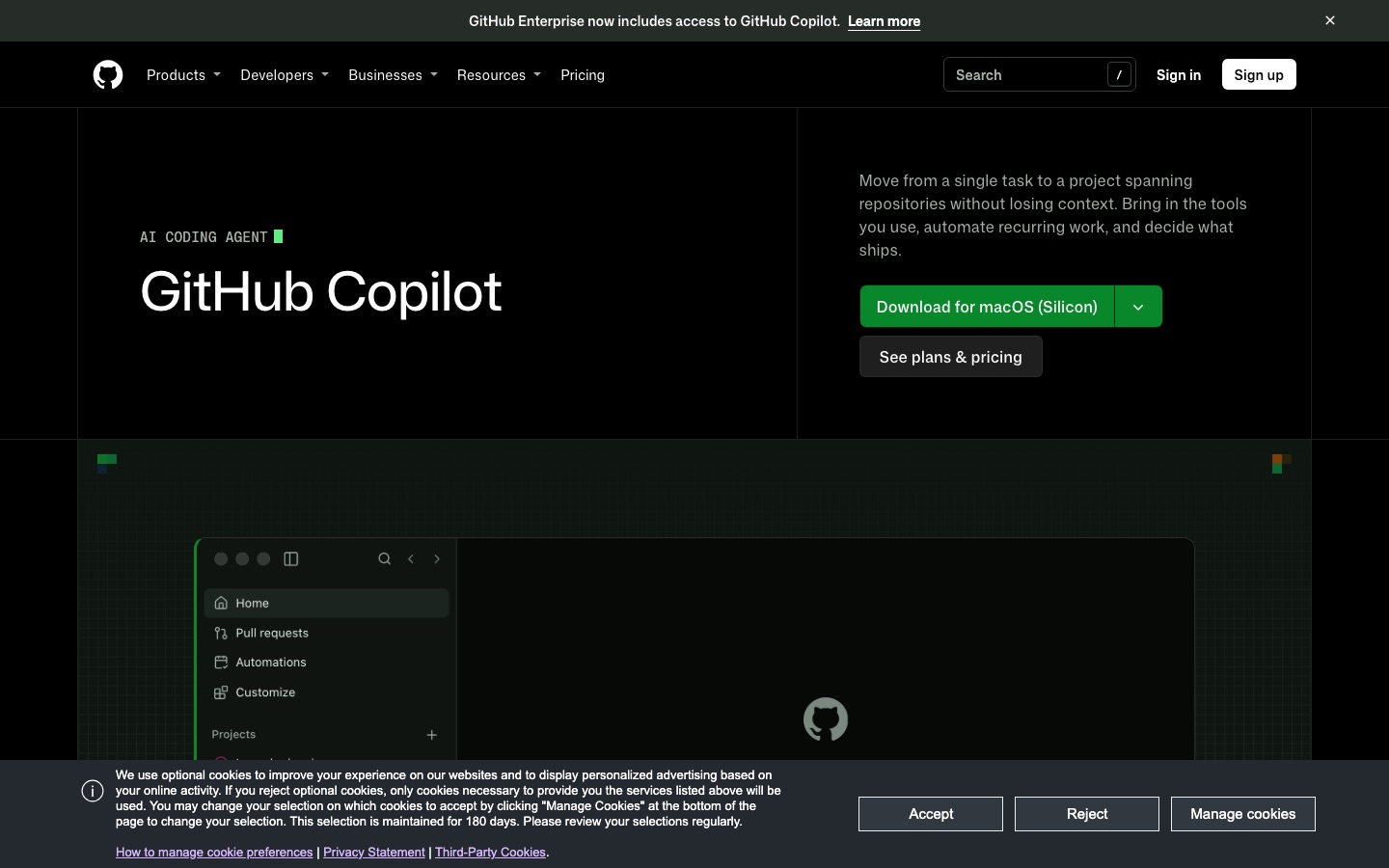
GitHub Copilot is an assistant rather than an editor. It adds completions, chat and an agent mode to the editor you already use, and connects that to GitHub: a cloud agent that takes a task from an issue, the IDE, the CLI or your phone and returns a pull request, code review on pull requests, the Copilot CLI, and the Copilot app, a desktop workspace for running agents in parallel launched in May 2026. Our GitHub Copilot review covers each feature in depth.
Cursor

Cursor forked VS Code and rebuilt it around AI. Tab predicts your next edit. The Agent plans and executes multi-file changes with visual diffs, with a Plan mode to scope work first. Cloud agents run tasks on Cursor's machines and can build shareable canvases. Bugbot reviews pull requests. Since October 2026 it also has an Agent SDK for deploying custom agents. Our Cursor review covers the new plans and the SpaceX changes.
GitHub Copilot vs Cursor, dimension by dimension
Autocomplete and editing feel
This is still Cursor's clearest win. Its Tab model is trained to predict edits, not just text, so it proposes multi-line changes and jumps your cursor to the next spot that needs updating. Copilot's completions are fast and capable, and next edit suggestions chase the same idea, unlimited on paid plans and free of credit charges. In public feedback, though, developers who have used both mostly say Cursor's predictions are more accurate on refactors and repetitive edits.
Winner: Cursor.
Agent in the editor
Both editors let an agent read your project, plan, edit several files, run commands and fix errors. Cursor's Agent is more polished: plans and diffs appear inline, hunk-by-hunk review is smooth, and @-mentions plus a codebase index make it easy to point the agent at the right context. Copilot's agent mode has caught up a lot, with side-by-side agent sessions in VS Code, worktree management and generally available local sandboxing that limits what agents can touch on your machine.
Winner: Cursor, narrowly, for the supervised in-editor experience.
Cloud agents and background work
Copilot's cloud agent is the most GitHub-native way to delegate. You assign work from github.com, mobile, the IDE or CLI, it runs in a GitHub Actions environment (one repository, 59-minute limit) or a cloud sandbox that can span repositories, and it opens a pull request your team reviews like any other, per GitHub's documentation. The Copilot app adds parallel sessions in isolated worktrees, a My Work view and scheduled prompts.
Cursor's cloud agents feel more like a power tool: fire off many tasks, review results as diffs, share interactive canvases, and connect environments with up to 300 repositories. They require Premium at $30. Copilot includes its cloud agent from Pro at $10.
Winner: tie. Copilot for GitHub-centric teams and price, Cursor for power users who run many agents at once.
Models and how they are billed
This is where 2026 flipped the comparison. Copilot's model menu is the broadest in the market, including Claude Opus 5.5 and Sonnet 5.5, GPT-6.1 Sol and Terra, Gemini 4 Argon and Grok 4.7, plus auto selection and the multi-model Copilot Fusion. All of them draw from the same AI Credits that come with your plan, and you can add your own keys or local models.
Cursor's included models are now Grok 4.7, 4.6, 4.5 and Composer 2.5. Claude, Gemini, GLM, Kimi and DeepSeek are available on Premium and above but billed at API list price from prepaid credit, and OpenAI has said it will stop supplying models to Cursor on November 12, 2026. If Grok and Composer handle your stack well, Cursor's pool is generous. If you want Claude all day, Copilot is far cheaper.
Winner: GitHub Copilot.
Editor and ecosystem support
Copilot works in VS Code, Visual Studio, every JetBrains IDE, Xcode, Vim, Neovim, Zed and Eclipse. Cursor works in Cursor. Because Cursor is a VS Code fork, most VS Code extensions, themes and keybindings carry over, but JetBrains, Visual Studio and Xcode users would have to change editors entirely. Mixed teams rarely want that.
Winner: GitHub Copilot.
Code review
Copilot code review checks local changes before a pull request and reviews pull requests on GitHub, with an effort setting and API access added in October 2026. Cursor's Bugbot reviews GitHub pull requests from Premium, and Teams and Enterprise get Security Review and Rollouts monitoring. Both are useful second opinions; neither replaces a dedicated tool like CodeRabbit or Graphite for large teams.
Winner: tie.
Privacy, ownership and enterprise
Copilot Business and Enterprise offer policy controls, usage metrics, SAML SSO, IP indemnity and admin-set spending limits, and they slot into existing GitHub and Microsoft procurement. Cursor Teams and Enterprise offer SSO, SCIM, audit logs, privacy settings and model and MCP access controls, but plans are now sold by X Subscription Corp under SpaceX terms, which some legal and security teams will want to review first.
Winner: GitHub Copilot for most companies.
Pricing compared
Prices as of October 2026, from GitHub's Copilot plans page and Cursor's pricing page:
| Tier | GitHub Copilot | Cursor |
|---|---|---|
| Free | $0: 2,000 completions, limited chat and agent | $0: limited Agent requests |
| Entry | Pro $10: 1,500 AI Credits, unlimited completions, cloud agent, review | Plus $8: base pool, Grok and Composer only, no cloud agents |
| Mid | Pro+ $39: 7,000 credits, premium models, third-party agents | Premium $30: 4x Plus, cloud agents, Bugbot, third-party models at API price |
| Heavy | Max $100: 20,000 credits, priority access | Super $100: 15x Plus; Ultra $200: 50x Plus |
| Business | $19 per seat (1,900 credits) | Teams $30, $100 or $200 per seat |
| Enterprise | $39 per seat (3,900 credits) | Custom |
What you actually pay
Light use (completions, some chat): Copilot Pro at $10 or Cursor Plus at $8. Both are cheap; Cursor's Tab is better, Copilot's model choice is wider.
Daily agent use with Claude: Copilot Pro+ at $39 covers a lot. On Cursor, Premium at $30 plus Anthropic API charges can easily exceed that.
Daily agent use with Grok or Composer: Cursor Premium at $30 is excellent value, and it also bundles Grok and X Premium.
Teams: Copilot Business at $19 per seat versus Cursor Teams from $30, with an extra $0.25 per million tokens Cursor Token Rate on third-party models.
One note on predictability: both tools are now usage-metered. Copilot charges credits by tokens at each model's rate, with flex allotments GitHub says can change. Cursor's pool resets weekly, which spreads usage out but can stop you mid-week. Neither is truly flat any more.
Pros and cons
GitHub Copilot
Pros: $10 entry, works in nearly every IDE, widest model choice included in credits, cloud agent and review on Pro, native to GitHub issues and pull requests, strong enterprise controls.
Cons: completions trail Cursor's Tab, credit billing can surprise heavy users, many overlapping surfaces and preview features, cloud agent only for GitHub-hosted repos.
Cursor
Pros: best Tab completions, most polished in-editor agent, powerful cloud agents with canvases, Bugbot, cheap $8 entry, weekly pool for Grok and Composer.
Cons: Claude and GPT billed at API price from $30 up, OpenAI cutoff on November 12, requires switching editors, SpaceX and X Subscription terms, pricing history of abrupt changes.
Can you use both?
Yes, and some developers do. Because Cursor is a VS Code fork, the Copilot extension can be installed in it, though running two completion engines at once is confusing, so most people disable one. A more common pattern in 2026 is to pick one editor tool and add a separate agent: Copilot or Cursor for typing, plus Claude Code or OpenAI Codex for big delegated tasks. Copilot Pro+ can even hand tasks to Claude Code and Codex directly. See OpenAI Codex vs Claude Code and Claude Code vs Cursor for those pairings.
How to choose in 15 minutes
Check your editor. If you use JetBrains, Visual Studio or Xcode and do not want to switch, choose Copilot.
Check your models. If you want Claude or GPT for most work, Copilot is cheaper. If Grok and Composer are fine, Cursor is great value.
Try Tab and next edit suggestions on the same file. Install Cursor Free and Copilot Free, make the same refactor in each, and see which predicts you better.
Delegate one real issue. Give each cloud agent the same small ticket and compare the pull requests.
Ask your security team whether SpaceX or Microsoft terms are a blocker before you roll either out widely.
Alternatives
Devin Desktop: formerly Windsurf, an agent-first editor with unlimited Tab on its free plan and Pro at $20. Compared in Cursor vs Windsurf vs Trae.
Claude Code: the strongest autonomous agent, included with Claude Pro at $20.
OpenAI Codex: a coding agent bundled with every ChatGPT plan, even Free.
JetBrains AI Assistant and Zed: native AI for JetBrains users and a fast open-source editor with an agent panel.
Trae: a low-cost AI editor from ByteDance, with privacy trade-offs.
For the full field, read our best AI coding tools guide, or, if you are not a developer, the best vibe coding tools for building apps from prompts.
FAQ
Is Cursor better than GitHub Copilot?
Cursor is the better editor, with stronger Tab completions and a more polished in-editor agent. GitHub Copilot is the better value, works in more editors and includes Claude, GPT and Gemini in its credits. In 2026 most developers who mainly use Claude or GPT models will find Copilot cheaper, while Grok and Composer users get great value from Cursor.
Is GitHub Copilot cheaper than Cursor?
At the entry level they are similar: Copilot Pro is $10 and Cursor Plus is $8, but Cursor Plus only includes Grok and Composer models. For third-party models, Copilot Pro+ at $39 includes them in 7,000 credits, while Cursor Premium at $30 bills them at API price on top. For Claude-heavy users, Copilot is usually cheaper.
Can I use Claude in GitHub Copilot and Cursor?
Yes, in both. Copilot includes Claude models such as Opus 5.5 and Sonnet 5.5 in its AI Credits, depending on plan, and Pro+ and above can delegate to the Claude Code agent. Cursor offers Claude on Premium and above, billed at Anthropic's API list price from prepaid credit, separate from your weekly usage pool.
Does Cursor work with JetBrains?
Not as a plugin. Cursor is its own editor built on VS Code, so JetBrains users would need to switch editors to use its Tab and Agent, though the Cursor CLI can run in any terminal. GitHub Copilot has an official plugin for all JetBrains IDEs, which is one of its biggest advantages for mixed teams.
Should I switch from Copilot to Cursor in 2026?
Only if completions and the in-editor agent are your top priority and you are happy with Grok and Composer models. If you rely on Claude or GPT, Cursor's API-priced billing and the November 12 OpenAI cutoff make switching less attractive than it was in 2025. Try Cursor Free on a real project before you cancel Copilot.
Can I install GitHub Copilot in Cursor?
Generally yes, since Cursor supports VS Code extensions, but it is rarely worth it. Running Copilot and Cursor Tab together creates competing suggestions, and you pay for two AI subscriptions. Most developers choose one editor assistant and pair it with a separate agent such as Claude Code or Codex for larger tasks.
Final verdict
GitHub Copilot wins on value, reach and model access; at $10 it is the default we recommend for most developers and nearly every company, especially teams outside VS Code. Cursor wins on the editing experience; if you want the best Tab completions and the smoothest supervised agent, and Grok and Composer models work for you, Premium at $30 is a great product.
The SpaceX-era pricing is the swing factor. If Claude or GPT are central to how you code, Copilot is now the clearly cheaper way to get them inside an editor. If they are not, try Cursor; it is still the editor many developers find hardest to give up.
Compare every AI editor, coding assistant and review bot we track in the AI code tools category, or browse AI agents. Building a developer tool we have missed? Submit it for a listing.