GitHub Copilot Review (2026): AI Credits, Agents and Real Value
GitHub Copilot is still the easiest AI coding assistant to adopt: it runs in almost every editor, costs $10 a month for Pro, and now includes a cloud agent, a CLI, a desktop app and code review. The catch in 2026 is usage-based AI Credits. Here is what changed, what each plan really gets, and who should pick something else.
Our GitHub Copilot review in one line: GitHub Copilot is the best value AI coding assistant for most developers who want AI inside the editor they already use, with unlimited completions, a capable agent and the widest model menu in the market for $10 a month. Pick it if your code lives on GitHub, your team uses several IDEs, or you need enterprise controls. Skip it if you want the deepest autonomous agent (look at Claude Code) or the slickest AI-native editor (look at Cursor), or if unpredictable usage billing worries you.
Copilot changed more in 2026 than in any year since launch. On June 1, GitHub replaced premium requests with usage-based AI Credits, added a $100 Max plan, and briefly paused new sign-ups while it reworked pricing. It also shipped a desktop Copilot app for running agents in parallel, made the cloud agent and code review core features of every paid plan, and added Copilot Fusion, a multi-model mode. This review is based on GitHub's official plans page, documentation, changelog and public developer feedback as of October 2026, not on our own benchmark tests.

GitHub Copilot at a glance
What it is: GitHub's AI coding assistant, covering inline completions, chat, agent mode in the IDE, a cloud agent that opens pull requests, a terminal CLI, a desktop app and pull request review.
Best for: developers on GitHub, teams with mixed editors (VS Code, Visual Studio, JetBrains, Xcode, Neovim, Eclipse, Zed), and companies that need policy controls and IP indemnity.
Pricing: Free, Pro $10/mo, Pro+ $39/mo, Max $100/mo, Business $19 per seat, Enterprise $39 per seat.
Billing model: monthly AI Credits at $0.01 each. Completions and next edit suggestions are unlimited on paid plans and do not use credits.
Models: Claude, GPT, Gemini, Grok and others, plus auto selection, Copilot Fusion, bring-your-own-key and local models.
Not ideal for: heavy all-day agent users who want flat, predictable pricing, or developers who never touch GitHub.
Quick verdict: who should use GitHub Copilot
Yes, if you want solid AI completions and chat in your current editor for $10 a month.
Yes, if your team reviews code on GitHub and wants an agent that works from issues and returns pull requests.
Yes, if you switch between models: Copilot exposes Anthropic, OpenAI, Google and xAI models under one bill.
Maybe, if you run long agent sessions every day. Pro+ or Max covers more, but you are now paying by usage.
No, if you want a terminal agent that runs for hours on its own; Claude Code or OpenAI Codex go further.
No, if you want the best tab-completion experience in a purpose-built AI editor; Cursor still leads there.
What GitHub Copilot is in 2026
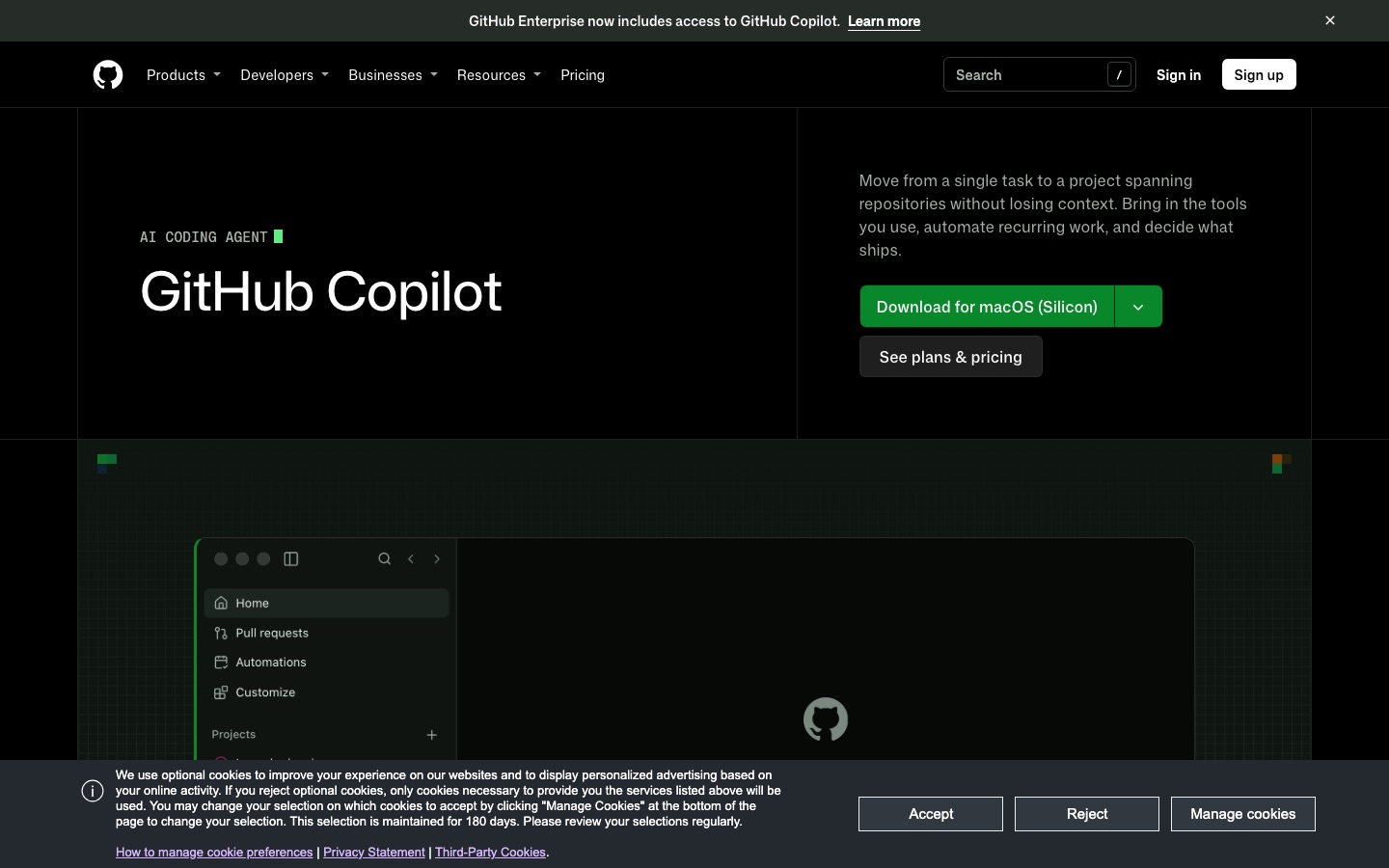
Copilot started in 2021 as autocomplete. In 2026 it is a family of surfaces sharing one account, one model menu and one pool of credits. You can start a task in VS Code, hand it to the cloud agent on github.com, check on it from GitHub Mobile, and review the pull request it opens, all under the same plan. GitHub's Copilot features page lists VS Code, Visual Studio, JetBrains IDEs, Xcode, Vim, Neovim, Zed and Eclipse, plus the CLI, desktop app, web, mobile, Slack and Microsoft Teams.
That breadth is Copilot's real moat: Cursor and Devin Desktop ask you to switch editors, while Copilot meets developers where they already are.
Key features, tested against the docs
Inline completions and next edit suggestions
The original feature is still the one most people use hour to hour. Copilot suggests the rest of a line or a whole block as you type, and next edit suggestions predict the next place you will need to change, such as updating every call site after you rename a parameter. On paid plans both are unlimited and do not consume AI Credits, which keeps the everyday experience predictable. The Free plan caps you at 2,000 completions a month.
Agent mode in the editor
Agent mode turns Copilot Chat into an agent that reads your project, edits multiple files, runs terminal commands and iterates on errors. In VS Code you can now watch several agent sessions side by side in the Agents window, arranged in a grid, and clean up old worktrees from chat. Local sandboxing, generally available since October 2026 in the CLI, the Copilot app and VS Code sessions using Agent Host, limits what an agent can touch on your machine, including files, network and credentials.
The cloud agent (formerly coding agent)
This is the feature that makes Copilot more than an autocomplete tool. You delegate a task from github.com, GitHub Mobile, your IDE or the CLI, and Copilot researches the repository, plans the change, edits files, runs tests and linters in the background, then opens a pull request for review. According to GitHub's cloud agent documentation, it runs either in a GitHub Actions environment (one repository, 59-minute limit) or in a cloud sandbox that can span repositories in one organization. Since October 28, 2026 the new cloud experience is available on every paid plan.
Limits matter here. The agent works on one branch and opens one pull request per task, only works with repositories hosted on GitHub, and compute draws from your GitHub account's Actions allowance in addition to AI Credits.
Copilot CLI
Copilot CLI brings the agent to the terminal, with task delegation and a programmatic mode for scripts. It is included on every plan, even Free. Its /model command can now discover models from a local Ollama instance, and auto model selection works in the CLI too. It is a credible answer to Claude Code and the Codex CLI, though most public comparisons still rate those two as stronger for long autonomous runs.
The GitHub Copilot app
Launched in technical preview in May 2026, the Copilot app is a desktop home for agents on Windows, macOS and Linux. Each session runs in its own git worktree so parallel agents do not collide, a My Work view gathers sessions, issues, pull requests and automations across repositories, and shared canvases show plans, terminals, browser sessions or deployments that you and the agent both work on. An /every command schedules recurring prompts.
Code review
Copilot reviews local changes before you open a pull request and reviews pull requests on GitHub alongside human feedback and checks, then can hand follow-up fixes to the cloud agent. In October 2026 GitHub added API support for requesting reviews and an effort setting, with Balanced as the new default. It is included from Pro up. Dedicated tools still go deeper; our Graphite vs CodeRabbit comparison covers them.
Models, auto selection and Copilot Fusion
Copilot's model menu is the broadest of any coding tool. The plans page lists Anthropic models up to Opus 5.5, Sonnet 5.5 and Fable 5.1, OpenAI models up to GPT-6.1 Sol and Terra, Google's Gemini 4 Argon, xAI's Grok 4.7, Kimi K3 and Microsoft's MAI-Code models, with availability varying by plan and admin policy. You can also connect your own API keys or run local models through Ollama and Foundry Local.
Auto picks one model per request and gives paid users a 10% discount on model costs. Copilot Fusion, generally available in VS Code, the CLI, the app and JetBrains, can route a task across several models (for example a main model plus a reviewer). You pay each model's standard rate, with a 30% discount on paid plans through November 30, 2026, per GitHub's Copilot Fusion docs.
Customization: instructions, MCP, skills and third-party agents
Repository instructions and skills set coding standards and repeatable workflows. MCP servers, plugins and Copilot Connectors bring in outside tools and data. On Pro+, Max, Business and Enterprise you can also delegate tasks to third-party agents, namely Claude Code and Codex, from inside GitHub, still labeled preview. And the Copilot SDK lets teams build internal agents on the same runtime.
GitHub Copilot pricing in 2026
Prices and allowances below come from GitHub's plans page and plans documentation, as of October 2026. One AI Credit equals $0.01.
| Plan | Price | Monthly AI Credits | What it adds |
|---|---|---|---|
| Free | $0 | Limited allowance | 2,000 completions, limited chat and agent use, auto model selection, CLI |
| Student | Free (verified) | Limited allowance | Copilot features at no cost; no third-party agents |
| Pro | $10/mo | 1,500 (1,000 base + 500 flex) | Unlimited completions, cloud agent, agent mode, MCP, code review |
| Pro+ | $39/mo | 7,000 (3,900 base + 3,100 flex) | Premium models, third-party agents (Claude Code, Codex) |
| Max | $100/mo | 20,000 (10,000 base + 10,000 flex) | Highest individual allowance, priority access to premium models |
| Business | $19 per seat/mo | 1,900 per user | Central management, policies, IP indemnity, SSO |
| Enterprise | $39 per seat/mo | 3,900 per user | Everything in Business plus enterprise features on GitHub Enterprise Cloud |
How AI Credits work
Every chat, agent step and review is metered by tokens at the chosen model's rate and charged in credits. Your base credits match the plan price and are used first. Flex credits sit on top and, in GitHub's words, may change over time as model prices shift. Once both run out you can buy more credits, upgrade and pay the difference, or wait for the next cycle. On Business and Enterprise, admins set whether extra paid usage is allowed; if not, Copilot pauses until the cycle resets.
In practice, completion-heavy users rarely notice credits, while long agent sessions on Opus-class models can burn through Pro's $15 of usage quickly. That is why GitHub created Max.
The 2026 sign-up pause
Context for the new pricing: GitHub paused new Pro trials on April 10, 2026 and new Pro, Pro+ and Student sign-ups on April 20, citing agent sessions whose costs could exceed the plan price. Sign-ups reopened gradually from June 17, after the move to AI Credits.
Pros and cons
Pros
Works in nearly every major IDE, not just a VS Code fork.
Cheapest serious paid plan at $10, with unlimited completions that do not touch credits.
Widest model choice, including Claude, GPT, Gemini and Grok, plus BYOK and local models.
Cloud agent, code review and CLI included from Pro, all tied natively to GitHub issues and pull requests.
Strong enterprise story: policies, usage metrics, SSO, IP indemnity and data controls.
Cons
Usage-based credits make heavy agent use harder to budget, and flex allotments can change.
Agent autonomy still trails Claude Code and Codex on long, multi-step tasks, by most public accounts.
Completions are good but Cursor's Tab is generally rated better.
The cloud agent only works with GitHub-hosted repositories and has a 59-minute cap in Actions sessions.
Plan details shift often, and some features are labeled preview for long periods.
Common complaints from users
Public feedback on forums, GitHub Community discussions and developer media in 2026 clusters around a few themes:
Billing surprises. The switch from premium requests to token-metered credits was announced with little notice, and many users expected it to cost more than the flat fee it replaced.
The sign-up freeze. Developers who could not subscribe for 58 days, and who reported unanswered support tickets, were vocal, and some moved to Claude Code or open-source tools such as Cline and OpenCode.
Agent quality on complex tasks. Copilot's agent handles well-scoped issues, but users report needing more hand-holding than with dedicated agents on large refactors.
GitHub Copilot vs the alternatives
| Tool | Best for | Paid from (Oct 2026) | Key difference vs Copilot |
|---|---|---|---|
| GitHub Copilot | AI in any editor, GitHub-native teams | $10/mo | Broadest IDE and model support |
| Cursor | AI-native editing, best Tab | $8/mo (Grok only), $30 for third-party models | Own editor; Claude and GPT billed at API price |
| Claude Code | Autonomous multi-file tasks | $20/mo (Claude Pro) | Deeper agent, Claude models only |
| OpenAI Codex | Delegating tasks inside ChatGPT | Included from ChatGPT Free; Plus $20/mo | Bundled with ChatGPT, GPT models only |
| Devin Desktop | Agent-first IDE (formerly Windsurf) | $20/mo | Own editor with Devin Local agent |
Copilot vs Cursor: Cursor is the better editor if you are willing to switch, especially for Tab. Copilot is cheaper for multi-model use now that Cursor bills Claude and GPT at API price. Our full GitHub Copilot vs Cursor comparison goes deeper, and the Cursor review covers its new SpaceX-era plans.
Copilot vs Claude Code: Claude Code is the stronger agent and includes Claude models in a flat plan. Many developers keep Copilot for completions and use Claude Code, or Copilot's third-party agent option, for big tasks. See our Claude Code guide.
Copilot vs Codex: if you already pay for ChatGPT, Codex costs nothing extra. Our OpenAI Codex vs Claude Code comparison explains how the two agents differ.
Which plan should you choose?
Students and hobbyists: start on Free or the Student plan. The 2,000 completions and CLI access are enough to judge it.
Most professional developers: Pro at $10. Unlimited completions plus the cloud agent and review is the best price-to-value in AI coding.
Daily agent users who want Claude or GPT flagships: Pro+ at $39, which also unlocks third-party agents.
All-day agent work: Max at $100, or compare it with Claude Max 5x at the same price if you mostly use Claude models.
Companies: Business at $19 per seat for policy control; Enterprise at $39 if you run GitHub Enterprise Cloud and want larger credit pools.
FAQ
Is GitHub Copilot worth it in 2026?
For most developers, yes. Pro costs $10 a month and includes unlimited completions, agent mode, the cloud agent and code review, plus access to Claude, GPT and Gemini models. It is less compelling if you mainly want a long-running autonomous agent, where Claude Code or Codex do more, or if you want Cursor's editor experience.
Is GitHub Copilot free?
There is a free plan with 2,000 inline completions a month, limited chat and agent usage with automatic model selection, and the Copilot CLI. Verified students, teachers and maintainers of popular open-source projects may qualify for free paid access. For unlimited completions and the cloud agent you need Pro at $10 a month.
What are GitHub Copilot AI Credits?
AI Credits replaced premium requests on June 1, 2026. Each credit is worth $0.01, and chat, agent and review usage is charged by tokens at each model's rate. Pro includes 1,500 credits a month, Pro+ 7,000 and Max 20,000. Completions and next edit suggestions on paid plans do not use credits.
What is the difference between Copilot Pro and Pro+?
Pro costs $10 a month with 1,500 monthly AI Credits. Pro+ costs $39 with 7,000 credits, access to premium models and the ability to delegate tasks to third-party agents such as Claude Code and Codex. If you hit Pro's limits more than once a month, Pro+ is usually cheaper than buying extra credits.
Can GitHub Copilot use Claude models?
Yes. Copilot's model picker includes Anthropic models such as Claude Opus 5.5, Sonnet 5.5, Haiku 5.5 and Fable 5.1, depending on your plan and admin policy. Usage is billed in AI Credits at each model's rate. On Pro+ and above you can also hand tasks to the Claude Code agent itself.
Is GitHub Copilot better than Cursor?
It depends on what you value. Copilot is cheaper, works in more editors and includes third-party models in its credits. Cursor offers a more polished AI-native editor and stronger Tab completions, but since October 2026 its third-party models cost extra at API prices. Read our GitHub Copilot vs Cursor comparison for the full breakdown.
Does GitHub Copilot train on my code?
GitHub says it does not use Copilot Business or Enterprise customer code to train models, and individual users can manage data settings in their account. Policies differ by plan and change over time, so review GitHub's current privacy and Copilot trust documentation before using it on sensitive code.
Final verdict
GitHub Copilot is the AI coding assistant we would recommend to the most people, because it fits into existing editors and GitHub workflows with almost no friction and costs less than its rivals at the entry level. The 2026 additions, from the cloud agent and Copilot app to Fusion and third-party agents, make Pro at $10 a much bigger product than it was a year ago.
The trade-off is that Copilot is now a usage-billed service. If you live in agent mode all day, budget for Pro+ or Max, and compare honestly with Claude Code and Codex, which are still ahead on autonomy. If you want the best AI editor regardless of ecosystem, try Cursor. For everyone else, Copilot Pro is the sensible default, and many developers will keep it even after adding a second, more specialized agent.
Compare every AI editor, coding agent and review bot we track in the AI code tools category, or read our roundup of the best AI coding tools. Built a developer tool we have missed? Submit it for a listing.