n8n Review (2026): Pricing, AI Agents, n8n 3.0 and Verdict
n8n is the most flexible workflow automation platform for technical teams: per-run pricing, a free self-hosted edition, a strong AI Agent node and a new chat-based n8n Assistant. Here is what each plan really gets, what the n8n 3.0 breaking changes mean for you, and when Zapier or Make is the better pick.
Our n8n review in one line: n8n is the best workflow automation platform for technical teams, AI agent builders and anyone running high volumes, because it charges per workflow run instead of per step, lets you self-host the free Community edition, and gives you code, branching and full data visibility at every node. Non-technical teams who want automations live in ten minutes should skip it and use Zapier or Make instead.
n8n has had a busy year. It shipped more than 45 releases after n8n 2.0 arrived in December 2025, added a chat-based n8n Assistant that builds workflows from plain English, and on October 27, 2026 released the n8n 3.0 beta, a major version with real breaking changes. This review covers what n8n does well, what each plan includes, what the 3.0 upgrade means, where users struggle, and how it compares with the alternatives. It is based on n8n's official pricing page, documentation, release notes and public user feedback as of October 2026, not hands-on benchmarking.

n8n at a glance
What it is: a source-available workflow automation and AI agent platform with a visual node canvas.
Made by: n8n GmbH, founded in Berlin in 2019 by Jan Oberhauser.
Integrations: 500+ native nodes, plus an HTTP Request node for any API and MCP support.
Pricing unit: one execution per full workflow run, regardless of how many steps it has.
Pricing: free self-hosted Community edition; Cloud Starter €20/mo and Pro €50/mo billed annually; self-hosted Business €667/mo billed annually; Enterprise custom.
Deployment: n8n Cloud, or self-hosted with Docker or Kubernetes.
Best for: developers, ops engineers, agencies and AI builders who want control and low cost at volume.
Not for: teams with no one comfortable reading JSON or API docs.
Quick verdict: who should use n8n
Yes, if your workflows have many steps or run thousands of times a month. A 40-node run costs the same single execution as a 2-node run.
Yes, if you need self-hosting for data residency, compliance or cost control. n8n is the only mainstream option that lets you do it.
Yes, if you are building AI agents with custom tools, memory, approvals and evaluations.
Think twice if you depend on niche SaaS apps. Zapier's 9,000+ app catalog is far larger.
Think twice if you self-host and do not want to own upgrades.
Skip it if nobody on your team wants to learn expressions, items and JSON. The learning curve is real.
What n8n is and what changed in 2026
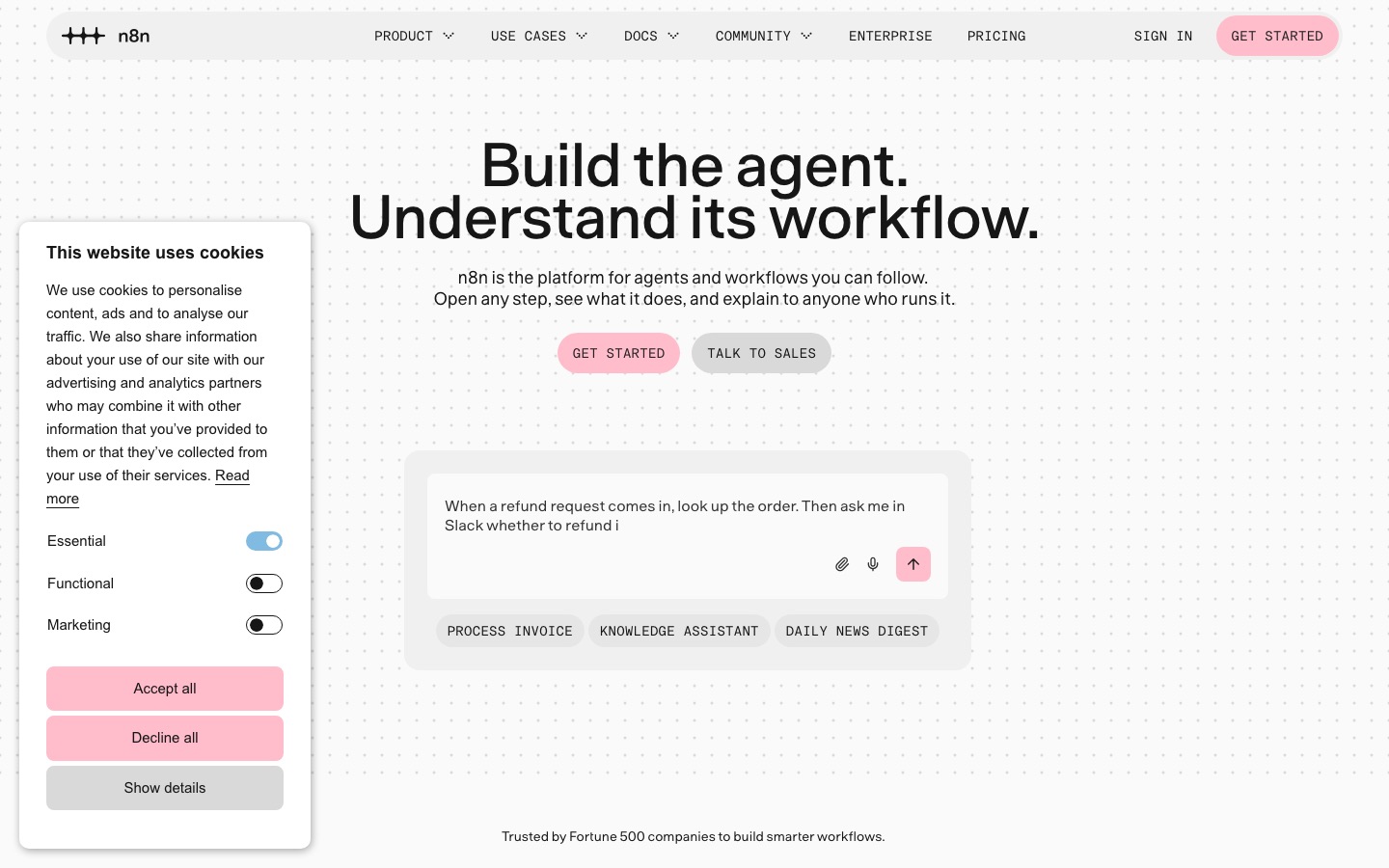
n8n is a workflow automation tool. You build a workflow by connecting nodes on a canvas: a trigger (a webhook, a schedule, a new row in a sheet, a chat message), then actions, logic and transformations. Every item that flows through is visible as JSON, so you can see exactly what each step received and returned. n8n's homepage cites over 208,000 GitHub stars, a community of more than 250,000 developers and a 4.7 out of 5 rating on G2.
Three things changed this year:
n8n Assistant. The old "Ask AI" helper has been replaced by n8n Assistant, a chat-based agent that creates, edits, tests and troubleshoots workflows from natural language. It dropped its Preview label in n8n 3.0.
Browser Use inside the Assistant. Since n8n 2.43 (October 6, 2026), the Assistant can use a browser to visit sites, fill in forms and help set up credentials for you, with secrets going straight into the credential rather than through the AI.
n8n 3.0. A reliability and security release that removes legacy nodes, requires Docker for self-hosting and tightens defaults. The beta is out now and the stable release is planned for early December 2026, according to the n8n 3.0 announcement.
Key features in depth
The workflow canvas and data model
The canvas is n8n's core. You can branch with IF and Switch nodes, merge data streams, loop over items, call sub-workflows and pin test data to a node so you do not hit an API every time you test. Expressions let you reference any earlier node's output, for example {{ $json.email }} or {{ $('Get Lead').item.json.company }}. It is more powerful than Zapier's step-by-step editor, but assumes you are comfortable with JSON.
Code nodes
The Code node runs JavaScript or Python at any point in a workflow. In n8n 3.0 the default task-runner timeout for Code nodes drops from 5 minutes to 1 minute, so long-running scripts may need adjusting.
500+ integrations, HTTP Request and MCP
n8n ships more than 500 native nodes for apps such as Gmail, Slack, HubSpot, Notion, Postgres, Airtable and the major AI providers. For anything else, the HTTP Request node calls any REST API, and you can paste a cURL command to build the request automatically. On the AI side, the MCP Client Tool lets agents call external MCP servers, and the MCP Server Trigger exposes n8n workflows as tools for Claude, Cursor and other clients.
The AI Agent node
This is why many teams pick n8n in 2026. The AI Agent node is a root node with slots for a chat model (OpenAI, Anthropic, Google Gemini, Mistral, Groq, Ollama, Azure AI Foundry, Vertex AI and others), memory, tools and an output parser. Any n8n node can become a tool, and recent releases added human approval steps, guardrails, evaluations, streaming, and usage and budget settings.
Our tutorial on how to build an AI agent with n8n walks through a complete Gmail triage agent with memory and tools.
n8n Assistant
n8n Assistant is the newest addition. You describe what you want ("when a Typeform is submitted, enrich the email with Clearbit, score it and post hot leads to Slack") and it builds a normal, editable workflow. The n8n Assistant docs say it runs on n8n Cloud Starter and Pro and on self-hosted Community and Business, but is not yet available on Enterprise. On Cloud it uses Assistant credits (1,600 a month on Starter, up to 9,600 on Pro). On self-hosted instances it runs on your own AI provider account.
The docs are candid that the Assistant can make mistakes and that generated workflows may need manual review. Treat it as a fast first draft, not an autopilot.
Error handling, history and debugging
Each node can retry on failure, stop the workflow or continue through an error output. A dedicated error workflow (built on the Error Trigger) can alert you on Slack or email whenever something breaks, and failed steps can be re-run individually. Every execution is saved with the data at each node, which makes debugging much faster than in most competitors.
Self-hosting
The Community edition is free to run on your own server. The n8n Docker guide gets a test instance running with two commands, and production setups typically add Docker Compose, PostgreSQL, a reverse proxy with HTTPS and queue mode with workers for scale. Note that n8n uses its Sustainable Use License, a fair-code license rather than an OSI open-source license: free for internal business use, with restrictions on reselling n8n as a hosted service.
n8n pricing (as of October 2026)
Figures come from the official n8n pricing page, which lists Cloud prices in euros on annual billing. Monthly billing is available but not published on the page, so expect to pay more month to month (our listing records about $24/mo for Starter); confirm at checkout.
| Plan | Price | What you really get |
|---|---|---|
| Community (self-hosted) | Free software; you pay for hosting | Unlimited executions and workflows on your own server; core features, Assistant on your own AI key |
| Starter (Cloud) | €20/mo billed annually | 2,500 executions/mo, 5 concurrent executions, 5-minute max run time, unlimited users, 1 shared project, 7-day execution logs, 1,600 Assistant credits |
| Pro (Cloud) | €50/mo billed annually | 10,000 executions/mo, up to 50 concurrent, 40-minute max run time, 3 shared projects, admin roles, 5-day workflow history, 30-day logs, unlimited evaluations, up to 9,600 Assistant credits |
| Business (self-hosted) | €667/mo billed annually | 40,000 executions/mo, 6 shared projects, SSO and LDAP, multiple environments, Git version control, queue mode |
| Enterprise | Contact sales | Cloud or self-hosted, 200+ concurrent executions, log streaming, external secret stores, audit logs, 365+ days of history, SLA support |
Useful details for budgeting:
Overage is capped. On Starter and Pro, workflows keep running past your quota, with capped overage fees if you do not upgrade.
Free trial. The Cloud trial includes 1,000 executions, 5 concurrent executions, a 180-second timeout, 800 Assistant credits and 100 AI credits. A Business trial runs for 14 days.
Startup discount. Companies with fewer than 20 employees may qualify for 50% off Business.
AI without API keys. Cloud plans include Gateway credits so workflows can call AI models without your own provider key. Enterprise does not include them.
Is n8n worth the price?
For most technical teams, yes. Because n8n counts one execution per run, a five-step workflow that runs 2,000 times a month fits on Starter at €20, while the same volume on Zapier needs roughly 8,000 tasks. Our n8n vs Zapier vs Make comparison works through three volumes. The catch: Starter's 5 concurrent executions and 5-minute limit can push agent-heavy teams to Pro.
n8n 3.0: what the breaking changes mean for you
n8n 3.0 is focused on reliability and security rather than new features, and upgrading is one-way: you cannot roll back, so take a full backup first. The 3.0 breaking changes list is long. The ones most users will notice:
Docker is now required for self-hosting. Installs run with
npmornpx n8nare no longer supported. Kubernetes and Helm deployments are unaffected.Legacy nodes are removed, including Function, Function Item, Item Lists, Cron, Interval, Read/Write Binary File, AI Transform and the legacy OpenAI node. Published workflows using them will not activate until you replace them.
AI Agent v1 is gone. The older SQL, Conversational and ReAct agent modes are removed; update to the current AI Agent node, which works as a Tools Agent.
Stricter security defaults: encryption key rotation is always on, Slack credentials need a signing secret, more IP ranges are blocked for SSRF protection, and unverified community packages are off.
The good news is the tooling. The Migration Report (Settings, then Migration Report, on n8n 2.39 or later) flags affected workflows, auto-fixes many issues as new workflow versions for you to review and exports a CSV. n8n will keep shipping security and critical fixes for 2.x for 12 months after 3.0 goes stable, and support for 1.x ends on December 31, 2026, with no direct jump from 1.x to 3.x. If you are on 1.x, plan the move to 2.x now.
Pros and cons
Pros
Per-run pricing that stays cheap as workflows get longer and more complex.
Free self-hosting with unlimited executions, plus air-gapped options for enterprises.
Best-in-class AI agent tooling among automation platforms: any model, memory, tools, MCP, approvals, evaluations.
Code anywhere with JavaScript and Python nodes.
Excellent debugging: every execution saved with per-node data, error workflows and single-step re-runs.
Cons
Steep learning curve for non-developers: items, expressions and JSON take time.
Smaller native catalog (500+) than Zapier (9,000+) or Make (3,000+).
Cloud Starter limits on concurrency and run time are tight for agents.
Big pricing gap between Pro and Business.
Major-version migrations like 3.0 create work for self-hosters.
Fair-code license, not true open source, which matters for some companies and resellers.
Common complaints from public user feedback
Across forums, Reddit and review sites, the same themes recur (we have not verified them hands-on):
"It is not as no-code as it looks." Beginners often hit a wall with data mapping, merging branches and paginated APIs.
Self-hosting is a job. Updates, backups, Postgres tuning, queue mode and security patches fall on you.
AI agents can be unpredictable. Tool-calling agents sometimes loop, call the wrong tool or burn tokens. Evaluations and budget settings help, but they need setup.
n8n vs the alternatives
| Tool | Best for | Pricing unit | Self-host | Starting price (as of October 2026) |
|---|---|---|---|---|
| n8n | Technical teams, AI agents, volume | Execution (full run) | Yes | Free self-hosted; €20/mo annual (Cloud) |
| Zapier | Non-technical teams, widest app catalog | Task (each action) | No | Free; Pro from $19.99/mo annual |
| Make | Visual logic on a budget | Credit (each module) | No | Free; Core about $9/mo annual |
| Lindy | No-code AI assistants for email and meetings | Credits | No | Team from $49.99/mo |
| Relevance AI | Teams of business agents | Credits / sales-led | No | Check official page |
n8n vs Zapier
Zapier is easier, has about 18 times more native apps and lets non-technical people build agents in plain English. n8n is far cheaper at volume, can be self-hosted, and gives you code and data visibility Zapier cannot match. If the people building automations are marketers or ops generalists, Zapier usually wins. If they are engineers, n8n does.
n8n vs Make
Make is the closest competitor: a visual canvas with routers, iterators and structured error handling, at a lower entry price. Make is cloud-only and charges per module run; n8n charges per workflow run and adds code nodes and self-hosting. For short workflows at small volume Make is often cheaper; for long workflows and AI agents n8n usually is.
n8n vs agent builders like Lindy
Lindy and Relevance AI focus on agents rather than workflows, and you configure them by describing the job. They are faster for business users but offer less control. For a wider view, see our guide to the best AI agents, and if you want an agent that does research and deliverables on its own instead of running your workflows, read our Manus review.
Best use cases for n8n
Lead routing and enrichment: form webhook, enrich, score with an LLM, push to CRM and Slack.
AI support triage: classify tickets, draft answers from your docs, escalate edge cases for approval.
Internal ETL: sync Postgres, Sheets, Airtable and SaaS APIs on a schedule.
Agencies and regulated teams: no per-task margins, and self-hosting keeps customer data in your network.
FAQ
Is n8n free?
The self-hosted Community edition is free to download and run with unlimited executions under n8n's Sustainable Use License. You still pay for your server and spend time maintaining it. n8n Cloud, the hosted version, starts at €20 per month billed annually for 2,500 executions, with a free trial to start.
Is n8n worth it in 2026?
For technical teams, yes. Per-run pricing, free self-hosting, code nodes and a strong AI Agent node make it the best value automation platform at volume. For non-technical teams who mostly connect two or three SaaS apps, Zapier or Make is usually faster to learn and worth the higher per-step cost.
Is n8n better than Zapier?
It depends on who builds the workflows. n8n is better for developers, high volumes, AI agents and self-hosting. Zapier is better for non-technical users and niche apps, with 9,000+ integrations against n8n's 500+. Many companies use Zapier for simple app connections and n8n for complex, high-volume or sensitive workflows.
Is n8n hard to learn?
It is harder than Zapier. Basic workflows take an afternoon, but mastering expressions, item linking, merges and error handling takes a few weeks. Comfort with JSON and APIs helps a lot. The new n8n Assistant lowers the barrier by drafting workflows from plain English, but you still need to understand what it builds.
What is new in n8n 3.0?
n8n 3.0, in beta since October 27, 2026 with a stable release planned for early December, focuses on reliability and security. It requires Docker for self-hosting, removes legacy nodes and old AI Agent modes, tightens security defaults and adds a Migration Report to flag affected workflows. The upgrade cannot be rolled back.
Can n8n build AI agents?
Yes. The AI Agent node connects to models from OpenAI, Anthropic, Google, Mistral, Ollama and others, with memory, tools, output parsers, human approval steps, guardrails and evaluations. Agents can call MCP servers or be exposed as MCP tools. It is one of the most capable agent builders among automation platforms.
Final verdict
n8n is the automation platform we would pick for any team with technical skills in 2026. Per-run pricing keeps long workflows and AI agents affordable, self-hosting gives you full control of your data, and the combination of code nodes, MCP and a mature AI Agent node makes it as much an agent platform as an automation tool. The trade-offs are a real learning curve, a smaller native app catalog than Zapier, and the upkeep that comes with self-hosting, made more visible by the n8n 3.0 migration. If that sounds manageable, start a Cloud trial, build one workflow you need, and compare the bill with Zapier or Make.
Want more tools to connect to your workflows? See our roundups of the best AI productivity tools and the best AI tools for small business.
Browse every automation platform and agent builder we track in the AI agents category and developer tools in the AI code category. Building an automation tool we have missed? Submit it for a listing.