Manus Review (2026): Is the Autonomous AI Agent Worth It?
Manus takes a goal and works on it in its own cloud computer until it hands back a finished report, deck, website or app. Here is what Manus 2.0 changed, how credits really work, what each plan gets, the common complaints, and when ChatGPT, Genspark or Claude is the better pick.
Our Manus review in one line: Manus is one of the best autonomous AI agents for people who want finished deliverables (research reports, spreadsheets, slide decks, websites and small apps) rather than chat answers, and the $20 Pro plan is a fair price for analysts, founders, consultants and marketers who delegate that kind of work every week. Skip it if you mostly want quick answers, need predictable costs, or are not willing to review the agent's work before you share it.
Manus went viral in 2025 as the agent that "works while you sleep", and Meta agreed to acquire the company in a deal announced in late December 2025, while saying it would keep selling Manus as a standalone service. In 2026 the product moved to Manus 2.0, with a new engine, a desktop workspace, automations and new model tiers. This review covers what Manus does, how credits and plans work, where it struggles, and how it compares with the alternatives. It is based on Manus's official help center and product pages, plus public user feedback, as of October 2026. We did not run benchmark tests.

Manus at a glance
What it is: a general-purpose AI agent that plans and executes multi-step tasks in its own cloud environment.
Outputs: research reports, data analysis, slides, websites, mobile apps, games, images, video and music.
Owner: Meta, following an acquisition announced in December 2025.
Current version: Manus 2.0, with Lite, standard and Max model tiers.
Pricing: Free with daily credits; Pro from $20/mo (4,000 credits) or $40/mo (8,000 credits); Team from $20 per seat/mo; 17% off annual billing.
Platforms: web, desktop and mobile apps, plus Slack, LINE and email access.
Best for: research-heavy projects you want done end to end while you do something else.
Quick verdict: who should use Manus
Yes, if you regularly need market scans, competitor tables, supplier lists or literature reviews compiled from many sources.
Yes, if you want a working first draft of a deck, landing page or prototype from one prompt.
Yes, if you like to hand off a task, close the laptop and come back to files.
Think twice if you need tight cost control. Complex tasks can use hundreds or thousands of credits, and monthly credits do not roll over.
Think twice if your company has rules about vendors, data processing or Meta ownership. Check the Team plan's data training opt-out and SSO.
Skip it if you mostly ask quick questions. A chatbot like ChatGPT or Claude is faster and cheaper for that.
What Manus is and what changed with Manus 2.0
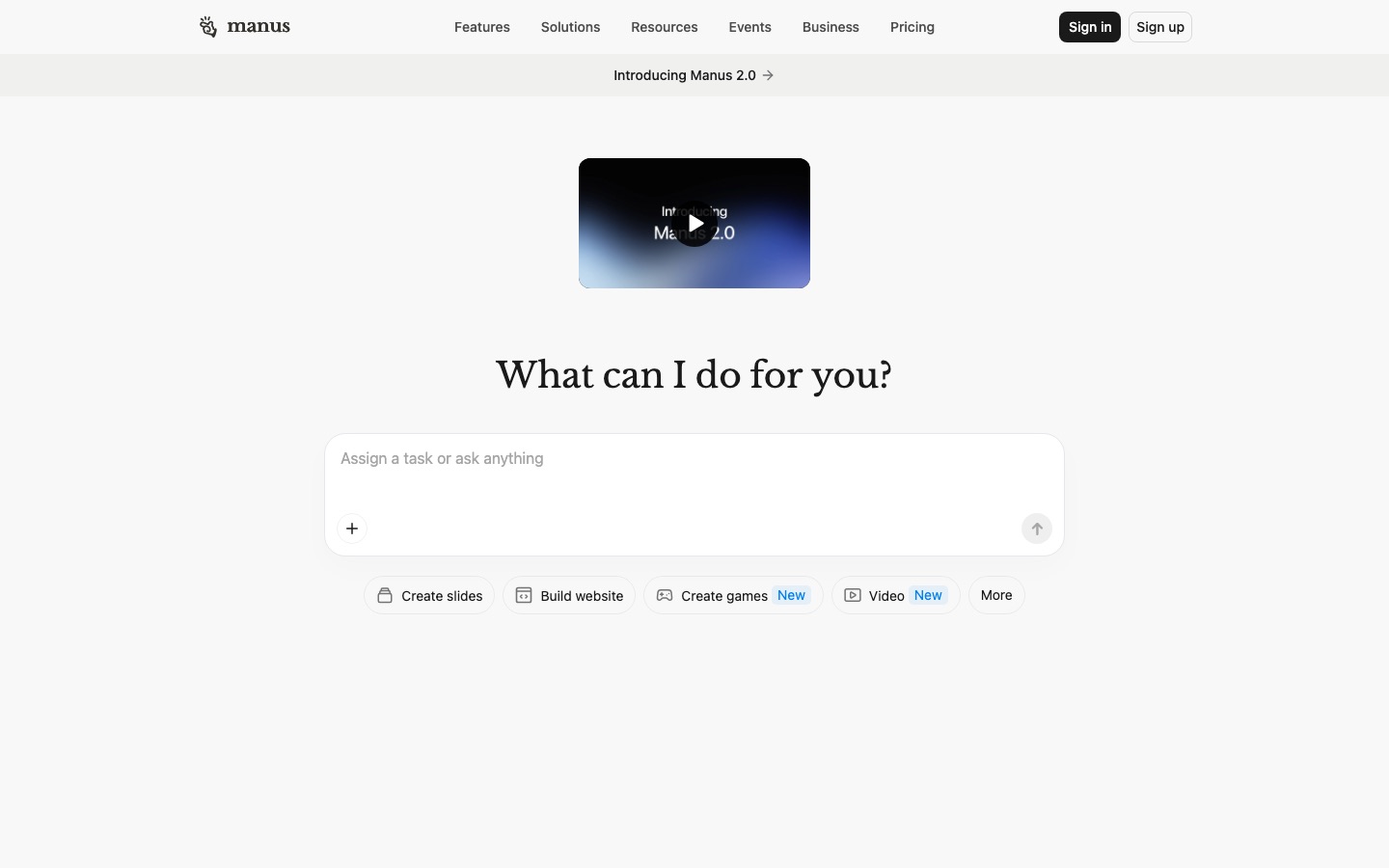
Most AI assistants answer in a chat window. Manus is built around Agent mode: you describe an outcome, it writes a plan, then it browses the web, writes and runs code, creates files and checks its own work inside a sandboxed virtual machine. You can watch each step live, take over its browser or VS Code session if it gets stuck, or leave and come back to the result. Sessions are replayable, so you can see how it reached a conclusion.
According to the Manus 2.0 help article, the biggest changes are:
Cascade engine: loads specialized capabilities only when a project needs them. In one configuration Manus tested, it used 23.2% fewer tokens, finished 28.2% faster and cost 32% less than the previous system. Those are Manus's own figures.
Manus Studio: a desktop workspace that works with your local files, folders and tools in an authorized session, with add-ons such as a Video Editor (edit the timeline after Manus makes a first cut) and Game Dev (playable templates you can edit asset by asset).
Computer Use and Remote Control: Manus can work in its own visible workspace on your desktop, using the files, browser and apps you approve, and you can direct it by voice from your phone.
Automations: schedule tasks or start them when a trigger fires, plus an Advanced automation mode in beta.
Cue: a separate, invitation-only app for a personal team of agents, each with its own email, phone number, wallet and computer.
Mobile apps in Agent mode: Manus 2.0 can build mobile apps alongside websites, slides and video.
Key features in depth
Agent mode vs Chat mode
Manus has two modes. Chat mode is for quick answers and brainstorming with images, PDFs and web search. Agent mode handles long, multi-step work. Both use credits now (Chat mode is no longer free), and Agent mode costs more. You can move a conversation from Chat to Agent but not back. Free users get the Manus 2.0 Lite model in Agent mode; Pro users can choose Manus 2.0, Manus 2.0 Max or Lite, per the Chat vs Agent mode article.
Wide Research
Wide Research is Manus's standout feature for analysts. When a task can be split, such as profiling 50 companies or reviewing 30 products, Manus breaks it into up to 20 parallel subtasks, each capped at 50 credits, and merges the results. Manus says this makes the same task cheaper than running it sequentially. You cannot trigger it manually (Manus decides when to use it), and it is available only on paid plans, according to the Wide Research article.
Slides, websites, apps and media
Quick-start modes cover slides, websites, games, video, design, images and music. Websites can be deployed with a custom domain and include a built-in SEO feature, and you can hide the "Made with Manus" badge. Apps built in Manus can be shared or published to the App Store and Google Play, and video generation can use models such as Veo 3. Quality varies by task type: research and data outputs tend to get the strongest feedback, while design-heavy work usually needs polishing.
Connectors, Slack and Mail Manus
Connectors link Manus to tools such as Zoom, HubSpot (via MCP) and Meta Ads Manager, and you can share reusable Skills across a team. You can chat with the Manus agent in Slack channels and DMs, message it on LINE, or email tasks to your personal @manus.bot address. Workflow Emails pair an address with standing instructions, for example "turn every newsletter I forward into a five-slide summary". Free accounts get up to 3 Workflow Emails and paid accounts up to 30.
My Computer and Cloud Computer
The My Computer feature in the Manus Desktop app lets the agent run terminal commands on your own machine inside folders you authorize: organizing files, building scripts or using an idle GPU. It asks for confirmation on sensitive commands. A Cloud Computer is a separate paid, always-on virtual machine for hosting a site, a bot or a long-running automation.
Manus pricing (as of October 2026)
Plans come from Manus's membership pricing article. Manus notes that the live pricing page is the final word, and Pro has higher credit tiers above the two listed here.
| Plan | Price | What you really get |
|---|---|---|
| Free | $0 | 300 daily refresh credits (Manus 2.0 Lite only, capped at 1,500 a month), 1 concurrent task, 2 scheduled automations |
| Pro | From $20/mo | 4,000 monthly credits, 20 concurrent tasks, 20 scheduled automations, Wide Research, website deployment, slides, Manus 2.0 and Max models, beta access |
| Pro | From $40/mo | 8,000 monthly credits, same features, 7-day free trial |
| Team | From $20 per seat/mo | Everything in Pro plus SSO, a data training opt-out, team usage analytics, access controls and shared slide templates |
| Cloud Computer (add-on) | $30/mo or $50/mo | Always-on VM with 2 vCPUs and 4 GB or 8 GB RAM, 70 or 120 GB storage, public IP, Ubuntu 24.04 |
Annual billing takes 17% off every plan. Former Basic and Plus plans were renamed Pro, and existing members keep their old prices on renewal.
How Manus credits really work
Credits are the part of Manus that confuses most people, so it is worth understanding the rules from the credits article:
What uses credits: model tokens, virtual machine time and third-party APIs. Cost depends on task complexity and duration, and Manus does not publish fixed per-task prices.
Only active work counts. Finished tasks and stored files use no credits.
No rollover. Monthly credits reset each cycle. A $20 plan bought on January 1 gives 4,000 credits that expire on February 1.
Add-on credits carry over, but only while you keep a paid subscription.
Failed tasks caused by Manus technical issues are refunded in full.
Order of use: event credits first, then daily, monthly, add-on and free credits.
Is Manus Pro worth $20?
If you hand Manus two or three substantial projects a week, yes. A research report that would take you half a day for $20 a month is easy value. If you only run an occasional task, the Free plan's daily credits are enough to test it. Note that add-on credits only work while you hold a paid subscription. Heavy users should start on the $40 tier with the 7-day trial and check the usage page after a week of real work.
Pros and cons
Pros
Genuinely hands-off on long tasks: plan, browse, code and deliver without hand-holding.
Wide Research makes broad comparisons fast and comparatively cheap.
Finished files, not just text: decks, spreadsheets, sites and apps.
Transparent sessions you can watch, replay and take over.
Many entry points: web, desktop, mobile, Slack, LINE and email.
Fair refunds for tasks that fail on Manus's side.
Cons
Unpredictable credit costs, with no exact estimate before you start.
Credits expire each month on subscriptions.
Free plan is thin: Lite model only, one task at a time, no Wide Research.
Output quality varies: design and long-form writing often need editing.
Ownership questions after the Meta deal for some companies.
Limitations and common complaints
Public user feedback on Reddit, X and review sites is enthusiastic about what Manus can do, but a few complaints come up repeatedly. We have not verified them hands-on:
Credit burn. The most common complaint is a task using far more credits than expected, especially when the agent retries failing steps or builds websites. Manus's own help center has articles on optimizing credit usage and on WebDev usage errors.
Getting stuck. Sites with logins, CAPTCHAs or bot protection can block its browser, and long tasks sometimes stall or end with high-load errors.
Confident mistakes. Like every agent, Manus can cite the wrong figure or misread a source. Always check numbers you plan to reuse.
Overbuilding. Vague prompts can produce sprawling deliverables. Narrow briefs get better and cheaper results.
Our practical advice: write a brief with the audience, format, length and trusted sources, review the plan before letting it run, and set a credit budget in your head before you start.
Manus vs the alternatives
| Agent | Best for | Free plan | Paid from (as of October 2026) |
|---|---|---|---|
| Manus | Autonomous research and deliverables | Yes, daily credits | $20/mo |
| ChatGPT | Agent features in an everyday assistant | Yes | $8/mo (Go), $20/mo (Plus) |
| Genspark | Slides, sheets and docs in one workspace | Yes, daily credits | Check official page |
| Claude | Careful research, writing and coding | Yes | $20/mo, or $17/mo annual (Pro) |
| Perplexity | Cited research plus the Computer agent | Yes | $20/mo, or $17/mo annual (Pro) |
| OpenClaw | Self-hosted personal agent | Free software | Model API costs only |
Manus vs ChatGPT
ChatGPT is the better everyday assistant and now handles multi-step projects with connectors, code and scheduled tasks. Manus is more autonomous on long research and build tasks, and Wide Research has no direct equivalent. If you already pay for ChatGPT, try its agent features first; add Manus if you keep wishing it would just finish the job. Our ChatGPT review covers its plans.
Manus vs Genspark
Genspark is the closest rival: a super agent that turns one prompt into slides, sheets, docs, images or video, and can even place phone calls. Genspark tends to be faster for presentation-ready assets; Manus is stronger for deep research, data work and building sites and apps. Both use credits that disappear quickly on media tasks.
Manus vs Claude and Perplexity
Claude is the better pick for careful writing, analysis and coding, and it can act in your own browser through Claude in Chrome. Perplexity is better when every claim needs a citation, and its Computer agent competes directly with Manus for long tasks. See our Claude review and Perplexity review for details.
For the full field, including coding agents and no-code builders, read our guide to the best AI agents. If you would rather automate a fixed, repeatable process than delegate open-ended tasks, an automation platform is a better fit; our n8n review explains why.
Best use cases for Manus
Market and competitor research: "Profile the top 25 project management tools for agencies: pricing, integrations, reviews. Deliver a spreadsheet and a two-page summary."
Lead and supplier lists: structured tables compiled from many sites, checked against your criteria.
Investor and client decks: a researched first draft you then refine in your slide tool.
Landing pages and prototypes: a working site you can deploy on a custom domain.
Recurring briefs: scheduled tasks that send a weekly industry roundup to your inbox.
For research tasks that need academic sources rather than the open web, compare Manus with the tools in our best AI research tools guide.
FAQ
Is Manus AI free?
Yes, Manus has a free plan with 300 daily refresh credits, capped at 1,500 a month, one concurrent task and two scheduled automations. Daily credits only work with the Manus 2.0 Lite model, and Wide Research is paid only. It is enough to test the agent on small tasks, but not for regular research projects.
How much does Manus cost?
Manus Pro starts at $20 a month for 4,000 monthly credits, or $40 a month for 8,000 credits with a 7-day free trial, and higher credit tiers exist. The Team plan starts at $20 per seat a month. Annual billing saves 17%. Always check Manus's pricing page, which is the final word.
Is Manus worth it?
Manus is worth it if you delegate research, analysis or build tasks that would take you hours, at least a few times a week. It is not worth it for quick questions or occasional use, where a regular chatbot or the free plan is enough. The main risk is credit burn on complex tasks, so start with narrow briefs.
Who owns Manus?
Meta agreed to acquire Manus in a deal announced in late December 2025. Meta said it would keep operating and selling Manus as a standalone service while bringing its technology into Meta's own apps. Manus was originally built by the team behind the Monica AI assistant.
Do Manus credits roll over?
No. Monthly subscription credits reset at the end of each billing cycle and do not carry over. Add-on credits you buy separately do carry over, but only while you keep an active paid subscription. Free credits do not expire, and credits used by tasks that fail due to Manus technical issues are refunded.
What is Manus Wide Research?
Wide Research splits a large task into up to 20 parallel subtasks, like having 20 agents work at once, then merges the results. Each subtask is capped at 50 credits. Manus decides automatically when to use it, and it is only available on paid plans. It suits broad comparisons such as profiling dozens of companies.
Is Manus safe to use for work?
Manus runs tasks in a sandboxed cloud machine and asks for confirmation on sensitive local commands in the desktop app. For business use, the Team plan adds SSO, a data training opt-out and access controls. Avoid giving it credentials or data you would not share with a third-party vendor, and review outputs before sharing them.
Final verdict
Manus is still one of the most capable autonomous agents you can buy in 2026. Manus 2.0 made it faster and cheaper per task, Wide Research is a real advantage for broad research, and the range of outputs, from spreadsheets to deployable apps, is unmatched by most chat assistants. The weak spots are the same as in 2025: credit costs are hard to predict, monthly credits expire, and outputs still need a human review. If you regularly delegate research-heavy projects, the $20 Pro plan pays for itself quickly. If you mostly chat, stick with ChatGPT or Claude and revisit Manus when you have a project worth handing off.
Browse more autonomous agents and research assistants in the AI agents category and the AI research category. Building an AI agent we have missed? Submit it for a listing.