Superhuman Review (2026): Is the AI Email Client Worth $30 a Month?
Superhuman Mail is still the fastest email client for Gmail and Outlook, and its 2026 AI features (Auto Drafts, Ask AI, Auto Labels and an MCP server for Claude and ChatGPT) are genuinely useful. But the best AI sits on the $40 Business plan. Here is what you get, what it costs and who should skip it.
Verdict: in this Superhuman review, the short answer is that Superhuman Mail is worth it if email is a large part of your job, you handle 100 or more messages a day on Gmail or Microsoft 365, and you will actually learn the keyboard shortcuts. The speed is real, Split Inbox and Auto Labels cut triage time, and the 2026 AI features are among the best in any email client. Skip it if you get light email, use iCloud or another IMAP provider, or will not pay $40 a month for the Business plan, because that is where Auto Drafts and Ask AI live.
Superhuman has also changed shape. Grammarly acquired it in July 2025, then renamed the whole company Superhuman in October 2025. Superhuman Mail is now one app in a suite that includes Grammarly, Superhuman Docs (formerly Coda) and the Superhuman Go assistant, and in September 2026 the company announced it was acquiring the AI notetaker Fathom. This review is based on Superhuman's official plan pages, help center, product announcements and public user feedback as of October 2026, not hands-on benchmark testing.

Superhuman at a glance
What it is: a premium, keyboard-driven email client with AI triage, drafting and search.
Works with: Gmail and Google Workspace, Outlook and Microsoft 365. No iCloud or generic IMAP support.
Platforms: Mac, Windows, web, iPhone and Android.
Pricing: Starter $30 per month ($25 billed yearly), Business $40 per month ($33 billed yearly), Enterprise on request. No free Mail plan.
Best AI features: Auto Drafts, Ask AI, custom Auto Labels and the Mail MCP server, all on Business.
Best for: founders, executives, investors, salespeople and anyone who lives in their inbox.
Skip if: you get under 50 emails a day, dislike keyboard shortcuts or need IMAP support.
What changed at Superhuman in 2025 and 2026
If you last looked at Superhuman a few years ago, a lot is different. Here is the timeline that matters for buyers, drawn from Superhuman's announcements and press coverage:
July 2025: Grammarly acquired Superhuman.
October 2025: Grammarly renamed the company Superhuman and launched a suite with Grammarly, Coda, Mail and Superhuman Go, a proactive AI assistant that works across apps and browser tabs. Auto Drafts for scheduling replies also arrived.
December 2025: Write with AI gained the ability to pull context from other emails, insert team availability and research online.
April 2026: Superhuman launched the Mail MCP server, which lets Claude, ChatGPT and Cursor search, summarize, draft and schedule through your inbox.
July 2026: a new version of Auto Drafts shipped, now offering alternative replies and learning from personalization settings. Coda was renamed Superhuman Docs.
September 2026: Superhuman announced it is acquiring Fathom to bring meeting context into Go, Docs and its agents.
The practical upshot: Superhuman is no longer just a fast email app. It is betting on AI that knows your email, calendar, docs and soon meetings. For now, Mail remains its own product with its own plans, and Fathom still runs as a separate app.
Key features, explained
Speed and keyboard shortcuts
Speed is still the reason people pay. Superhuman is designed so most actions happen without a mouse: E to mark done (archive), R to reply, H to snooze, Cmd+K (or Ctrl+K) to open a command palette for anything else. Messages open instantly because they are cached locally, and features like Instant Send and Undo Send make rapid triage feel safe. New users get onboarding and productivity coaching, which helps flatten the learning curve.
Expect the first week to feel slower, not faster. Public reviews consistently mention a shortcut learning curve, and the value only appears once the muscle memory sets in.
Split Inbox, Auto Labels and Auto Archive
Split Inbox divides your inbox into streams such as Important, Team, Calendar, News and Other, so you can clear one category at a time. Auto Labels use AI to tag incoming mail (for example marketing, cold pitches, receipts or anything you define), and Auto Archive can automatically clear labels you never want to see in your main inbox. Starter includes the built-in label library; custom AI labels written in plain English are a Business feature, per the Mail plans page.
Write with AI and Instant Reply
Write with AI turns a few words into a full email in your voice. Superhuman learns tone from your sent mail and lets you add personalization (your role, links, files) under Settings. Since late 2025 it can also pull facts from other threads, insert your availability and look things up online. Instant Reply suggests short, ready-to-send responses at the bottom of a thread. Both are included on Starter.
Auto Drafts
Auto Drafts is the headline 2026 feature and the main reason to choose Business. Superhuman identifies emails that need a reply and writes a draft before you open the thread, including scheduling replies with suggested times. The newer version offers two alternative drafts to pick from.
In a TechCrunch hands-on, co-founder Rahul Vohra said 40% of auto-generated drafts in testing were sent within a day, and 60% of those went out without edits. The same reviewer noted that drafts tended to say yes to pitches and suggest inconvenient meeting times until the AI learned their preferences. Drafts are never sent without you, which is the right default.
Ask AI and Auto Summarize
Ask AI lets you query your inbox in plain English: "What did Sarah say about the contract renewal?" or "When is my flight to Austin?" It answers in a sidebar with links to the source emails, which is far faster than guessing search keywords. Auto Summarize adds a one-line summary at the top of long threads so you can catch up in seconds. Ask AI is Business only; summaries are available more widely.
Reminders, snooze and follow-ups
Remind Me nudges you if nobody replies by a set time, and Auto Reminders suggest follow-ups automatically. Snooze, Send Later and Undo Send round it out. One caveat from reviewers: reminders bring the thread back to you, but they do not send the follow-up on their own.
Read statuses and Recent Opens
Read Statuses show when and how often a recipient opened your email, and Team Read Statuses do the same for colleagues' threads. Business adds Recent Opens, a feed of who just opened your messages, aimed at sales. Note that open tracking relies on pixels that some email clients block, and some recipients consider it intrusive, so use it with care.
Calendar, team and CRM features
Superhuman includes a calendar view (See Your Day and See Your Week), event creation from emails, Share Availability and booking links with Zoom, Google Meet and Teams. Team features include Shared Conversations, Team Comments, Shared Drafts, Team Snippets and reply indicators so two people do not answer the same customer. Business adds HubSpot, Salesforce and Pipedrive panels inside the inbox.
Mail MCP and Superhuman Go
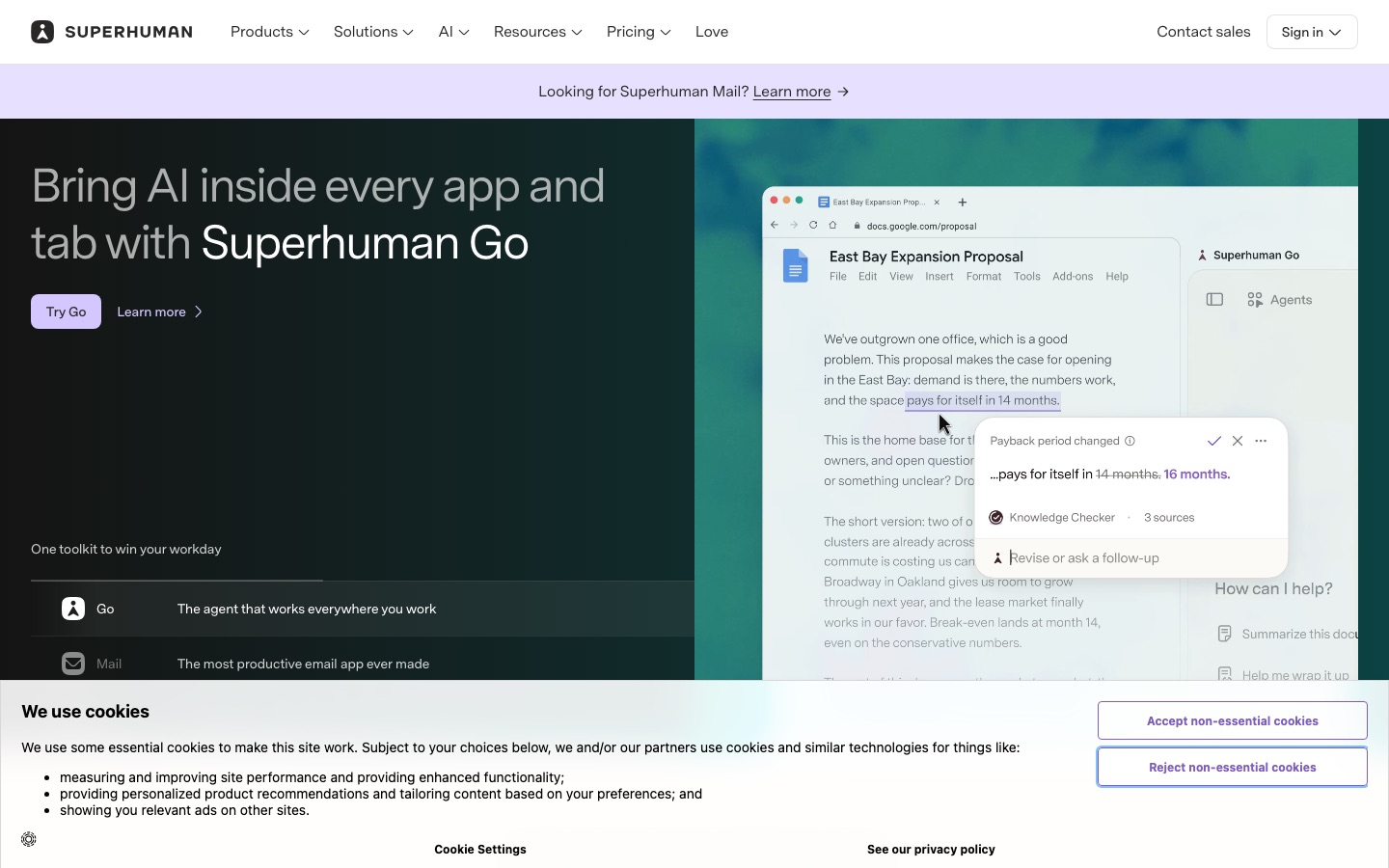
The Mail MCP server, included on Business, connects your Gmail and Outlook accounts to AI assistants like Claude and ChatGPT. You can ask them to summarize threads, draft in your style or book meetings, and sending requires your approval. Superhuman Go is the suite's AI assistant that works across tabs and apps; it is included even on the free suite plan, but it is separate from Mail itself.
Superhuman pricing (as of October 2026)
Superhuman sells Mail on its own and as part of the suite. Prices below come from the official Mail plans page, the suite plans page and the Superhuman help center. US prices, per member.
| Plan | Price | What you really get |
|---|---|---|
| Mail Starter | $30/mo, or $25/mo billed yearly ($300/yr) | Speed features, Split Inbox, Write with AI, Instant Reply, built-in Auto Labels, Auto Archive, reminders, calendar, team comments. Up to 25 seats |
| Mail Business | $40/mo, or $33/mo billed yearly ($396/yr) | Everything in Starter plus Auto Drafts, Ask AI, custom AI labels, Mail MCP, HubSpot and Salesforce, Recent Opens. Also includes Grammarly, Docs and Go. Up to 25 seats |
| Enterprise | Custom | SSO, SCIM, advanced admin and security, BYOK encryption, audit logs, team analytics, success manager |
| Suite Free | $0 | Grammarly, Superhuman Docs and Go. No Mail |
| Suite Pro | $15/mo, or $12/mo billed yearly | Grammarly, Docs and Go with higher limits. No Mail |
The key decision is Starter vs Business. Starter gets you the fast client and solid AI writing for $25 to $30. Business costs $8 to $10 more and adds the features that feel most like an assistant: drafts waiting for you, inbox Q&A and custom AI labels. Business also bundles Grammarly Pro-level writing help, Docs and Go, so if you already pay for Grammarly, Business can be better value than it looks.
Is there a Superhuman free trial?
Superhuman's plan pages do not advertise a standard free trial for Mail, and the free suite tier does not include Mail. Partner and referral links regularly offer a free first month, and Superhuman has run trials through beta programs. Check the terms at checkout, and note that some users report needing support to cancel, although the help center documents a self-serve cancel option in the command palette.
Pros and cons
Pros
Genuinely fast. Instant open and send, and almost everything works from the keyboard.
Strong AI triage. Split Inbox, Auto Labels and Auto Archive keep noise out of view.
Useful drafting. Write with AI and Auto Drafts match your tone better than generic assistants.
Ask AI makes inbox search feel like asking a colleague.
Works on every major platform, including Windows and Android.
Business bundles Grammarly, Docs and Go, which offsets the price if you use them.
Cons
Expensive for email, especially for teams.
Best AI is Business only. Starter lacks Auto Drafts and Ask AI.
No free Mail plan and no clearly advertised trial.
Gmail and Microsoft only. No iCloud, Fastmail or IMAP.
Learning curve. The first week is slower until shortcuts stick.
Seat cap. Starter and Business top out at 25 seats; larger teams need Enterprise.
Limitations and common complaints
Public reviews on G2, Capterra, Reddit and Hacker News are mostly positive about speed and design, but a few complaints repeat:
Price fatigue. The most common reason people cancel. Many say the value is clear only for very high email volume.
AI drafts still need review. Drafts can be too agreeable, and some users report that replies reflect only the latest message in a long thread.
Long-standing bugs. Some long-time users mention search quirks and small desktop bugs that have persisted for years.
Calendar is basic. It is good for quick scheduling from email, not a full calendar replacement.
Cancellation friction. A minority of reviewers say canceling required contacting support.
Superhuman vs the alternatives
Superhuman's competition now includes AI built into Gmail and Outlook, cheaper AI-native clients and assistants that work inside your current inbox. Our full best AI email assistants guide covers more options.
| Tool | Type | Works with | Starting price |
|---|---|---|---|
| Superhuman | Premium email client | Gmail, Microsoft 365 | $25/mo yearly |
| Shortwave | AI-native email client | Gmail and Google Workspace first | Free plan; paid from $30/seat/mo |
| Fyxer AI | Assistant inside your inbox | Gmail, Outlook | Free plan; Pro $37/mo yearly |
| Google Gemini in Gmail | Built-in AI | Gmail | Google AI Plus $4.99/mo |
| Microsoft Copilot in Outlook | Built-in AI | Outlook | Included in some Microsoft 365 plans |
Superhuman vs Shortwave
Shortwave is the closest rival: an AI-first Gmail client with bundles, an AI assistant powered by Claude models, AI filters and a free plan. Its paid tiers ($30, $45 and $120 per seat per month) scale AI usage rather than features. Pick Shortwave if you want deeper AI and search on Gmail for less upfront cost; pick Superhuman for raw speed, Outlook support and polish.
Superhuman vs Fyxer AI
Fyxer AI does not replace your email client. It labels mail and drafts replies directly inside Gmail or Outlook, and records meetings to write follow-ups. If you like your current inbox and just want drafts waiting for you, Fyxer is the easier change. If you want the whole email experience rebuilt for speed, Superhuman wins.
Superhuman vs Gmail with Gemini or Outlook with Copilot
The built-in assistants summarize threads and draft replies for a fraction of the cost, and Google AI Plus puts Gemini in Gmail for $4.99 a month. They do not give you Superhuman's speed, Split Inbox, read statuses or Auto Drafts. For moderate email volume, start with the built-in AI; upgrade to Superhuman only if triage still eats hours.
Superhuman vs Grammarly
They are now the same company. Grammarly improves writing everywhere you type, while Superhuman Mail is an email client. The suite Business plan includes both. Our Grammarly review covers the writing side in detail.
Who should use Superhuman
Founders and executives who triage hundreds of emails a day and value every minute: Business.
Salespeople and recruiters who need read statuses, Recent Opens, snippets and CRM panels: Business.
Investors and consultants who juggle many conversations and follow-ups: Starter or Business.
Small teams handling shared customer or partner email: Starter or Business, up to 25 seats.
Not ideal for light email users, students, iCloud or IMAP users, or teams that only need AI drafting in their current app.
If meeting follow-ups are a big part of your email load, pair Superhuman with a notetaker; our Fathom vs Fireflies comparison covers the two most popular options. For a broader view of where email fits in your stack, see the best AI productivity tools.
FAQ
Is Superhuman worth it in 2026?
Superhuman is worth it if you handle a high volume of email on Gmail or Microsoft 365 and will learn its shortcuts. Many heavy users say it saves hours a week. For light email users, Gmail with Gemini or Outlook with Copilot gives most of the AI benefit for far less money.
How much does Superhuman cost?
Superhuman Mail Starter costs $30 per month, or $25 per month billed yearly. Business costs $40 per month, or $33 per month billed yearly, and adds Auto Drafts, Ask AI, custom AI labels, the Mail MCP and bundled Grammarly, Docs and Go. Enterprise pricing is custom. There is no free Mail plan.
Does Superhuman have a free trial?
Superhuman's official plan pages do not advertise a standard Mail trial in 2026. Partner and referral links often include a free first month, and the free suite plan covers Grammarly, Docs and Go but not Mail. Check the terms at checkout and set a reminder before any trial ends.
Does Superhuman work with Outlook?
Yes. Superhuman works with Outlook and Microsoft 365 accounts as well as Gmail and Google Workspace, on Mac, Windows, web, iPhone and Android. It does not support iCloud, Yahoo, Fastmail or generic IMAP accounts, so users on those providers should look at other email clients.
Is Superhuman owned by Grammarly?
Grammarly acquired Superhuman in July 2025, then renamed the combined company Superhuman in October 2025. Grammarly is now a product inside the Superhuman suite alongside Mail, Superhuman Docs (formerly Coda) and the Go assistant. In September 2026 the company also announced it was acquiring the Fathom notetaker.
What is the best Superhuman alternative?
For Gmail users, Shortwave is the closest alternative, with deep AI features and a free plan. If you want to keep your current inbox, Fyxer AI drafts replies inside Gmail or Outlook. For the cheapest option, use Gemini in Gmail through Google AI Plus or Copilot in Outlook.
Does Superhuman send emails automatically?
No. Auto Drafts writes replies before you open a thread, but you review and send them. The Mail MCP server also requires your approval before an AI assistant sends anything. Auto Reminders bring threads back to your attention rather than sending follow-ups for you.
Final verdict
Superhuman is still the best email client for people whose job is email. The speed is unmatched, the AI triage is excellent, and Auto Drafts plus Ask AI make the Business plan feel like a part-time assistant. The catches are price, a Gmail and Microsoft-only scope, and the fact that its best AI is not on Starter. If you send and receive more than 100 emails a day, try Business and give it two weeks to learn the shortcuts. If you do not, the AI already inside Gmail or Outlook, or an assistant like Fyxer, will get you most of the way for much less.
Compare more inbox and planning tools in the AI productivity category, or see how Superhuman fits with calendar planners in our Motion vs Reclaim AI comparison. If you build an AI email tool we have missed, you can submit it for a listing.